Introduction
The Urbanista San Francisco USB C Wired Earbuds are designed to provide a clear and rich audio experience with convenient features for daily use. These earbuds feature a USB-C connection, an in-line microphone, and multi-functional controls, making them compatible with a wide range of modern devices.

Image: Urbanista San Francisco USB C Wired Earbuds in Midnight Black, showcasing the ergonomic design, inline remote with controls, and the USB-C connector.
Package Contents
- Urbanista San Francisco USB C Wired Earbuds
- Instruction Manual (this document)
Setup
- Connect to Device: Insert the USB-C connector of the earbuds into the USB-C port of your compatible smartphone, tablet, or computer. Ensure the connection is secure.
- Wearing the Earbuds: Gently place the earbuds into your ears. The ergonomic design is intended for a comfortable and secure fit. Adjust them until they feel snug.

Image: A close-up view of the USB-C connector, highlighting its design for universal compatibility.
Operating Instructions
The Urbanista San Francisco earbuds feature an in-line remote with integrated controls for audio playback and call management.
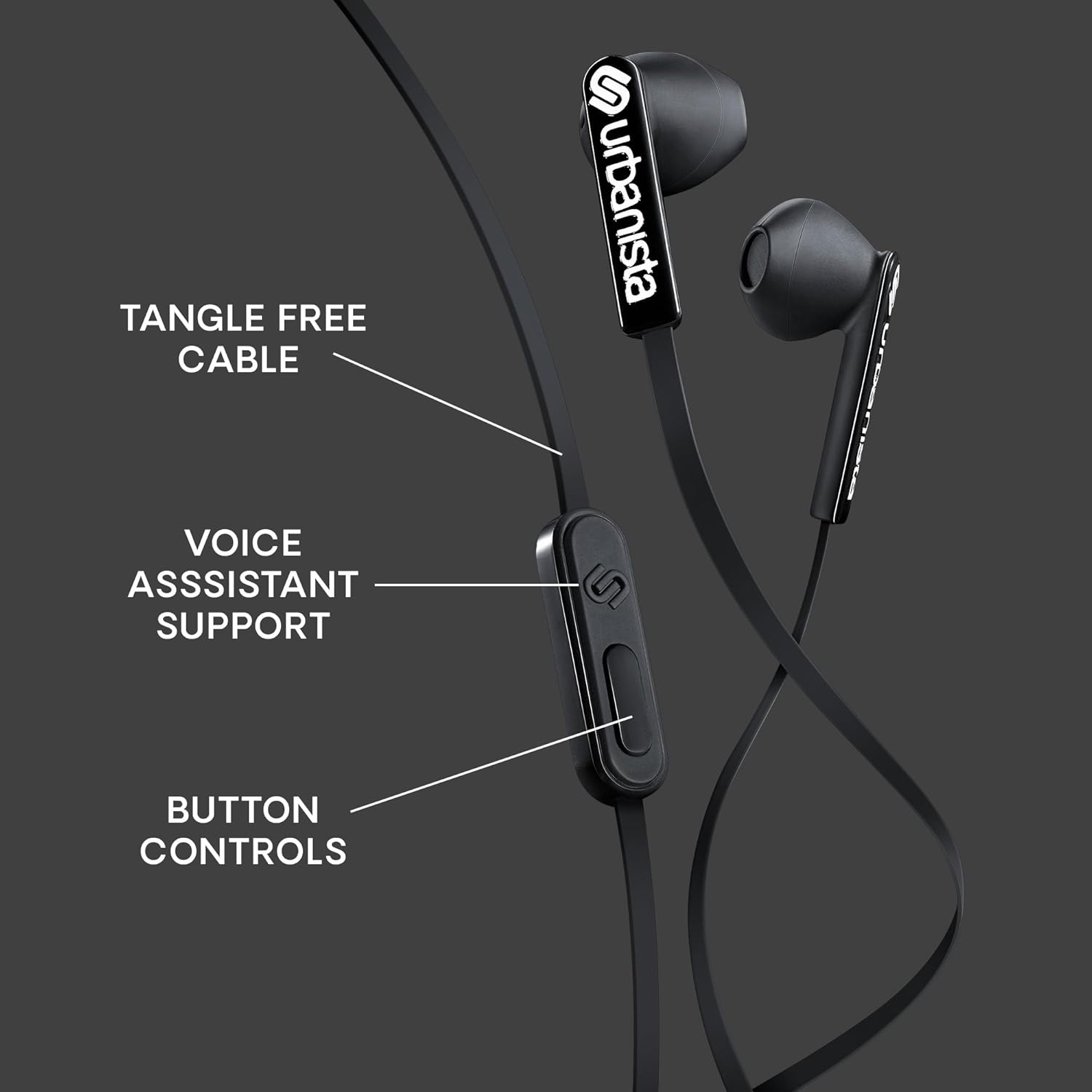
Image: Detailed view of the in-line remote control, indicating the button layout for various functions.
Button Functions:
- Play/Pause: Press the center button once to play or pause audio.
- Next Track: Press the center button twice quickly to skip to the next track.
- Previous Track: Press the center button three times quickly to go to the previous track.
- Answer/End Call: Press the center button once to answer an incoming call or end an active call.
- Reject Call: Press and hold the center button for approximately 2 seconds to reject an incoming call.
- Volume Control: Use the dedicated volume up (+) and volume down (-) buttons on the remote to adjust audio levels.
- Voice Assistant: Press and hold the center button for approximately 2 seconds (when not on a call) to activate your device's voice assistant (compatible with iOS, Android, and Windows).
Microphone Usage:
The built-in microphone allows for hands-free communication. Ensure the microphone is positioned clearly for optimal voice pickup during calls or voice assistant commands.
Maintenance
- Cleaning: Regularly clean the earbuds with a soft, dry cloth. Avoid using harsh chemicals or abrasive materials. For ear tips, gently wipe with a slightly damp cloth and ensure they are completely dry before use.
- Storage: Store the earbuds in a clean, dry place when not in use. The tangle-free cable design helps prevent knots, but proper coiling can extend cable life.
- Avoid Water: These earbuds are not water-resistant. Avoid exposure to liquids, moisture, or extreme temperatures.
Troubleshooting
| Problem | Solution |
|---|---|
| No sound or low volume |
|
| Microphone not working |
|
| Static or distorted sound |
|
Specifications
- Model Name: San Francisco USB C
- Connectivity Technology: Wired
- Headphones Jack: USB C
- Audio Driver Size: 14.2 Millimeters
- Frequency Range: 20 Hz - 20,000 Hz
- Control Type: Volume Control, Button Control, Voice Assistant
- Cable Feature: Tangle Free
- Included Components: Earphones
- Item Weight: 0.05 Kilograms (approx. 1.58 ounces)
- Material: Plastic
- Manufacturer: URBANISTA
Warranty and Support
For warranty information and customer support, please refer to the official Urbanista website or contact their customer service directly. Keep your proof of purchase for any warranty claims.
Visit the Urbanista Store on Amazon for more information.


