
Gotrax Hoverfly Kart
Gotrax Hoverboard Kart Seat Attachment User Manual
Model: Hoverfly Kart
Introduction
The Gotrax Hoverboard Kart Seat Attachment is designed to transform your self-balancing scooter into a fun and stable go-kart. This accessory provides an ergonomic seat and intuitive hand controls, making it easier to balance and enjoy your ride. It is compatible with most hoverboards ranging from 6.5" to 10" wheel sizes, provided the hoverboard pedals are larger than 16.33".
Safety Information
Always prioritize safety when operating the Hoverfly Kart. Ensure all components are securely fastened before each use. Wear appropriate safety gear, including a helmet, knee pads, and elbow pads. Do not operate the device in unsafe conditions, near traffic, or on uneven terrain. Adult supervision is recommended for younger riders.
Components
The Hoverfly Kart includes the following main components:
- Kart Seat
- Adjustable Frame (Dual Tube Design)
- Handlebar Controls with Rubber Grips
- Front Wheel Assembly (360° Swivel)
- Nylon Straps for Hoverboard Attachment
- Assembly Hardware (Screws, Nuts, Wrenches)

Figure 1: Exploded view of Hoverfly Kart components for assembly.
Setup and Assembly
Assembly of the Hoverfly Kart is quick and straightforward, typically taking less than 10 minutes. Follow these steps:
- Attach the seat to the main frame using the provided hardware.
- Insert the handlebar controls into their designated slots on the frame.
- Secure the front wheel assembly to the adjustable frame.
- Adjust the frame length to suit the rider's legroom. The frame can be adjusted from 29.33" to 37.8" by unscrewing the locking mechanism, sliding the frame, and re-securing.
- Attach the Hoverfly Kart to your hoverboard using the adjustable nylon straps. Ensure the straps are tightly secured around the hoverboard's footpads to prevent movement during operation.
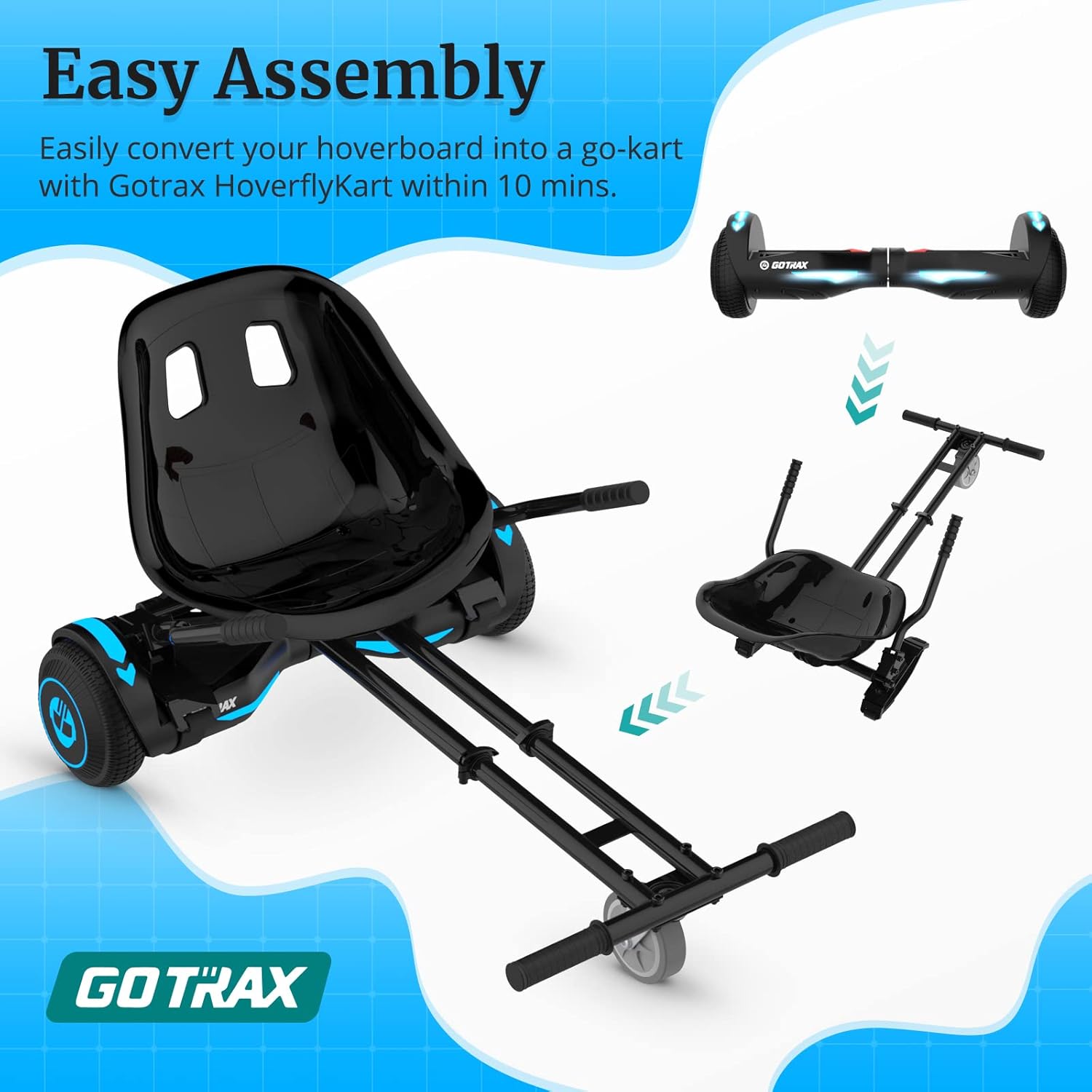
Figure 2: The Hoverfly Kart is designed for quick and easy assembly.

Figure 3: Adjustable frame length for various rider heights.

Figure 4: Compatible with 6.5"-10" hoverboards.
Operating Instructions
The Hoverfly Kart is controlled using its handlebar steering system. This system allows for intuitive control of movement and direction.
- Forward: Push both handlebars downwards simultaneously.
- Backward: Pull both handlebars upwards simultaneously.
- Turn Left: Push the right handlebar down while holding the left handlebar in a neutral position.
- Turn Right: Push the left handlebar down while holding the right handlebar in a neutral position.
- 360° Turns: Manipulate both handlebars in opposing directions to perform spins.

Figure 5: Hand controls for forward, backward, left, and right turns.

Figure 6: Key features for comfortable and safe riding.
Maintenance
To ensure the longevity and optimal performance of your Gotrax Hoverboard Kart, regular maintenance is recommended:
- Regularly inspect all screws, nuts, and bolts to ensure they are tight. Tighten as necessary.
- Check the condition of the nylon straps. Replace them if they show signs of wear or damage to ensure secure attachment to the hoverboard.
- Keep the kart clean by wiping it with a damp cloth. Avoid using harsh chemicals that could damage the finish.
- Store the Hoverfly Kart in a dry place, away from direct sunlight and extreme temperatures.
Troubleshooting
If you encounter any issues with your Hoverfly Kart, consider the following common solutions:
- Kart not moving or responding: Ensure your hoverboard is fully charged and properly attached to the kart. Check that the hoverboard is powered on and functioning correctly independently.
- Difficulty steering: Verify that the handlebar controls are securely installed and move freely. Ensure the hoverboard's sensors are not obstructed by the kart's attachment.
- Unstable ride: Re-check all attachment points and ensure the nylon straps are tightly secured. Adjust the frame length to a comfortable and stable position for the rider.
For persistent issues, please refer to the customer support section.
Specifications
| Model Name | Hoverfly Kart |
| Brand | Gotrax |
| Item Weight | 12 Pounds |
| Item Dimensions (LxWxH) | 20.4 x 18.1 x 9.8 inches |
| Adjustable Frame Length | 29.33" to 37.8" |
| Compatible Hoverboard Wheel Sizes | 6.5" to 10" |
| Material | Plastic, Aluminum Frame |
| Style | Dual Tube |
Warranty
The Gotrax Hoverfly Kart comes with a 180-day warranty from the date of purchase. This warranty covers manufacturing defects. Please retain your proof of purchase for warranty claims.
Customer Support
For any questions, technical assistance, or warranty claims, please contact Gotrax customer support. Refer to the official Gotrax website or your purchase documentation for the most up-to-date contact information.
Related documentsHoverfly Kart


Ask a question about this manual
Ask about setup, troubleshooting, compatibility, parts, safety, or missing instructions. Manuals+ will review the question and use this page’s manual context to help answer it.