
1. Introduction
Thank you for choosing the SANODESK FD4 Gaming Desk. This manual provides detailed instructions for the assembly, operation, and maintenance of your new desk. Please read this manual thoroughly before assembly and use to ensure proper function and safety. Keep this manual for future reference.
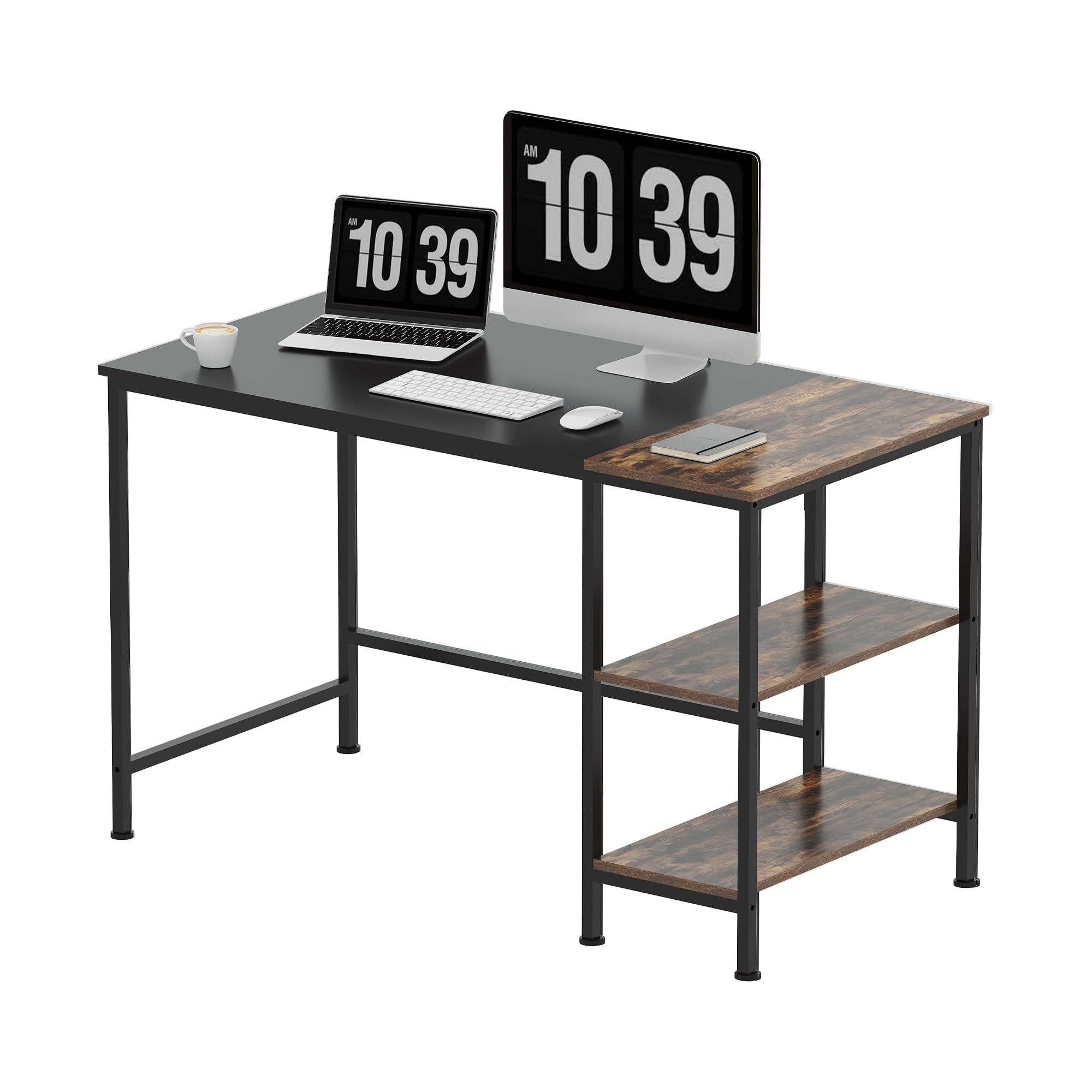
Image 1.1: The SANODESK FD4 Gaming Desk in a typical setup, showcasing its design and functionality.
2. Safety Information
- Always assemble the desk on a soft, clean surface to prevent scratches.
- Ensure all screws and fasteners are securely tightened before use. Periodically check and re-tighten as necessary.
- Do not overload the desk. The maximum recommended weight capacity is 100 kg (220 lbs).
- Keep small parts and packaging materials away from children to prevent choking hazards.
- Avoid placing hot items directly on the desk surface without protection.
- Do not stand or sit on the desk.
3. Setup and Assembly
The SANODESK FD4 is designed for straightforward assembly. All necessary tools and clear instructions are included with your purchase. Follow the step-by-step guide provided in the packaging for optimal results.
3.1. Unpacking and Component Check
- Carefully open the packaging and remove all components.
- Verify that all parts listed in the included parts list are present and undamaged. If any parts are missing or damaged, contact customer support immediately.
3.2. Assembly Steps (General Guidelines)
- Begin by attaching the main desktop panel to the metal frame. Ensure proper alignment of screw holes.
- Assemble the shelving unit according to the diagrams. Note that the middle shelf can be removed for larger items.
- Attach the shelving unit to the main desk frame.
- Install the adjustable feet onto the bottom of all desk legs.
- Once fully assembled, gently lift the desk to its desired location. Avoid dragging to prevent damage to the floor or desk.

Image 3.1: Desk dimensions for planning your space. The desk measures 1200mm in length, 600mm in width, and 750mm in height.

Image 3.2: The integrated two-tier storage shelves provide ample space for organization. The middle shelf can be removed if needed.

Image 3.3: The triangular design of the desk frame enhances stability and durability.
4. Operating Instructions
The SANODESK FD4 is a fixed-height desk designed for various uses, including gaming, office work, and studying. Its primary function is to provide a stable and organized workspace.
4.1. Utilizing Storage Shelves
- The desk features two open storage shelves. These are ideal for books, office supplies, small electronic devices, or decorative items.
- For larger items, the middle shelf can be easily removed during assembly or later by unscrewing its supports.
4.2. Adjusting for Stability
- The desk is equipped with adjustable feet. If the desk wobbles on an uneven floor, gently twist the adjustable feet at the bottom of each leg until the desk is stable and level.

Image 4.1: The desktop surface is made from high-quality E0 grade particle board, offering durability and an elegant texture.

Image 4.2: The desk boasts a powerful load-bearing capacity, supporting up to 100 kg (220 lbs).

Image 4.3: Adjustable feet allow for leveling the desk on uneven floors, ensuring maximum stability.
5. Maintenance
Proper maintenance will extend the life and appearance of your SANODESK FD4 Gaming Desk.
- Cleaning: The desktop is waterproof, dustproof, and scratch-resistant. For general cleaning, wipe the surface with a soft, damp cloth. Avoid abrasive cleaners or harsh chemicals that could damage the finish.
- Spills: Immediately wipe up any spills to prevent water damage, although the surface is water-resistant.
- Inspection: Periodically check all screws and connections to ensure they remain tight. Re-tighten if necessary.
- Protection: Use coasters for drinks and placemats for hot dishes to further protect the desktop surface.
6. Troubleshooting
This section addresses common issues you might encounter with your SANODESK FD4 Gaming Desk.
| Problem | Possible Cause | Solution |
|---|---|---|
| Desk is wobbly or uneven. | Uneven floor surface or loose adjustable feet. | Adjust the leveling feet at the bottom of each leg until the desk is stable. Ensure all assembly screws are tight. |
| Missing or damaged parts during assembly. | Packaging error or shipping damage. | Do not proceed with assembly. Contact SANODESK customer support with your purchase details and a description of the issue. |
| Difficulty assembling a specific part. | Misinterpretation of instructions or incorrect part orientation. | Review the assembly manual carefully, paying close attention to diagrams. Ensure parts are oriented correctly. If issues persist, contact customer support. |
7. Specifications
| Feature | Detail |
|---|---|
| Brand | SANODESK |
| Model Number | FD4 4824 |
| Dimensions (L x W x H) | 120 x 60 x 75 cm (47.2 x 23.6 x 29.5 inches) |
| Weight | 17.5 kg (38.6 lbs) |
| Material (Desktop) | E0 Grade Engineered Wood |
| Material (Frame) | Metal |
| Color | Black frame, Brown desktop |
| Weight Capacity | Up to 100 kg (220 lbs) |
| Storage | 2-tier open shelves (middle shelf removable) |
| Special Features | Waterproof, Dustproof, Scratch-resistant desktop, Adjustable feet, Stable triangular design |
| Assembly Required | Yes |
8. Warranty and Support
8.1. Warranty Information
Specific warranty details for the SANODESK FD4 Gaming Desk are typically provided with your purchase documentation. Please refer to the warranty card or contact your retailer for information regarding warranty coverage and duration.
8.2. Customer Support
Should you encounter any issues, have questions about assembly, or require assistance with your SANODESK FD4 Gaming Desk, our customer support team is available to help. Please have your purchase details and model number (FD4 4824) ready when contacting support.
For support, please visit the official SANODESK website or contact your point of purchase.
