
Product Overview
The VTech CS1501 Duo is a DECT cordless phone system designed for home use, combining essential functionalities with a simple and modern white design. This duo pack includes two handsets with charging bases, allowing you to place phones in different rooms without the need for additional wiring. It offers reliable communication with features aimed at enhancing your calling experience.

Key Features:
- Dual Handset Charging Design: An innovative design allows you to charge the handset with the screen facing up for easy viewing or facing down for a compact, sleek look.
- Nuisance Call Blocking: Block unwanted and nuisance calls. The VTech call blocking feature allows you to block up to 60 numbers by adding them to a blacklist.
- 3-Way Conference: Transfer calls between handsets and use the intercom function to allow multiple users to participate in a conversation simultaneously.
- Backlit Display: The entire LCD screen illuminates, making it easy to dial numbers and read information even in low-light conditions.
- Phonebook and Call Log: Store up to 60 names and numbers in the phonebook. The call log records up to 20 incoming calls with Caller ID, and you can redial the last 10 outgoing calls.
- Hands-Free Speakerphone: Enjoy convenient conversations with the integrated hands-free speakerphone.
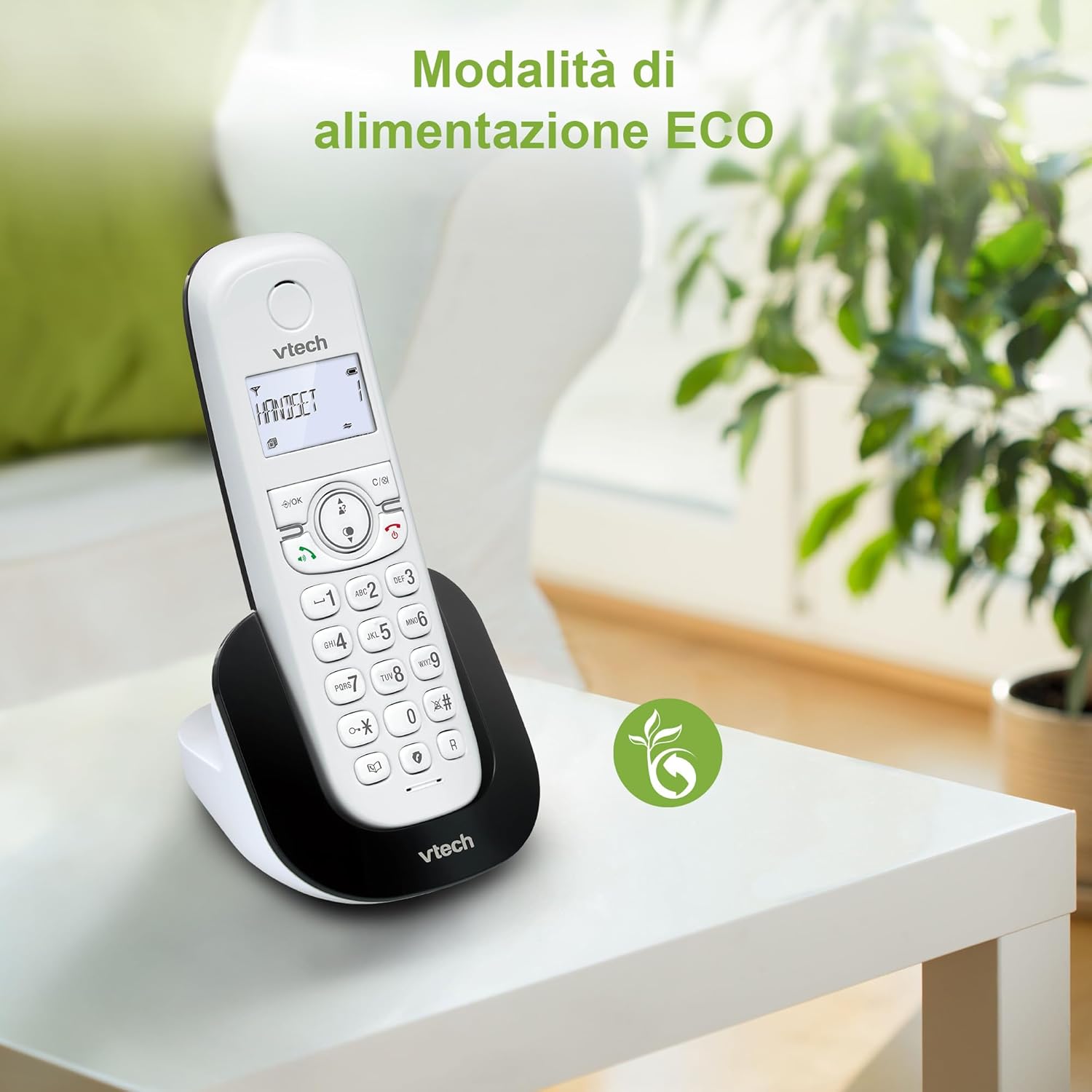
- ECO Mode: Reduce power consumption and transmission power with the ECO mode, contributing to energy saving.
- Long Battery Life: Provides up to 13 hours of talk time and 200 hours of standby time.
Setup Guide
1. Unpacking and Initial Setup
- Carefully unpack all components from the box: two handsets, two charging bases, two power adapters, and two rechargeable battery packs.
- Install the battery pack into each handset. Open the battery compartment cover on the back of the handset, connect the battery pack connector firmly into the socket, and place the battery pack inside the compartment. Close the cover.
- Connect one end of the power adapter to the DC IN jack at the back of each charging base, and plug the other end into a wall outlet.
- Place each handset onto its respective charging base. Ensure the handset is properly seated and the charging indicator on the handset lights up. Charge the handsets for at least 16 hours before first use to ensure optimal battery performance.

2. Connecting the Base Unit (if applicable)
For the primary base unit (if your model includes one that connects to a phone line), connect the telephone line cord to the LINE jack on the base unit and the other end to your telephone wall jack. Plug the base unit's power adapter into a wall outlet.
Operating Instructions
Making and Receiving Calls
- To Make a Call: Press the TALK button (green phone icon), then dial the phone number.
- To Answer a Call: When the phone rings, press the TALK button.
- To End a Call: Press the END button (red phone icon) or place the handset back on the charging base.
Speakerphone Function
During a call, press the SPEAKER button (speaker icon) to activate the hands-free speakerphone. Press it again to switch back to the handset earpiece.

Caller ID and Call Log
When you receive an incoming call, the caller's information (if available) will be displayed on the handset screen. To review past calls, press the CALL LOG button (usually an arrow or dedicated button) and scroll through the list. You can redial a number directly from the call log.

Phonebook Management
- Adding a Contact: Navigate to the Phonebook menu, select 'Add New Entry', enter the name and number, then save.
- Dialing from Phonebook: Press the PHONEBOOK button, scroll to the desired contact, and press TALK.
Call Blocking
To block a number, access the Call Blocking menu. You can add numbers manually or directly from the call log. The phone can store up to 60 blocked numbers.

3-Way Conference
During an active call, you can initiate a 3-way conference by pressing the INTERCOM button, calling another handset, and then pressing the CONFERENCE button once the second party answers. This allows all three parties to converse simultaneously.

Redial Function
To redial the last number called, simply press the REDIAL button (often the same as the call log button or a dedicated redial button).

ECO Mode
The ECO mode automatically adjusts the radio power transmitted by the handset and base unit based on their distance, reducing energy consumption and radiation. This mode is typically active by default.
Maintenance
Cleaning the Phone
Wipe the phone and charging bases with a soft, damp cloth. Do not use cleaning sprays or harsh chemicals, as they may damage the finish or electrical components.
Battery Care
- Always charge the handsets on their respective charging bases when not in use to maintain battery life.
- If the phone will not be used for an extended period, remove the battery pack from the handset.
- Replace the battery pack when the handset consistently shows a low battery warning or experiences significantly reduced talk/standby time. Use only the specified replacement battery packs.

Troubleshooting
| Problem | Possible Cause | Solution |
|---|---|---|
| No dial tone | Phone line not connected; Base unit not powered. | Ensure phone line is securely connected. Check if the base unit's power adapter is plugged in. |
| Handset not charging | Handset not properly seated; Charging contacts dirty; Battery not installed. | Reseat handset on charger. Clean charging contacts with a dry cloth. Ensure battery is correctly installed. |
| Poor sound quality / Static | Out of range; Interference from other electronic devices. | Move closer to the base unit. Move the phone away from other electronic devices (e.g., Wi-Fi routers, microwaves). |
| Cannot make/receive calls | Handset not registered to base; Phone line issue. | Refer to the registration section in the full manual. Check your phone line connection. |
Specifications
| Feature | Detail |
|---|---|
| Brand | VTech |
| Model Number | CS1501 |
| Color | White |
| Phone Type | Cordless DECT Phone |
| Material | Plastic |
| Power Source | Battery Powered |
| Batteries | 2 Product Specific - Included |
| Talk Time | Up to 13 hours |
| Standby Time | Up to 200 hours |
| Item Weight | 550 Grams |
| Special Features | Cordless, Call Blocking, Hands-free, Backlit Display, ECO Mode |
Warranty and Support
Warranty Information
This product is typically covered by a manufacturer's warranty. Please refer to the warranty card included in your product packaging for specific terms and conditions, including the warranty period and coverage details. Keep your purchase receipt as proof of purchase.
Customer Support
For technical assistance, troubleshooting, or inquiries regarding your VTech CS1501 Duo DECT Cordless Phone, please contact VTech customer support. Contact information can usually be found on the VTech official website or in the product packaging.
For returns or replacements, please refer to the retailer's return policy. For purchases made on Amazon, the return policy typically allows for returns within 30 days.


