
1. Product Overview
The VTech CS1500 DECT cordless phone is designed for home use, offering essential communication features with enhanced convenience. This manual provides instructions for setting up, operating, and maintaining your phone.
Key Features:
- Dual-Charging Design: Innovative design allows the handset to be charged face up for easy screen viewing or face down for a compact profile.
- Call Blocking: Block up to 60 unwanted numbers to prevent nuisance calls.
- ECO DECT Mode: Automatically adjusts radio frequency power based on distance from the base station, ensuring reduced energy consumption.
- Long Battery Life: Provides up to 13 hours of talk time and 200 hours of standby time.
- Backlit Display: Clear, easy-to-read display for optimal visibility.
- Phonebook: Store up to 60 names and numbers for quick dialing.
- Caller ID/Call Waiting: Stores up to 20 incoming call entries with name, number, time, and date.
- Last Number Redial: Easily redial the last 10 numbers called.
- Hands-Free Speakerphone: For convenient conversations.
- Additional Functions: Adjustable ringtone volume and melodies, alarm function, mute function, 3-way conference, call transfer, and intercom.

Figure 1: VTech CS1500 DECT Cordless Phone Handset in Charging Base.
2. Package Contents
Ensure your package contains the following items:
- VTech CS1500 Handset
- Base Station with Power Adapter
- Telephone Line Cord
- Rechargeable Batteries (1 product specific - included)
- User Manual (this document)
3. Setup Guide
3.1 Battery Installation
- Open the battery compartment cover on the back of the handset.
- Insert the supplied rechargeable batteries, observing the correct polarity (+ and -).
- Close the battery compartment cover securely.
3.2 Base Station Placement and Connection
- Place the base station on a flat, stable surface, away from heat sources and direct sunlight.
- Connect the small end of the power adapter to the power jack on the base station.
- Plug the large end of the power adapter into a wall outlet.
- Connect one end of the telephone line cord to the telephone line jack on the base station.
- Plug the other end of the telephone line cord into a telephone wall jack.
3.3 Initial Charging and Handset Registration
- Place the handset in the base station to charge. The handset can be placed face up or face down.
- Allow the handset to charge for at least 16 hours before initial use to ensure full battery capacity.
- The handset is typically pre-registered to the base station. If not, follow the on-screen prompts or refer to the full manual for manual registration steps.

Figure 2: Handset dual-charging design, allowing face-up or face-down placement in the base.

Figure 3: Illustration of the phone's reliable long-range signal within a home environment.
4. Operating Instructions
4.1 Making and Receiving Calls
- To Make a Call: Press the Talk button (green phone icon), then dial the number. Alternatively, dial the number first and then press Talk.
- To Receive a Call: When the phone rings, press the Talk button.
- To End a Call: Press the End button (red phone icon) or place the handset back in the base station.
4.2 Using the Speakerphone
During a call, press the Speakerphone button (speaker icon) to activate hands-free mode. Press it again to return to handset mode.
4.3 Phonebook
The phonebook stores up to 60 names and numbers.
- To Add an Entry: Navigate to the Phonebook menu, select 'Add New', enter the name and number, then save.
- To Dial from Phonebook: Press the Phonebook button, scroll to the desired entry, and press Talk.
4.4 Call Blocking
Block unwanted calls by adding numbers to the call block list (up to 60 entries).
- To Block a Number: During an incoming call or from the Caller ID log, press the Call Block button (shield icon) and confirm.

Figure 4: Close-up of the handset highlighting the call block button, used to prevent unwanted calls.
4.5 Caller ID and Call Log
The phone displays the caller's information (if available) and stores the last 20 incoming calls.
- To View Call Log: Press the CID button or navigate to the Call Log menu. Use the navigation keys to scroll through entries.
- To Dial from Call Log: Select an entry from the Call Log and press Talk.

Figure 5: Handset display showing caller ID information and a list of stored incoming calls.
4.6 Last Number Redial
The phone stores the last 10 numbers dialed.
- To Redial: Press the Redial button, scroll to the desired number, and press Talk.

Figure 6: Handset display showing a number being redialed, illustrating the last 10 number redial function.
4.7 Other Functions
- Mute: During a call, press the Mute button to temporarily disable your microphone.
- Alarm: Set an alarm through the handset menu.
- Intercom: If you have multiple handsets, you can make internal calls between them.
- 3-Way Conference: Allows three parties to participate in a single call.

Figure 7: A user on a call, with an indicator showing the phone's 13-hour talk time capability.
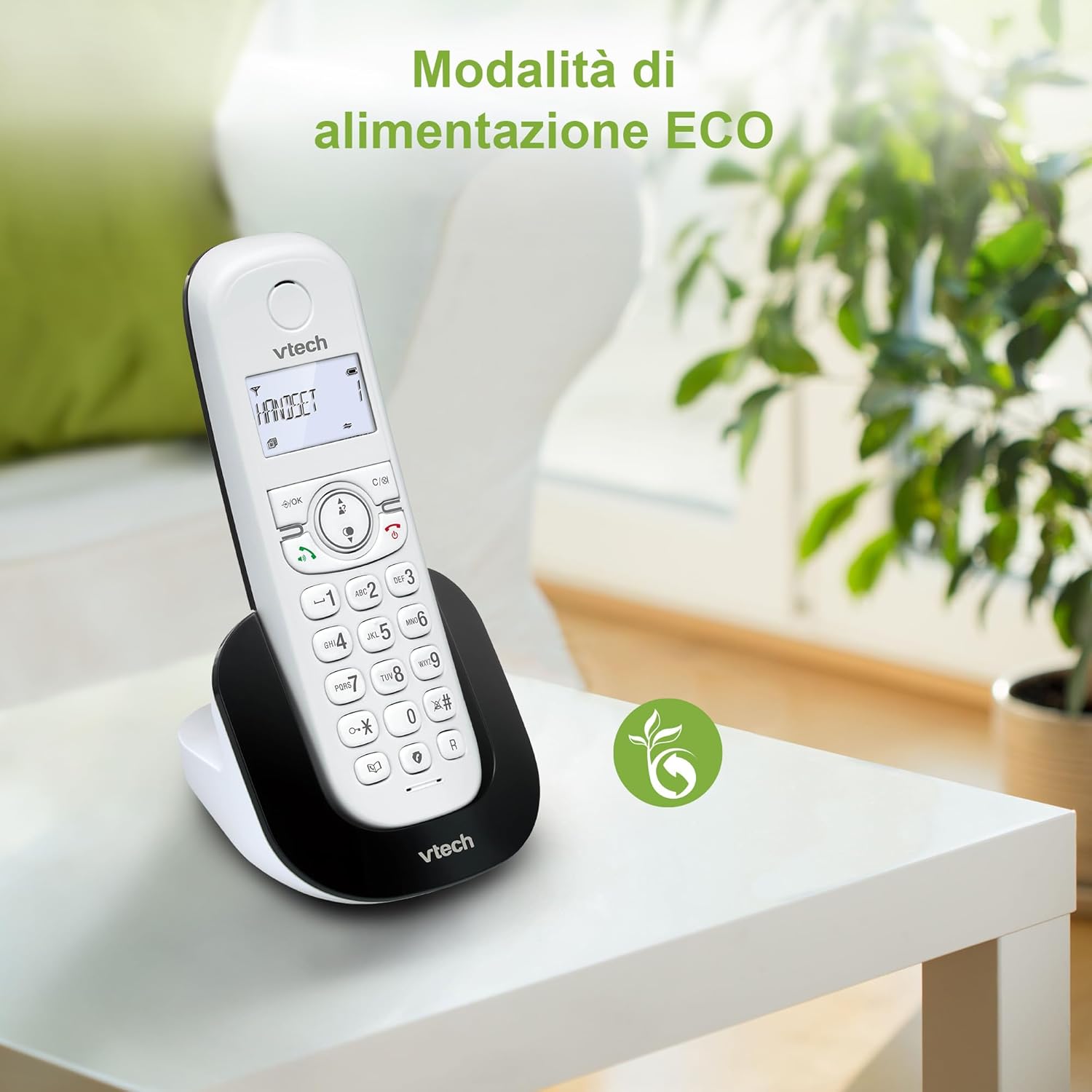
Figure 8: The phone in a home setting, indicating the energy-saving ECO power mode.
5. Maintenance
5.1 Cleaning
- Wipe the phone and base station with a soft, damp cloth.
- Do not use cleaning sprays or harsh chemicals, as these can damage the surface or internal components.
5.2 Battery Care
- To maintain optimal battery performance, always return the handset to the base station when not in use.
- If the phone will not be used for an extended period, remove the batteries to prevent leakage.
- Replace batteries when their performance significantly degrades. Use only VTech-approved replacement batteries.
6. Troubleshooting
If you experience issues with your VTech CS1500, try the following solutions:
| Problem | Solution |
|---|---|
| No dial tone | Ensure the base station power adapter and telephone line cord are securely connected. Check if other phones on the same line are working. |
| Cannot make/receive calls | Check the telephone line connection. Ensure the handset batteries are charged. If multiple handsets, ensure they are registered. |
| Poor sound quality | Move closer to the base station. Ensure there are no large metal objects or other electronic devices interfering with the signal. |
| Handset display is blank | Place the handset in the base station to charge. The battery may be depleted. |
| Handset not charging | Ensure the power adapter is connected to the base station and a working wall outlet. Clean the charging contacts on both the handset and base station. |
7. Specifications
| Feature | Detail |
|---|---|
| Brand | VTech |
| Model Number | CS1500 |
| Color | White |
| Phone Type | Cordless |
| Special Features | Cordless |
| Compatible Devices | PSTN |
| Number of Batteries | 1 (Product Specific - Included) |
| Material | Plastic |
| Power Source | Battery Powered |
| Dialer Type | Single Keypad |
| Answering System Type | Digital (Note: Product description does not explicitly mention an answering machine feature.) |
| Item Weight | 350 Grams |
| Manufacturer | VTECH TELECOMMUNICATIONS LTD |
| Country of Origin | China |
8. Warranty and Support
For warranty information and technical support, please refer to the warranty card included with your product or visit the official VTech website. You can typically find support contact details, FAQs, and additional resources there.
VTech Official Website: www.vtechphones.com


