
Product Overview
The Arlo Essential Security Camera 2K (2nd Generation) provides comprehensive home security with crystal-clear 2K resolution. This wireless camera system is designed for both outdoor and indoor use, offering features such as an integrated spotlight, 2-way audio, color night vision, live streaming capabilities, motion activation, and real-time notifications. It is an expandable system that connects directly to 2.4GHz Wi-Fi for easy monitoring of your home and property.

Image: Three Arlo Essential 2K Security Cameras, showcasing the product's design and multi-pack offering.
Video: An overview of the Arlo Essential Security Camera 2K (2nd Gen), highlighting its indoor and outdoor capabilities.
What's in the Box
- 3x Arlo Essential Outdoor Camera (2nd Generation)
- Charging Cable
- 3x Wall Mounts and Screw Kits
- 1x Quick Start Guide
- 1x Security Decal
Setup Guide
1. Initial Charging
Your Arlo Essential Camera comes partially charged. For optimal performance and to ensure a smooth setup process, it is recommended to fully charge the camera's battery before proceeding with installation. Use the provided USB charging cable to charge the device.
2. Download the Arlo Secure App
To set up and manage your Arlo Essential Camera, download the Arlo Secure App from your device's app store. The app is available for both iOS and Android. Scan the QR code provided in the Quick Start Guide or visit arlo.com/app/secure/ to download.
3. Wi-Fi Connection
The camera connects directly to your home's 2.4GHz Wi-Fi network. If you have a dual-band router, ensure you connect to the 2.4GHz band. Follow the in-app instructions to pair your camera with your Wi-Fi network.
4. Mounting the Camera
The Arlo Essential Camera is designed for easy installation. Use the included wall mounts and screw kits to secure the camera in your desired location. The mounting process involves four simple steps:
- Install: Anchor the mounting plate using the provided hardware.
- Attach: Screw the mount securely into the back of the camera.
- Slide: Align the camera with the mounting plate and slide it downward until it locks into place.
- Adjust: Position the camera angle to capture the perfect view.

Image: Visual instructions for installing and adjusting the Arlo Essential Outdoor Camera.
Operating Instructions
Live Video Streaming & 2-Way Audio
Access live video from your camera anytime, anywhere, through the Arlo Secure App. The integrated 2-Way Audio feature allows you to hear and speak clearly with visitors or deter unwanted individuals directly from your smartphone.

Image: The Arlo Secure App interface, demonstrating real-time alerts, video history, and 2-Way Audio communication.
Motion Detection & Alerts
The camera is equipped with advanced motion detection. You will receive real-time notifications on your smart device when motion is detected, allowing you to quickly view live streams and take action if necessary.
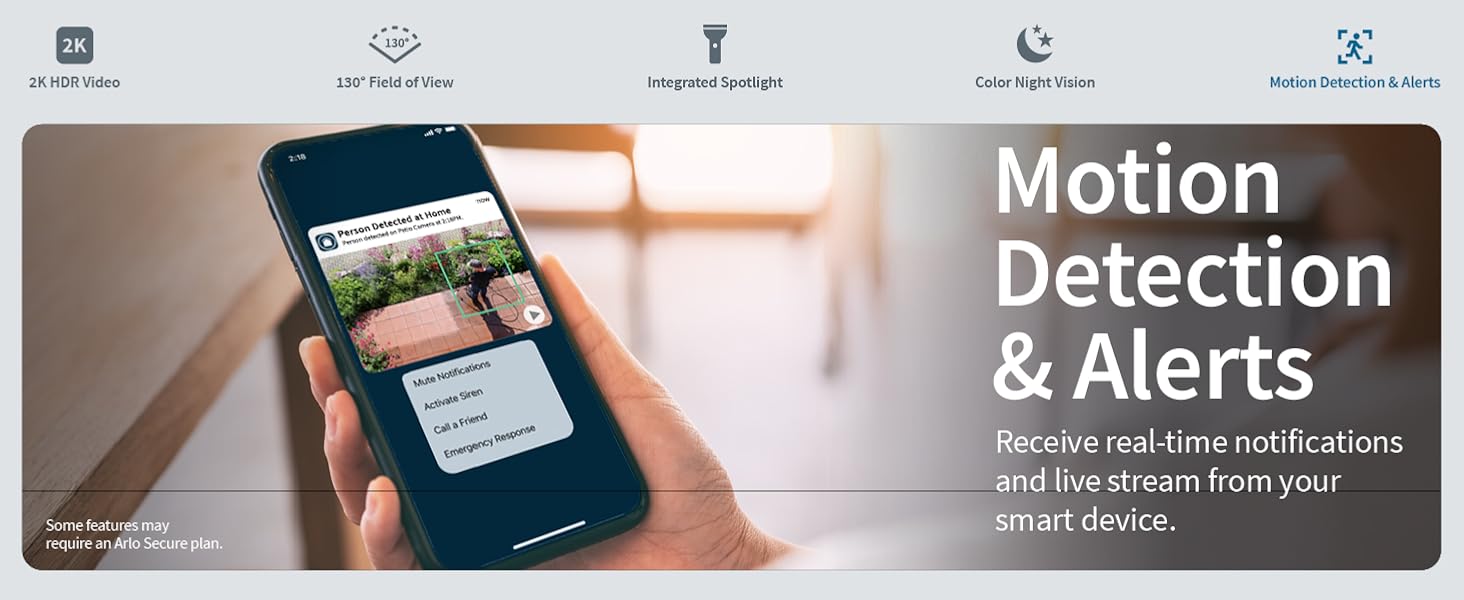
Image: A smartphone screen showing a motion detection alert from the Arlo Secure App.
Color Night Vision & Integrated Spotlight
Identify details in low light conditions with Color Night Vision. The integrated spotlight can be triggered automatically by motion or manually from the Arlo Secure App, illuminating your yard and acting as a deterrent.

Image: The Arlo Essential camera's integrated spotlight and color night vision capabilities in action at night.
Remote Siren Activation
For added security, you can manually activate the integrated siren from the Arlo Secure App to ward off intruders.
Smart Home Integration
The Arlo Essential Camera works with popular smart home partners such as Amazon Alexa and Google Assistant. You can also leverage IFTTT automations for enhanced functionality, such as receiving low battery notifications or turning on compatible lights when motion is detected.
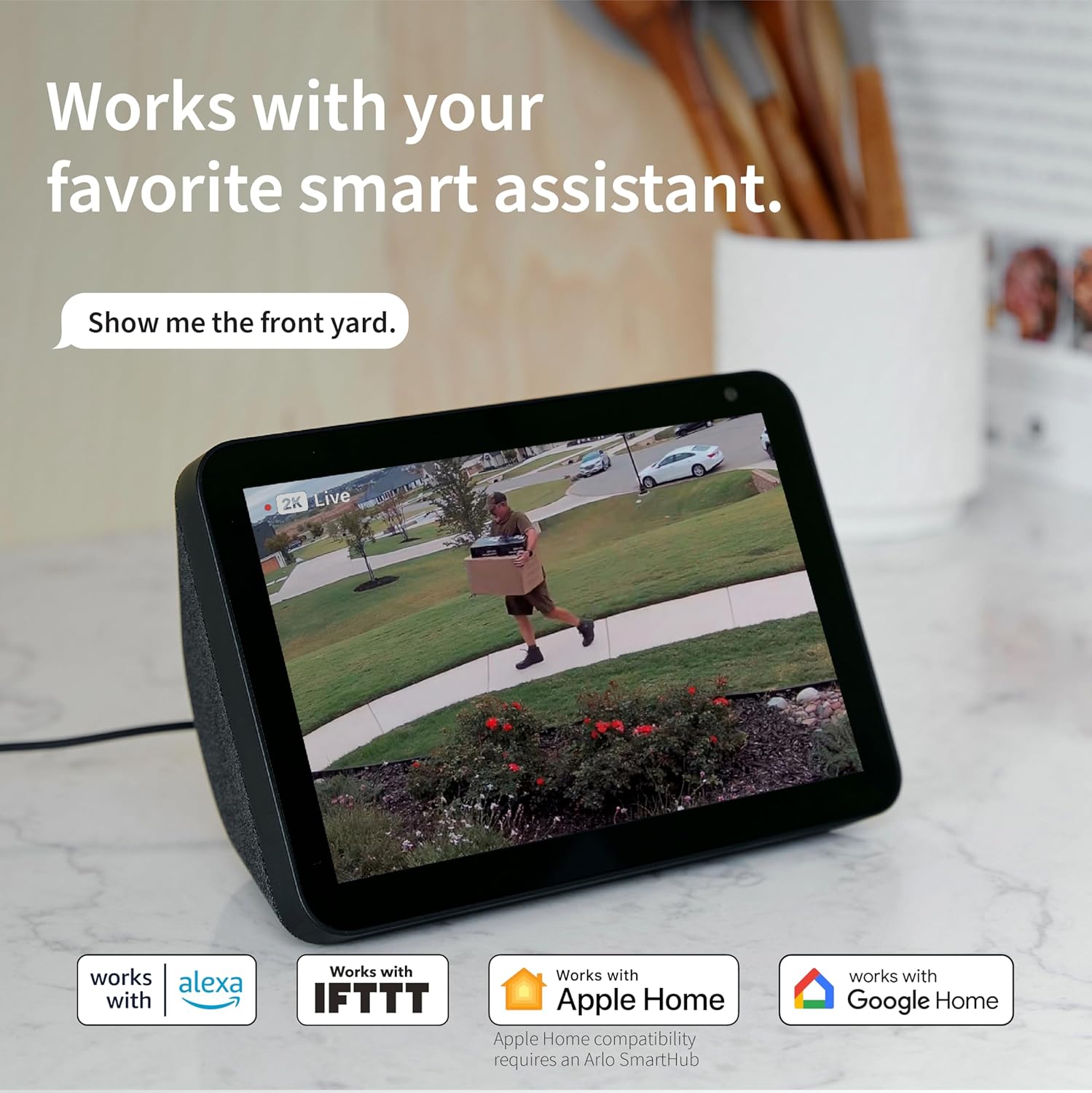
Image: The Arlo Essential camera displaying live feed on an Amazon Echo Show, demonstrating smart home compatibility.
Maintenance
Battery Charging
The Arlo Essential Camera is powered by a rechargeable Lithium Ion battery. When the battery level is low, you will receive a notification through the Arlo Secure App. To charge the camera, detach it from its mount and connect the provided USB charging cable to the charging port located on the bottom of the camera. A full charge ensures extended operation.
Weather Resistance
The camera features a weather-resistant design with an IP65 International Protection Rating, making it suitable for outdoor use in various weather conditions. While designed to withstand elements, it is recommended to periodically check the camera and its mount for any debris or build-up that might obstruct its view or affect its performance.
Troubleshooting
For common issues and detailed troubleshooting steps, refer to the official Arlo User Manual (PDF) linked in the Support section below. Additionally, the Arlo Secure App provides in-app help and access to the Arlo community for further assistance.
Common Issues & Solutions:
- Connectivity Issues: Ensure your camera is within range of your 2.4GHz Wi-Fi network. Check your router's status and restart if necessary.
- Battery Drain: Optimize motion detection settings to reduce unnecessary recordings. Ensure the camera is not exposed to extreme temperatures for prolonged periods.
- Poor Video Quality: Check for obstructions on the camera lens. Ensure the camera is mounted securely and not vibrating. Verify your Wi-Fi signal strength.
- Motion Detection Sensitivity: Adjust sensitivity settings within the Arlo Secure App to minimize false alerts. Utilize activity zones to focus on specific areas.
Specifications
| Feature | Detail |
|---|---|
| Model Name | Essential 2K Outdoor Camera |
| Indoor/Outdoor Usage | Outdoor |
| Video Capture Resolution | 2K |
| Field Of View | 130 Degrees |
| Optical Zoom | 12x |
| Low Light Technology | Color Night Vision |
| Connectivity Technology | Wi-Fi (2.4GHz) |
| Power Source | Battery Powered (3 Lithium Ion batteries included) |
| Water Resistance Level | IP65 Water Resistant |
| Item Dimensions (L x W x H) | 2.08 x 2.34 x 3.67 inches |
| Item Weight | 7.2 ounces |
| Compatible Devices | Smartphone, Amazon Alexa, Google Assistant |
Warranty and Support
For product support, assistance, and to join the Arlo community, you can access help directly within the Arlo Secure App. 24/7 chat support is also available on the official Arlo website.
For detailed information regarding product warranty, please refer to the documentation provided with your purchase or visit the official Arlo support website.
Official User Manual:
A comprehensive User Manual in PDF format is available for download. This manual contains detailed instructions, safety guidelines, and advanced troubleshooting tips.


