BLAUPUNKT Raleigh 910
10.1" Touch Screen Car Radio with Android Auto & Apple CarPlay
User Manual
Introduction
Thank you for choosing the BLAUPUNKT Raleigh 910 Car Stereo Receiver. This high-end car radio head unit features a large 10.1" digital TFT capacitive touch screen display and offers seamless compatibility with both Android Auto and Apple CarPlay, via USB or wirelessly. This manual provides detailed instructions for installation, operation, maintenance, and troubleshooting to ensure you get the most out of your device.
Safety Information
Please read all safety instructions carefully before operating the device. Failure to follow these instructions may result in injury or damage to the unit.
- Do not operate the device while driving. Always ensure your vehicle is safely parked before making adjustments or interacting with the screen.
- Ensure proper installation by a qualified professional to prevent electrical shorts or damage to your vehicle's electrical system.
- Avoid exposing the unit to extreme temperatures, direct sunlight for prolonged periods, or excessive moisture.
- Do not attempt to disassemble or modify the unit. This may void the warranty and pose a safety risk.
- Keep the screen clean using a soft, dry cloth. Avoid abrasive cleaners.
What's in the Box
Upon unpacking, please ensure all items listed below are present:
- BLAUPUNKT RALEIGH 910 Car Stereo Receiver
- User Manual (this document)
- (Additional accessories like wiring harness, mounting brackets, etc., are typically sold separately and may vary based on your vehicle model.)
Product Overview
The BLAUPUNKT Raleigh 910 is designed to enhance your in-car entertainment and connectivity. Below are its key features and a visual representation.
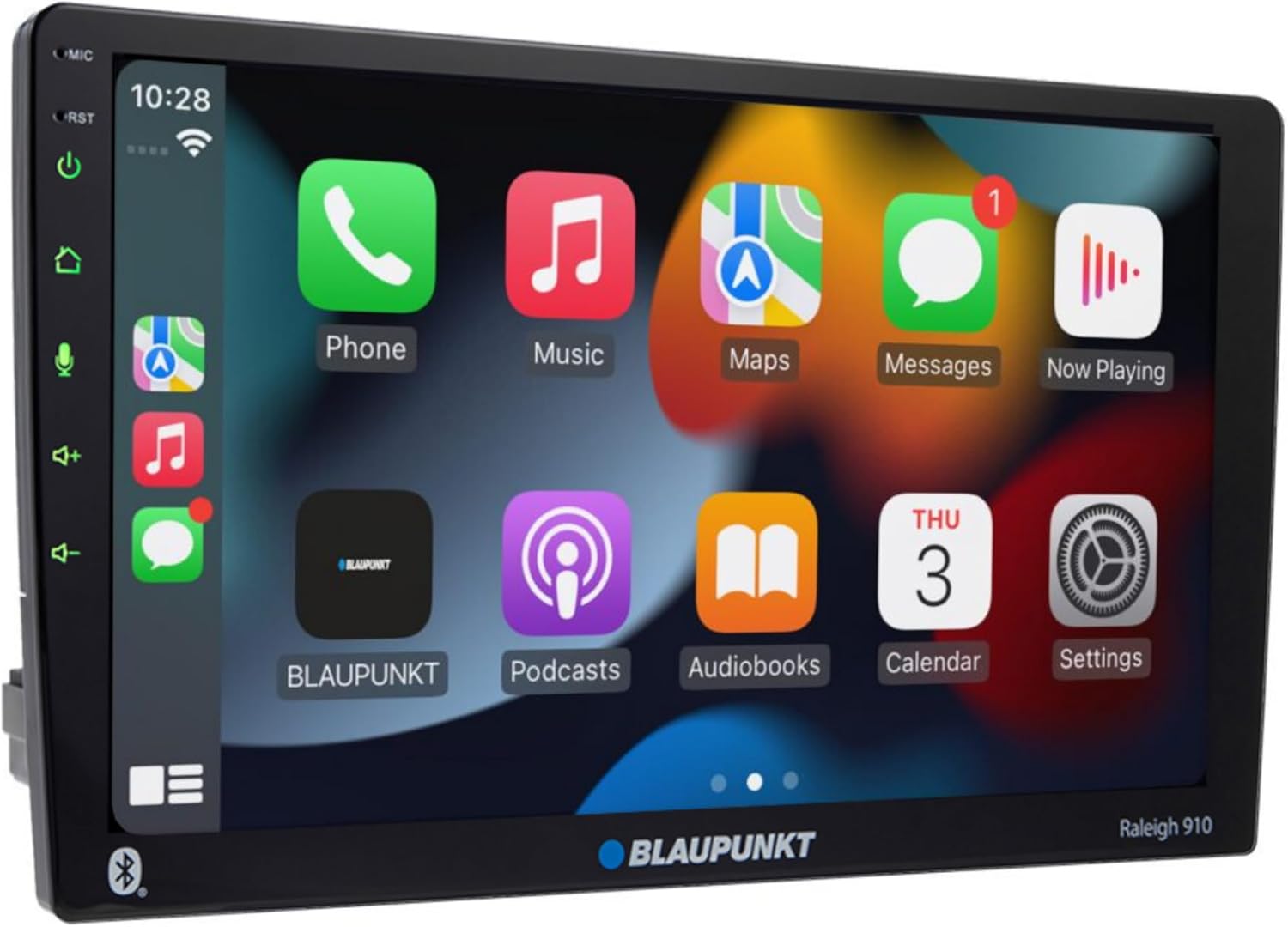
Figure 1: Front view of the BLAUPUNKT Raleigh 910 display.

Figure 2: Dimensions and key connectivity features of the Raleigh 910.
Key Features:
- 10.1" Digital TFT Capacitive Touch Screen: Large display with 1024 x 600 pixel resolution for clear visuals.
- Android Auto & Apple CarPlay: Seamless smartphone integration via USB or wirelessly.
- Built-in Bluetooth: For hands-free calling, phone book upload, and audio streaming.
- High-end Tuner: FM (RDS) and AM tuner with 30 station memory.
- USB Playback: Two rear USB ports for media playback, supporting various audio and video formats.
- 13-Band Parametric Equalizer: Customize audio settings for an immersive sound experience.
- Camera Inputs: Supports rear and front view camera input for enhanced safety.
- Versatile Connectivity: RCA, Bluetooth, USB connectivity options.
Setup and Installation
Professional installation is highly recommended for this product. Ensure the vehicle's battery is disconnected before beginning any installation work.
1. Wiring Connections:
Refer to the wiring diagram below and the included wiring harness (if applicable) for correct connections.
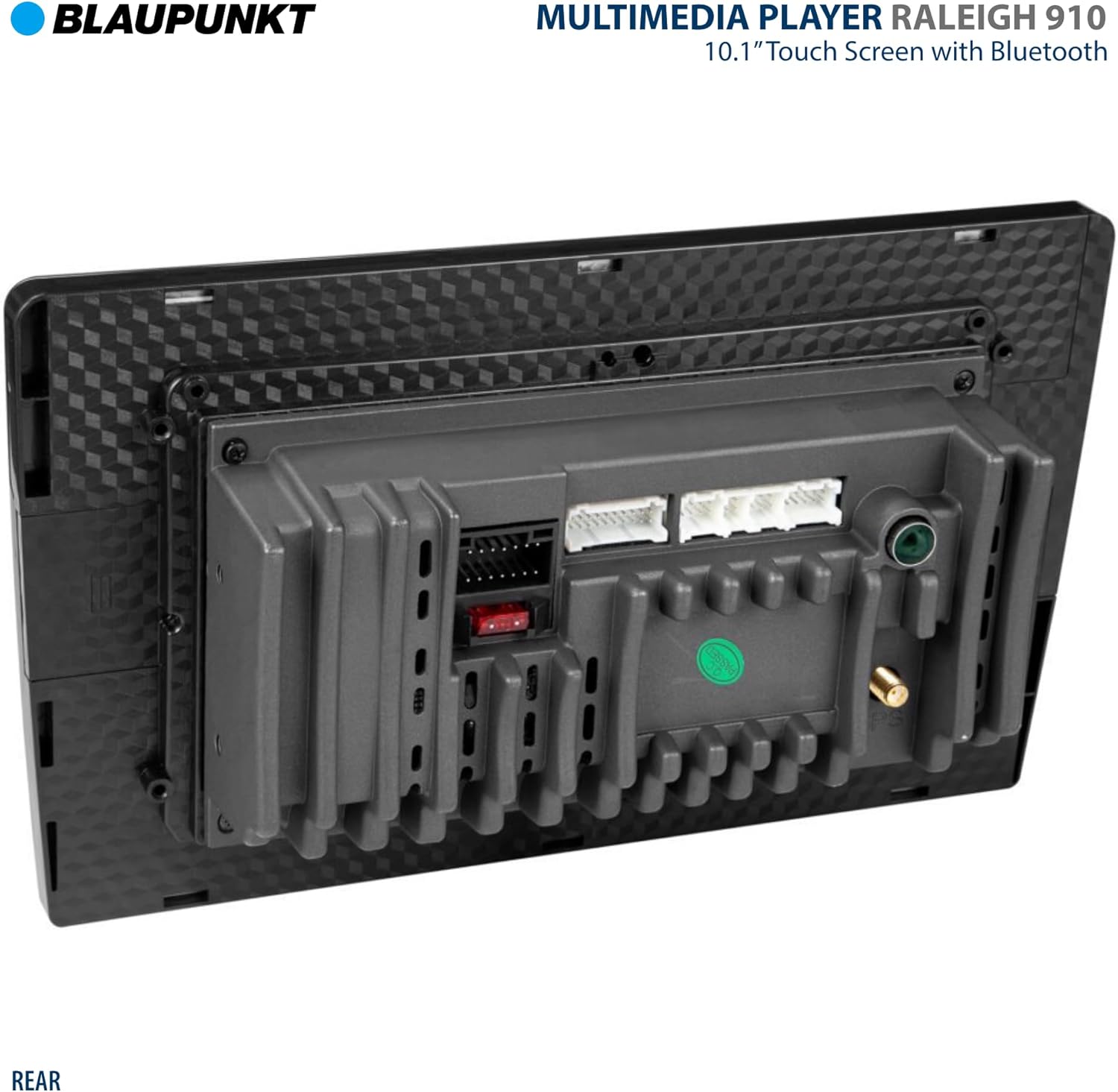
Figure 3: Rear view of the BLAUPUNKT Raleigh 910 with connection ports.
- Power: Connect the yellow wire to constant 12V, red wire to accessory 12V, and black wire to ground.
- Speakers: Connect speaker wires to the corresponding vehicle speaker wires (Front Left, Front Right, Rear Left, Rear Right).
- USB: Connect USB devices to the rear USB ports for media playback or smartphone integration.
- Camera Input: Connect your rear or front view camera to the designated video input.
- Antenna: Connect the vehicle's radio antenna.
2. Mounting:
Mount the unit securely into your vehicle's dashboard using appropriate mounting brackets and screws (sold separately). Ensure adequate ventilation around the unit.
3. Initial Power On:
Once all connections are secure, reconnect the vehicle's battery. Turn on the ignition to power on the unit. Follow any on-screen prompts for initial setup.
Operating Instructions
Basic Operation:
- Power On/Off: Press and hold the power button (usually on the front panel) to turn the unit on or off. A short press may mute/unmute.
- Volume Control: Use the on-screen volume controls or physical buttons/knobs (if present) to adjust the audio level.
- Home Screen: Tap the home icon to return to the main application screen.
Radio Operation:
- Select the "Radio" application from the home screen.
- Use the on-screen controls to scan for stations, manually tune, or select from saved presets.
- To save a station, tune to the desired frequency and press and hold a preset button.
Bluetooth Connectivity:
- Go to the "Bluetooth" settings or application.
- Enable Bluetooth on your mobile device and search for available devices.
- Select "BLAUPUNKT Raleigh 910" from the list on your phone. Confirm the pairing code if prompted.
- Once paired, you can make hands-free calls and stream audio from your phone.
Android Auto / Apple CarPlay:
- Wired Connection: Connect your smartphone to one of the unit's USB ports using a certified USB cable. The system should automatically launch Android Auto or Apple CarPlay.
- Wireless Connection: Ensure Bluetooth is paired and Wi-Fi is enabled on your phone. Follow the on-screen prompts on the Raleigh 910 to establish a wireless connection.
- Once connected, you can access navigation, music, messages, and other compatible apps directly from the unit's display.
Media Playback (USB):
- Insert a USB drive containing audio or video files into one of the USB ports.
- Select the "Media Player" application.
- Browse and select your desired files for playback. The unit supports various formats including MP3, WMA, WAV, AVI, MP4, WMV, MKV, JPEG, JPG, BMP, PNG.
Equalizer Settings:
- Access the "Equalizer" or "Sound Settings" menu.
- Adjust the 13-band parametric equalizer to customize the audio output to your preference.
- Pre-set EQ curves like Pop, Rock, Classic, Jazz, Techno, Flat, Optimal, and User are available.
Camera Input:
- When a compatible camera is connected to the rear or front camera input, the display will automatically switch to the camera view when the vehicle is in reverse (for rear camera) or when the camera app is selected.
Maintenance
- Screen Cleaning: Use a soft, lint-free cloth to gently wipe the touchscreen. For stubborn smudges, slightly dampen the cloth with water or a screen-safe cleaner. Do not spray liquid directly onto the screen.
- General Cleaning: Use a dry, soft cloth to wipe the unit's body. Avoid using harsh chemicals, solvents, or abrasive cleaners.
- Temperature: Avoid exposing the unit to extreme temperatures. If the vehicle has been parked in direct sunlight, allow the interior to cool down before operating the unit.
- Firmware Updates: Periodically check the BLAUPUNKT website for any available firmware updates for your model to ensure optimal performance and new features.
Troubleshooting
If you encounter issues with your BLAUPUNKT Raleigh 910, please refer to the table below for common problems and their solutions.
| Problem | Possible Cause | Solution |
|---|---|---|
| No power | Loose power connection, blown fuse, vehicle battery issue. | Check power wiring (yellow, red, black wires). Inspect vehicle's fuse box and the unit's fuse. Ensure vehicle battery is charged. |
| No sound | Volume too low, mute activated, speaker wiring issue, incorrect audio source. | Increase volume. Check if unit is muted. Verify speaker connections. Ensure correct audio source is selected. |
| Bluetooth not connecting | Bluetooth not enabled on phone/unit, device not in pairing mode, interference. | Ensure Bluetooth is on for both devices. Put unit in pairing mode. Delete previous pairings and try again. Move closer to the unit. |
| Android Auto/Apple CarPlay not launching | Faulty USB cable, phone not compatible, software issue, incorrect settings. | Use a certified USB cable. Ensure your phone's OS is up to date. Check phone settings for Android Auto/CarPlay permissions. Restart both phone and unit. |
| Touchscreen unresponsive | Temporary software glitch, screen dirty, extreme temperature. | Restart the unit (power cycle). Clean the screen. Allow unit to reach normal operating temperature. |
If the problem persists after trying these solutions, please contact BLAUPUNKT customer support.
Specifications
Detailed technical specifications for the BLAUPUNKT Raleigh 910.

Figure 4: Key specifications of the BLAUPUNKT Raleigh 910.
| Feature | Detail |
|---|---|
| Display | 10.1" Digital TFT Capacitive Touch Screen (1024 x 600 pixels) |
| Smartphone Compatibility | Android Auto (USB and Wireless), Apple CarPlay (USB and Wireless) |
| Bluetooth | Built-in for hands-free calling, phone book upload, audio streaming (HFP, PBAP, A2DP) |
| Tuner | FM (RDS), AM Tuner with 30 station memory |
| USB Ports | 2x USB (Standard A-type, rear) for media playback |
| Media Playback Formats | Audio: MP3, WMA, WAV; Video: AVI, MP4, WMV, MKV; Picture: JPEG, JPG, BMP, PNG |
| Inputs / Outputs | Rear / Front view camera input, AV input, 4-Channel Preamp Output, Rear Microphone Input |
| Equalizer | 13-band parametric equalizer with preset EQ curves |
| Output Power | 50 Watts (per channel, 4 channels) |
| Product Dimensions | 11.6 x 7.6 x 6 inches |
| Item Weight | 3.5 pounds |
| Model Number | RALEIGH |
| ASIN | B0CFP3RRKY |
Warranty and Support
BLAUPUNKT products are manufactured to the highest quality standards. For information regarding warranty coverage, please refer to the warranty card included with your product or visit the official BLAUPUNKT website.
For technical support, troubleshooting assistance beyond this manual, or service inquiries, please contact BLAUPUNKT customer support through their official website or the contact information provided with your purchase.
Official BLAUPUNKT Store: Visit the BLAUPUNKT Store on Amazon


