
1. Introduction
This manual provides essential information for the safe and efficient use of your Charmast Small Portable Charger 5000mAh. Please read these instructions carefully before using the product and retain them for future reference.

Image 1.1: The Charmast portable charger connected directly to an iPhone, illustrating its compact form factor and integrated connector.
2. Product Overview
The Charmast Small Portable Charger is a compact 5000mAh power bank designed for on-the-go charging. It features 20W Power Delivery (PD) for fast charging compatible devices.
Key Features:
- High-Speed Charging: 20W PD output for rapid device charging.
- Ultra-Compact Design: Weighs approximately 0.2 pounds (3.2 ounces) with dimensions of 3.03" x 1.38" x 0.96".
- Fast Recharging: Supports 18W PD input for quick recharging of the power bank itself.
- 5000mAh Capacity: Provides sufficient power for partial to full charges of various smartphones and small devices.
- Partial Cellphone Case Friendly: Designed to work with phone cases less than 4mm thick.
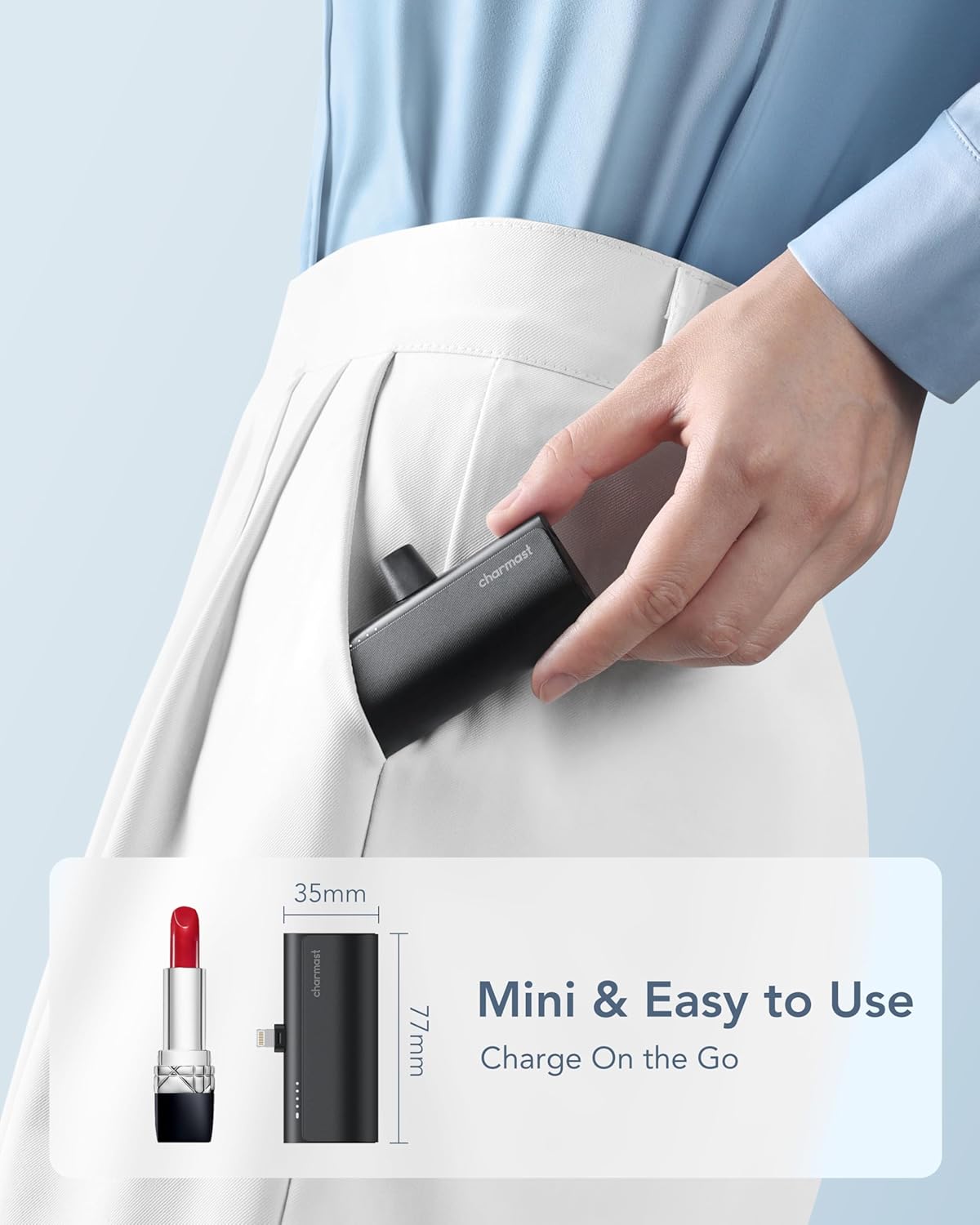
Image 2.1: The compact size of the Charmast portable charger, shown with its dimensions (77mm x 35mm) and compared to a lipstick for scale.

Image 2.2: Compatibility information for the portable charger, detailing supported iPhone models and AirPods generations. Note that iPhone 15 and 16 series are not compatible.
3. Setup
3.1 Initial Charging of the Power Bank
Before first use, fully charge your Charmast portable charger. Use the included USB A to USB C cable and a compatible power adapter (not included).
- Connect the USB-C end of the cable to the USB-C input port on the side of the power bank.
- Connect the USB-A end of the cable to a 5V-2A or 9V-2A power adapter.
- Charging time will be approximately 1.5 hours with a 9V-2A fast charger or 3 hours with a 5V-2A normal charger.
- The LED indicators on the power bank will illuminate to show the charging status. All four LEDs will be solid when fully charged.

Image 3.1: The portable charger being recharged from a wall adapter. It highlights the difference in charging times between a 9V-2A fast charger (1.5 hours) and a 5V-2A normal charger (3 hours).
4. Operating Instructions
4.1 Charging Your Device
- Ensure the portable charger is adequately charged.
- Align the integrated connector of the power bank with your iPhone's charging port.
- Gently push the power bank onto your iPhone until it is securely connected.
- Press the power button on the side of the portable charger once to activate charging. The LED indicators will show the remaining battery level.
- Your iPhone will begin charging. The power bank supports 20W PD fast charging for compatible devices.

Image 4.1: Demonstrates the fast charging capability of the portable charger, showing an iPhone being charged. A comparison graphic highlights that 20W PD charging can achieve 50% battery in 30 minutes, significantly faster than a standard 5V/1A charger.

Image 4.2: A user talking on their iPhone while it is connected to the portable charger, demonstrating the convenience of using the device during charging.
4.2 Checking Battery Level
Press the power button once to view the current battery level indicated by the LED lights:
- 4 LEDs: 75-100% charged
- 3 LEDs: 50-75% charged
- 2 LEDs: 25-50% charged
- 1 LED: 0-25% charged (recharge soon)

Image 4.3: Illustrates pressing the power button on the portable charger to initiate charging or check the battery status.
4.3 Case Compatibility
The charger is designed to be compatible with phone cases less than 4mm thick. Cases thicker than 4mm, such as some rugged or battery cases, may prevent a secure connection.

Image 4.4: Visual guide on phone case compatibility, showing that cases thinner than 4mm are supported, while thicker cases (e.g., Otter Box) may not allow proper connection.
5. Maintenance
5.1 Cleaning
To clean the portable charger, use a soft, dry cloth. Avoid using harsh chemicals or abrasive materials that could damage the surface.
5.2 Storage
When storing the device for an extended period, ensure it is fully charged. Recharge the device every 2 months during storage to maintain battery health. Store in a cool, dry place away from direct sunlight and extreme temperatures.
6. Troubleshooting
If you encounter issues with your Charmast portable charger, please refer to the following guide:
| Problem | Solution |
|---|---|
| Product stopped working after being stored for a while. | Fully charge the device before storing it, and recharge it every 2 months during storage. Charge the device for at least 3 hours before using it again. If the issue persists, contact technical support. |
| Charging stops at 1 or 2 LED lights (doesn't fully charge). | Drain the battery completely (until it turns off), then recharge it. If the issue persists, contact technical support. |
| Product doesn't charge my phone. | Charge the device for at least 3 hours before attempting to use it. Ensure your phone case is less than 4mm thick. If the issue persists, contact technical support. |
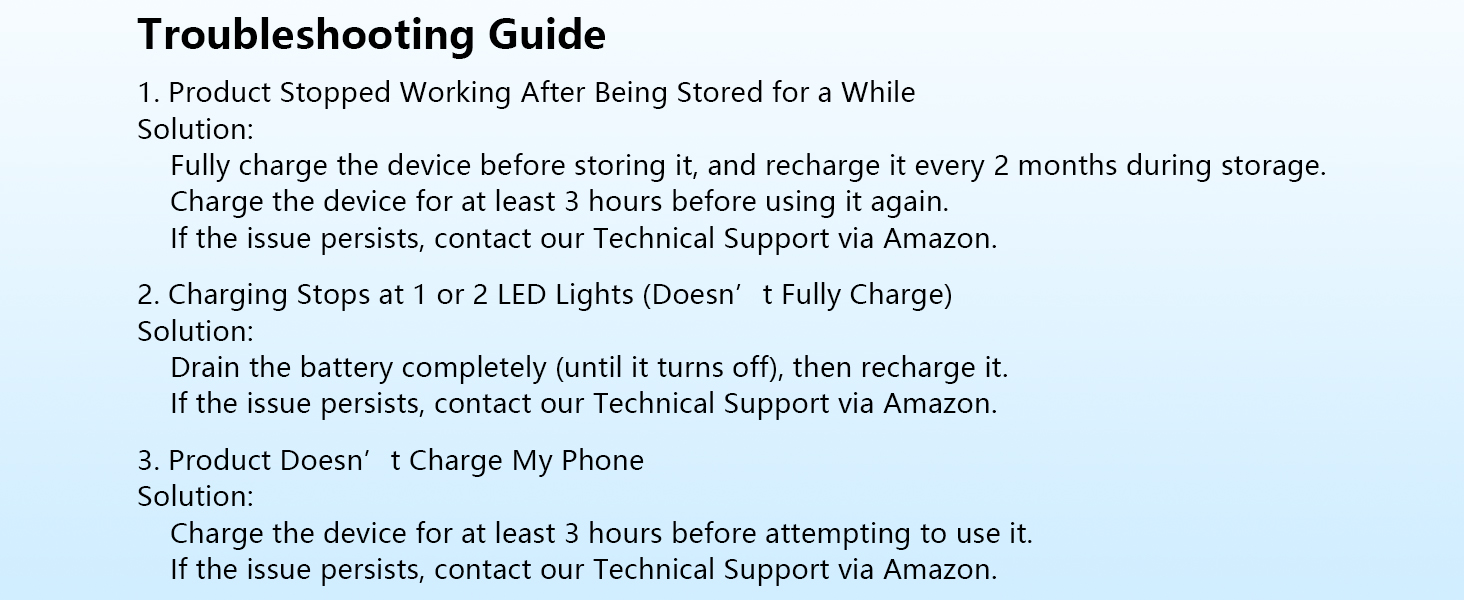
Image 6.1: A visual representation of common troubleshooting steps for the portable charger.
7. Specifications
| Feature | Detail |
|---|---|
| Product Dimensions | 1.38 x 3.03 x 0.97 inches |
| Item Weight | 3.2 ounces |
| Model Number | CMP |
| Battery Capacity | 5000 Milliamp Hours |
| Connector Type | Compatible with iPhone (Lightning) |
| Special Features | 1.5 hours Fast Recharging, Built-In Connector, Fast Charging, Lipstick Size, Travel Essential |
| Color | Black |
| Manufacturer | Dong guan Utopia-Originality Technology Co., Ltd |
| Date First Available | August 12, 2023 |
8. What's in the Box
- Charmast Small Portable Charger (5000mAh) x 1
- USB A to USB C cable x 1
- User Manual x 1
9. Warranty and Support
Charmast provides 24-month support and 7-day/24-hour friendly customer service. If you have any problems, please contact us through your Amazon order page, and we will endeavor to resolve them within 24 hours.


