
1. Introduction
Thank you for choosing the charmast CMP 5000mAh Portable Power Bank. This ultra-compact power bank is designed to provide fast and convenient charging for your compatible iPhone devices. Please read this manual carefully before use to ensure optimal performance and safety.

Image: The charmast CMP 5000mAh Portable Power Bank in white, showcasing its compact design.
2. Product Features
- High-Speed Charging: Equipped with 20W PD fast charging, capable of powering up an iPhone 14 from 0% to 50% in approximately 30 minutes.
- Mini Size: Weighing 0.2 pounds and measuring 3.03" x 1.38" x 0.96", its lipstick-sized design allows for easy portability in a pocket or purse.
- 18W PD Fast Recharging: The power bank itself can be fully recharged in approximately 1.5 hours using a 9V-2A charger, or 3 hours with a 5V-2A charger.
- 5000mAh Capacity: Provides approximately 0.65 charges for iPhone 14 Pro Max, 0.79 charges for iPhone 13, 0.9 charges for iPhone 12, 0.8 charges for iPhone 11, 0.9 charges for iPhone XR, and 6 charges for AirPods (2nd Generation).
- Partial Cellphone Case Friendly: Designed to accommodate phone cases with a thickness of less than 4mm.
3. What's in the Box
- 5000mAh Portable Charger (x1)
- USB-A to USB-C Cable (x1)
- User Manual (x1)
4. Setup and Initial Use
4.1 Charging the Power Bank
Before first use, fully charge your charmast power bank. Connect the provided USB-A to USB-C cable to the USB-C input port on the side of the power bank and to a compatible USB power adapter (not included). The LED indicators will show the charging status.
- For fast recharging, use a 9V-2A charger (approx. 1.5 hours).
- For standard recharging, use a 5V-2A charger (approx. 3 hours).

Image: The power bank connected to a wall adapter for recharging, highlighting the different charging times based on adapter output.
4.2 Checking Battery Level
Press the power button on the side of the power bank to view the current battery level indicated by the LED lights.
Video: An unboxing video demonstrating the contents and initial power-on of the charmast portable charger.
5. Operating Instructions
5.1 Charging Your Device
To charge your iPhone, simply plug the integrated Lightning connector of the power bank directly into your iPhone's charging port. The power bank will automatically begin charging your device. The LED indicators will illuminate to show that charging is active.
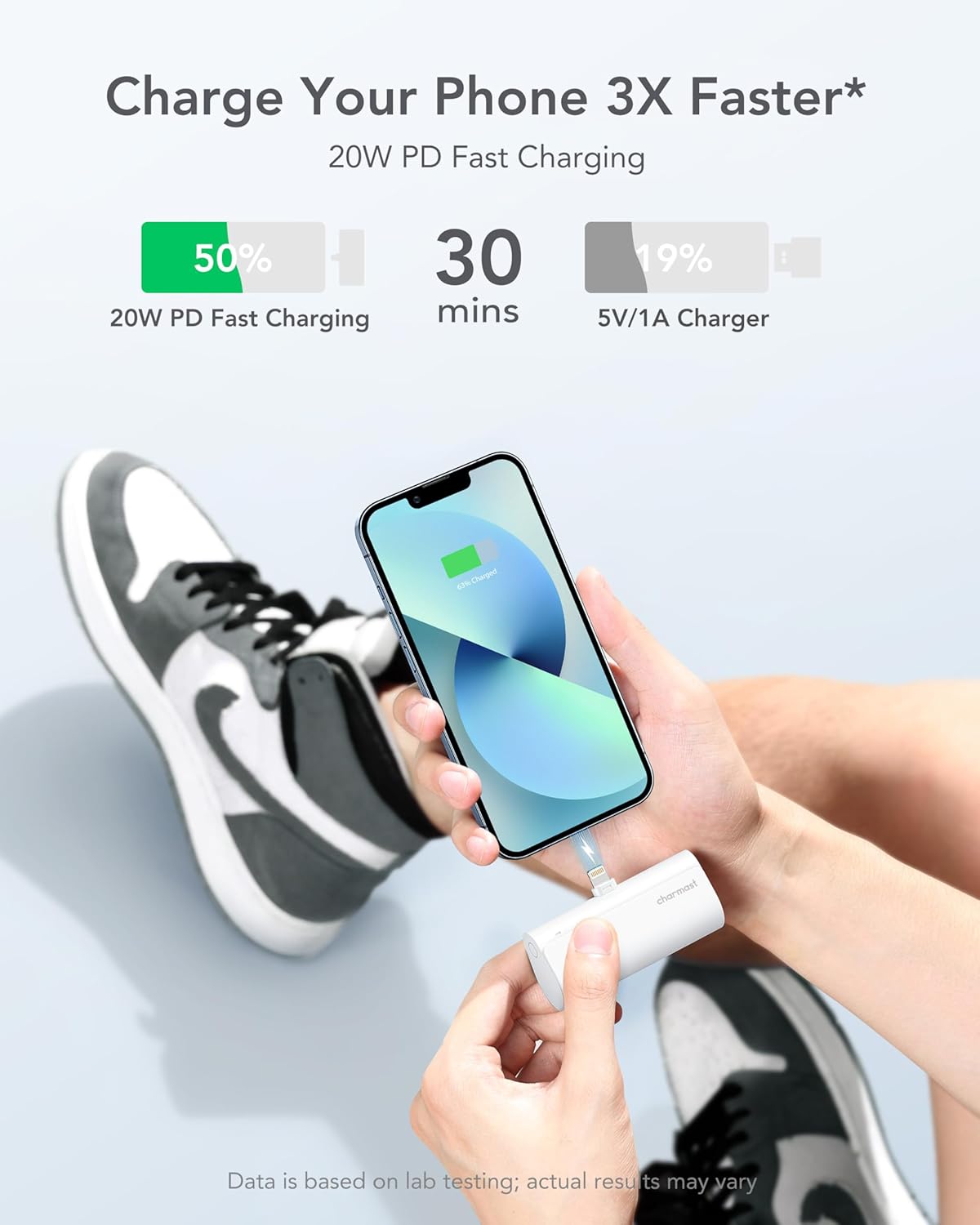
Image: Visual comparison of charging speed, demonstrating the 20W PD fast charging capability.

Image: The power bank connected to various Apple devices, highlighting its compatibility and charging efficiency.
6. Compatibility
This power bank is compatible with iPhone models up to iPhone 14, including iPhone 14 Pro Max, iPhone 14 Pro, iPhone 14 Plus, iPhone 14, iPhone 13 Pro Max, iPhone 13 Pro, iPhone 13 Plus, iPhone 13, iPhone 12 Pro Max, iPhone 12 Pro, iPhone 12 Plus, iPhone 12, iPhone 11 Pro Max, iPhone 11 Pro, iPhone 11 Plus, iPhone 11, iPhone XS/iPhone XR/iPhone X/iPhone 8/7/6, and AirPods (2nd and 3rd Generation), AirPods Pro (1st and 2nd Generation).
Note: Not applicable for iPhone 15 series or newer models with USB-C ports unless a suitable adapter is used.

Image: A visual guide detailing compatible iPhone models and AirPods for the power bank.
6.1 Case Compatibility
The power bank is designed to be partially case-friendly, fitting most phone cases with a thickness of less than 4mm. Cases thicker than 4mm, such as some OtterBox models, may prevent a proper connection.

Image: A visual representation of the power bank's compatibility with different phone case thicknesses.
7. Safety Information
During fast charging, it is normal for both the power bank and the connected device to experience some heat. If excessive heat is observed, disconnect the device immediately. Avoid exposing the power bank to extreme temperatures, direct sunlight, or moisture. Do not disassemble or attempt to repair the device.
8. Maintenance
To ensure the longevity of your power bank, store it in a cool, dry place away from direct sunlight. Clean the exterior with a soft, dry cloth. Avoid using harsh chemicals or abrasive materials. Periodically charge the power bank if it is not used for extended periods to maintain battery health.
9. Troubleshooting
If the power bank is not charging your device:
- Ensure the power bank itself is sufficiently charged.
- Verify that the Lightning connector is fully inserted into your device's charging port.
- Check for any obstructions or debris in the charging ports of both the power bank and your device.
- Remove any thick phone cases that might be preventing a proper connection.
If the power bank is not recharging:
- Ensure the USB-A to USB-C cable is securely connected to both the power bank's input port and the power adapter.
- Try using a different USB power adapter or wall outlet.
10. Specifications
| Feature | Detail |
|---|---|
| Product Dimensions | 1.38 x 3.03 x 0.97 inches |
| Item Weight | 4.6 ounces |
| Item Model Number | CMP |
| Battery Type | Lithium Polymer |
| Battery Capacity | 5000 Milliamp Hours (18.5 Wh) |
| Special Features | Auto Shut-Off, Dust Resistant, Fast Charging, Lightweight, Pocket Size |
| Connector Type | Lightning (Compatible with iPhone) |
| Manufacturer | Dong guan Utopia-Originality Technology Co., Ltd |
| Date First Available | August 12, 2023 |
11. Warranty and Support
Your charmast power bank comes with 24-month support and 7-day/24-hour friendly customer service. If you encounter any problems or have questions, please contact us, and we will endeavor to resolve them within 24 hours.
Each item includes a unique code for verification before shipping, ensuring product authenticity.


