
1. Introduction
The Anker PowerCore Select 20000 is an ultra-high capacity portable charger designed to keep your mobile devices powered for extended periods. With a 20,000mAh capacity, it provides multiple charges for smartphones and tablets, ensuring you stay connected on the go. This power bank incorporates Anker's exclusive charging technology to intelligently identify and deliver an optimized charge to your devices, along with MultiProtect safety systems for comprehensive protection.

Image: The Anker PowerCore Select 20000 Power Bank, showcasing its sleek, compact design.
2. What's Included
Upon unboxing your Anker PowerCore Select 20000, please verify that all the following items are present:
- Anker PowerCore Select 20000 Power Bank
- 30cm Micro-USB Cable
- Welcome Guide
- Friendly Customer Support (contact information provided in the Welcome Guide)
3. Key Features
- Ultra-High Capacity: The massive 20,000mAh capacity provides more than 5 and a half charges for iPhone XS, more than 4 full charges for Samsung Galaxy S10, and over 2 and a half charges for iPad mini 5.
- Simultaneous Charging: Dual USB ports equipped with Anker's PowerIQ 2.0 technology allow you to charge two devices at the same time.
- High-Speed Charging: Delivers a maximum 18W high-speed charge to phones, tablets, and more via the PowerIQ-enabled USB ports.
- MultiProtect Safety System: Anker’s exclusive safety system ensures complete protection for your devices against overcharge, overcurrent, short-circuit, and more.

Image: Diagram illustrating Anker's MultiProtect safety features, including input/output voltage protection, current regulation, and short-circuit protection.

Image: Visual representation of PowerIQ 2.0 technology, highlighting intelligent device identification for optimal charging speed.
4. Setup
4.1 Initial Charging of the Power Bank
Before first use, it is recommended to fully charge your PowerCore Select 20000. Connect the provided Micro-USB cable to the input port on the power bank and the other end to a compatible USB wall charger (not included). For the fastest recharge, use an 18W charger, which can fully recharge the PowerCore in approximately 5.5 hours.
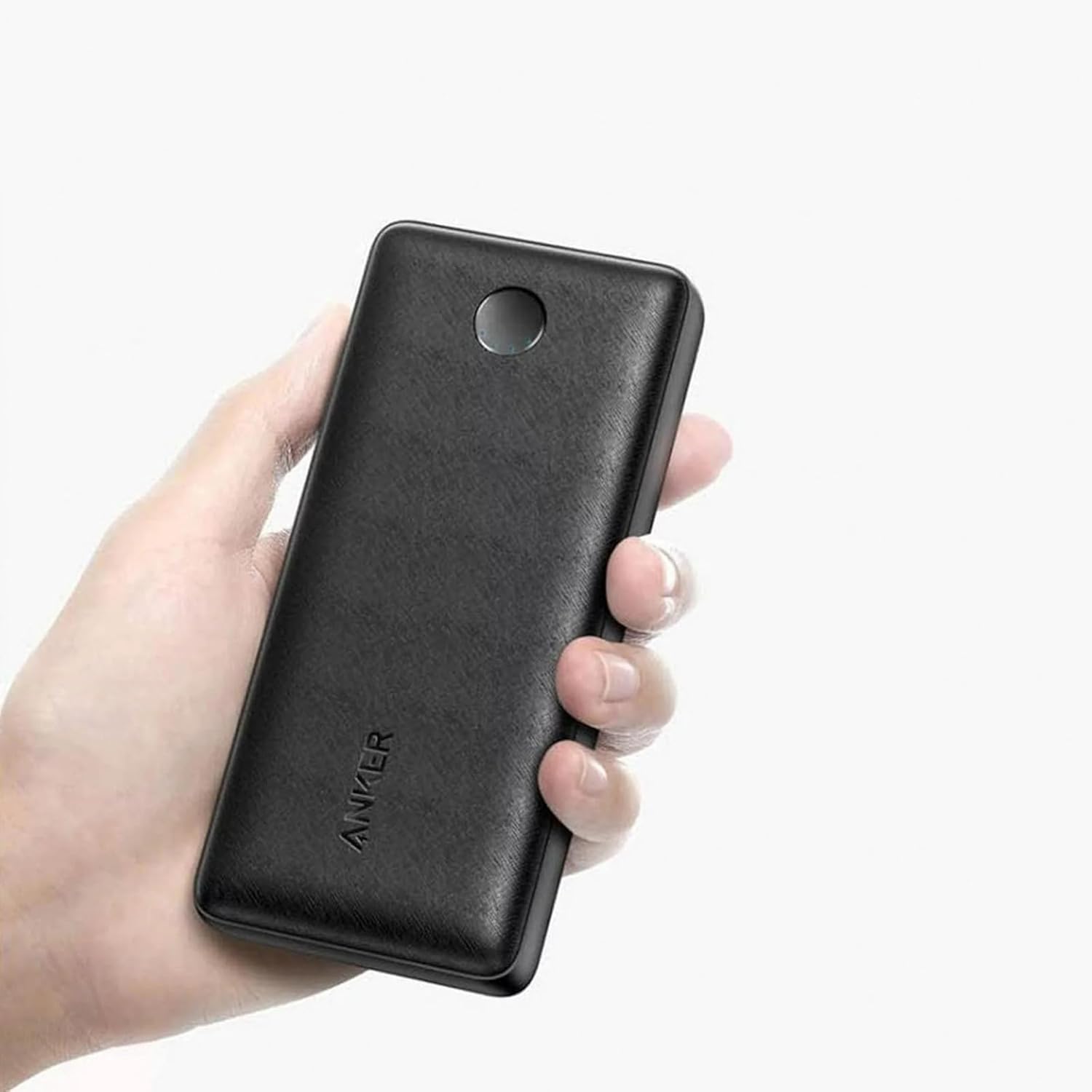
Image: Comparison of PowerCore charging times using different chargers, showing 5 hours with a Quick Charge charger.
4.2 Checking Battery Level
Press the button on the side of the power bank to check the current battery level. The LED indicators will light up to show the remaining charge.

Image: Close-up of the circular LED indicator on the PowerCore, showing multiple illuminated dots indicating battery level.
5. Operating Instructions
5.1 Charging Your Devices
To charge your mobile devices, connect them to the USB output ports on the PowerCore using their respective charging cables. The PowerCore will automatically begin charging your device. You can charge two devices simultaneously.

Image: The Anker PowerCore Select 20000 connected and charging both a smartphone and a tablet simultaneously.
5.2 Power Saving Feature
The PowerCore is designed to automatically shut off when a connected device is fully charged or when no device is connected for a period of time to conserve power. If you are attempting to power a very low-wattage device, the power bank may interpret it as a fully charged device and shut off. In such cases, periodically re-engaging the power bank by pressing the button or reconnecting the device may be necessary.
6. Maintenance
- Cleaning: Use a dry, soft cloth to clean the surface of the power bank. Avoid using harsh chemicals or abrasive materials.
- Storage: Store the power bank in a cool, dry place away from direct sunlight and extreme temperatures.
- Battery Care: To prolong battery life, fully charge the power bank at least once every three months if not in regular use. Avoid completely draining the battery frequently.
- Avoid Drops: Do not drop or subject the power bank to strong impacts, as this can damage internal components.
7. Troubleshooting
- Power Bank Not Charging:
- Ensure the charging cable is securely connected to both the power bank's input port and the wall charger.
- Verify that the wall charger is functioning correctly and providing sufficient power (18W recommended for optimal charging).
- Try a different Micro-USB cable.
- Devices Not Charging from Power Bank:
- Ensure the power bank has sufficient charge. Press the button to check LED indicators.
- Verify that the charging cable connecting your device to the power bank is not damaged and is securely connected.
- Try a different USB output port on the power bank.
- Some low-power devices may cause the power bank to automatically shut off. Try disconnecting and reconnecting the device, or ensure the device requires a consistent power draw.
- Slow Charging:
- Ensure you are using a high-quality charging cable.
- Check if your device supports fast charging and if the cable is compatible.
- The PowerIQ 2.0 ports deliver up to 18W. Ensure your device is capable of receiving this power.
8. Specifications
| Specification | Value |
|---|---|
| Product Dimensions | 6.3 x 2.68 x 1 inches |
| Item Weight | 1.01 pounds |
| ASIN | B0CF2D8VGY |
| Item Model Number | A1363 |
| Batteries | 1 Lithium Polymer batteries required (included) |
| Special Features | Fast Charging |
| Connector Type | Micro USB |
| Brand | Anker |
| Battery Capacity | 20000 Milliamp Hours |
| Voltage | 5 Volts |
9. Warranty and Support
Anker provides a comprehensive warranty for its products. Please refer to the Welcome Guide included in your package for specific warranty terms and conditions. For technical support, troubleshooting assistance, or any other inquiries, please contact Anker customer support through the channels provided in your product documentation or visit the official Anker website.
You can find more information and support at the Anker Store on Amazon.


