
1Mii RT5066Pro
1Mii RT5066Pro 2.4Ghz Wireless Audio Transmitter Receiver User Manual
Model: RT5066Pro
Introduction
The 1Mii RT5066Pro is a 2.4Ghz wireless audio transmitter and receiver kit designed to transmit high-fidelity audio wirelessly. This system allows you to send audio from various sources like TVs, PCs, or AV receivers to active speakers, subwoofers, or amplifiers without the need for long audio cables. It supports multiple input/output options including Optical, Coaxial, and 3.5mm (RCA) connections, offering flexibility for different audio setups.

Image: The 1Mii RT5066Pro wireless audio transmitter and receiver units, showcasing their compact design and external antennas.
Safety Information
- Do not expose the device to water or moisture.
- Avoid placing the device near heat sources or in direct sunlight.
- Use only the provided power adapters to prevent damage.
- Do not attempt to disassemble or repair the device yourself. Contact customer support for assistance.
- Keep the device away from strong magnetic fields.
- Ensure proper ventilation around the units during operation.
Package Contents
Verify that all items are present in the package:
- 1Mii RT5066Pro Wireless Audio Transmitter (Tx)
- 1Mii RT5066Pro Wireless Audio Receiver (Rx)
- 2 x USB Power Adapters
- 2 x Optical Audio Cables
- 2 x 3.5mm to 3.5mm Audio Cables
- 2 x Type-C Charging Cables
- User Manual (this document)

Image: All components included in the 1Mii RT5066Pro wireless audio kit, laid out for inspection.
Product Overview
The RT5066Pro kit consists of two main units: a Transmitter (Tx) and a Receiver (Rx). Both units feature a compact metal shell design with external antennas for enhanced signal range.
Transmitter (Tx) Unit
The transmitter unit is responsible for receiving audio from your source device and sending it wirelessly to the receiver.
- Audio In Ports: Optical, Coaxial, 3.5mm (for RCA connection via adapter).
- DC 5V Port: USB Type-C for power input.
- Antenna Port: For connecting the external antenna.
- Power Button/Indicator: Controls power and shows status.
Image: The transmitter unit of the 1Mii RT5066Pro, highlighting its audio input ports (Optical, Coaxial, 3.5mm) and power input.
Receiver (Rx) Unit
The receiver unit receives the wireless audio signal from the transmitter and outputs it to your audio playback device.
- Audio Out Ports: Optical, Coaxial, 3.5mm (for RCA connection via adapter).
- DC 5V Port: USB Type-C for power input.
- Antenna Port: For connecting the external antenna.
- Power Button/Indicator: Controls power and shows status.

Image: The receiver unit of the 1Mii RT5066Pro, showing its audio output ports (Optical, Coaxial, 3.5mm) and power input.
Setup Instructions
Follow these steps to set up your 1Mii RT5066Pro wireless audio system.
1. Connect the Transmitter (Tx)
- Connect one end of an audio cable (Optical, Coaxial, or 3.5mm) to the audio output port of your source device (e.g., TV, PC, AV Receiver).
- Connect the other end of the audio cable to the corresponding Audio In port on the 1Mii RT5066Pro Transmitter unit.
- Connect the Type-C charging cable to the DC 5V port on the Transmitter and plug the USB power adapter into a power outlet.
2. Connect the Receiver (Rx)
- Connect one end of an audio cable (Optical, Coaxial, or 3.5mm) to the Audio Out port on the 1Mii RT5066Pro Receiver unit.
- Connect the other end of the audio cable to the corresponding audio input port of your audio playback device (e.g., active speaker, subwoofer, amplifier).
- Connect the Type-C charging cable to the DC 5V port on the Receiver and plug the USB power adapter into a power outlet.

Image: A diagram illustrating the "Plug & Play" setup, showing how to connect the transmitter to an audio source (TV) and the receiver to an audio output device (stereo system).
3. Automatic Pairing
Once both the Transmitter and Receiver units are powered on, they will automatically search for and connect to each other. The indicator lights on both units will confirm a successful connection.
4. Audio Source Configuration (for TV Optical/Coaxial)
If you are using the Optical or Coaxial connection from your TV, you may need to adjust your TV's audio settings:
- Navigate to your TV's Settings menu.
- Select Sound or Audio Output.
- Choose Optical Out or Digital Out.
- Set the Digital Audio Format to PCM/Stereo or ensure Dolby - Off. The RT5066Pro does not support Dolby or DTS formats.

Image: Screenshots of a television's audio settings menu, demonstrating how to select Optical/Digital Out and set the digital audio format to PCM/Stereo or turn Dolby off.
Note: The RT5066Pro is designed for audio transmission and does not support HDMI connections.

Image: A comprehensive diagram illustrating various input sources (TV, AV Receiver, PC) connected to the transmitter, and various output devices (Soundbar, Power Amplifier, Subwoofer, Active Speakers) connected to the receiver, highlighting Optical, Coaxial, and 3.5mm interfaces.
Operating Instructions
Power On/Off
Press the power button on each unit to turn it on or off. The units will automatically connect once powered on.
Audio Transmission
Once connected, audio from your source device will be wirelessly transmitted to your playback device. Ensure the volume on both your source and playback devices is adjusted appropriately.
The system operates on a 2.4GHz frequency, providing a low latency of less than 20ms, ensuring audio and video synchronization. It supports high-quality audio up to 24bit/192kHz.

Image: A diagram illustrating the concept of zero latency with 2.4GHz wireless technology, showing a person watching TV with synchronized audio from a speaker.
Range Considerations
The 1Mii RT5066Pro can achieve a wireless range of up to 328 feet (100m) outdoors and 100-165 feet (30-50m) indoors. For optimal performance and range, avoid placing the units near Wi-Fi routers (2.4G/5.8G) or other devices that may cause interference. Physical obstacles like walls and metal objects can also affect the transmission range.
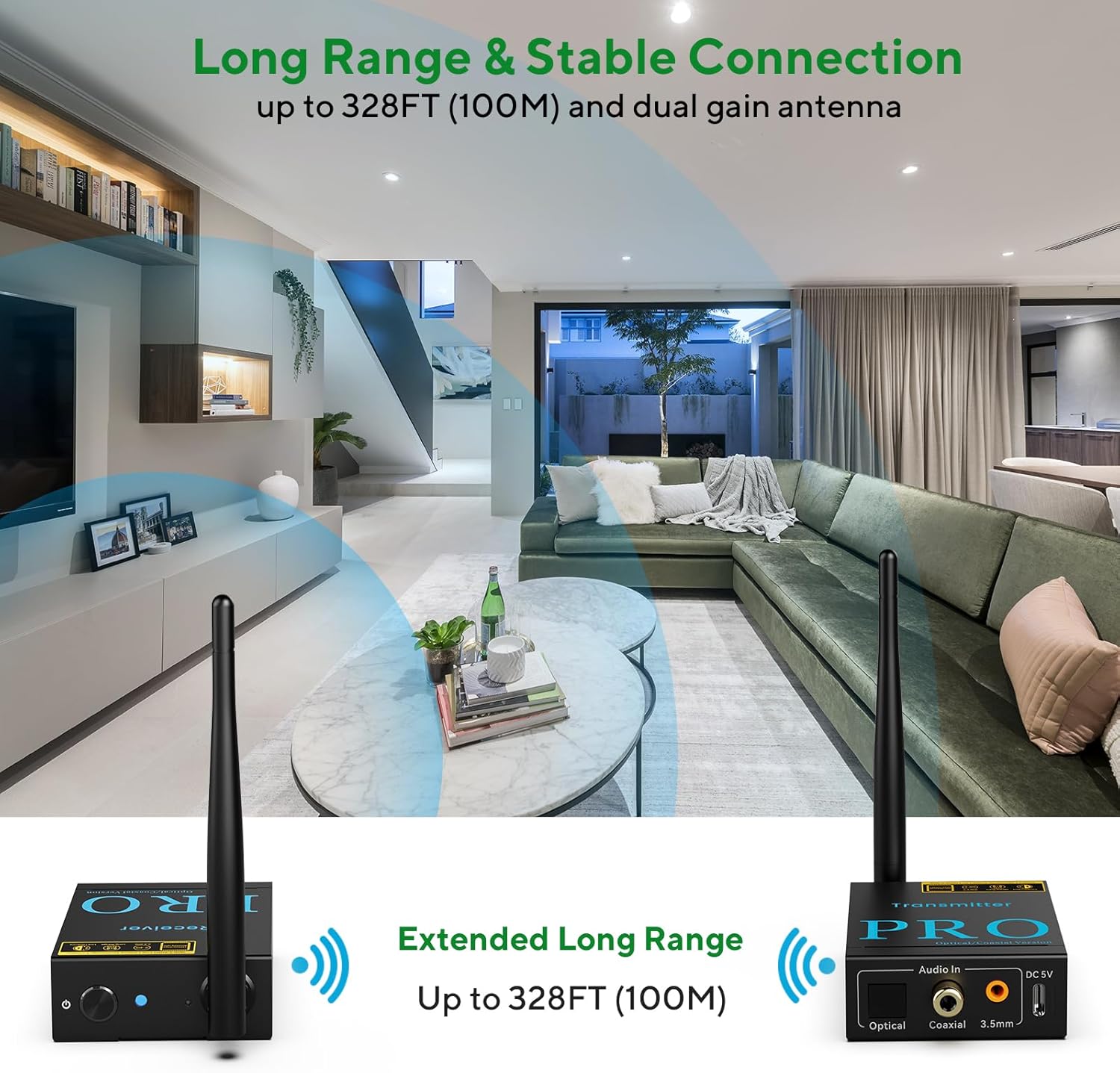
Image: An illustration demonstrating the extended long range capability of the 1Mii RT5066Pro, showing the transmitter and receiver units wirelessly connected across a large living space.
Maintenance
- Cleaning: Use a soft, dry cloth to clean the units. Do not use liquid cleaners or aerosols.
- Storage: When not in use for extended periods, store the units in a cool, dry place away from direct sunlight.
- Antennas: Handle the antennas carefully to avoid bending or breaking them.
Troubleshooting
| Problem | Possible Cause | Solution |
|---|---|---|
| No audio output |
|
|
| Static or distorted audio |
|
|
| RCA port not working (if using 3.5mm to RCA adapter) |
|
|
Specifications
| Feature | Detail |
|---|---|
| Model Number | RT5066Pro |
| Connectivity Technology | 2.4GHz Wireless |
| Audio Sampling Rate | Up to 24bit/192kHz |
| Latency | Less than 20ms |
| Wireless Range (Outdoor) | Up to 328 feet (100m) |
| Wireless Range (Indoor) | 100-165 feet (30-50m) |
| Input Ports (Tx) | Optical, Coaxial, 3.5mm AUX (RCA compatible) |
| Output Ports (Rx) | Optical, Coaxial, 3.5mm AUX (RCA compatible) |
| Power Input | DC 5V (USB Type-C) |
| Product Dimensions | 3.43 x 2.76 x 0.98 inches (per unit) |
| Item Weight | 10.4 ounces (295 grams) |
| Color | Black |
Warranty and Support
1Mii products are designed for reliability and performance. For warranty information and technical support, please refer to the official 1Mii website or contact their customer service directly. Keep your purchase receipt for warranty claims.
For further assistance, you may visit the 1Mii Store on Amazon.
Related documentsRT5066Pro


Ask a question about this manual
Ask about setup, troubleshooting, compatibility, parts, safety, or missing instructions. Manuals+ will review the question and use this page’s manual context to help answer it.