Introduction
Thank you for choosing the Timex Expedition North Field Post 43mm Watch. This manual provides essential information to help you understand and utilize all the features of your new timepiece. Please read these instructions carefully to ensure proper use and longevity of your watch.
Product Overview
The Timex Expedition North Field Post is a robust and functional watch designed for reliability. It features a 43mm round case, a black dial, and a durable sapphire lens. The watch is water-resistant up to 100 meters and comes with an 8-inch black strap.

Figure 1: Front view of the Timex Expedition North Field Post 43mm Watch, showcasing the black dial, chronograph subdials, and luminous hands.
Key Features:
- 43mm round case for a prominent wrist presence.
- Black dial with clear markers for enhanced readability.
- Sapphire lens for superior scratch resistance.
- Water resistance up to 100 meters (330 feet), suitable for swimming and snorkeling.
- Integrated chronograph function for timing events.
- Durable 8-inch black strap.

Figure 2: Angled view highlighting the watch's textured dial and the pushers for the chronograph function.

Figure 3: Side profile of the watch, showing the crown and chronograph pushers.
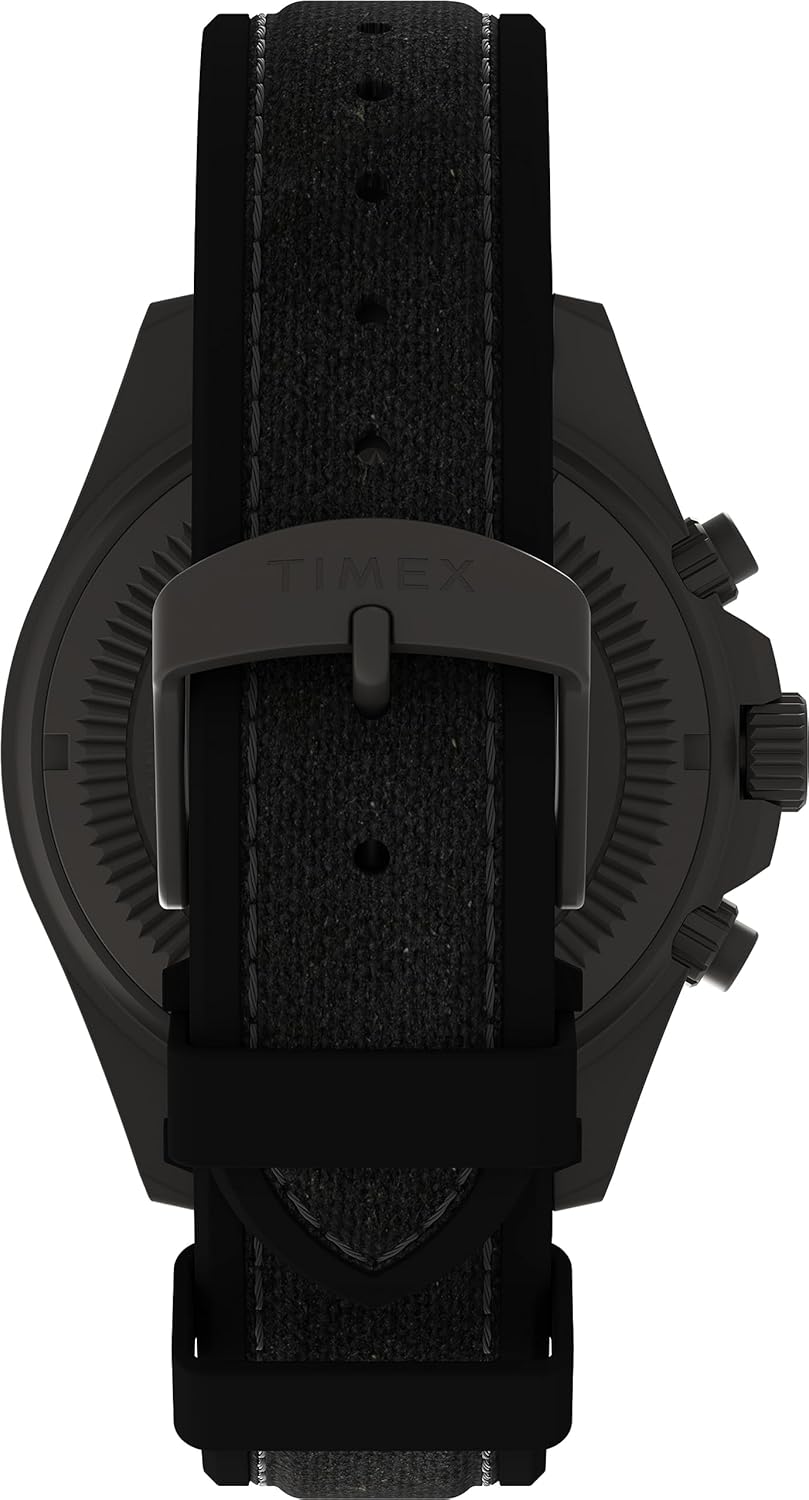
Figure 4: View of the watch strap and buckle, demonstrating the secure fastening mechanism.

Figure 5: Close-up of the watch's case back, featuring engraved details and model information.

Figure 6: The Timex Expedition North Field Post 43mm Watch worn on a wrist, illustrating its size and appearance in use.
Setup
Setting the Time:
- Pull the crown out to position 3.
- Turn the crown in either direction to move the hands to the correct time.
- Push the crown back to position 1 to start the watch.
Setting the Date:
- Pull the crown out to position 2.
- Turn the crown clockwise or counter-clockwise (depending on the movement) until the correct date appears in the date window.
- Push the crown back to position 1.
- Note: Avoid setting the date between 9 PM and 3 AM, as this may interfere with the automatic date change mechanism.
Operating the Chronograph
Your watch is equipped with a chronograph function for measuring elapsed time. The chronograph features three subdials: a 60-second counter, a 30-minute counter, and a 24-hour indicator.
Using the Chronograph:
- Start: Press the upper pusher to start the chronograph. The chronograph second hand will begin to move.
- Stop: Press the upper pusher again to stop the chronograph. The elapsed time will be indicated by the chronograph hands.
- Reset: After stopping the chronograph, press the lower pusher to reset all chronograph hands to their zero positions.
Note: If the chronograph hands do not reset to zero, refer to the troubleshooting section for adjustment instructions.
Water Resistance
This Timex Expedition North Field Post watch is water-resistant to 100 meters (330 feet). This rating means the watch is suitable for showering, swimming, and snorkeling. It is not recommended for scuba diving or high-impact water sports.
- Ensure the crown is fully pushed in before any contact with water.
- Do not operate the pushers or crown while the watch is wet or submerged.
- After exposure to saltwater, rinse the watch with fresh water and dry thoroughly.
Maintenance
Cleaning:
Regularly clean your watch with a soft, damp cloth. For the strap, follow specific care instructions based on its material. Avoid using harsh chemicals or abrasive materials.
Battery Replacement:
When the battery needs replacement, it is recommended to take your watch to an authorized Timex service center or a qualified watchmaker. This ensures proper battery installation and maintenance of water resistance.
Strap Care:
The watch features a durable strap. To maintain its condition, avoid prolonged exposure to direct sunlight, extreme temperatures, and harsh chemicals. Clean with a soft, dry cloth. If the strap becomes wet, allow it to air dry completely before wearing.
Troubleshooting
| Problem | Possible Cause | Solution |
|---|---|---|
| Watch not running | Battery depleted; crown not pushed in. | Push crown fully in. If still not running, replace battery at a service center. |
| Date not changing | Date set during restricted hours (9 PM - 3 AM); incorrect setting. | Reset date outside of restricted hours. Ensure crown is fully pushed in after setting. |
| Chronograph hands not resetting to zero | Misalignment due to impact or magnetic field. | Chronograph Hand Alignment:
|
| Moisture under crystal | Water resistance compromised; crown/pushers operated underwater. | Immediately take the watch to a service center to prevent further damage. |
Specifications
- Model Number: TW2V96300QY
- Case Diameter: 43mm
- Lens Material: Sapphire
- Water Resistance: 100 meters (330 feet)
- Strap Length: 8 inches
- Movement: Quartz Chronograph
- Dial Color: Black
- Case Material: Titanium-tone stainless steel
Warranty and Support
Your Timex watch is covered by a limited warranty. For detailed warranty information, service, or support, please visit the official Timex website or contact Timex customer service. Keep your proof of purchase for warranty claims.
Official Timex Website: www.timex.com


