
1. Introduction
The LAVA ME Play is an innovative electro-acoustic guitar designed with a carbon fiber body for durability and weather resistance. It integrates smart features to enhance your playing and learning experience. This manual provides essential information for setting up, operating, maintaining, and troubleshooting your LAVA ME Play guitar.
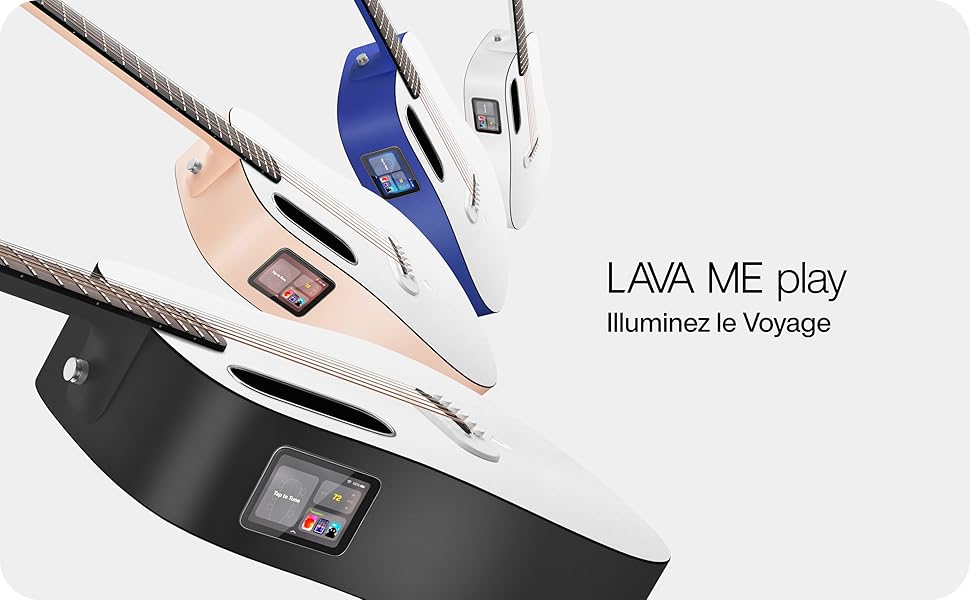
LAVA ME Play guitars in various colors, including black, blue, and beige, featuring a digital display and unique streamlined body shape.
2. Setup
2.1 Unboxing and Initial Inspection
Carefully remove the LAVA ME Play guitar and its included carbon fiber case from the packaging. Inspect the guitar for any visible damage. Ensure all accessories are present.
2.2 Charging the Guitar
Before first use, fully charge the guitar's internal battery using the provided USB cable. Connect the cable to the guitar's USB port and a compatible power adapter. It is recommended to charge the battery to approximately 80% for optimal battery longevity, similar to electric vehicle battery care.
2.3 Powering On/Off
To power on the guitar, press and hold the power button located on the side of the instrument until the screen illuminates. To power off, press and hold the power button again until the shutdown prompt appears, then confirm.
2.4 Connecting to Wi-Fi
Upon initial power-on, the guitar will guide you through the Wi-Fi setup process. Connect to a stable Wi-Fi network to access online features, updates, and learning content.
3. Operating Instructions
3.1 Touchscreen Interface
The LAVA ME Play features an intuitive touchscreen interface. Navigate through menus, select apps, and adjust settings by tapping and swiping on the screen.
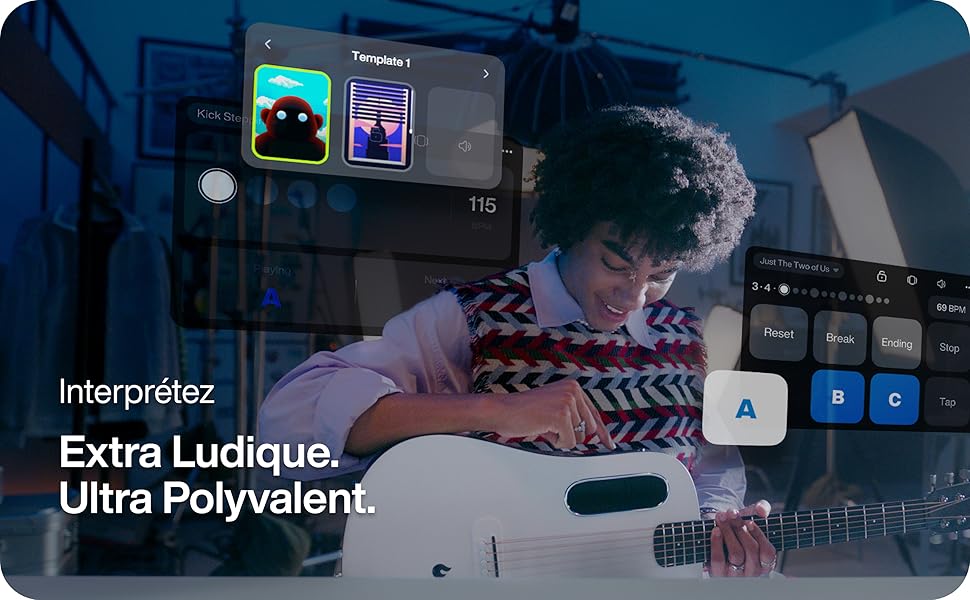
The digital interface allows control of music playback and access to various applications.
3.2 Effects and Sound Customization
The guitar includes a unique 'Touch to Sound' effects application. Access this feature via the touchscreen to apply various effects and customize your sound without external pedals. While effects are integrated, note that their volume may be lower compared to external amplifiers.

The integrated control panel provides instant access to effects and battery status.
3.3 Learning and Practice Features
The LAVA ME Play offers extensive learning tools:
- Lessons & Courses: Access a library of music excerpts, chord sequences, and techniques for all genres and skill levels.
- Chord Diagrams: Utilize the digital chord diagram interface to visualize finger positions.
- Practice Challenges: Engage in monthly challenges to track progress and stay motivated.
- Speed Adjustment: Adjust playback speed for practice videos and tracks.

The learning interface provides access to various courses and skill-building exercises.

The digital chord diagram interface helps visualize finger positions on the fretboard.
3.4 Collaboration and Ensemble Mode
The guitar supports ensemble collaboration. You can choose a role (lead or rhythm) and invite others to play together, or accept invitations to join a session.
3.5 Recording and Sharing
Capture your musical ideas and performances directly on the guitar. Recorded content can be saved and shared.
4. Maintenance
4.1 Cleaning
Clean the carbon fiber body and HPL fretboard with a soft, dry cloth. For stubborn dirt, a slightly damp cloth can be used, followed by immediate drying. Avoid abrasive cleaners or solvents.
4.2 Environmental Conditions
The LAVA ME Play is designed to be resistant to temperature and humidity fluctuations. However, for optimal performance and longevity, store and use the guitar within the recommended ranges:
- Temperature: -4°F to 122°F (-20°C to 50°C)
- Humidity: 10% to 90%

Recommended temperature and humidity ranges for the LAVA ME Play guitar.
4.3 String Replacement
The guitar uses phosphor bronze strings. Replace strings as needed to maintain optimal tone and playability. Refer to standard guitar string replacement procedures.
5. Troubleshooting
5.1 Common Issues and Solutions
- No Sound/Low Volume: Ensure the guitar is powered on and charged. Check volume settings on the touchscreen. If using effects, note that their output volume might be lower than an amplified signal.
- Connectivity Issues (Wi-Fi): Verify your Wi-Fi network is active and within range. Re-enter Wi-Fi credentials if necessary.
- Screen Unresponsive: Try restarting the guitar by holding the power button. If the issue persists, contact support.
- Battery Draining Quickly: Ensure the guitar is fully charged. Avoid leaving it in extreme temperatures. If the issue persists, contact support.
5.2 Factory Reset
If you encounter persistent software issues, a factory reset may resolve them. Consult the on-screen menu for the factory reset option. Warning: A factory reset will erase all user data and settings.
6. Specifications
| Feature | Specification |
|---|---|
| Brand | LAVA |
| Model | ME Play |
| Color | NightFall & Frost White |
| Size | 36 inches |
| Body Material | Carbon Fiber |
| Top Material | HPL |
| Back Material | Carbon Fiber |
| Neck Material | Carbon Fiber |
| Fretboard Material | HPL |
| String Material | Phosphor Bronze |
| Number of Strings | 6 |
| Hand Orientation | Right |
| Pickup Configuration | P |
| Bridge Type | Adjustable |
| Connectivity | USB |
| Included Components | Carbon Fiber Case |
7. Warranty and Support
LAVA provides guaranteed official support for the ME Play guitar, ensuring a hassle-free warranty and end-to-end technical assistance. For detailed warranty information or to contact support, please visit the official LAVA website or refer to the documentation included with your purchase.
- Official Support: Access technical help and warranty services.
- Quality Assurance: The product is engineered for professional-level performance and quality.

LAVA's commitment to quality and customer support.


