
1. Introduction
Thank you for choosing the AWEI T36 Wireless Sport Earbuds. These in-ear earphones are designed to provide a high-quality audio experience with convenience and durability, especially for active lifestyles. Featuring Bluetooth 5.0 connectivity, touch controls, and an IPX4 water resistance rating, the T36 earbuds are suitable for various activities, including sports.
2. Package Contents
Please check the package for the following items:
- AWEI T36 Wireless Sport Earbuds (Left and Right)
- Charging Case
- USB Charging Cable
- User Manual
3. Product Overview
Familiarize yourself with the components of your AWEI T36 earbuds.
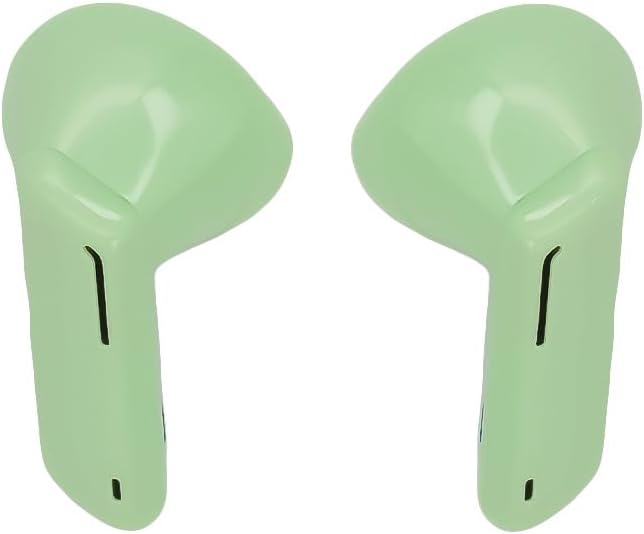
Image 1: AWEI T36 Wireless Sport Earbuds. This image displays the two green earbuds, highlighting their ergonomic design for in-ear fit.

Image 2: AWEI T36 Charging Case. This image shows the compact green charging case with the 'awei' brand logo on its lid.
4. Setup
4.1 Charging the Earbuds and Case
- Initial Charge: Before first use, fully charge the charging case and earbuds.
- Charging the Case: Connect the USB charging cable to the charging port on the case and to a power source. The case takes approximately 90 minutes to fully charge.
- Charging the Earbuds: Place the earbuds into the charging case. Ensure they are correctly seated. The earbuds will charge automatically from the case. The earbuds take approximately 1.5 hours to fully charge.
4.2 Pairing with a Device
- First-time Pairing:
- Open the charging case and remove both earbuds. They will automatically enter pairing mode.
- On your device (smartphone, tablet, etc.), enable Bluetooth.
- Search for available Bluetooth devices and select "AWEI T36" from the list.
- Once connected, you will hear a confirmation sound, and the earbuds will be ready for use.
- Automatic Reconnection: After the initial pairing, the earbuds will automatically connect to the last paired device when removed from the charging case, provided Bluetooth is enabled on the device and it is within range.
5. Operating Instructions
5.1 Wearing the Earbuds
Gently insert the earbuds into your ears, ensuring a comfortable and secure fit. Adjust them until the sound quality is optimal and they feel stable, especially during physical activity.
5.2 Touch Controls
The AWEI T36 earbuds feature touch-sensitive controls on each earbud. The following actions can be performed:
- Play/Pause: Single tap on either earbud.
- Next Track: Double tap on the right earbud.
- Previous Track: Double tap on the left earbud.
- Answer/End Call: Single tap on either earbud during an incoming call or active call.
- Reject Call: Press and hold either earbud for 2 seconds during an incoming call.
- Activate Voice Assistant: Triple tap on either earbud.
6. Maintenance
6.1 Cleaning
Regularly clean your earbuds and charging case to ensure optimal performance and hygiene.
- Use a soft, dry, lint-free cloth to wipe the earbuds and charging case.
- Do not use abrasive cleaners, solvents, or aerosol sprays.
- Gently remove any earwax or debris from the earbud mesh using a small, soft brush or cotton swab.
6.2 Storage
When not in use, store the earbuds in their charging case to protect them from dust, damage, and to keep them charged.
7. Troubleshooting
If you encounter any issues, please refer to the following common solutions:
- Earbuds not pairing: Ensure both earbuds are removed from the case and are in pairing mode. Turn off and on Bluetooth on your device, then try pairing again.
- Only one earbud working: Place both earbuds back into the charging case, close the lid, wait a few seconds, then remove them again. This often re-syncs them.
- No sound: Check the volume level on your device and ensure the earbuds are properly connected.
- Charging issues: Ensure the charging cable is securely connected to both the case and the power source. Check if the charging contacts on the earbuds and inside the case are clean.
- Poor sound quality: Ensure the earbuds are properly seated in your ears. Try cleaning the earbud mesh.
8. Specifications
| Brand | AWEI |
| Model | T36 |
| Headphone Type | In-Ear |
| Bluetooth Version | 5.0 |
| Earbud Battery Capacity | 45 mAh (each) |
| Charging Case Battery Capacity | 320 mAh |
| Music Playtime | Up to 5 hours |
| Talk Time | Up to 8 hours |
| Charging Time | Approx. 1.5 hours (earbuds/case) |
| Standby Time | Up to 210 hours |
| Water Resistance Rating | IPX4 |
| Control Type | Touch Control |
| Color | Green |
9. Warranty Information
Specific warranty details may vary by region and retailer. Please refer to the warranty card included with your product or contact your point of purchase for detailed warranty terms and conditions.
10. Support
For further assistance or inquiries, please contact AWEI customer support. You may also find additional resources and support via the official AWEI channels.
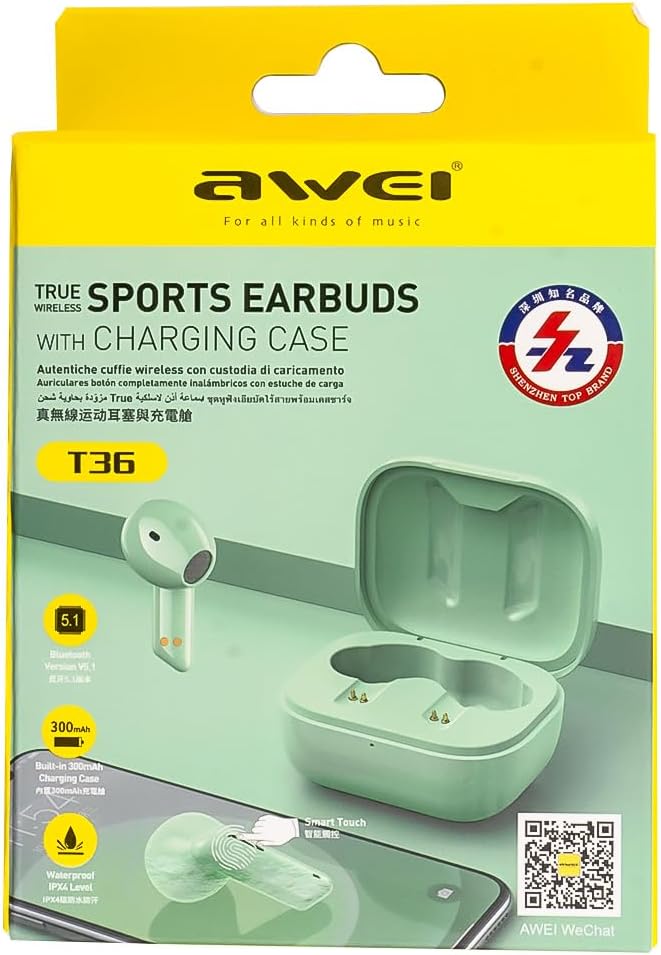
Image 3: AWEI T36 Product Packaging. This image shows the product box, which includes a QR code for WeChat support.
Scan the QR code on the product packaging or visit http://weixin.qq.com/r/7XQ0O7vEfoUBh6pYnyHJ for WeChat support.


