
Product Overview
The DOOGEE S110 is a robust and high-performance rugged smartphone designed for durability and extensive use. It features a large battery, advanced camera system, and a unique rear display for enhanced convenience.
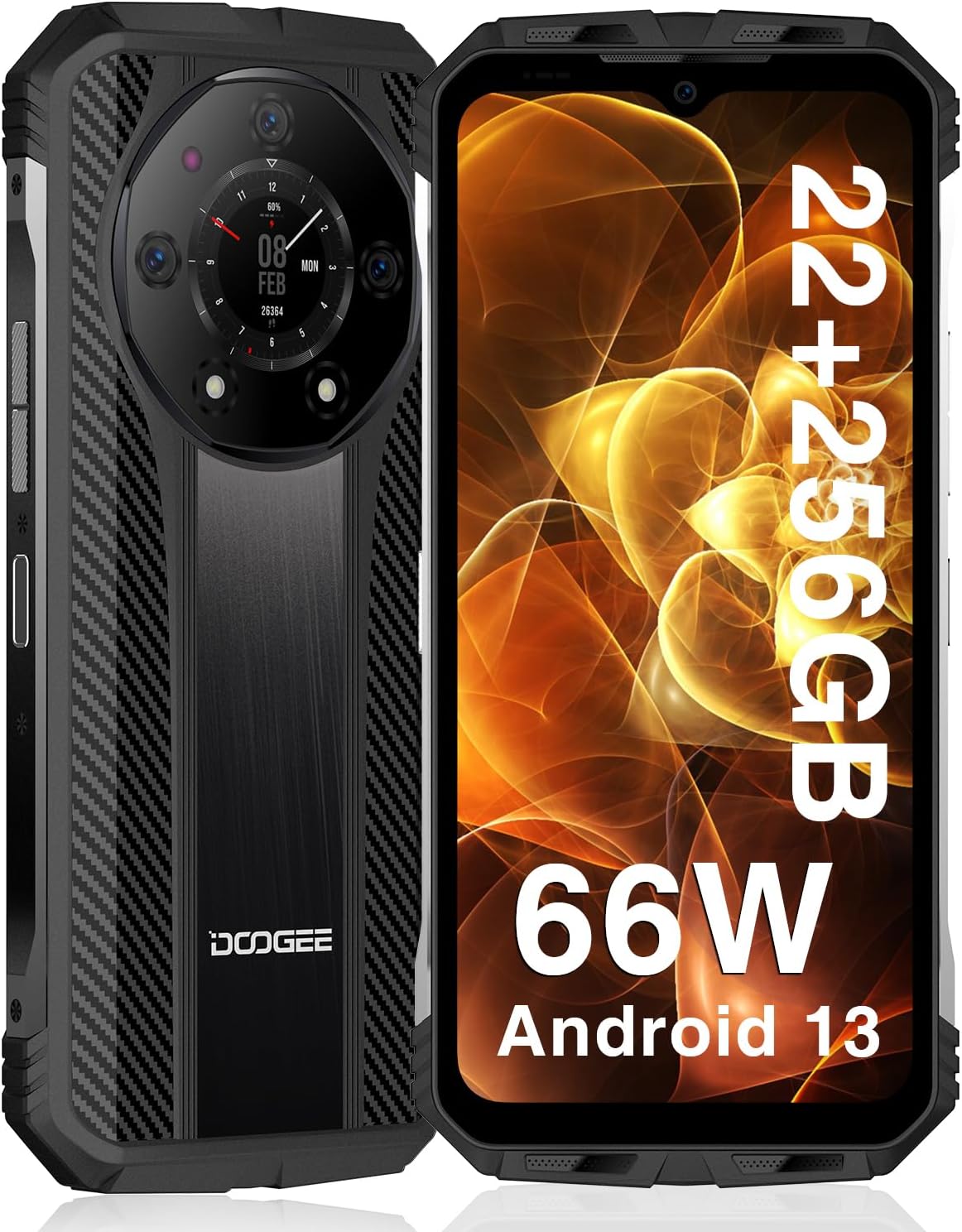
Front and rear view of the DOOGEE S110 Rugged Smartphone, highlighting its robust design and rear display.
- Powerful Performance: Equipped with 22GB RAM (12GB fixed + 10GB virtual) and 256GB ROM, expandable up to 2TB via TF card, powered by a 6nm chipset clocked at up to 2.2GHz.
- Long-lasting Battery: Features a 10800mAh battery with 66W super fast charging, providing up to 960 hours standby time and 45 hours talk time. Supports reverse charging.
- Innovative Rear Display: A 1.09-inch rear display for quick access to functions like battery level, music playback, and call management.
- Advanced Camera System: Includes a 50MP main camera, 32MP front camera, and a 24MP night vision camera for versatile photography.
- Rugged Durability: IP68/IP69K waterproof, dust-resistant, and MIL-STD-810H certified for drop resistance up to 1.5 meters.
- Connectivity: Supports Dual Nano SIM, NFC for Google Pay, Wi-Fi 2.4G/5G, Bluetooth 5.2, and multiple positioning modes (GPS, Glonass, Galileo, Beidou).
Setup Guide
1. Inserting SIM Cards and TF Card
The DOOGEE S110 supports two Nano SIM cards or one Nano SIM card and one TF (microSD) card for expanded storage.
- Locate the SIM card tray on the side of the device.
- Use the provided SIM ejector tool to open the tray.
- Carefully place your Nano SIM card(s) and/or TF card into the designated slots on the tray. Ensure the gold contacts are facing down.
- Gently push the tray back into the device until it is flush.
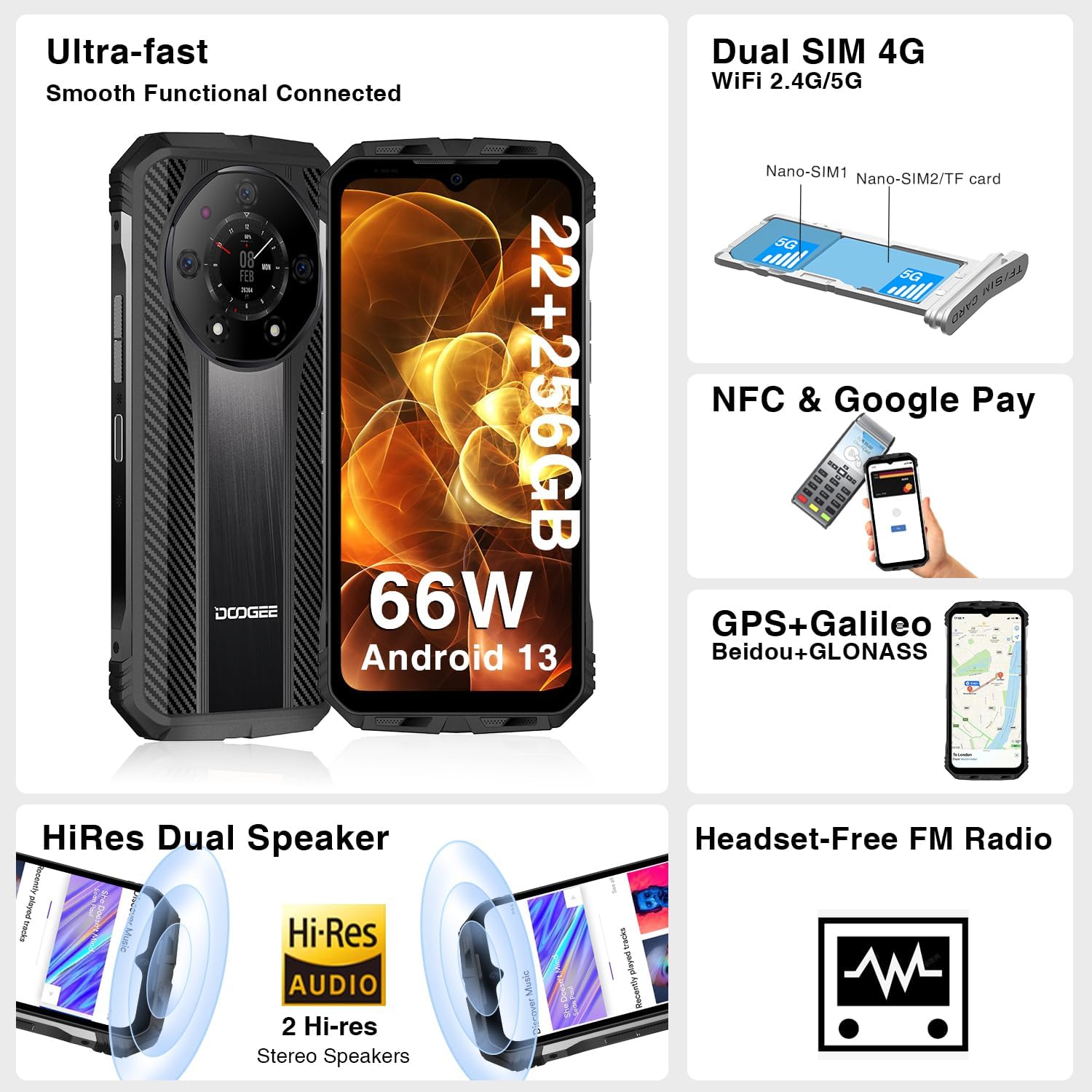
Illustration of inserting Nano SIM cards and a TF card into the DOOGEE S110's card tray.
2. Initial Charging and Power On
Before first use, it is recommended to fully charge the device.
- Connect the USB Type-C cable to the charging port at the bottom of the phone.
- Connect the other end of the cable to the 66W fast charger and plug it into a power outlet.
- Allow the phone to charge until the battery indicator shows 100%.
- To power on, press and hold the Power button (located on the side) until the DOOGEE logo appears on the screen.

The DOOGEE S110 connected to its 66W fast charger, illustrating the rapid charging capability.
Operating Instructions
Display and Interaction
The DOOGEE S110 features a 6.6-inch FHD+ display with a 120Hz refresh rate for smooth visuals. It is protected by Corning Gorilla Glass.

The vibrant 6.6-inch FHD+ display of the DOOGEE S110, showcasing its visual quality.
Camera Functions
Capture high-quality photos and videos with the versatile camera system.
- 50MP Main Camera: For detailed and clear images in various lighting conditions.
- 32MP Front Camera: Ideal for selfies and video calls.
- 24MP Night Vision Camera: Utilizes infrared sensors to capture clear images in complete darkness.

An overview of the DOOGEE S110's camera capabilities, including the 50MP main, 32MP front, and 24MP night vision cameras.
Using the Innovative Rear Display
The 1.09-inch rear display provides quick access to essential information and controls without needing to activate the main screen.
- Wake Up: Double-click the rear display, flip the phone, or synchronize with the main screen to activate it.
- Functions: Check battery level, manage music playback, view incoming call reminders, and capture quick photos.

The DOOGEE S110's innovative rear display showing various functions like battery check, music control, and call management.
Connectivity Features
The S110 offers robust connectivity options for seamless communication and navigation.
- NFC: For contactless payments via Google Pay and quick data transfer.
- Dual SIM 4G: Supports two Nano SIM cards for flexible network usage.
- Wi-Fi: Supports 2.4G/5G for fast internet access.
- GPS: Integrated GPS, GLONASS, Galileo, and Beidou for accurate positioning.
Maintenance
The DOOGEE S110 is built to withstand harsh environments, but proper maintenance ensures its longevity.

Visual representation of the DOOGEE S110's MIL-STD-810H, IP68, and IP69K ratings, demonstrating its durability against drops, water, and dust.
- Cleaning: Wipe the device with a soft, damp cloth. Avoid using harsh chemicals or abrasive materials.
- Port Protection: Ensure all port covers (USB-C, SIM tray) are securely closed to maintain water and dust resistance, especially before exposure to liquids or dusty environments.
- Temperature: Avoid exposing the phone to extreme temperatures (very hot or very cold) for prolonged periods, as this can affect battery life and internal components.
- Impact: While rugged, avoid unnecessary drops or impacts. The MIL-STD-810H rating provides protection but is not a guarantee against all damage.
Troubleshooting
This section addresses common issues you might encounter with your DOOGEE S110.
- Device Not Powering On: Ensure the battery is charged. Connect to the charger and wait a few minutes before attempting to power on again. If unresponsive, try a forced restart by holding the Power button for 10-15 seconds.
- Poor Signal/Connectivity: Check if SIM cards are correctly inserted. Ensure you are within network coverage. Try toggling Airplane Mode on and off. If issues persist, contact your carrier.
- Apps Crashing/Slow Performance: Close background applications. Clear app cache (Settings > Apps > [App Name] > Storage > Clear Cache). Restart the device. Ensure sufficient storage space is available.
- Battery Draining Quickly: Reduce screen brightness. Disable unused features like Wi-Fi, Bluetooth, GPS when not needed. Limit background app refresh. Check battery usage in settings to identify power-hungry apps.
- Rear Display Not Responding: Ensure the main screen is active or try double-tapping the rear display. Check for any system updates that might resolve software glitches.
For persistent issues, consider performing a factory reset (backup your data first) or contact customer support.
Specifications
| Feature | Detail |
|---|---|
| Model Name | DOOGEE S110 |
| Operating System | Android 13.0 |
| RAM Memory Installed Size | 22 GB (12GB + 10GB Virtual) |
| Memory Storage Capacity | 256 GB (Expandable up to 2TB TF) |
| Screen Size | 6.58 Inches |
| Resolution | 1920 x 1080 (FHD+) |
| Refresh Rate | 120Hz |
| CPU Speed | 2.2 GHz |
| Battery Capacity | 10800 Milliamp Hours |
| Charging | 66W Fast Charging |
| Main Camera | 50MP |
| Front Camera | 32MP |
| Night Vision Camera | 24MP |
| Rear Display | 1.09 inches |
| Durability Ratings | IP68, IP69K, MIL-STD-810H |
| Connectivity | NFC, Wi-Fi, Bluetooth, GPS |
| Item Weight | 1.57 pounds |
Warranty and Support
DOOGEE is committed to providing excellent customer service and support for your S110 Rugged Smartphone.
- 2-Year Warranty: The DOOGEE S110 comes with a 2-year limited warranty covering manufacturing defects.
- 30-Day Money Back Guarantee: Enjoy a 30-day money-back guarantee and free return policy.
- 24/7 Technical Support: Access to 24/7 online technical support for any queries or assistance you may need.
For warranty claims or technical assistance, please visit the official DOOGEE support website or contact their customer service team directly.


