
Introduction
This manual provides detailed instructions for the assembly, operation, and maintenance of your AODK 66" L Shaped Computer Desk. Designed for versatility and functionality, this desk can be configured as a 66"x66" L-shaped workstation or a 113" two-person long desk, adapting to various home office or gaming environments. It integrates practical features such as a built-in power outlet, LED lighting, and ample storage solutions to enhance your workspace efficiency.

Image: The AODK 66" L Shaped Computer Desk in a typical setup, showcasing its spacious design and integrated features.
Safety Information
Please read and understand all safety warnings and instructions before assembly and use. Failure to follow these instructions may result in injury or damage to the product.
- Always assemble the desk according to the provided instructions.
- Ensure the desk is properly anchored to the floor to prevent tipping, especially when using heavy equipment like monitors or printers.
- Keep the desk away from heat sources to prevent material degradation.
- Do not place heavy objects on the desk that could cause it to tip over or compromise its structural integrity.
- Avoid exposing electrical components (power outlet, LED lights) to moisture.
Product Features
The AODK 66" L Shaped Computer Desk is equipped with several features designed for optimal productivity and organization:
- Reversible Design: Configurable as a 66"x66" L-shaped desk or a 113" two-person long desk to fit various room layouts.
- Integrated Power Outlet: Features 3 AC outlets and 2 USB ports for convenient charging of multiple devices.
- LED Lights: Upgraded LED light strip with an odorless milky fluorescent shell provides better light diffusion and creates an ambient atmosphere.
- File Cabinet: Includes a file cabinet with two drawers designed to organize letter, legal, and A4 size files.
- Fabric Storage Drawers: Four-tier fabric drawers offer spacious under-desk storage for books, files, power cords, and other items, helping to maintain a tidy desktop.
- Monitor Shelf: A 47.2" long monitor stand provides an ergonomic viewing height and can accommodate two monitors.
- CPU Stand/Storage Shelves: Two under-desk storage shelves (18.1"x11") are suitable for a CPU tower or additional office supplies.
- Sturdy Construction: Made with a durable metal frame and waterproof desk board, ensuring stability and longevity.

Image: Overview of the desk's storage capabilities, including fabric drawers and a file cabinet.

Image: Detailed view of the four-drawer fabric dresser, illustrating its storage capacity.
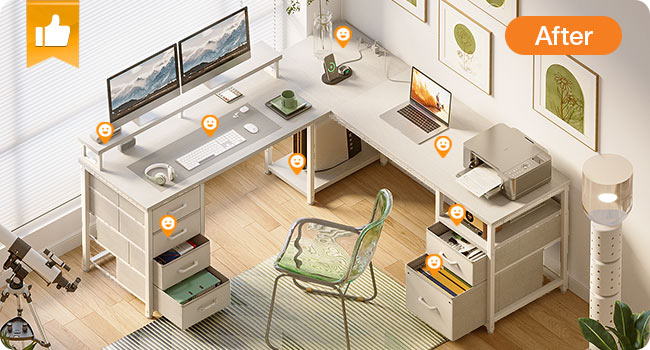
Image: Detailed view of the two-drawer fabric file cabinet, suitable for various document sizes.
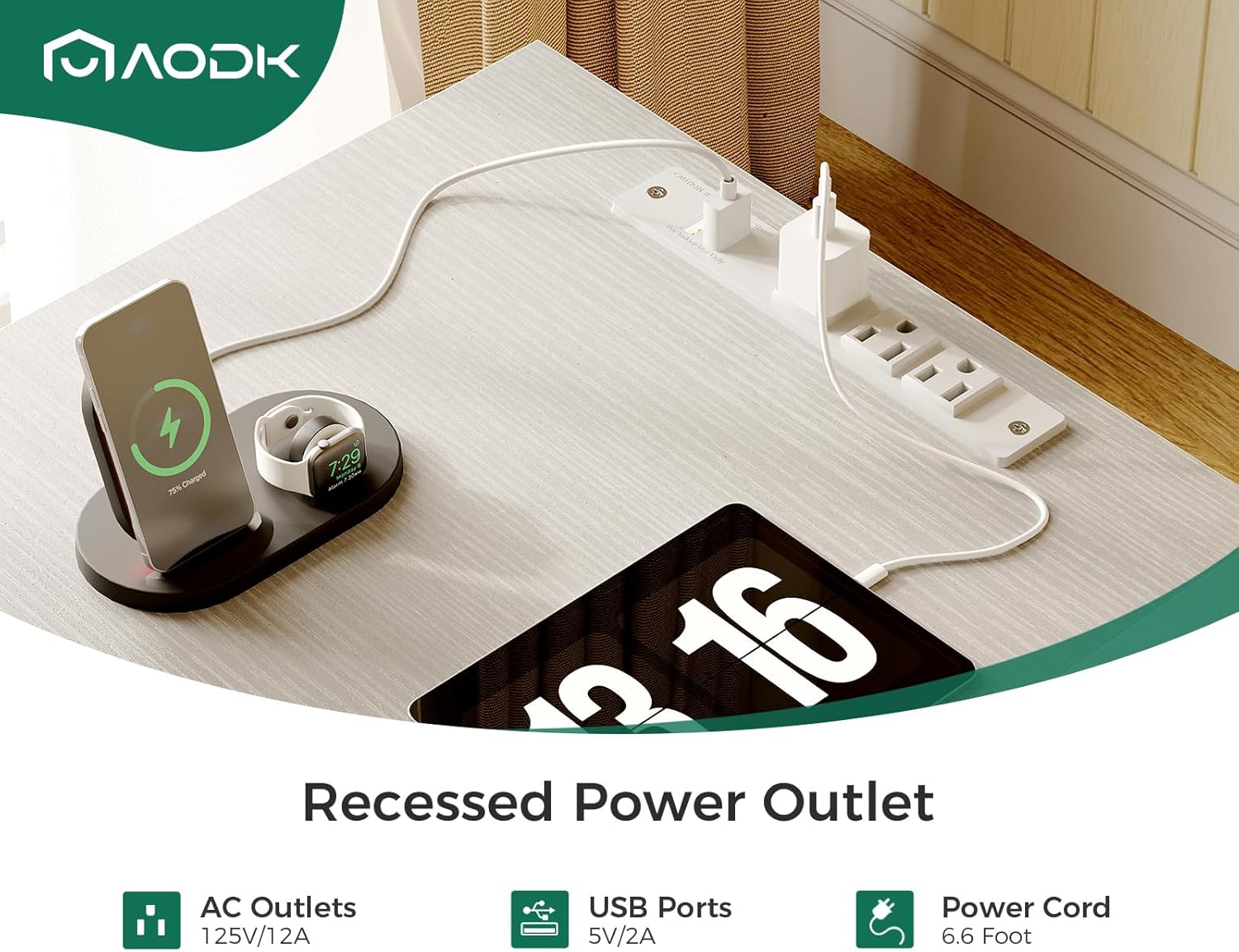
Image: The recessed power outlet with AC and USB ports, demonstrating its utility for charging devices.
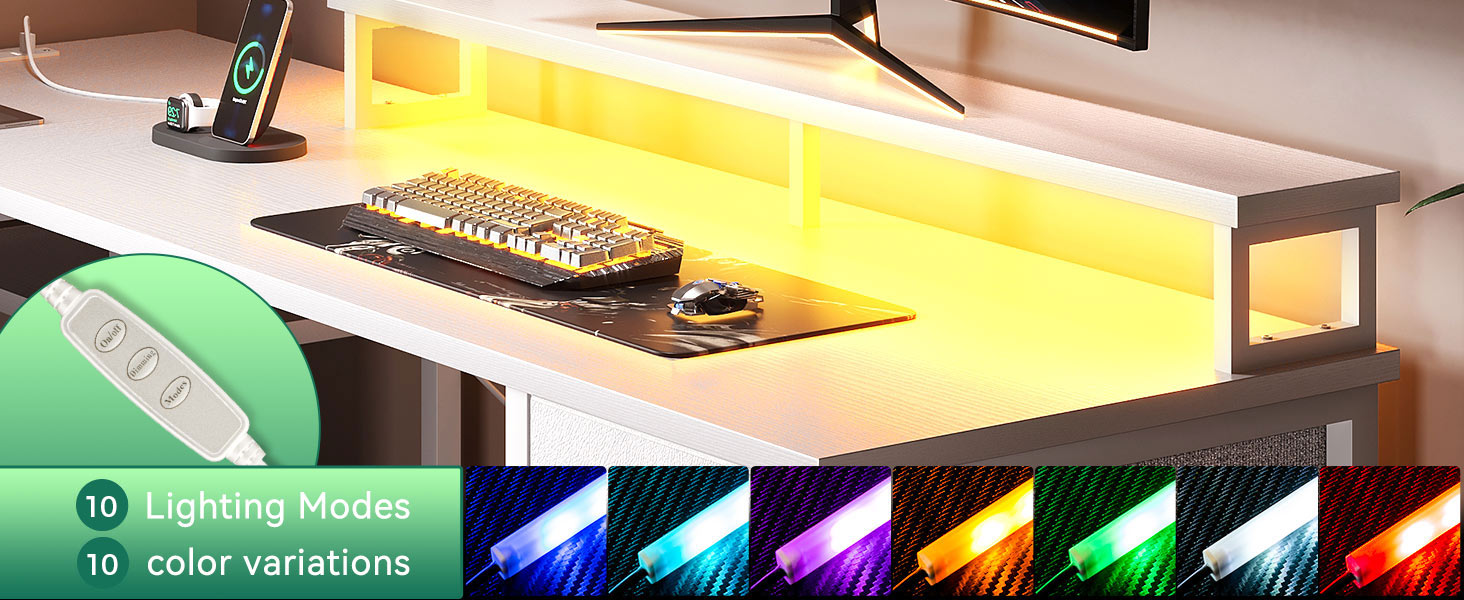
Image: The long monitor stand, designed to promote ergonomic posture and comfortable viewing.

Image: The two-tier under-desk storage shelves, suitable for a CPU or other office items.
Specifications
| Attribute | Detail |
|---|---|
| Brand | AODK |
| Product Dimensions | 18.9"D x 66"W x 35"H |
| Color | White |
| Style | Modern |
| Base Material | Metal |
| Top Material Type | Engineered Wood |
| Special Feature | Reversible |
| Room Type | Office |
| Recommended Uses | Office, Working |
| Included Components | File Cabinet, 4-tier Storage Fabric Drawers, Long Monitor Stand, Storage Shelves, Built-in Power Outlet with USB Ports, LED Light Strip |
| Required Assembly | Yes |
| Includes All Assembly Tools | Yes |
| Shape | L-Shape |
| Number of Drawers | 6 (2 file, 4 fabric) |
| Number Of Shelves | 2 (under-desk) |
| Tabletop Thickness | 1 Inches |

Image: Detailed product dimensions for both L-shaped and straight configurations of the desk.
Setup and Assembly
The AODK 66" L Shaped Computer Desk requires assembly. An assembly manual with clear, step-by-step instructions and labeled parts is included in the package. All necessary tools for assembly are provided.
- Unpack Components: Carefully unpack all parts and hardware. Verify that all components listed in the assembly manual are present.
- Review Instructions: Read the assembly manual thoroughly before beginning. Identify each part and understand the sequence of steps.
- Choose Configuration: Decide whether to assemble the desk as an L-shaped unit (66"x66") or a long two-person desk (113"). The reversible design allows flexibility.
- Assemble Frame: Follow the manual to construct the metal frame, ensuring all connections are secure.
- Attach Desk Boards: Secure the engineered wood desk boards to the frame.
- Install Storage Units: Assemble and integrate the file cabinet, fabric drawers, monitor stand, and under-desk shelves as per the instructions.
- Connect Electrical Components: Install the built-in power outlet and LED light strip, ensuring proper cable management.
- Final Check: Once assembled, ensure all screws are tightened, and the desk is stable. Adjust foot pads if necessary to level the desk on uneven floors.

Image: The desk configured as a 113" long desk, demonstrating its adaptability for different spaces.

Image: The desk configured as an L-shaped unit, suitable for corner placement.
Operating Instructions
This section details the use of the integrated electrical and lighting features of your AODK desk.
Power Outlet
- The built-in power outlet provides 3 standard AC outlets (125V/12A) and 2 USB ports (5V/2A).
- To use, simply plug the desk's main power cord (6.6 feet long) into a wall outlet.
- Connect your devices to the AC outlets or USB ports as needed.
- Avoid overloading the power strip. Do not exceed the maximum rated wattage.
LED Lights
- The LED light strip is controlled via an inline remote or switch.
- Refer to the LED light strip's specific instructions for details on changing colors, brightness, and lighting modes.
- Ensure the LED light strip is securely attached to the monitor stand as intended during assembly.

Image: The desk with RGB LED strips activated, showcasing various color options.
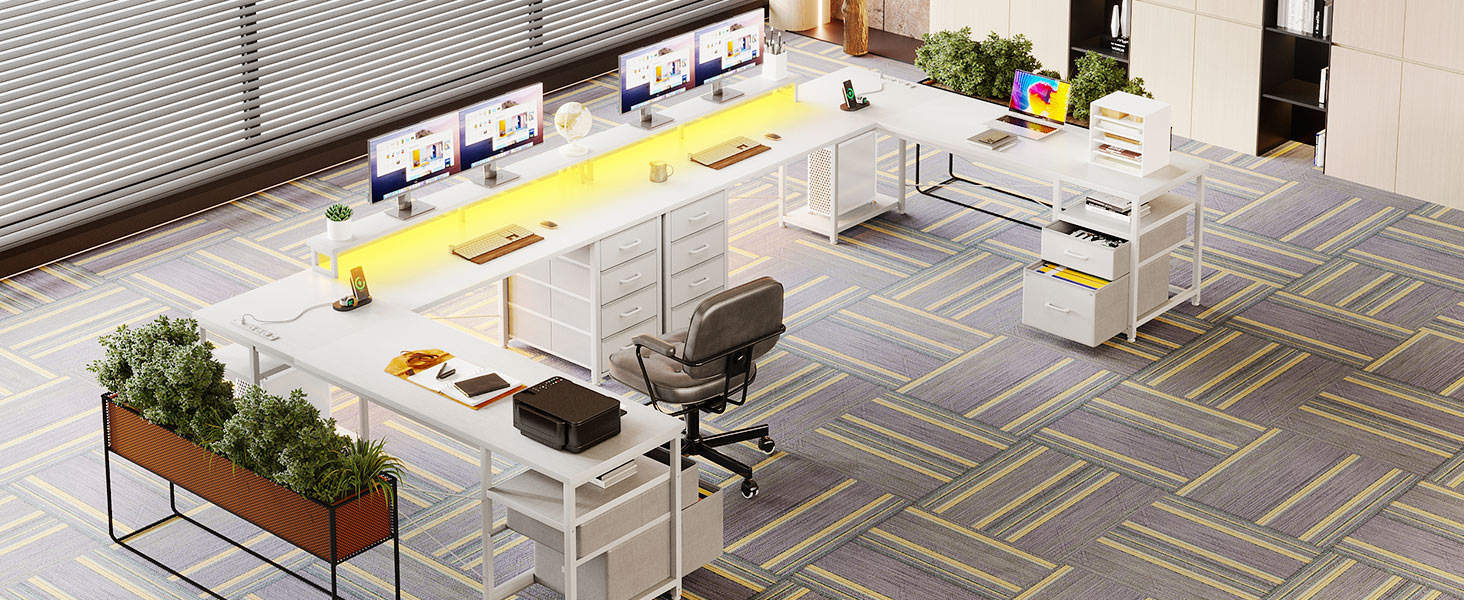
Image: The LED light strip with its control remote, illustrating lighting modes and color variations.
Maintenance
Proper care and maintenance will ensure the longevity and appearance of your AODK computer desk.
- Cleaning: Wipe the desk surfaces with a dry cloth. For stubborn marks, a slightly damp cloth with mild soap can be used, followed immediately by a dry cloth. Avoid harsh chemicals or abrasive cleaners.
- Fabric Drawers: The fabric drawers can be spot cleaned with a damp cloth and mild detergent. Allow to air dry completely. Do not machine wash.
- Hardware Check: Periodically check all screws and fasteners to ensure they remain tight. Retighten if necessary to maintain stability.
- Avoid Direct Sunlight: Prolonged exposure to direct sunlight may cause fading or damage to the desk's finish.
- Liquid Spills: Immediately wipe up any liquid spills to prevent damage to the desk board.
Troubleshooting
This section addresses common issues you might encounter with your desk.
- Desk Wobbles:
- Ensure all assembly screws are securely tightened.
- Adjust the foot pads at the bottom of the desk legs to level the desk on uneven floors.
- Power Outlet Not Working:
- Verify that the desk's main power cord is securely plugged into a functional wall outlet.
- Check if the wall outlet itself is receiving power by testing with another device.
- Ensure no circuit breaker has tripped.
- LED Lights Not Illuminating:
- Confirm the power outlet is functional and the LED strip is properly plugged in.
- Check the connection between the LED strip and its controller/power source.
- Ensure the remote control (if applicable) has working batteries and is pointed correctly.
- Drawers Stick or Don't Slide Smoothly:
- Ensure the drawer slides are correctly installed and aligned.
- Check for any obstructions in the drawer tracks.
- Verify that the drawer itself is not overloaded or warped.
If you encounter issues not covered here or require further assistance, please contact customer support.
Warranty and Support
For information regarding product warranty, returns, or customer support, please refer to the documentation included with your purchase or visit the official AODK website. Typically, AODK products come with a standard warranty covering manufacturing defects. For any inquiries or assistance, please contact AODK customer service directly.
Contact Information: Refer to your purchase receipt or the AODK brand store for the most current contact details.