
Introduction
This instruction manual provides guidance for the installation, maintenance, and general use of the HUIZHEN WVCR200S Replacement Accessories Kit for the WYZE Robot Vacuum Cleaner (Model: WVCR200S). Regular replacement of these components is essential to maintain the optimal performance and cleaning efficiency of your robot vacuum.
Product Overview
This video provides a general overview of the HUIZHEN WVCR200S Replacement Accessories Kit for the WYZE Robot Vacuum Cleaner.
Video: HUIZHEN WVCR200S Replacement Accessories for WYZE Robot Vacuum.
Package Contents
The HUIZHEN WVCR200S Replacement Accessories Kit includes the following components:
- 2 x Main Roller Brushes
- 8 x Side Brushes
- 6 x HEPA Filters with sealed edges
- 1 x Cleaning Tool

Image: Overview of the HUIZHEN WVCR200S Replacement Accessories Kit components.
Installation Guide
Ensure your WYZE Robot Vacuum Cleaner is powered off and unplugged before attempting any installation or replacement procedures.
1. Main Roller Brush Installation
- Turn the robot vacuum upside down to access the main brush compartment.
- Locate and open the main brush cover, usually secured by latches.
- Remove the old main roller brush.
- Insert the new main roller brush into the designated slot, ensuring both ends are properly seated.
- Close the main brush cover until it clicks securely into place.

Image: The V-shaped main roller brush, designed for effective cleaning.
2. Side Brush Installation
- Turn the robot vacuum upside down.
- Locate the side brushes, typically held by a screw or a simple snap mechanism.
- If secured by a screw, use a screwdriver to remove the old side brush.
- Align the new side brush with the post and press down firmly or secure with the screw.

Image: The 3-arm side brush, featuring soft bristles and a slot-in design for simple replacement.
3. HEPA Filter Installation
- Open the dustbin compartment on your robot vacuum.
- Remove the dustbin and locate the filter housing.
- Carefully remove the old HEPA filter from its slot.
- Insert the new HEPA filter, ensuring the sealed edges are properly seated to prevent dust leakage.
- Close the dustbin and reinsert it into the vacuum.
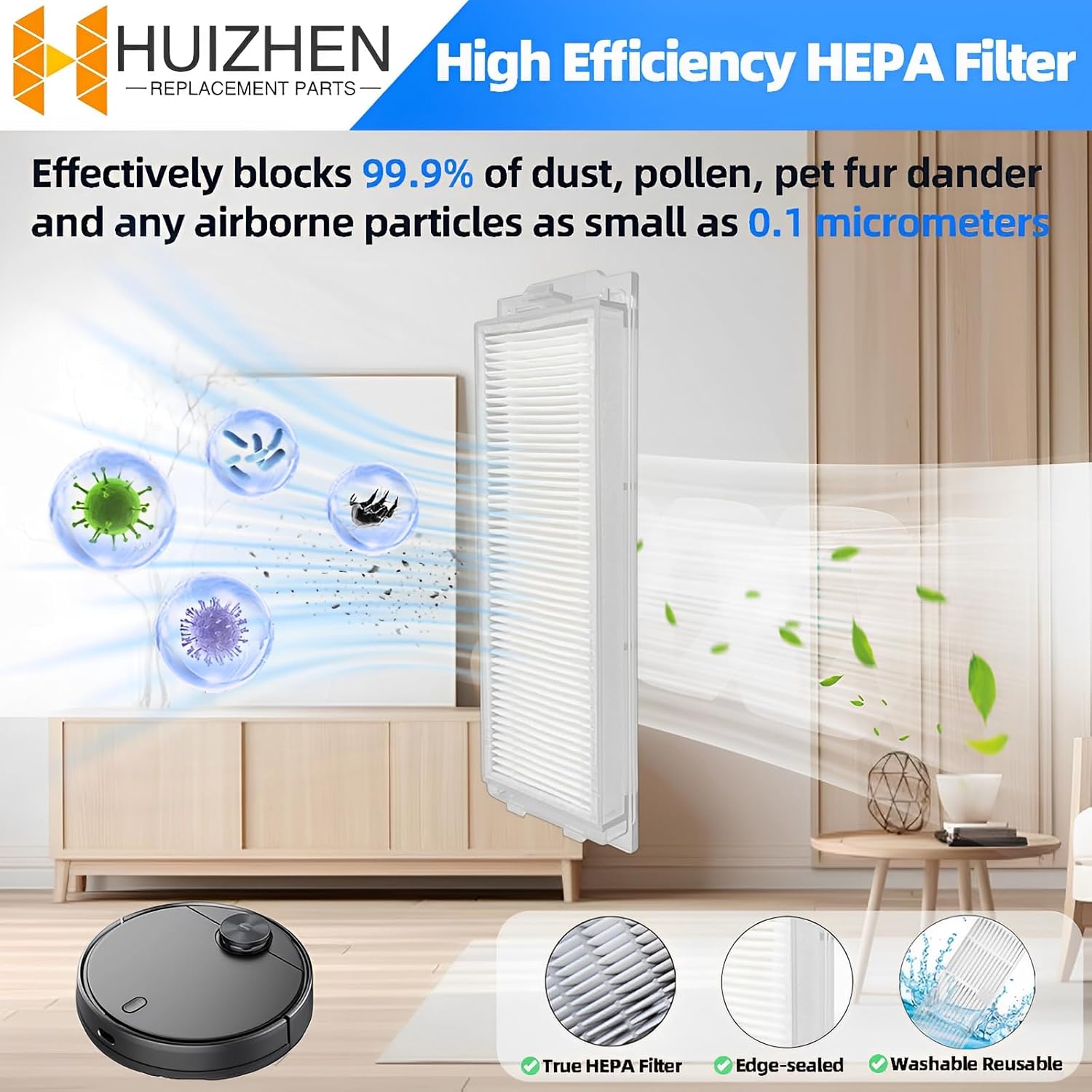
Image: The HEPA filter, designed for high-efficiency particle capture.
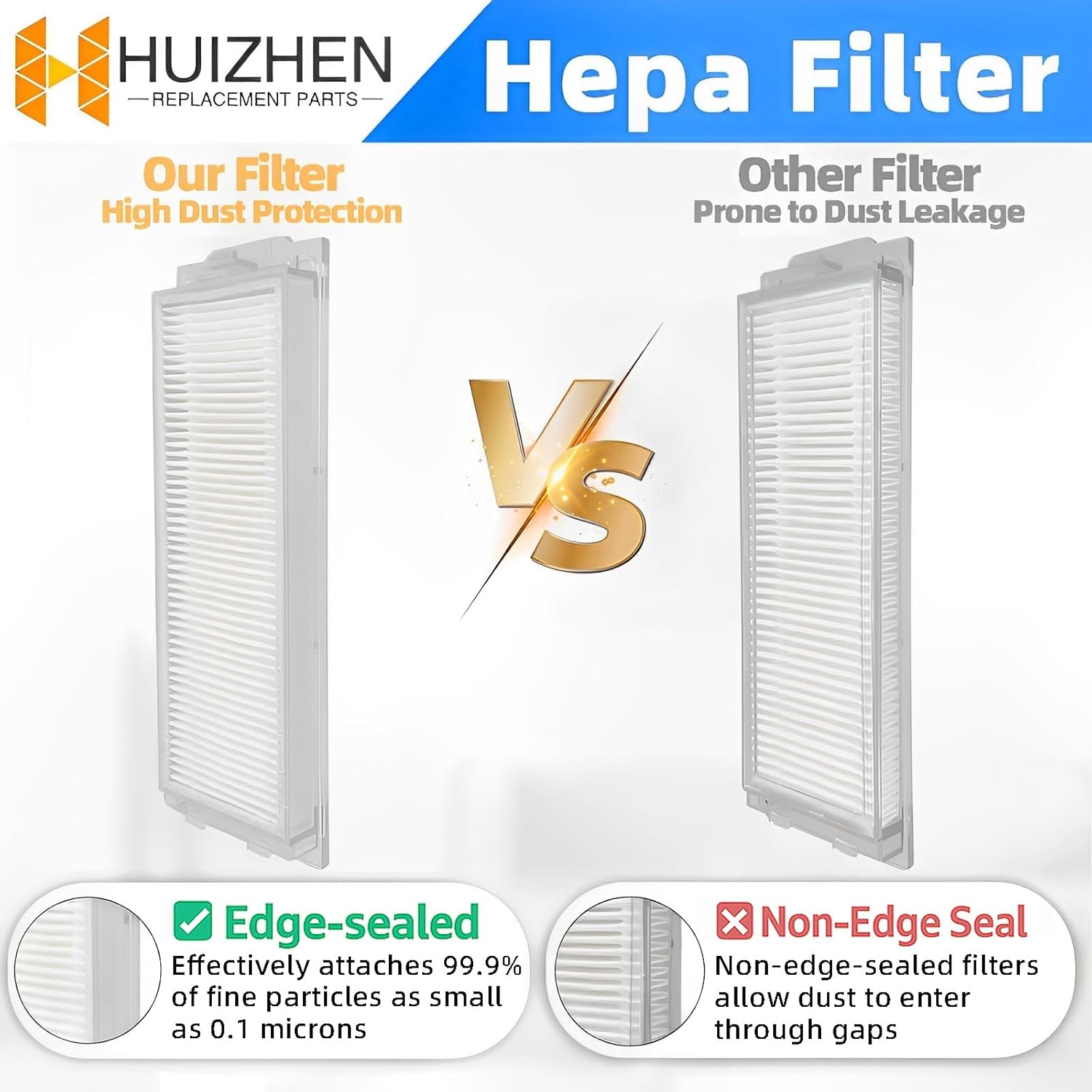
Image: Comparison highlighting the sealed edge design of the HUIZHEN HEPA filter for improved dust retention.
Usage
Once the replacement parts are installed, your WYZE Robot Vacuum Cleaner WVCR200S will operate with renewed efficiency. The new main roller brush and side brushes will effectively sweep and agitate debris, while the fresh HEPA filter will ensure optimal air filtration, capturing fine particles and allergens. Regular use of the cleaning tool will help maintain these components between replacements.
Maintenance
Proper maintenance of your replacement accessories will extend their lifespan and ensure consistent cleaning performance.
Regular Cleaning
- Main Roller Brush: Periodically remove the main brush and use the provided cleaning tool to cut and remove any tangled hair or debris.
- Side Brushes: Check side brushes for tangled hair or debris. If bristles are bent, they can often be restored by soaking them in hot water for a few minutes.
- HEPA Filter: Tap the filter gently over a trash can to dislodge dust. Use the brush end of the cleaning tool to remove fine dust from the filter pleats. Do not wash the HEPA filter with water unless explicitly stated as washable by the manufacturer.

Image: The included 2-in-1 cleaning tool for maintaining brushes and filters.

Image: Instructions for restoring bent main brush bristles using hot water.
Replacement Schedule
To ensure your vacuum cleaner maintains optimal performance, it is recommended to replace the accessories every three months. Regular replacement extends the device's lifespan and improves cleaning efficiency.
Troubleshooting
- Reduced Suction: Check if the HEPA filter is clogged with dust. Clean or replace the filter as necessary.
- Brushes Not Spinning: Inspect the main roller brush and side brushes for tangled hair or debris that might be obstructing their movement. Remove any blockages using the cleaning tool.
- Unusual Noises: Ensure all brushes and filters are correctly installed and seated. Remove any foreign objects that may have become lodged in the brush mechanisms.
Specifications
| Feature | Detail |
|---|---|
| Brand | HUIZHEN |
| Model Number | FORWVCR200S (Compatible with WYZE WVCR200S) |
| Material | ABS Materials, Soft Nylon Bristles, Highly Effective HEPA Filter |
| Included Components | 2 Main Roller Brushes, 8 Side Brushes, 6 HEPA Filters, 1 Cleaning Tool |
| Item Weight | 10.5 ounces |
| Product Dimensions | 7.28 x 4.65 x 2.91 inches |
| Reusability | Reusable (for filters, with proper cleaning) |

Image: Dimensional overview and compatibility with WYZE Robot Vacuum WVCR200S.
Warranty and Support
Specific warranty information for this HUIZHEN replacement accessories kit is not provided in the product details. For any questions regarding product defects, returns, or technical support, please contact the seller directly through your purchase platform. Ensure you retain your proof of purchase for any warranty claims.