
Introduction
Thank you for choosing the Katalic 6L Automatic Pet Feeder. This device is designed to provide convenient and consistent feeding for your cats or dogs, ensuring they receive timely meals with precise portion control. It features a large capacity, dual stainless steel bowls, a programmable timer, and a voice recording function to enhance your pet's feeding experience. Please read this manual thoroughly before use to ensure proper setup and operation.
Package Contents
- Automatic Cat Feeder (6L)
- Stainless Steel Bowl (2)
- Power Adapter
- Desiccant Bag
- Food Tray (2)
- User Manual
Setup
1. Assembly
Place the two food trays onto the base of the feeder, ensuring they snap securely into position. Insert the stainless steel bowls into the food trays.

The feeder comes with two durable 304 stainless steel bowls, which are easy to clean and hygienic for pet feeding.
2. Power Connection
Connect the power adapter to the feeder's power port and plug it into a standard electrical outlet. For emergency backup during power outages, you can install three D-size batteries (not included) in the battery compartment at the bottom of the feeder. Ensure correct battery polarity.

The feeder can be powered by an AC adapter or operate on D batteries (not included) for emergency backup during power outages.
3. Filling the Food Tank
Open the lid of the feeder. Pour dry pet kibble into the transparent food tank. The feeder has a 6-liter capacity. Close the lid securely by pressing down until it locks. This helps keep food fresh and prevents pets from accessing the reservoir.

The Katalic 6L Automatic Pet Feeder, designed for two pets, features a large transparent food reservoir and dispenses dry kibble into two stainless steel bowls.
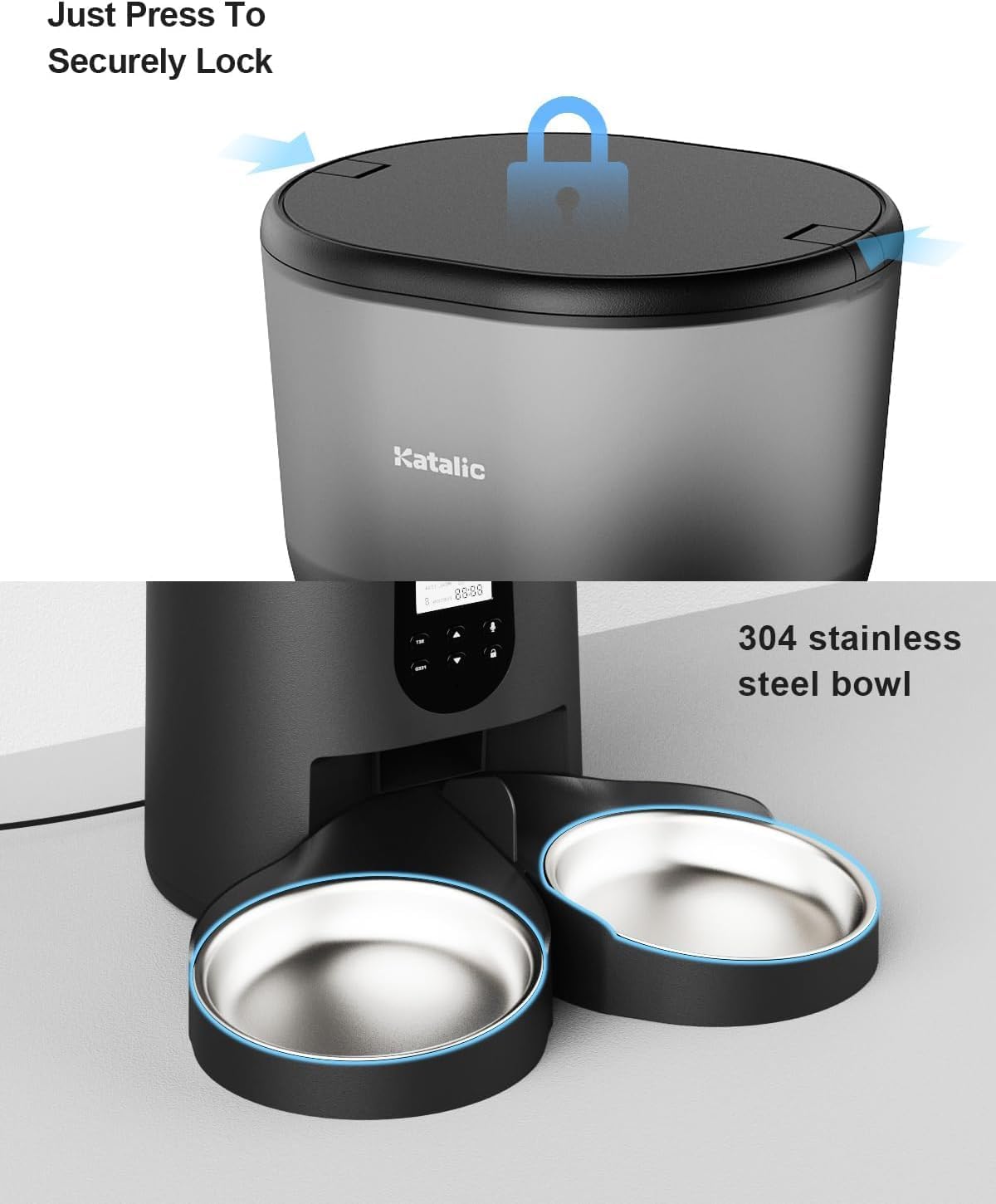
The feeder features a secure lid lock mechanism, ensuring the food remains fresh and preventing pets from accessing the food reservoir.
Operating Instructions
1. Control Panel Overview
The control panel features a display screen and several buttons for programming. Refer to the icons on the feeder for specific button functions (e.g., Lock, Set, Up, Down, Manual Feed, Record).
2. Setting Current Time
- Press and hold the Lock button for a few seconds to unlock the screen.
- Press the Set button to enter time setting mode.
- Use the Up and Down buttons to adjust the hour and minute.
- Press Set again to confirm and move to the next setting.
3. Programming Meal Times and Portions
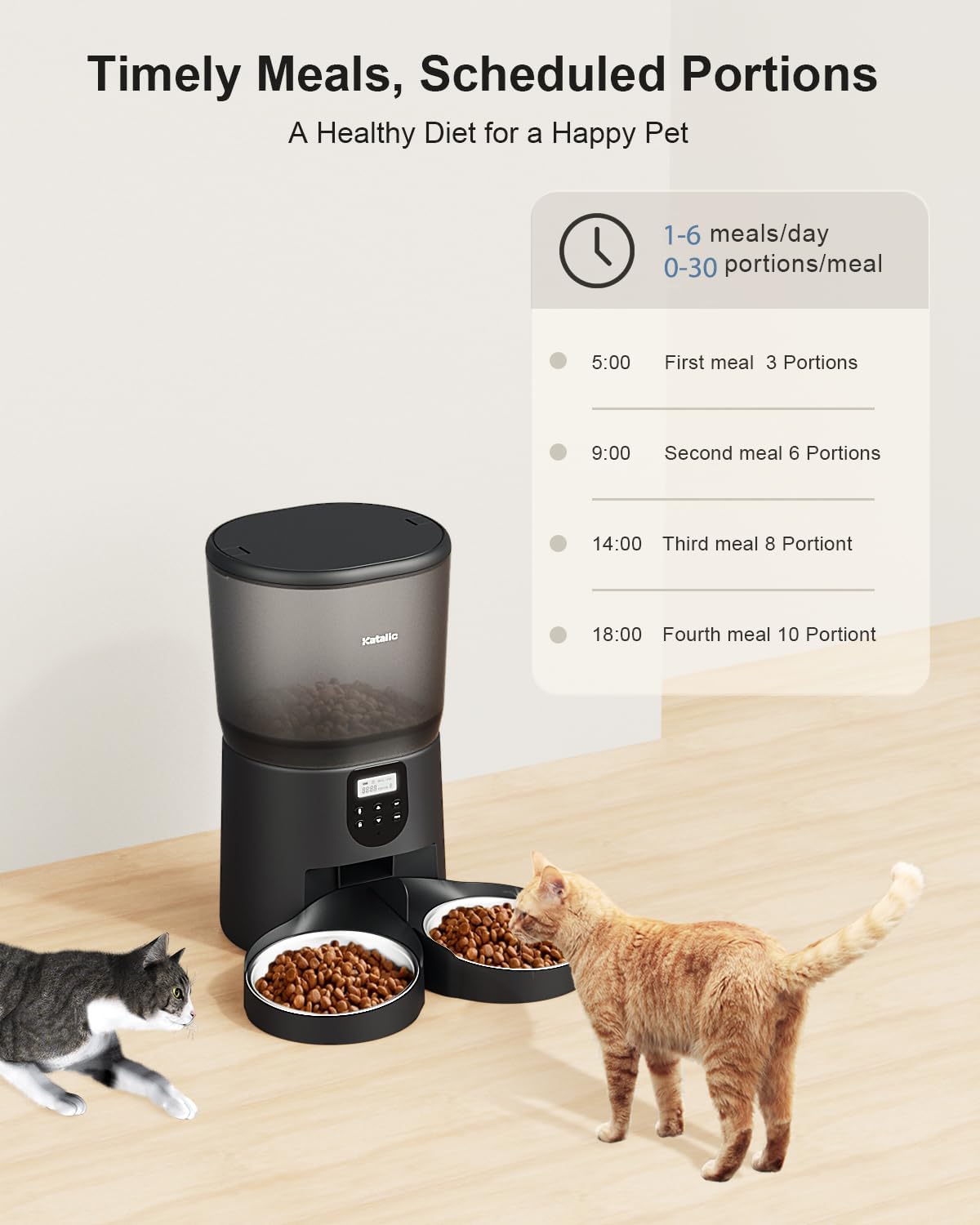
The feeder allows for up to 6 meals per day, with 0-30 portions per meal. Each portion is approximately 15ml.

This image demonstrates the feeder's capability to schedule up to 6 meals per day with adjustable portion sizes from 0 to 30 per meal, promoting a healthy feeding routine.
- After setting the current time, press Set to cycle through meal settings (Meal 1, Meal 2, etc.).
- For each meal, use the Up and Down buttons to set the desired feeding time (hour and minute).
- Press Set to move to portion size. Use Up and Down to select the number of portions (0-30).
- Repeat for all desired meals. Press Set until you exit the programming mode.
4. Voice Recording Function
You can record a 10-second voice message to call your pets for meals.

The feeder includes a 10-second voice recorder, allowing pet owners to record a personalized message to call their pets for meals.
- Press and hold the Record button. The feeder will beep to indicate recording has started.
- Speak your message clearly into the microphone.
- Release the Record button to stop recording. The feeder will beep twice to confirm.
- To play back the recording, press the Play button.
5. Manual Feeding
To dispense food manually, press the Manual Feed button. Each press will dispense one portion.
Maintenance
1. Cleaning
The stainless steel bowls and food trays are removable for easy cleaning. Hand wash only. Do not immerse the main feeder unit in water. Wipe the exterior with a damp cloth. Ensure all parts are completely dry before reassembly.
The feeder incorporates a clog-free design with an internal impeller to ensure smooth and consistent food dispensing, preventing blockages.
2. Refilling Food
Monitor the food level in the transparent tank. Refill as needed to ensure continuous feeding for your pets.
3. Desiccant Bag Replacement
The included desiccant bag helps keep the food fresh. Replace it periodically (e.g., every 1-2 months) to maintain optimal food quality.
Troubleshooting
- Feeder not dispensing food:
Check if the food tank is empty. Ensure the feeder is powered on and the power adapter is securely connected. If using batteries, check battery level and polarity. Verify that the programmed meal times and portion sizes are set correctly. Ensure kibble size is within the recommended range (2-16mm / 0.07-0.6in) to prevent clogs. Manually feed the brush a few times initially to fill its base with cat food. - Food getting stuck or not dispensing evenly:
This can occur with very small portions or certain kibble shapes. Ensure the kibble size is appropriate. Gently shake the feeder or manually dispense a few portions to clear any blockages. - Bowls not staying attached:
Ensure the food trays are properly snapped into the base. While designed to be secure, some users report they can be loose. Ensure the feeder is placed on a stable, flat surface. - Food shooting out too fast/onto the floor:
This can happen with certain kibble types or if the feeder is placed too high. Consider adjusting the portion size or placing the feeder in an area where scattered food is less of an issue. - Display not working or unresponsive:
Try unplugging and replugging the power adapter, or removing and reinserting batteries. If the issue persists, contact customer support.
Specifications
| Feature | Detail |
|---|---|
| Brand | Katalic |
| Model Number | PF03 |
| Capacity | 6 Liters (25.4 cups) |
| Material | Plastic, 304 Stainless Steel Bowls |
| Power Source | AC Adapter, 3 x D Batteries (backup, not included) |
| Number of Meals | Up to 6 meals per day |
| Portion Size | 0-30 portions per meal (approx. 15ml per portion) |
| Voice Recording | 10 seconds |
| Recommended Kibble Size | 2-16mm (0.07-0.6 inches) |
| Dimensions (LxWxH) | 7.5 x 8.3 x 13.4 inches |
| Item Weight | 4.8 pounds |
Warranty and Support
For warranty information or technical support, please contact Katalic customer service. Refer to the product packaging or the official Katalic website for contact details.