1. Introduction
Thank you for choosing the furReal Walk-A-Lots Bernedoodle Interactive Toy. This manual provides essential information for the safe and enjoyable use of your new interactive pet. Please read all instructions carefully before use and retain this manual for future reference.
2. Setup
2.1 Unboxing
Carefully remove the furReal Walk-A-Lots Bernedoodle and its accessories from the packaging. Ensure all components are present: 1 interactive toy dog and 1 leash.

Figure 1: furReal Walk-A-Lots Bernedoodle Interactive Toy in its retail packaging.
2.2 Battery Installation
The toy requires 3 x LR44 (or AG13 equivalent) batteries, which are included. To install or replace batteries:
- Locate the battery compartment on the underside of the toy.
- Using a small screwdriver (not included), open the battery compartment cover.
- Insert the 3 LR44 batteries, ensuring correct polarity (+/-).
- Replace the cover and secure it with the screw.
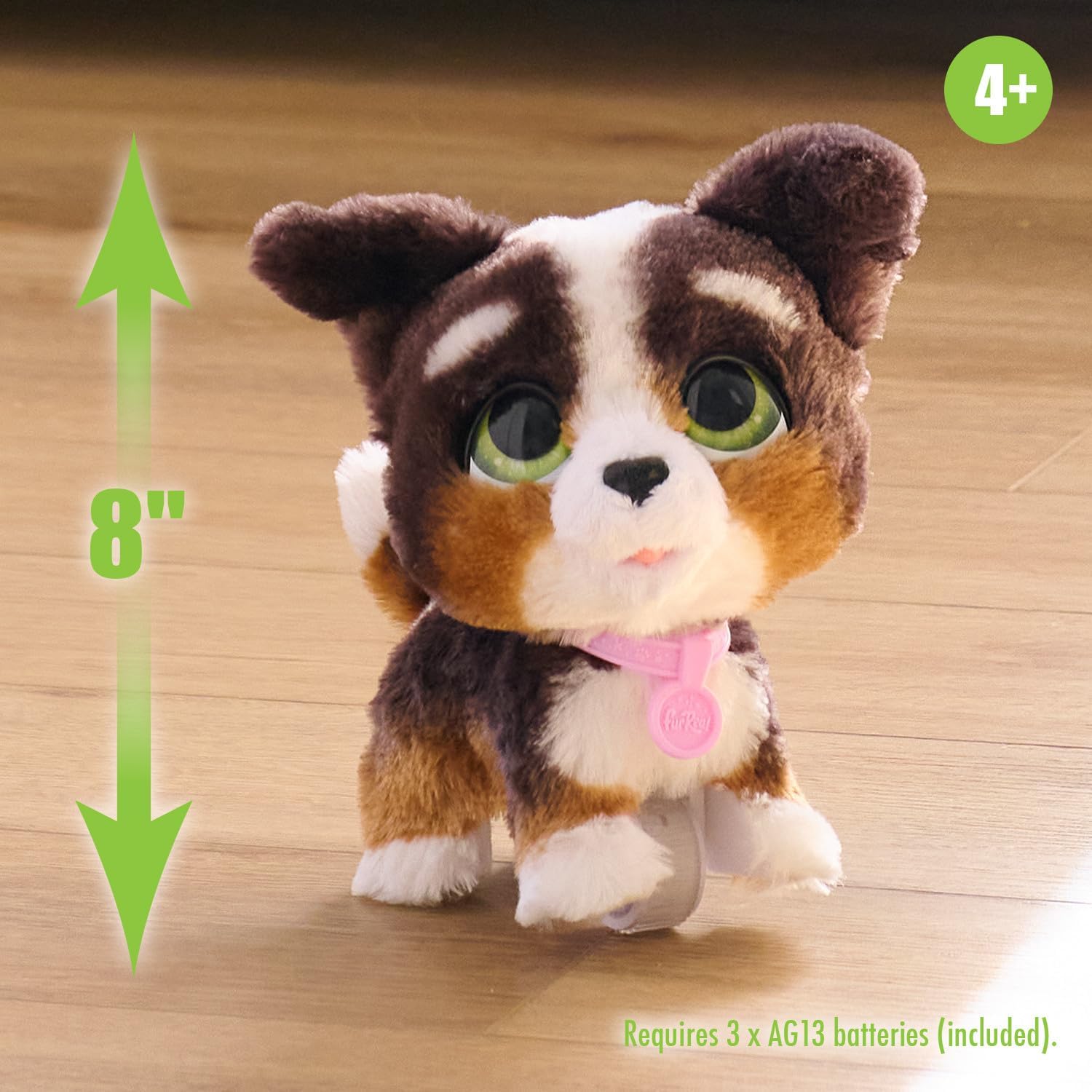
Figure 2: The Bernedoodle toy, approximately 8 inches tall, with a note about included batteries.
2.3 Leash Attachment
To prepare your Bernedoodle for a walk:
- Locate the small loop on the toy's collar.
- Attach the included leash by clipping its end onto the collar loop.
- Ensure the leash is securely fastened before use.

Figure 3: Attaching the leash to the Bernedoodle's collar.
3. Operating Instructions
3.1 Walking Your Pet
Once the leash is attached, gently push the Bernedoodle forward using the leash handle. The toy will move with a bouncy walk, its head will wobble, and it will emit various puppy sound effects.

Figure 4: The Bernedoodle in motion, demonstrating its walking feature.
3.2 Interactive Sounds
The Bernedoodle produces a variety of sounds, including barks, howls, and a happy tune, as it moves. These sounds enhance the interactive play experience.

Figure 5: The Bernedoodle making sounds while being held.
3.3 Nurturing Play
Beyond walking, children can cuddle, pet, and nurture their Bernedoodle, fostering imaginative play and pet care skills.
Video 1: Official product video demonstrating the furReal Walk-A-Lots Bernedoodle Interactive Toy's features, including walking and sounds.
4. Maintenance
4.1 Cleaning
To clean your Bernedoodle, gently wipe the surface with a damp cloth. Do not immerse the toy in water, as this may damage the electronic components.
4.2 Battery Replacement
When the toy's sounds or movements become weak or inconsistent, it is time to replace the batteries. Follow the steps outlined in Section 2.2 for battery installation.
5. Troubleshooting
| Problem | Possible Cause | Solution |
|---|---|---|
| Toy does not move or make sounds. | Low or dead batteries. | Replace batteries with new LR44 (or AG13 equivalent) batteries. |
| Toy moves inconsistently. | Leash not properly attached or obstruction on wheels. | Ensure leash is securely clipped to the collar. Check wheels for any debris and clean if necessary. |
6. Specifications
- Product Dimensions: 9 x 5.25 x 9 inches
- Item Weight: 1.08 pounds
- Model Number: 28056
- Manufacturer Recommended Age: 4 - 8 years
- Batteries: 3 LR44 batteries (included)
- Manufacturer: Just Play
7. Safety Information
WARNING: May contain small pieces. Not suitable for children under 3 years due to potential choking hazards. Adult supervision is recommended during play.
8. Warranty and Support
For warranty information or customer support, please refer to the contact details provided on the product packaging or visit the official Just Play website. Keep your purchase receipt as proof of purchase.


