
Introduction
Thank you for choosing the HOCO W40 Bluetooth Headphones. These wireless headphones are designed to provide a high-quality audio experience with deep bass, clear calls, and comfortable wear. This manual will guide you through the setup, operation, and maintenance of your new headphones.
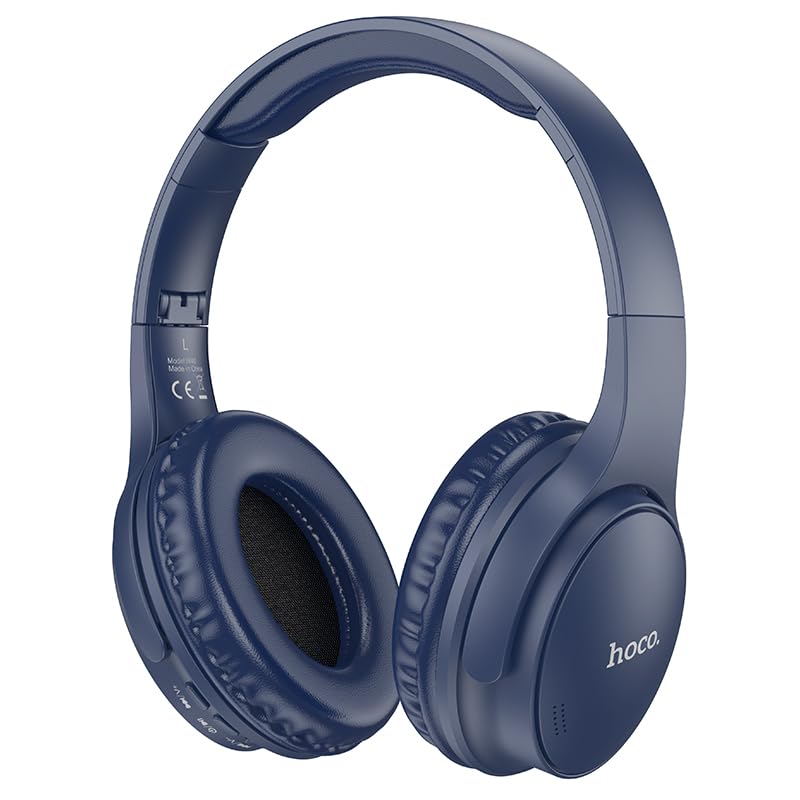
Image: HOCO W40 Bluetooth Headphones in a folded position, showcasing the earcups and headband. The headphones are blue.
What's in the Box
Please check the contents of your package to ensure all items are present:
- HOCO W40 Bluetooth Headphones
- Ear Cushions
- Headband (integrated with headphones)
The package includes the HOCO W40 Bluetooth Headphones, along with ear cushions and the integrated headband for comfortable use.
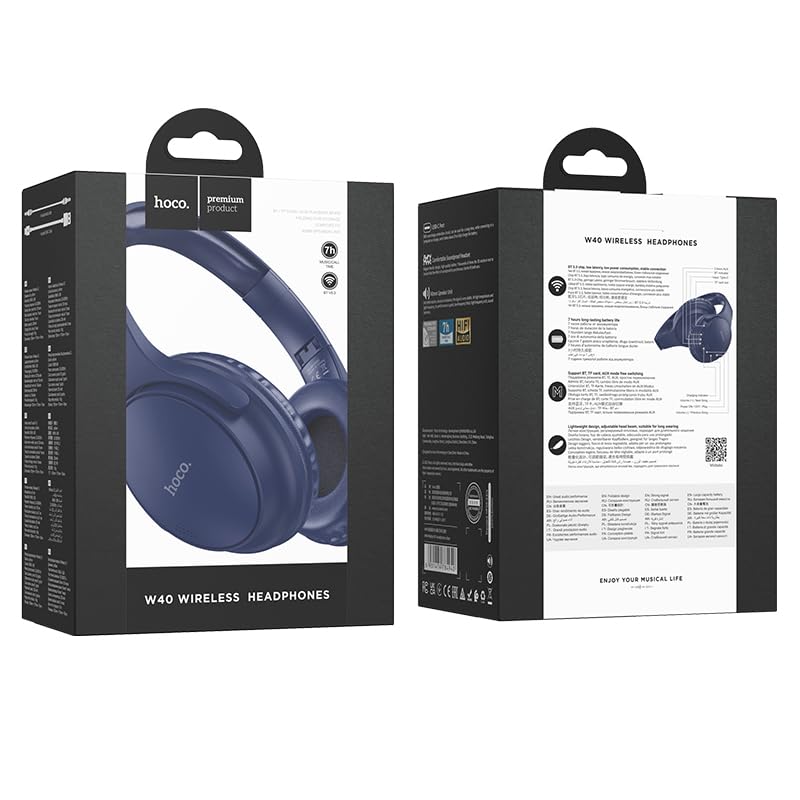
Image: Retail packaging for the HOCO W40 Wireless Headphones, showing the product image and some features on the box.
Product Overview
Familiarize yourself with the various parts and controls of your HOCO W40 headphones.
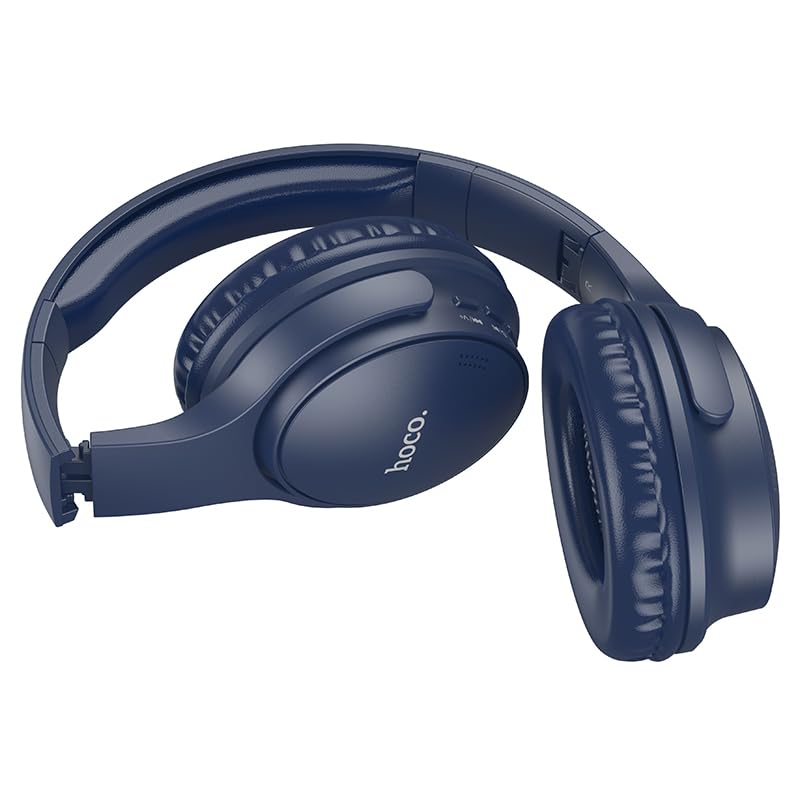
Image: Side view of the HOCO W40 Bluetooth Headphones, highlighting the earcup and headband design. The controls are visible on the right earcup.
Controls and Indicators:
- Power Button: Used to power the headphones on/off and initiate pairing.
- Volume Control: Adjusts the listening volume using touch controls.
- Multi-function Button (MFB): For play/pause, answer/end calls.
- Microphone: Built-in for hands-free calls.
- Charging Port: For connecting the charging cable.
- LED Indicator: Shows power status, pairing mode, and charging status.
The headphones feature touch controls for volume adjustment and other functions, along with a built-in microphone for clear communication.
Setup
1. Charging the Headphones
Before first use, fully charge your headphones. A full charge takes approximately 1 hour.
- Connect the charging cable (not included in the JSON's 'whats_in_the_box' but typically provided) to the charging port on the headphones.
- Connect the other end of the cable to a USB power source (e.g., computer, wall adapter).
- The LED indicator will show the charging status (e.g., red while charging, blue/off when fully charged).
Once fully charged, the headphones provide up to 12 hours of continuous playtime.
2. Pairing with a Bluetooth Device
The HOCO W40 headphones use Bluetooth 5.3 for stable and seamless connectivity. They are compatible with smartphones, tablets, laptops, and other Bluetooth-enabled devices (iOS, Android).
- Ensure the headphones are turned off.
- Press and hold the Power Button until the LED indicator flashes rapidly (usually blue and red alternately), indicating pairing mode.
- On your device, enable Bluetooth and search for available devices.
- Select "HOCO W40" from the list of found devices.
- Once paired, the LED indicator will stop flashing and may turn solid blue or off, depending on the model.
- The headphones have a wireless range of up to 10 meters.
If pairing is unsuccessful, turn off both devices, wait a few seconds, and repeat the steps.
Operating Instructions
Power On/Off
- Power On: Press and hold the Power Button for approximately 3 seconds until the LED indicator lights up.
- Power Off: Press and hold the Power Button for approximately 5 seconds until the LED indicator turns off.
Music Control
- Play/Pause: Short press the Multi-function Button (MFB).
- Volume Up: Tap the designated touch control area for volume up.
- Volume Down: Tap the designated touch control area for volume down.
- Next Track: Double-tap the MFB or use the designated touch control.
- Previous Track: Triple-tap the MFB or use the designated touch control.
Note: Specific touch control gestures may vary slightly. Refer to the quick start guide included with your product for precise details.
Call Control
- Answer/End Call: Short press the Multi-function Button (MFB).
- Reject Call: Press and hold the MFB for 2 seconds.
- Redial Last Number: Double-press the MFB when not on a call.
Maintenance
Proper care will extend the life of your HOCO W40 headphones.
- Cleaning: Use a soft, dry cloth to clean the headphones. Do not use abrasive cleaners or solvents.
- Storage: Store the headphones in a cool, dry place away from direct sunlight and extreme temperatures.
- Water Resistance: The headphones are water resistant, making them suitable for workouts and outdoor activities. However, they are not designed for submersion in water. Avoid prolonged exposure to heavy rain or direct water jets.
- Battery Care: To preserve battery life, charge the headphones regularly, even if not in frequent use. Avoid fully discharging the battery for extended periods.
Troubleshooting
| Problem | Possible Solution |
|---|---|
| Headphones do not power on. | Ensure the headphones are charged. Connect them to a power source and try again after a few minutes. |
| Cannot pair with device. |
|
| No sound or low volume. |
|
| Call quality is poor. |
|
Specifications
| Model | W40 |
| Brand | HOCO |
| Connectivity Technology | Wireless (Bluetooth 5.3) |
| Bluetooth Range | 10 Metres |
| Battery Life | Up to 12 Hours |
| Charging Time | Approximately 1 Hour |
| Audio Driver Type | Dynamic Driver |
| Noise Control | Sound Isolation |
| Water Resistance Level | Water Resistant |
| Control Type | Volume Control (Touch) |
| Built-in Microphone | Yes, for Hands-Free Calls |
| Compatible Devices | Smartphones, Tablets, Laptops (Universal Compatibility) |
| Material | Plastic |
| Item Weight | 180 g |
Official Product Video
Watch the official product video for a visual overview of the HOCO W40 Bluetooth Headphones and their key features.
Video: An official product overview of the HOCO W40 Bluetooth Headphones, demonstrating its features, battery life, design, and device compatibility.
Warranty and Support
For warranty information and customer support, please refer to the documentation included with your purchase or visit the official HOCO website. Keep your proof of purchase for any warranty claims.
For further assistance, you may also contact the retailer where the product was purchased.


