
DEEPOWER S20
DEEPOWER S20 Electric Bike User Manual
Model: S20 | Brand: DEEPOWER
1. Introduction
This manual provides essential information for the safe assembly, operation, maintenance, and troubleshooting of your DEEPOWER S20 Electric Bike. Please read it thoroughly before your first ride and retain it for future reference.

Figure 1: DEEPOWER S20 Electric Bike
What's in the Box:
- DEEPOWER S20 Electric Bike (partially assembled)
- Charger
- E Bike Accessory Kit (tools for assembly)
- User Manual
2. Safety Information
Always prioritize safety when operating your electric bike. Failure to follow safety guidelines can result in serious injury or damage to the bike.
- Always wear a helmet and appropriate safety gear.
- Perform a pre-ride inspection before each use.
- Obey all local traffic laws and regulations.
- Do not ride under the influence of alcohol or drugs.
- Ensure the battery is securely locked before riding.
- Avoid riding in extreme weather conditions.
- Familiarize yourself with the bike's controls before riding at speed.
3. Setup and Assembly
Your DEEPOWER S20 Electric Bike comes 90% pre-assembled. Follow these steps to complete the assembly.
3.1 Unboxing and Initial Inspection
Carefully remove the bike and all components from the packaging. Inspect for any damage during shipping.
Video: DEEPOWER A1 Folding Fat Tire Electric Bike - This video demonstrates the unboxing and initial assembly steps for the DEEPOWER A1 model, which is similar to the S20.
3.2 Front Wheel Installation
Attach the front wheel to the fork using the provided quick-release skewer or bolts. Ensure the brake rotor is correctly aligned within the caliper.
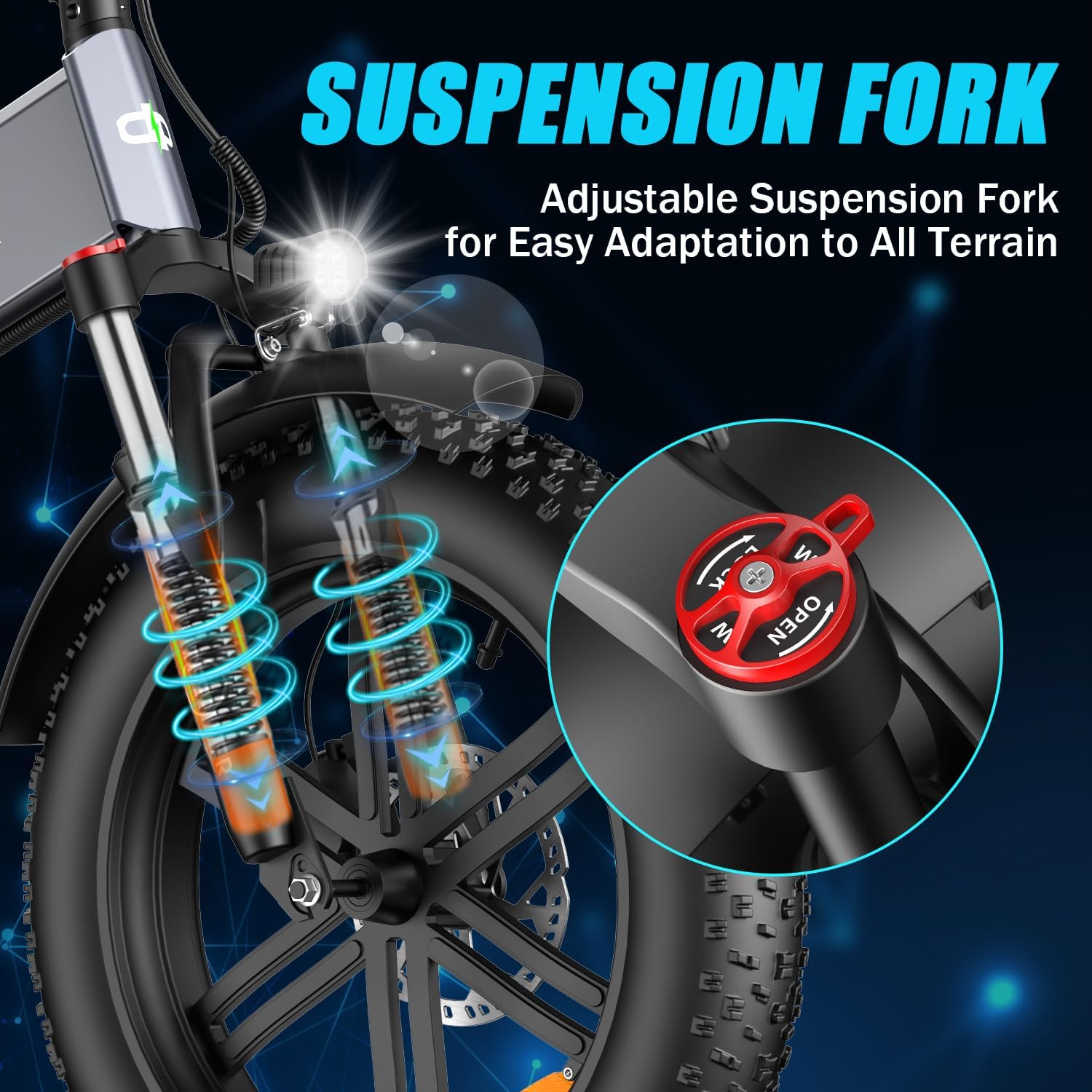
Figure 2: Front Suspension Fork
3.3 Handlebar and Seatpost Adjustment
Adjust the handlebar and seatpost to a comfortable riding height. Ensure all quick-release levers are securely tightened.

Figure 3: Adjustable Components
3.4 Pedal Installation
Identify the left (L) and right (R) pedals. Thread them into the crank arms by hand, then tighten securely with a wrench. Note that the left pedal threads counter-clockwise.
3.5 Initial Battery Charge
Before your first ride, fully charge the 48V 20AH removable battery. Connect the charger to the battery and then to a power outlet. The indicator light on the charger will change when fully charged.
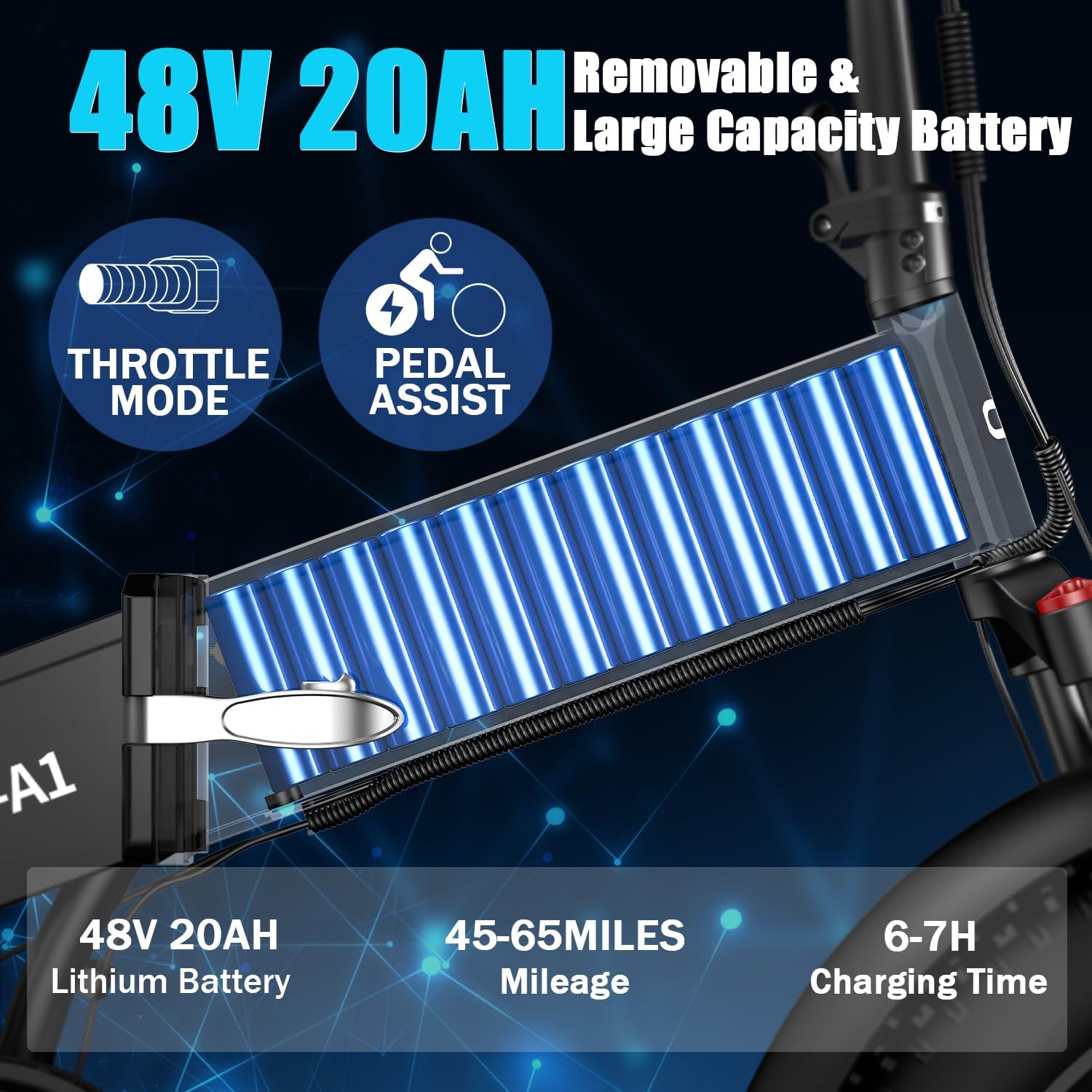
Figure 4: 48V 20AH Removable Battery
4. Operating Instructions
4.1 Power On/Off and Display Usage
To power on the bike, press and hold the power button on the display. The digital LCD display shows speed, battery level, pedal assist (PAS) level, and odometer mileage.

Figure 5: Digital LCD Display
4.2 Pedal Assist (PAS) and Throttle Modes
The bike offers multiple pedal assist levels, which can be adjusted via the display controls. The throttle provides power on demand without pedaling.
4.3 Unlocking Maximum Speed
To unlock the maximum speed, ensure the display is off. Twist the throttle to the bottom while simultaneously squeezing the right brake lever and holding it. Turn on the display, wait 5-8 seconds, then release the throttle and brake. The speed limit will be removed, and you can set the gear to the 5th gear (highest) to reach maximum speed.
Video: Unlocking Maximum Speed - This video demonstrates the procedure to unlock the speed limit on your DEEPOWER S20 Electric Bike.
4.4 Lights and Horn
The bike is equipped with an LED headlight and taillight for visibility. Use the handlebar controls to activate the lights and horn as needed.
Video: Light and Horn - This video shows how to operate the headlight and horn on your DEEPOWER S20 Electric Bike.
5. Maintenance
Regular maintenance ensures the longevity and safe operation of your electric bike.
5.1 Battery Care
Keep the battery charged, especially during long periods of storage. Store the battery in a cool, dry place. The battery can be removed for charging or storage.
Video: Folding and Taking Out the Battery - This video demonstrates how to fold the bike and remove the battery for charging or storage.
5.2 Brake Adjustment
Regularly check your mechanical disc brakes for proper function. If you hear a "rustling" sound from the wheels, the brake pads may need adjustment. Slightly loosen the two screws on the brake clamp, adjust the clamp so it does not contact the brake disc, then tighten the screws.
Video: Adjusting the Brake Pads - This video guides you through adjusting the mechanical disc brakes to eliminate rubbing sounds.
5.3 Suspension Fork Adjustment
The adjustable suspension fork can be locked or unlocked depending on the terrain. Lock the fork for efficient pedaling on smooth surfaces and unlock it for better shock absorption on rough terrain.
Video: Locking and Unlocking the Fork - This video demonstrates how to adjust the suspension fork on your DEEPOWER S20 Electric Bike.
5.4 Tire Pressure
Maintain recommended tire pressure for optimal performance and safety. Refer to the tire sidewall for specific pressure ranges.

Figure 6: 20" x 4 All Terrain Fat Tires
5.5 General Cleaning
Clean your bike regularly with a damp cloth. Avoid using high-pressure washers directly on electrical components.
6. Troubleshooting
This section addresses common issues you might encounter with your DEEPOWER S20 Electric Bike.
- Bike not turning on: Check battery connection and charge level. Ensure the power button on the display is pressed correctly.
- Motor not assisting: Verify the pedal assist level on the display. Check for any error codes on the display.
- Brakes rubbing: Refer to Section 5.2 for brake adjustment instructions.
- Unusual noises: Inspect for loose components, chain issues, or brake rubbing.
For issues not listed here, please contact DEEPOWER customer support.
7. Specifications
| Feature | Specification |
|---|---|
| Bike Type | Electric Bike |
| Motor Power | 1500W |
| Battery | 48V 20AH Removable Lithium Battery |
| Tires | 20 Inches Fat Tires |
| Number of Speeds | 7 |
| Frame Material | Iron |
| Suspension Type | Dual |
| Brake Type | Disc |
| Maximum Weight Recommendation | 200 Pounds |
| Recommended Height | 5'3" - 6'2" FT |
| Charging Time | 6-7 Hours |
| Mileage Range | 45-65 Miles |

Figure 7: Product Dimensions and Rider Specifications
8. Warranty and Support
DEEPOWER provides a limited warranty for its electric bikes. Please refer to the warranty card included with your purchase for specific terms and conditions.
Customer Support:
For technical assistance, parts, or warranty claims, please contact DEEPOWER customer service through the retailer where you purchased the product or visit the official DEEPOWER website for contact information.
Online Resources: DEEPOWER Store on Amazon
Related documentsS20

Ask a question about this manual
Ask about setup, troubleshooting, compatibility, parts, safety, or missing instructions. Manuals+ will review the question and use this page’s manual context to help answer it.