
1. Introduction
The HOCO EW35 True Wireless Earbuds are designed to provide a high-quality audio experience with convenience and comfort. Featuring Bluetooth 5.3 connectivity, touch controls, and deep bass, these earbuds are suitable for various activities, including music listening and calls.
This manual provides detailed instructions on how to set up, operate, and maintain your HOCO EW35 earbuds to ensure optimal performance and longevity.
2. Package Contents
Please check the package contents to ensure all items are present:
- HOCO EW35 True Wireless Earbuds (Left and Right)
- Wireless Charging Case
- Charging Cable
- Ear Cushions
- User Manual (this document)
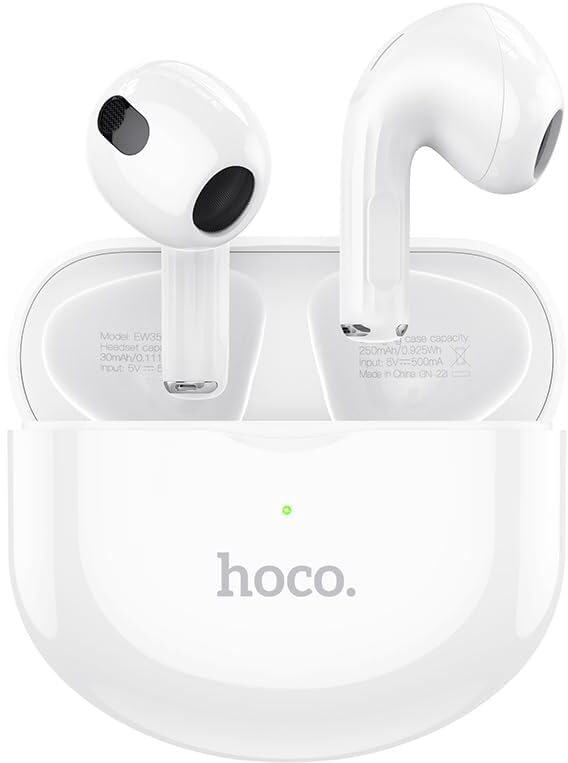
Image: HOCO EW35 True Wireless Earbuds with their charging case, showcasing the product's design and components.
3. Product Overview
The HOCO EW35 earbuds consist of two individual earpieces and a portable charging case. Each earbud features a touch-sensitive area for control and an integrated microphone for calls.
Components:
- Earbuds: Left and Right earpieces with touch controls and audio output.
- Charging Case: Stores and charges the earbuds, with an LED indicator for battery status.
- Charging Port: Located on the charging case for connecting the charging cable.
- LED Indicator: On the charging case, indicates charging status and pairing mode.
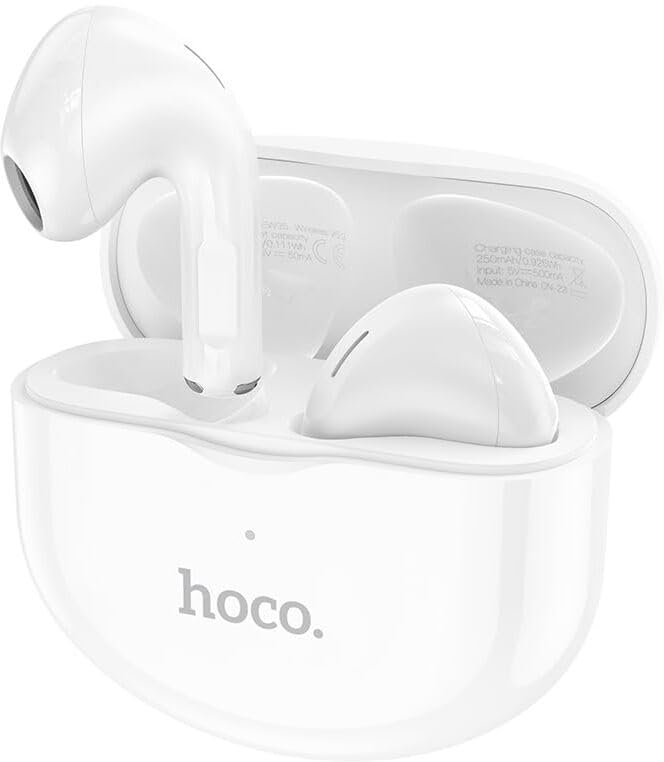
Image: The HOCO EW35 earbuds resting inside their open charging case, showing the individual earbuds and the case's interior.
4. Setup
4.1 Charging the Earbuds and Case
Before first use, fully charge the earbuds and the charging case.
- Place the earbuds into the charging case. Ensure they are correctly seated in their respective slots.
- Connect the charging cable to the charging port on the case and the other end to a USB power source (e.g., computer, wall adapter).
- The LED indicator on the charging case will illuminate to show charging status. It will typically turn off or change color when fully charged.
- The earbuds will charge automatically when placed in the case, provided the case has power.
Battery Capacity: Charging case: 250mAh; Headset: 30mAh.
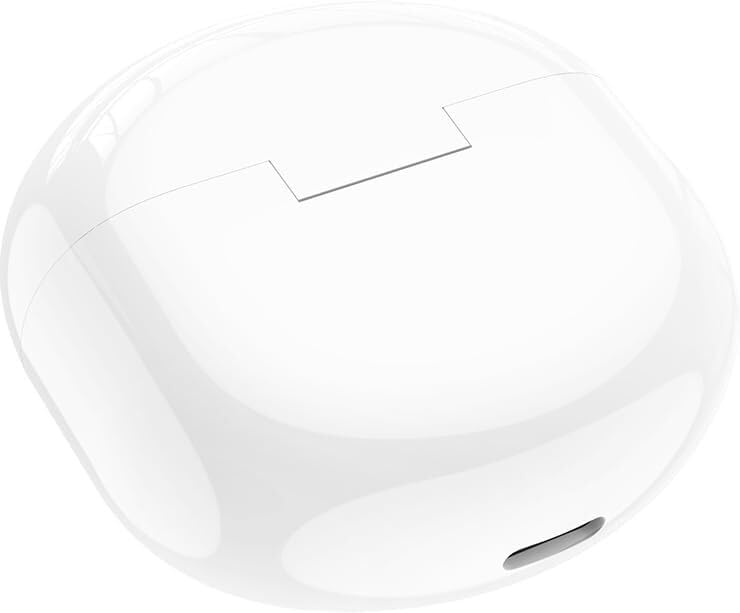
Image: The HOCO EW35 charging case in a closed position, ready for charging or storage.
4.2 Pairing with a Bluetooth Device
The earbuds will automatically enter pairing mode when taken out of the charging case.
- Open the charging case and remove both earbuds. They will automatically power on and attempt to pair with each other.
- On your device (smartphone, tablet, laptop), enable Bluetooth.
- Search for available Bluetooth devices. You should see "HOCO EW35" or a similar name in the list.
- Select "HOCO EW35" to connect. Once connected, a voice prompt will confirm the successful pairing.
- If pairing fails, place the earbuds back into the case, close the lid, wait a few seconds, and then repeat the steps.
The earbuds support master-slave switching, meaning either earbud can be used independently after initial pairing.
5. Operating Instructions
5.1 Touch Controls
The HOCO EW35 earbuds feature intuitive touch controls on the outer surface of each earbud. The specific functions may vary slightly based on the device and application.
| Action | Function |
|---|---|
| Single Tap (Left/Right Earbud) | Play/Pause Music, Answer/End Call |
| Double Tap (Right Earbud) | Next Track |
| Double Tap (Left Earbud) | Previous Track |
| Triple Tap (Left/Right Earbud) | Activate Voice Assistant (Siri, Google Assistant) |
| Long Press (Left/Right Earbud) | Reject Call |
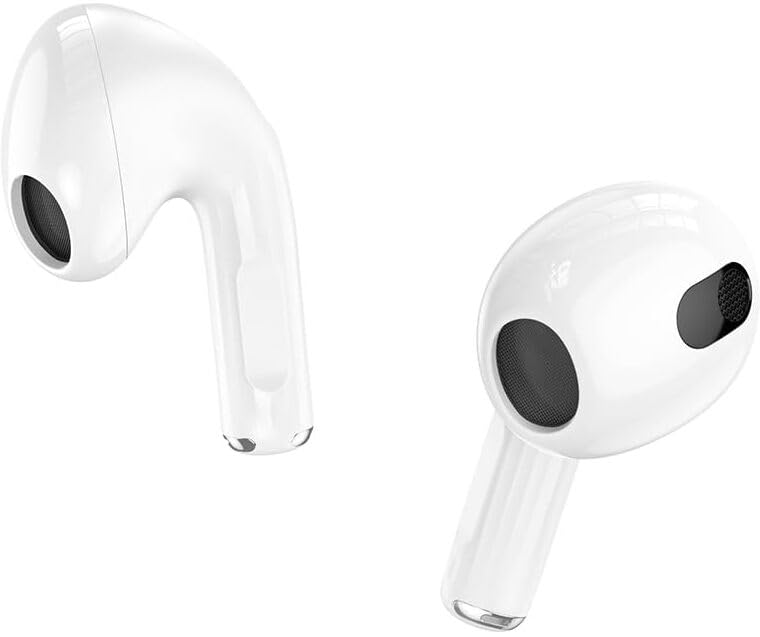
Image: A close-up view of the individual HOCO EW35 earbuds, highlighting their design and touch-sensitive areas.
5.2 Power On/Off
- Power On: The earbuds automatically power on when removed from the charging case.
- Power Off: Place the earbuds back into the charging case and close the lid. They will automatically disconnect and power off.
5.3 Calling Functions
- Answer Call: Single tap either earbud.
- End Call: Single tap either earbud during a call.
- Reject Call: Long press either earbud for approximately 2 seconds.
6. Maintenance
Proper maintenance ensures the longevity and optimal performance of your HOCO EW35 earbuds.
- Cleaning: Use a soft, dry, lint-free cloth to clean the earbuds and charging case. Do not use abrasive cleaners or solvents. Gently clean the charging contacts on both the earbuds and the case.
- Storage: When not in use, always store the earbuds in their charging case to protect them from dust, dirt, and damage.
- Water Resistance: The earbuds are sweatproof and water-resistant. However, they are not designed for submersion in water. Avoid exposing them to excessive moisture or liquids.
- Temperature: Avoid exposing the earbuds to extreme temperatures (hot or cold) as this can affect battery life and overall performance.
7. Troubleshooting
If you encounter issues with your HOCO EW35 earbuds, refer to the following common problems and solutions:
- Earbuds not pairing with each other:
Place both earbuds back into the charging case, close the lid, and wait for 5 seconds. Then, open the lid and remove them again. They should automatically connect to each other.
- Earbuds not connecting to device:
Ensure Bluetooth is enabled on your device. Forget "HOCO EW35" from your device's Bluetooth settings and attempt to pair again from scratch (Section 4.2).
Ensure the earbuds and charging case have sufficient battery charge.
- No sound or low volume:
Check the volume level on both your connected device and the earbuds. Ensure the earbuds are properly seated in your ears.
Clean any debris from the earbud speaker mesh.
- Charging case not charging:
Ensure the charging cable is securely connected to both the case and the power source. Try a different USB port or power adapter.
- Touch controls not responding:
Ensure your fingers are clean and dry when using touch controls. A restart (placing earbuds back in case and taking them out) can sometimes resolve this.
8. Specifications
Key technical specifications for the HOCO EW35 True Wireless Earbuds:
| Feature | Detail |
|---|---|
| Model Name | EW35 |
| Bluetooth Version | 5.3 |
| Chip | JL AC6983 |
| Charging Case Battery Capacity | 250mAh |
| Headset Battery Capacity | 30mAh |
| Service Time | Up to 18 hours (with charging case) |
| Standby Time | 150 hours |
| Dimensions (Case) | 51 x 51 x 22.1mm |
| Weight (Total) | 35.6g |
| Control Method | Touch |
| Noise Control | Active Noise Cancellation |
| Water Resistance Level | Sweatproof / Water Resistant |
| Compatible Devices | All Bluetooth Devices, Laptops, Mobile Phones, Tablets, PC, Smart TVs, iOS, Android |
9. Warranty and Support
HOCO products are manufactured to high quality standards. For warranty information or technical support, please refer to the warranty card included with your purchase or visit the official HOCO website for contact details.
Please retain your proof of purchase for any warranty claims.


