Product Overview
The HOMEPILOT m10 Roller Shutter Motor is a self-learning tubular motor designed for classic roller shutters. It features progressive stop functionality, precise position detection, and torque control. This motor is engineered for ease of installation and reliable operation, incorporating advanced safety features such as obstacle and blocking detection to protect your roller shutter system.
Key features include:
- Self-Learning Operation: Automatically detects and sets stop positions, eliminating manual adjustments.
- Progressive Stop: Preserves the entire roller shutter system by gently stopping at the end positions.
- Precise Position Detection and Torque Control: Ensures accurate movement and protects the curtain from damage.
- Blocking Detection: Automatically stops the motor if the roller shutter is blocked, preventing damage to the curtain.
- Sensitive Obstacle Detection: Detects obstacles during operation and stops the motor to prevent injury or damage.
- Universal Motor Head: Allows for tool-free installation and high compatibility.
- Automatic Length Compensation: Adjusts for material aging and temperature fluctuations to ensure full opening.
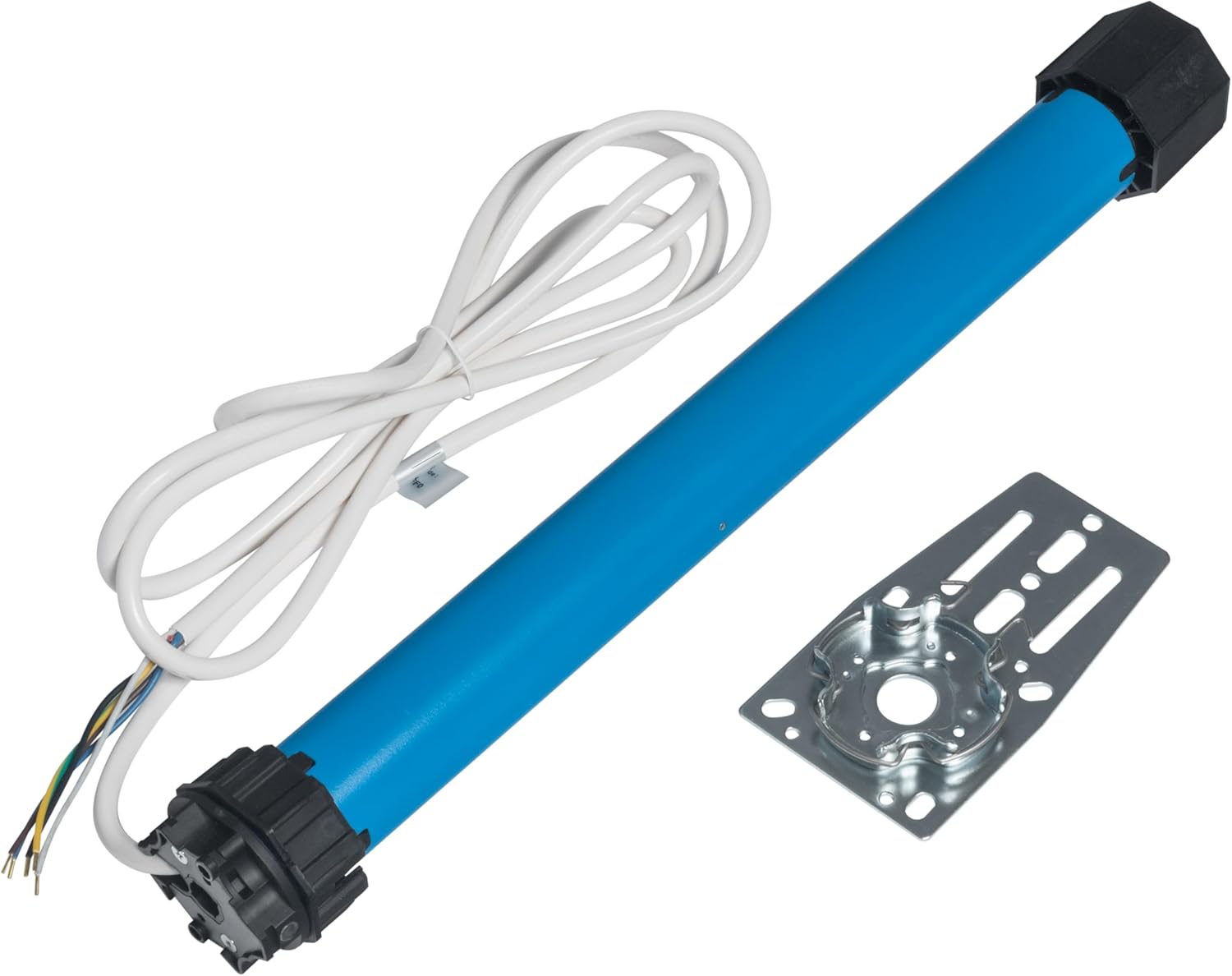
Figure 1: The HOMEPILOT m10 Roller Shutter Motor, showing the motor body, electrical cable, and a mounting bracket. This motor is designed for integration into roller shutter systems.
Installation and Setup
The m10 roller shutter motor is designed for straightforward installation due to its self-learning capabilities. No manual adjustment of end stops is required, simplifying the setup process.
Pre-installation Checklist:
- Ensure the roller shutter shaft is clean and free of obstructions.
- Verify that you have the necessary rigid shaft fittings or fixing springs, and cleats or a stop bar for the roller shutter curtain.
- Confirm power supply (230V) is available and can be safely connected.
- Familiarize yourself with local electrical safety regulations.
Installation Steps:
- Prepare the Shaft: Ensure the roller shutter shaft (e.g., SW60) is ready to receive the motor. The m10 motor is compatible with standard hexagonal shafts.
- Insert the Motor: Carefully slide the m10 motor into the roller shutter shaft. The universal motor head allows for tool-free insertion.
- Secure the Motor: Mount the motor securely using the provided mounting bracket. Ensure it is firmly fixed to prevent movement during operation.
- Connect the Roller Shutter Curtain: Attach the roller shutter curtain to the shaft using rigid shaft fittings or fixing springs. Ensure the curtain is properly aligned and secured.
- Electrical Connection: Connect the motor's electrical wires (6 wires: 2 phases, 1 neutral, 1 earth, and control wires) to the power supply according to the wiring diagram provided with the product packaging. Always ensure power is disconnected before making electrical connections. If unsure, consult a qualified electrician.
- Initial Power-Up and Self-Learning: Once all connections are secure, restore power. The motor will automatically detect the end positions based on the rigid shaft fittings/fixing springs and the stop bar/cleats. Allow the motor to complete a full cycle (up and down) to learn its limits.

Figure 2: Proper insertion of the m10 motor into the roller shutter shaft. Ensure a snug fit for optimal performance.
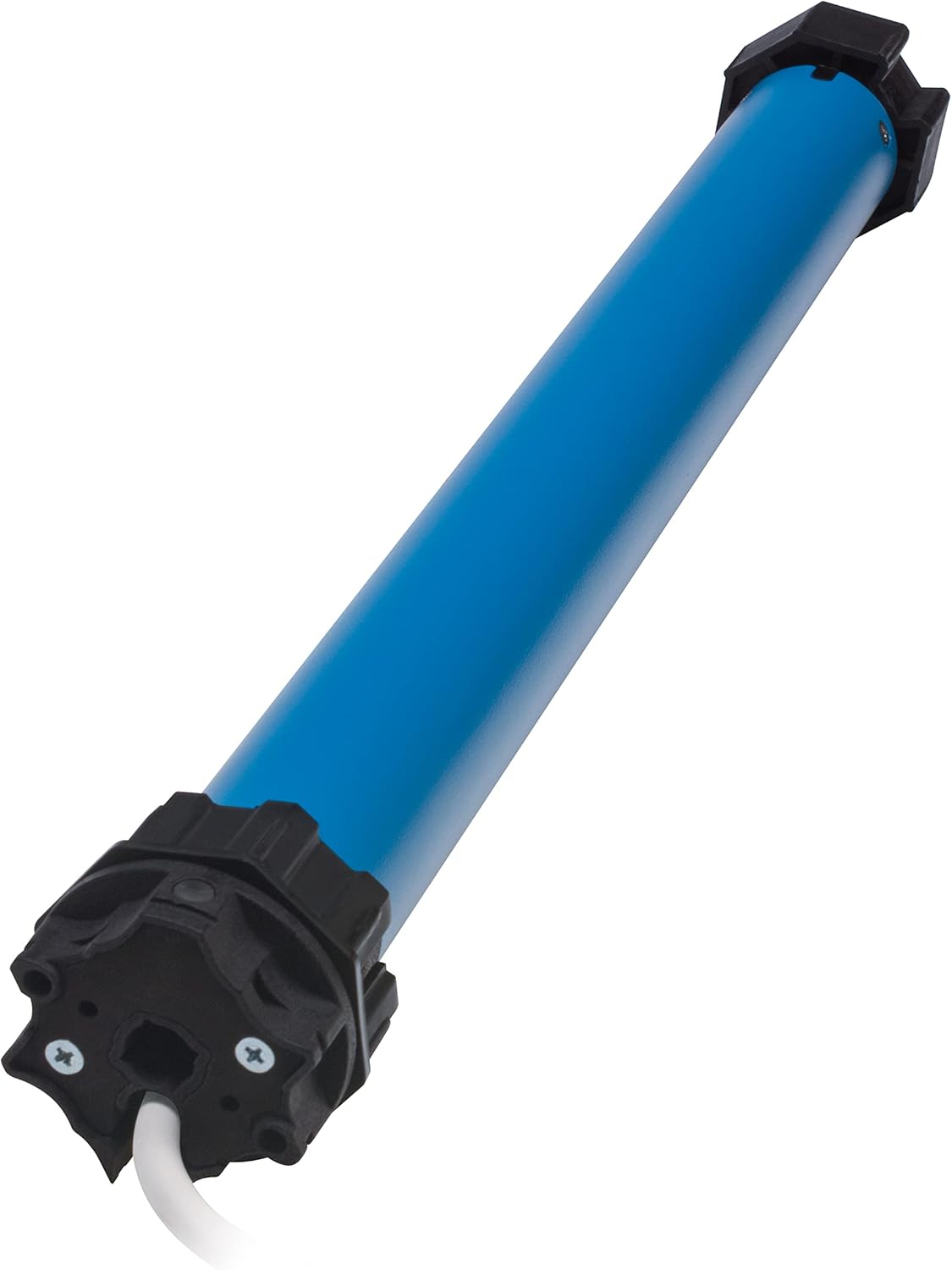
Figure 3: A closer view of the motor's end, illustrating how it connects to the mounting system. The black end cap is designed for secure attachment.
The motor's self-learning function significantly reduces installation time and complexity, as manual limit switch adjustments are not necessary.
Operating Instructions
The HOMEPILOT m10 motor operates with standard roller shutter controls (e.g., wall switches, remote controls). Once installed and powered, the motor's self-learning feature handles the end-stop programming automatically.
Basic Operation:
- Up/Open: Activate the 'Up' command on your control device. The motor will raise the roller shutter until it reaches its learned upper limit.
- Down/Close: Activate the 'Down' command on your control device. The motor will lower the roller shutter until it reaches its learned lower limit.
- Stop: Activate the 'Stop' command (if available) to halt the roller shutter at any desired intermediate position.
Safety Features in Operation:
- Obstacle Detection: If the roller shutter encounters an obstacle during its downward movement, the motor will detect the obstruction and stop immediately, then reverse slightly to clear the obstacle. This prevents damage to the shutter or the object.
- Blocking Detection: The motor continuously monitors for blocking. If the roller shutter becomes blocked (e.g., frozen to the sill, or a foreign object prevents full closure/opening), the motor will stop to prevent damage to the motor or the curtain.
- Automatic Length Compensation: Over time, roller shutter curtains can change length due to material aging or temperature fluctuations. The m10 motor automatically compensates for these changes, ensuring the shutter always opens and closes fully without requiring manual recalibration.
Maintenance
The HOMEPILOT m10 roller shutter motor is designed for long-term, maintenance-free operation. However, regular checks of the roller shutter system can help ensure its longevity and optimal performance.
- Cleanliness: Periodically clean the roller shutter curtain and guides to ensure smooth movement and prevent debris from interfering with the motor's operation or detection systems.
- Obstruction Checks: Regularly inspect the path of the roller shutter for any potential obstructions that could interfere with its movement.
- System Integrity: Check the mounting points and connections of the motor and shaft for any signs of loosening or wear.
- No Lubrication Required: The motor itself does not require lubrication. Do not attempt to open the motor housing.
Troubleshooting
If you encounter issues with your HOMEPILOT m10 roller shutter motor, refer to the following common problems and solutions:
| Problem | Possible Cause | Solution |
|---|---|---|
| Motor does not respond to commands. | No power supply; faulty wiring; control device issue. | Check power connection and circuit breaker. Verify wiring according to diagram. Test control device (e.g., remote battery). |
| Roller shutter stops unexpectedly or reverses. | Obstacle detection triggered; blocking detection triggered. | Inspect the roller shutter path for obstructions. Check if the curtain is stuck or frozen. Clear any obstacles. |
| Roller shutter does not fully open or close. | Obstruction preventing full travel; issue with self-learned limits. | Ensure no physical obstructions. If the issue persists, power cycle the motor (disconnect power for a few minutes, then reconnect) to allow it to re-learn its limits. Ensure rigid shaft fittings/fixing springs and stop bar/cleats are correctly installed. |
| Motor makes unusual noises. | Internal mechanical issue; motor overloaded. | Ensure the roller shutter is moving freely and is not too heavy for the motor (refer to specifications). If noises persist, contact customer support. Do not attempt to open the motor. |
If the problem persists after attempting these solutions, please contact HOMEPILOT customer support for further assistance.
Specifications
Detailed technical specifications for the HOMEPILOT m10 Roller Shutter Motor:
| Attribute | Value |
|---|---|
| Brand | HOMEPILOT |
| Model Name | Motor m10 for classic roller shutter |
| Model Number | m10 |
| Voltage | 230 Volts |
| Horsepower | 16.75 Watts |
| Material | Metal |
| Manufacturer | DELTA DORE RADEMACHER GmbH |
| Product Dimensions | 19.17 x 2.36 x 2.36 inches |
| Item Weight | 5.24 pounds |
| First Available Date | May 27, 2023 |

Figure 4: Selection guide illustrating motor torque requirements (Nm) based on window width and height for different roller shutter profile weights (4 kg/m² and 7 kg/m²). This chart helps determine the appropriate motor for your specific roller shutter dimensions.
Warranty and Support
For warranty information, technical support, or service inquiries regarding your HOMEPILOT m10 Roller Shutter Motor, please contact DELTA DORE RADEMACHER GmbH, the manufacturer, or your point of purchase.
Please have your product model number (m10) and purchase details ready when contacting support.
For the most up-to-date contact information, please refer to the official HOMEPILOT website or the documentation included with your product packaging.


