
Longer RAY 5-5W
LONGER Ray5 5000mW Laser Engraver Instruction Manual
Model: RAY 5-5W
1. Product Overview
The LONGER Ray5 5000mW Laser Engraver is a high-precision laser cutting and engraving machine designed for various materials including wood, metal, acrylic, and glass. It features a compact laser spot size for detailed work and a 3.5-inch touch screen for intuitive control.
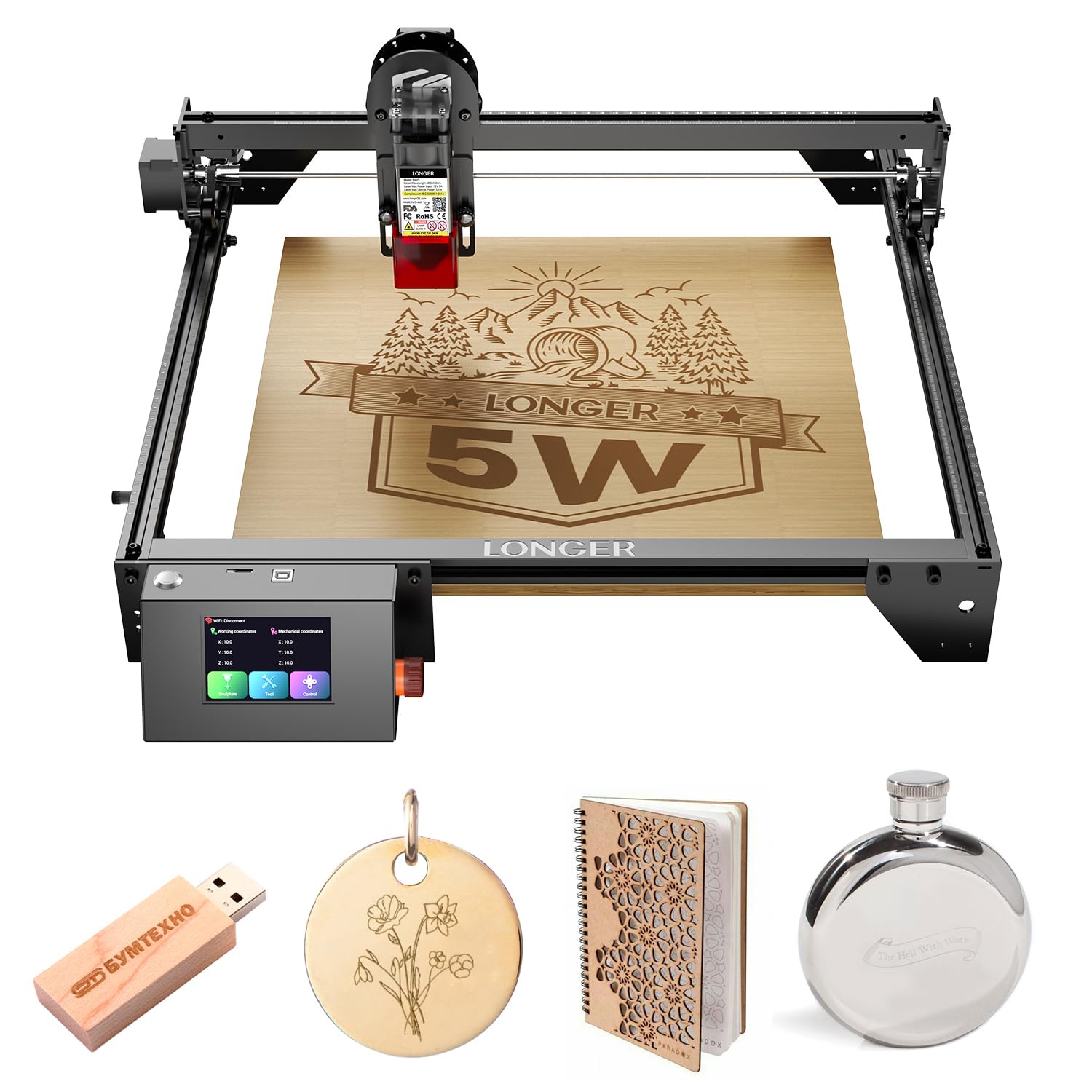
Image: The LONGER Ray5 5000mW Laser Engraver, showcasing its overall design and components.
Key Features
- High-Precision Engraving: Features a 0.08x0.08mm laser spot for fine details and an engraving accuracy of 0.01mm.
- Powerful Performance: Equipped with a 240MHz ESP32 chipset for faster processing speeds up to 10,000mm/min.
- Intelligent 3.5" Touch Screen: Provides an easy-to-operate interface for direct control, including progress monitoring and speed adjustments.
- Versatile Connectivity: Supports USB, TF Card, WiFi, and APP connections for flexible operation, including offline control.
- Wide Material Compatibility: Capable of engraving and cutting various materials such as wood, metal, acrylic, and glass.
Video: An overview of the Longer Ray5 5W laser engraver and cutter, demonstrating its features and capabilities.
2. Safety Information
Operating a laser engraver requires adherence to safety protocols to prevent injury. The Ray5 5000mW is designed with multiple safety features.
Integrated Safety Protections:
- Protective Cover and Glasses: The machine includes a protective cover and glasses to shield eyes from laser exposure.
- Move Protection: Automatically shuts down the machine if abnormal shaking or movement is detected during operation.
- Thermal Protection: Stops the machine if overheating or a flame is detected in the engraving area.
- Inactivity Protection: Automatically powers off after a period of inactivity to prevent accidental operation.
- Emergency Stop: An accessible emergency stop button is provided for immediate shutdown.

Image: Visual representation of the five safety protections: Move Protection, Inactivity Protection, Eye Protection, Thermal Protection, and Emergency Stop Protection.
Always wear protective eyewear when the laser is in operation. Ensure proper ventilation in your workspace.
3. Setup and Assembly
The LONGER Ray5 5000mW laser engraver is designed for straightforward assembly. All necessary tools and accessories are included in the package.
Assembly Steps:
- Unpack all components and verify against the packing list.
- Follow the detailed product installation guide provided in the box for step-by-step assembly instructions.
- Ensure all screws and connections are secure before powering on the device.
- Place the machine on a stable, level surface in a well-ventilated area.

Image: Front view of the LONGER Ray5 5000mW Laser Engraver, illustrating its assembled state.
Refer to the included user guide for specific diagrams and detailed instructions for each assembly step.
4. Operation Guide
The LONGER Ray5 5000mW offers multiple ways to control your engraving and cutting projects.
4.1. Touch Screen Control
The integrated 3.5-inch intelligent color touch screen allows for direct control of the machine without needing a computer. You can monitor engraving progress, adjust speed, and manage settings directly from the screen.

Image: Close-up of the 3.5-inch ultra-clear color touch screen, showing its user interface for direct control.
4.2. Connectivity and Software
The engraver supports four connection modes: USB, TF Card, WiFi, and a dedicated mobile application. This enables offline operation, allowing you to use the machine anywhere.
It is compatible with professional engraving software such as LaserGRBL (free) and LightBurn (paid), supporting multiple file formats including JPG, PNG, BMP, G-code, GIF, SVG, NC, and GC.

Image: Illustration of the various connectivity options (USB, Wi-Fi, App, TF Card) and software compatibility (Windows, MacOS, Linux, LaserGRBL, LightBurn).
4.3. Engraving and Cutting
The high-density laser module with a 0.08x0.08mm compressed laser spot ensures precise and powerful engraving and cutting. This technology allows for finer details and stronger material processing.

Image: Detail showing the 0.08x0.08mm ultra-fine compressed laser spot, highlighting its precision compared to larger spots.
The machine offers a maximum working speed of 10,000mm/min and a generous working area of 400x400mm, accommodating various project sizes.

Image: Illustration of the machine's fast working speed and large 400x400mm engraving area.
4.4. Supported Materials
The LONGER Ray5 5000mW is capable of engraving and cutting over 300 types of materials, including but not limited to:
- Wood
- Metal (engraving)
- Acrylic
- Glass (engraving)
- Leather
- Fabric
- Paper
- Slate
- Rubber
Image: A collage demonstrating the diverse range of materials that can be processed by the LONGER Ray5 laser engraver, including slate, leather, cloth, wood, ceramic, aluminum, paper, glass, stainless steel, rubber, acrylic, and platinum.
5. Maintenance
Regular maintenance ensures optimal performance and longevity of your laser engraver.
General Maintenance Tips:
- Cleaning: Regularly clean the laser lens and the machine's frame to prevent dust and debris buildup, which can affect performance. Use a soft, lint-free cloth.
- Lubrication: Periodically lubricate the guide rails and moving parts as recommended in the detailed user manual to ensure smooth operation.
- Firmware Updates: Check the official Longer website (www.longer3d.com) for any available firmware updates to enhance functionality and performance.
- Cable Management: Ensure all cables are properly routed and secured to prevent interference with moving parts.
Always power off and unplug the machine before performing any cleaning or maintenance tasks.
6. Troubleshooting
This section provides solutions to common issues you might encounter. For more complex problems, refer to the comprehensive user manual or contact customer support.
Common Issues and Solutions:
- Machine Not Powering On: Ensure the power cable is securely connected and the power switch is in the 'ON' position. Check the power outlet.
- Laser Not Firing: Verify that the laser module is correctly installed and connected. Check software settings to ensure the laser power is not set to zero.
- Poor Engraving Quality: Adjust laser focus, power, and speed settings. Ensure the material surface is clean and flat. Clean the laser lens if necessary.
- Connection Issues: For WiFi, ensure the machine is within range of your router. For USB, try a different port or cable. For APP control, ensure the app is updated and correctly paired.
- Machine Stops Unexpectedly: Check for any obstructions in the movement path. Review safety features (move protection, thermal protection) to see if they were triggered.
If issues persist after following these steps, please contact Longer customer support for assistance.
7. Technical Specifications
| Feature | Specification |
|---|---|
| Product Dimensions | 23.07 x 22.95 x 6.95 inches |
| Item Model Number | RAY 5-5W |
| Item Weight | 9.68 pounds |
| Manufacturer | LONGER |
| Laser Spot Size | 0.08*0.08mm |
| Engraving Accuracy | 0.01mm |
| Max Processing Speed | 10,000mm/min |
| Working Area | 400x400mm |
| Chipset | 240MHz ESP32 |
| Display | 3.5-inch Touch Screen |
| Connectivity | USB, TF Card, WiFi, APP |
| Compatible Software | LaserGRBL, LightBurn |
8. Warranty and Support
LONGER is committed to providing excellent customer service and support for your Ray5 5000mW Laser Engraver.
Customer Support:
- Lifetime Technical Support: LONGER offers lifetime technical support for the product.
- 24-Hour Professional Customer Service: A dedicated customer service team is available to assist with any questions or issues.
For assistance, please contact the Longer customer support team. Contact information can be found in your product packaging or on the official Longer website.

Image: Representation of the LONGER Technical Service Team, emphasizing 24-hour reply availability.
Related documentsRAY 5-5W


Ask a question about this manual
Ask about setup, troubleshooting, compatibility, parts, safety, or missing instructions. Manuals+ will review the question and use this page’s manual context to help answer it.