
Introduction
This manual provides detailed instructions for the setup, operation, and maintenance of your Callez Y500E1 3.5mm Wired Headset. Please read this manual thoroughly before using the product to ensure optimal performance and longevity.
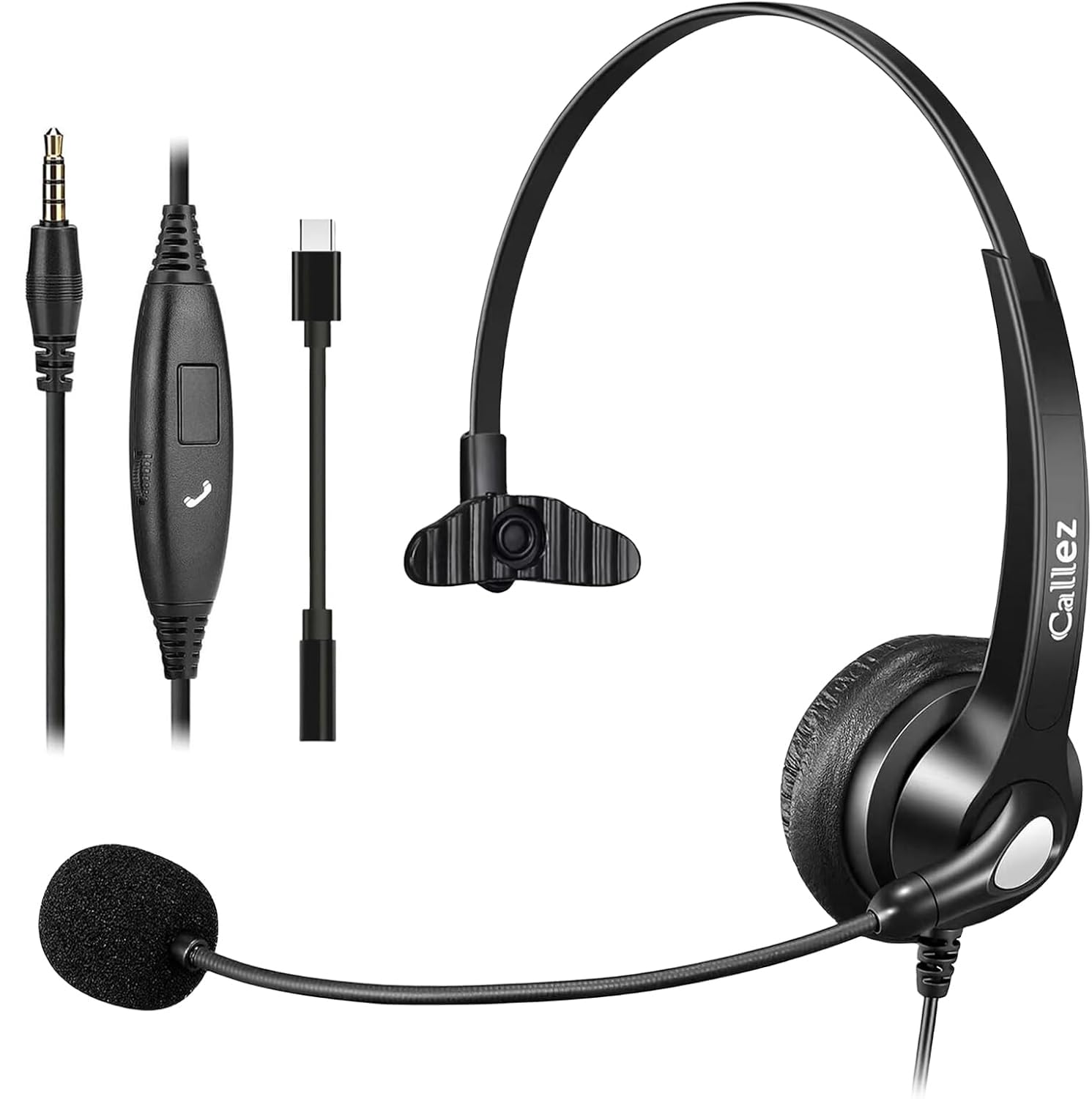
Image: Callez Y500E1 3.5mm Wired Headset, Gray-Monaural variant.
Package Contents
Upon unboxing, please verify that all the following items are included:
- Callez Y500E1 Headset
- Ear Cushions (pre-installed or spare)
- Headband
- User Manual
- 3.5mm Audio Cable
- USB Type C to 3.5mm Headset Jack Adapter

Image: Contents of the Callez Y500E1 headset package, including the headset, cables, and adapter.
Setup Guide
1. Adjusting the Headset
The headset features an adjustable headband and a flexible microphone boom for personalized comfort and optimal voice capture.
- Headband Adjustment: Gently slide the headband to extend or retract it until it fits comfortably on your head.
- Microphone Positioning: Rotate the microphone boom 330° to position it on either your left or right side. Bend the flexible mic boom to bring the microphone close to your mouth, ensuring clear communication.

Image: Demonstrates the adjustable headband, soft T-pad, and soft ear cushion for comfort.
2. Connecting the Headset
The Callez Y500E1 headset offers wide compatibility with various devices via its 3.5mm audio jack and an included USB Type-C adapter.
- For Devices with a 3.5mm Jack: Simply plug the 3.5mm audio jack directly into your smartphone, computer, laptop, iPad, or tablet.
- For Devices with a USB Type-C Port: Connect the headset's 3.5mm jack to the provided USB Type-C to 3.5mm Headset Jack Adapter, then plug the adapter into your device's USB Type-C port. This is suitable for newer iPhones (15/15 Pro/15 Pro Max, 16/16E/16 Plus/16 Pro/16 Pro Max, 17/17 Pro/17 Air/17 Pro Max), iPad Pro, iPad Air, iPad Mini 6, MacBook Pro/Air, and Galaxy S series (S20-S25 Plus).
- Note for Older iPhones (7/8/X/XS/XR/11/12/13/14): An Apple Original Lightning to 3.5mm Adapter (not included) is required for compatibility.

Image: Visual guide for connecting the headset using the 3.5mm jack or the USB-C adapter.
Video: Demonstrates the physical features of the Callez 3.5mm Headset with Mic, including ear cushion, adjustable headband, rotatable microphone, flexible mic boom, and how to connect it to a laptop or phone using the 3.5mm jack or USB-C adapter. It also shows the in-line controls for volume and call management.
Operating Instructions
In-line Controls
The headset features convenient in-line controls for managing calls and audio volume:
- Volume Control: Use the volume slider to adjust the listening volume up or down.
- Call Button: Press the button to answer or end a call. Long press to reject an incoming call.

Image: Close-up of the in-line control unit, highlighting the volume slider and call button.
Noise Cancelling Microphone
The integrated noise-cancelling microphone reduces unwanted background noise, ensuring crystal clear conversations. Position the flexible mic boom appropriately for optimal voice pickup.

Image: A person demonstrating the use of the headset in a professional setting, highlighting the noise-cancelling microphone feature.
Maintenance
To ensure the longevity and optimal performance of your Callez Y500E1 headset, follow these simple maintenance guidelines:
- Cleaning: Gently wipe the ear cushions and headband with a soft, dry cloth. Avoid using harsh chemicals or abrasive materials.
- Storage: Store the headset in a cool, dry place away from direct sunlight and extreme temperatures. Avoid tangling the cable.
- Handling: Do not pull on the cable to unplug the headset. Always grasp the plug itself. Avoid excessive bending or twisting of the microphone boom.
Troubleshooting
If you encounter any issues with your Callez Y500E1 headset, please refer to the following common solutions:
| Problem | Possible Cause | Solution |
|---|---|---|
| No audio or microphone not working | Incorrect connection, device settings, or volume level. |
|
| Poor audio quality or static | Loose connection, interference, or damaged cable. |
|
| Microphone not picking up voice clearly | Incorrect microphone positioning or mute function active. |
|
Specifications
| Feature | Detail |
|---|---|
| Brand | Callez |
| Model Number | Y500E1 |
| Connectivity Technology | Wired |
| Headphone Jack | 3.5 mm Jack |
| Microphone | Noise Cancelling, Flexible Boom, 330° Rotatable |
| Ear Placement | On Ear |
| Form Factor | On Ear |
| Controls | In-line Volume Control, Call Button |
| Weight | 3.2 Ounces |
| Material | Leather, Metal, Plastic |
| Compatible Devices | Smartphones (iPhone, Android), PC, Laptop, Mac, iPad, iPod, Tablet with 3.5mm audio jack. Includes USB Type-C adapter. |
| UPC | 796914362883 |
Warranty and Support
The Callez Y500E1 headset comes with a 45-day money-back guarantee and a 2-year worry-free warranty. For any support inquiries, warranty claims, or technical assistance, please contact Callez customer service via email at sales@callez.net.
For additional information and resources, please visit the official Callez store: Callez Store on Amazon.