
PARAMITA DV68-Grey
PARAMITA DV68 Bone Conduction Wireless Bluetooth Headset User Manual
Model: DV68-Grey | Brand: PARAMITA
Introduction
This manual provides detailed instructions for the operation, maintenance, and troubleshooting of your PARAMITA DV68 Bone Conduction Wireless Bluetooth Headset. Please read this manual thoroughly before using the device to ensure proper function and longevity.
Key Features
- Open-Ear Design + Night Light: Utilizes bone conduction technology for sound transmission, allowing awareness of surroundings. Features 3 kinds of night lights for enhanced safety during night activities.
- Sweat Resistant: Designed with strict anti-sweat distribution technology, suitable for long-term outdoor sports like cycling, hiking, running, and exercising without worrying about sweat.
- Clear Call: Equipped with a built-in high-definition MEMS microphone for loud and clear call quality.
- Enhanced Awareness: The open-ear design ensures you remain aware of your environment, which is beneficial when around children, pets, or other family members.
- Long Working Time: Features a built-in 500mAh lithium battery, providing up to 20 hours of play time on a full charge.
What's in the Box
- PARAMITA DV68 Bone Conduction Headset
- Charging Cable
Setup
Charging the Headset
Before first use, fully charge the headset. Connect the provided charging cable to the charging port on the headset and to a USB power source. The charging time is approximately 1 hour.
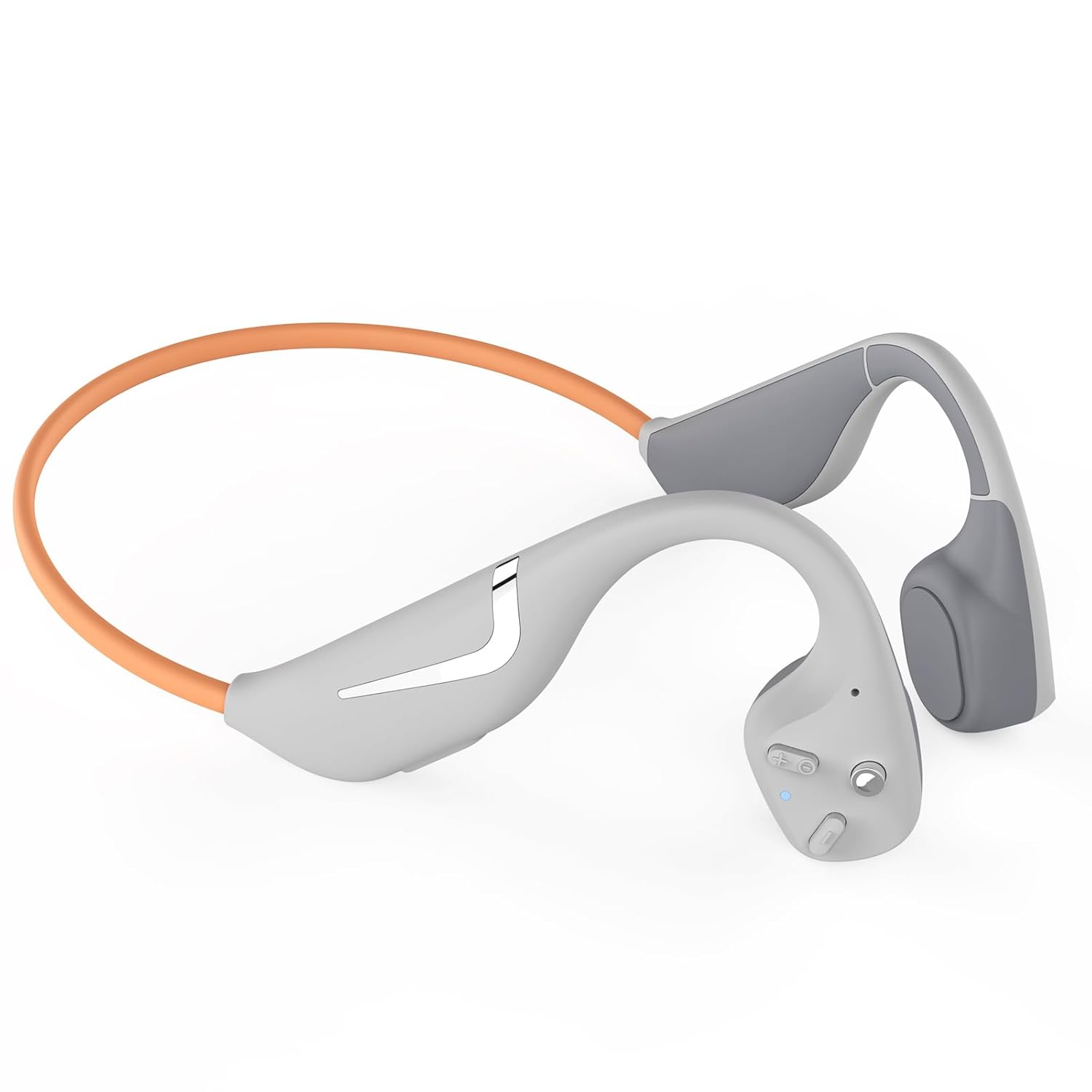
Image: The PARAMITA DV68 Bone Conduction Headset, showing its overall design. This headset features an open-ear design with a flexible band connecting the two ear pieces.
Pairing with Bluetooth Devices
The DV68 headset can connect with two Bluetooth devices simultaneously.
- Step 1: Connect with one Bluetooth device (Device 1) successfully first.
- Step 2: Disconnect the headset from Device 1. Turn on Bluetooth on Device 2, search for "DV68" in the list of available devices, and click to connect.
- Step 3: To reconnect to Device 1, click the Bluetooth name "DV68" on Device 1. The headset will connect to both devices, allowing for seamless switching.

Image: A visual guide demonstrating how to connect the DV68 headset to two Bluetooth devices simultaneously. It shows two smartphone screens with Bluetooth settings and the headset in the middle, indicating the connection process.
Operating Instructions
Wearing the Headset
Place the headset so that the bone conduction transducers rest on your cheekbones, just in front of your ears. The band should go around the back of your head. The lightweight and streamlined design ensures a comfortable and stable fit for extended periods.

Image: A comparison showing the comfort of bone conduction headphones versus traditional in-ear headphones. The top image shows a person comfortably wearing the DV68 headset, while the bottom image depicts the potential discomfort of in-ear headphones.

Image: An illustration highlighting the lightweight design and comfortable fit of the DV68 headset. It emphasizes features like ultra-light 34g weight, streamlined sinking design for stability, and a memory titanium alloy body that allows 360-degree bending without deformation.
Controls
The headset features touch and button controls for media playback and calls.
- Power On/Off: Press and hold the power button.
- Play/Pause: Single press the multi-function button.
- Next Track: Double press the multi-function button.
- Previous Track: Triple press the multi-function button.
- Volume Up/Down: Use the dedicated volume buttons.
- Answer/End Call: Single press the multi-function button during an incoming call.
- Reject Call: Press and hold the multi-function button during an incoming call.
- Activate Voice Assistant: Press a specific button (refer to product diagram for exact button).
Night Light Function
The headset includes 3 kinds of night lights for visibility during low-light activities. Refer to the product diagram or quick start guide for specific activation methods for the night lights.
Maintenance
- Cleaning: Wipe the headset with a soft, dry cloth. Do not use harsh chemicals or abrasive materials.
- Water Resistance: The headset is IPX7 waterproof and sweatproof. While it can withstand sweat and splashes, avoid submerging it in water for extended periods.
- Storage: Store the headset in a cool, dry place away from direct sunlight and extreme temperatures.
- Battery Care: To prolong battery life, avoid fully discharging the battery frequently. Charge the headset regularly, even if not in use for long periods.

Image: An illustration demonstrating the IPX7 waterproof and sweatproof capabilities of the DV68 headset, with water splashing around it.
Troubleshooting
| Problem | Possible Cause | Solution |
|---|---|---|
| Headset does not power on. | Low battery. | Charge the headset fully. |
| Cannot pair with device. | Bluetooth is off on device; headset not in pairing mode; too far from device. | Ensure Bluetooth is on; put headset in pairing mode (usually by holding power button); move closer to device (within 15 meters). |
| No sound or low volume. | Volume too low on headset or device; headset not properly positioned. | Increase volume on both headset and connected device; adjust headset position on cheekbones. |
| Call quality is poor. | Weak signal; microphone obstructed. | Move to an area with better signal; ensure microphone is clear. |
Specifications
| Feature | Detail |
|---|---|
| Model Name | DV68-Grey |
| Connectivity Technology | Wireless |
| Wireless Communication Technology | Bluetooth 5.3 |
| Battery Life | Up to 20 hours (Play time) |
| Charging Time | Approximately 1 hour |
| Battery Capacity | 500mAh Lithium Battery |
| Water Resistance Level | IPX7 Waterproof & Sweatproof |
| Item Weight | 34g |
| Maximum Operating Distance | 15 Metres |
| Microphone Format | Built-In MEMS Microphone |
| Control Method | Touch, Button |
| Material | Plastic, Memory Titanium Alloy Body |
| Product Dimensions | 16 x 5 x 12 cm |

Image: An illustration highlighting the 500mAh battery capacity and 20 hours of playtime for the DV68 headset, featuring a dual battery design.

Image: A summary of key technical specifications for the DV68 headset, including music play time, standby time, BT version, charging time, speaker impedance, microphone sensitivity, connection distance, and product weight.
Warranty and Support
For warranty information and customer support, please refer to the product packaging or contact PARAMITA customer service directly. Keep your purchase receipt as proof of purchase.
Ask a question about this manual
Ask about setup, troubleshooting, compatibility, parts, safety, or missing instructions. Manuals+ will review the question and use this page’s manual context to help answer it.