
Headwolf FPad3 Ulta
Headwolf Fpad3 Mini Tablet
User Instruction Manual
Introduction
This manual provides comprehensive instructions for the Headwolf Fpad3 Mini Tablet. It covers essential information regarding product setup, operation, maintenance, and troubleshooting to ensure optimal performance and longevity of your device. Please read this manual thoroughly before using the tablet.

Image: Front view of the Headwolf Fpad3 Mini Tablet, showcasing its display.
Setup
1. Package Contents
Upon unboxing, verify that the following items are included:
- Headwolf Fpad3 Mini Tablet
- USB Type-C Charging Cable
- PD10W Charger
- SIM Ejector Tool
- User Manual (this document)
2. Physical Overview

Image: Diagram illustrating the location of the headphone jack, rear camera, volume button, reset button, power button, SIM/SD card slot, and Type-C port on the Headwolf Fpad3 Mini Tablet.
Familiarize yourself with the tablet's physical components:
- Power Button: Located on the side, used to power on/off or wake/sleep the device.
- Volume Buttons: Adjust audio volume.
- USB Type-C Port: For charging and data transfer.
- 3.5mm Headphone Jack: For connecting wired headphones.
- SIM/MicroSD Card Slot: For inserting Nano SIM cards and a MicroSD card.
- Front Camera: Located above the screen.
- Rear Camera: Located on the back of the tablet.
3. Charging the Device
Before first use, fully charge the tablet. Connect the provided USB Type-C cable to the tablet's Type-C port and the other end to the PD10W charger. Plug the charger into a power outlet. The charging indicator will typically appear on the screen.
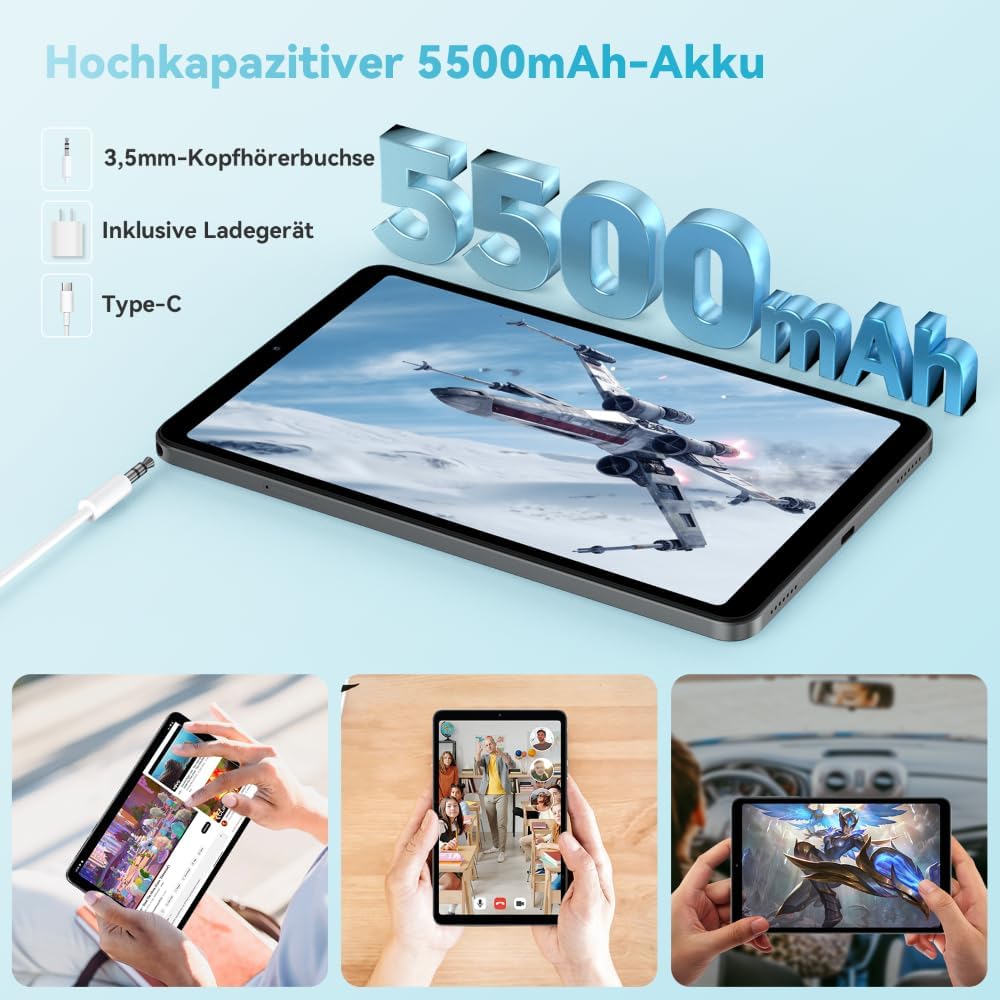
Image: The Headwolf Fpad3 Mini Tablet connected to a charger, highlighting its 5500mAh battery capacity and Type-C charging port.
4. Powering On/Off
- To Power On: Press and hold the Power button until the Headwolf logo appears.
- To Power Off: Press and hold the Power button until the power options menu appears, then select "Power off".
- To Restart: Press and hold the Power button until the power options menu appears, then select "Restart".
5. Initial Setup
Upon first power-on, the tablet will guide you through the initial setup process. This includes selecting your language, connecting to a Wi-Fi network, setting up your Google account, and configuring security options. The tablet runs on Android 13 and is Google GMS certified, ensuring access to Google Play services.
6. SIM Card and MicroSD Card Installation
The Headwolf Fpad3 supports dual Nano SIM cards for 4G LTE connectivity and a MicroSD card for expandable storage up to 2TB.
- Locate the SIM/MicroSD card slot on the side of the tablet.
- Insert the SIM ejector tool into the small hole next to the tray to pop it open.
- Carefully pull out the tray.
- Place your Nano SIM card(s) and/or MicroSD card into the designated slots on the tray, ensuring correct orientation.
- Gently push the tray back into the tablet until it clicks into place.
Operating Instructions
1. Display and Visual Experience
The tablet features an 8.4-inch FHD IPS In-Cell display with a resolution of 1920 x 1200 pixels, offering clear and vibrant visuals. It supports Widevine L1 for high-definition streaming from compatible services.

Image: The Headwolf Fpad3 Mini Tablet display showing high-definition content, emphasizing Widevine L1 support for streaming services like YouTube, Prime Video, Disney+, Hulu, and HBO Max.
2. Performance and Storage
Powered by an Unisoc T616 Octa-Core processor (2x A75 at 2.0GHz + 6x A55 at 1.8GHz) and 8GB of RAM (4GB + 4GB virtual expansion), the Fpad3 ensures smooth multitasking and efficient operation. It comes with 128GB of UFS 2.2 internal storage, which can be expanded up to 2TB using a MicroSD card.

Image: An illustration detailing the Headwolf Fpad3 Mini Tablet's powerful Octa-Core Unisoc T616 processor, Mali-G57 GPU, and Android 13 operating system, with a benchmark comparison.

Image: A visual representation of the Headwolf Fpad3 Mini Tablet's 8GB RAM (with 4GB virtual expansion) and 128GB ROM, highlighting its expandability up to 2TB via an SD card.
3. Connectivity
The tablet offers versatile connectivity options:
- Wi-Fi: Supports dual-band 2.4G/5G Wi-Fi for stable and fast internet access.
- 4G LTE: Dual Nano SIM support for cellular data and phone call functionality.
- Bluetooth 5.0: For connecting wireless peripherals like headphones, keyboards, and mice.
- GPS: Integrated GPS, Beidou, and Galileo for accurate navigation.
- OTG (On-The-Go): Allows connecting USB devices such as flash drives or external keyboards.
4. Cameras
Capture moments with the tablet's dual cameras:
- Rear Camera: 13MP
- Front Camera: 8MP
The tablet also supports Face Unlock for convenient and secure access.

Image: An exploded view of the Headwolf Fpad3 Mini Tablet's dual cameras (8MP front, 13MP rear) and the Face Unlock feature, with examples of usage scenarios.
5. Audio
Experience immersive audio with dual box speakers. A 3.5mm headphone jack is also available for private listening.
6. Google Kids Space
The tablet includes support for Google Kids Space, providing a safe and engaging environment for children with access to over 10,000 real-time resources.
Maintenance
1. Cleaning the Device
Use a soft, lint-free cloth to clean the screen and body of the tablet. Avoid using harsh chemicals or abrasive materials that could damage the surface.
2. Software Updates
Regularly check for and install system updates to ensure your tablet has the latest features, security patches, and performance improvements. Navigate to Settings > System > System update to check for updates.
3. Battery Care
- Avoid exposing the tablet to extreme temperatures.
- Do not let the battery completely drain frequently.
- Use the original charger and cable for optimal charging.
- For long-term storage, charge the battery to around 50-60%.
Troubleshooting
Common Issues and Solutions
| Problem | Possible Solution |
|---|---|
| Device does not power on. | Ensure the battery is charged. Press and hold the Power button for at least 10-15 seconds. If unresponsive, connect to charger and try again. |
| Cannot connect to Wi-Fi. | Check if Wi-Fi is enabled in settings. Restart the tablet and the Wi-Fi router. Ensure you are entering the correct password. |
| Apps are crashing or freezing. | Clear the app's cache (Settings > Apps > [App Name] > Storage > Clear cache). Restart the tablet. Ensure the app is updated to its latest version. |
| Tablet is slow or unresponsive. | Close unnecessary background apps. Clear cache of frequently used apps. Restart the tablet. Consider performing a factory reset as a last resort (backup data first). |
| SIM card not detected. | Ensure the SIM card is correctly inserted into the tray. Restart the tablet. Check if the SIM card is active with your carrier. |
If issues persist, please contact customer support.
Specifications
| Feature | Detail |
|---|---|
| Brand | Headwolf |
| Model Number | FPad3 Ulta |
| Operating System | Android 13 |
| Processor Brand | Unisoc |
| Processor Model | T616 Octa-Core |
| RAM | 8 GB (4GB + 4GB virtual) |
| Internal Storage | 128 GB UFS 2.2 |
| Expandable Storage | Up to 2 TB via MicroSD |
| Screen Size | 8.4 Inches |
| Screen Resolution | 1920 x 1200 Pixels (FHD IPS In-Cell) |
| Graphics Chipset Brand | Arm Mali G57 |
| Rear Camera | 13 MP |
| Front Camera | 8 MP |
| Battery Capacity | 5500 mAh Lithium-polymer |
| Charging Port | USB Type-C (PD10W Fast Charging) |
| Wireless Connectivity | 802.11a/b/g/n/ac (2.4G/5G WiFi), Bluetooth 5.0 |
| Cellular Connectivity | Dual 4G LTE (Nano SIM) |
| Navigation | GPS, Beidou, Galileo |
| Special Features | Stereo Speakers, Expandable Storage, Phone Call Functionality, Fast Charging, Card Reader, Face ID, Widevine L1 |
| Dimensions (L x W x H) | 25.4 x 15.24 x 7.62 cm |
| Weight | 610 grams |
Warranty and Support
The Headwolf Fpad3 Mini Tablet comes with a one-year warranty from the date of purchase. For any technical assistance, product inquiries, or warranty claims, please contact Headwolf customer service. We offer 24/7 customer support to assist you.
Please refer to your purchase documentation for specific warranty terms and contact information, or visit the official Headwolf website.
Ask a question about this manual
Ask about setup, troubleshooting, compatibility, parts, safety, or missing instructions. Manuals+ will review the question and use this page’s manual context to help answer it.