
Introduction
This manual provides detailed instructions for the installation, operation, and maintenance of your BRANO 30-inch Under Cabinet Range Hood. This appliance is designed to efficiently remove smoke, grease, and cooking odors from your kitchen environment, featuring advanced control options and a powerful exhaust system.
Key features include:
- Voice, Gesture, and Touch Control: Multiple intuitive control methods for convenience.
- 900 CFM Powerful Suction: Dual motors and balanced fans ensure efficient air purification.
- Versatile Vent Installation: Offers rectangular top, round top, and rectangular rear exhaust options.
- Whisper-Quiet Operation: Four-speed fan with noise levels not exceeding 70 dB at high speed.
- Easy to Clean: Dishwasher-safe stainless steel baffle filters for simple maintenance.
- Memory Mode: Retains last settings after power cycles.
- Adjustable LED Lights: Provides illumination for your cooking area.
Safety Information
Please read all instructions carefully before installation and operation to prevent injury or damage. Keep this manual for future reference.
- Ensure the power supply is disconnected before any installation, cleaning, or maintenance.
- Installation must be performed by a qualified technician in accordance with all local codes and standards.
- Do not operate the range hood without filters in place.
- Regularly clean grease filters to maintain optimal performance and reduce fire risk.
- This appliance is for household use only.
What's in the Box
Verify that all components are present before beginning installation:
- BRANO Under Cabinet Range Hood (1 unit)
- Installation Kit (includes mounting hardware)
- Instruction Manual (this document)
Setup and Installation
Proper installation is crucial for the performance and safety of your range hood. Refer to the detailed instructions provided in the installation kit.
Product Dimensions

Figure 1: Product Dimensions and Installation Clearances. The hood measures 29.5 inches wide, 19.7 inches deep, and 7 inches high. Recommended installation height from cooking surface is between 24 and 30 inches.
Ventilation Options
Your range hood offers flexible ventilation configurations:

Figure 2: Three-Way Exhaust Options. Choose between rectangular top, round top, or rectangular rear exhaust to best suit your kitchen's ducting.
Installation Video Guide
Video 1: How to Install the Range Hood. This video provides a visual guide to the installation process for the BRANO range hood.
Operating Instructions
Your BRANO range hood offers multiple ways to control its functions.
Control Methods: Voice, Gesture, and Touch
Video 2: Voice, Gesture, and Touch Control Demonstration. This video illustrates how to use the various control methods of the range hood.
Voice Control
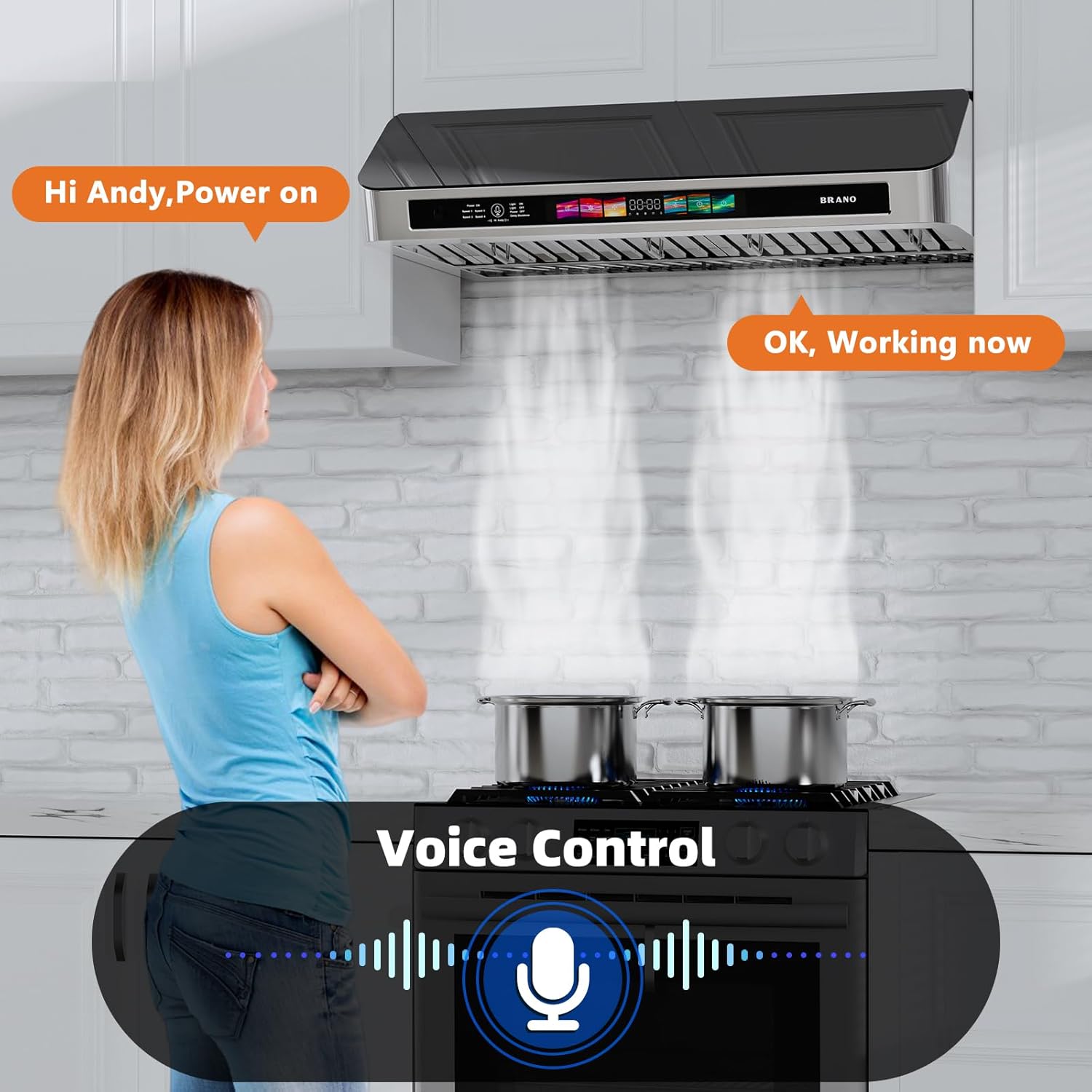
Figure 3: Voice Control in Action. Activate functions by speaking commands, such as 'Power on' or 'Speed 1'.
Gesture Control

Figure 4: Gesture Sensing Control. Wave your hand left to decrease fan speed and wave right to increase fan speed.
Touch Control

Figure 5: Touch Control Panel. Directly tap the icons on the control panel to operate the range hood's functions.
Fan Speed Adjustment
The range hood features four fan speeds. Adjust the speed based on your cooking needs using voice, gesture, or touch controls. Higher speeds provide more powerful extraction for heavy cooking, while lower speeds are suitable for lighter tasks and quieter operation.
Adjustable LED Lighting

Figure 6: Adjustable Brightness Light. The integrated LED lights provide illumination for your cooktop. Adjust brightness as needed via the control panel.
Delay Shutdown and Timer

Figure 7: Delay Shutdown Function. The 3-minute delay shutdown and 15-minute adjustable timer allow the hood to continue clearing residual fumes after cooking is complete.
Memory Mode
The range hood is equipped with a memory function that saves the last used settings (fan speed and light status). When the unit is powered off and then on again, it will resume operation with these saved settings, eliminating the need for manual readjustment.
Video 3: Memory Function Demonstration. This video shows how the range hood retains its last settings after being turned off and on.
Powerful Suction and Low Noise

Figure 8: Powerful Suction. The 900 CFM airflow efficiently removes cooking odors and smoke.

Figure 9: Low Noise Level. The range hood operates quietly, with noise levels not exceeding 70 dB at its highest speed.
Maintenance
Regular maintenance ensures optimal performance and longevity of your range hood.
Cleaning Baffle Filters

Figure 10: Dishwasher-Safe Baffle Filters. The stainless steel baffle filters are removable and can be cleaned in a dishwasher.
To clean the baffle filters:
- Ensure the range hood is turned off and cool.
- Carefully remove the baffle filters by releasing their latches.
- Place the filters in a dishwasher for thorough cleaning, or wash by hand with warm, soapy water.
- Allow filters to dry completely before re-installing.
- Re-install the filters securely.
General Cleaning
Wipe the exterior surfaces of the range hood with a soft cloth and mild detergent. Avoid abrasive cleaners or scouring pads, as these can damage the finish.
Troubleshooting
If you encounter issues with your BRANO range hood, refer to the following common troubleshooting steps:
| Problem | Possible Cause | Solution |
|---|---|---|
| Range hood does not turn on | No power supply; circuit breaker tripped; loose wiring. | Check power connection; reset circuit breaker; ensure all wiring is secure. |
| Poor suction performance | Clogged filters; incorrect fan speed; ducting issues. | Clean or replace filters; increase fan speed; check ductwork for obstructions or leaks. |
| Excessive noise | Loose components; fan obstruction; improper installation. | Check for loose parts; remove any obstructions from the fan; verify proper installation. |
| Lights not working | Bulb failure; loose connection. | Replace LED bulbs if necessary; check light connections. |
If the issue persists after attempting these steps, please contact customer support.
Specifications
| Feature | Detail |
|---|---|
| Model Number | UCR19B-V30 |
| Brand | BRANO |
| Product Dimensions (D x W x H) | 19" x 25" x 7" |
| Color | silver+black |
| Material Type | Stainless Steel |
| Air Flow Capacity | 900 CFM |
| Number of Speeds | 4 |
| Noise Level | 65 dB (at low speed), 70 dB (at high speed) |
| Control Method | Touch, Voice, Gesture |
| Light Source | LED |
| Voltage | 110 volts AC |
| Wattage | 230 watts |
| Filter Type | Baffle |
| Mounting Type | Under Cabinet Mount |
| Item Weight | 50.1 pounds |
| Certifications | ETL, cETL |
Warranty and Support
Warranty Information
The BRANO Under Cabinet Range Hood (Model UCR19B-V30) comes with a 5-year warranty. This warranty covers defects in materials and workmanship under normal use. Please retain your proof of purchase for warranty claims.
Customer Support
For technical assistance, troubleshooting not covered in this manual, or warranty service, please contact BRANO customer support. You can typically find contact information on the BRANO official website or through your retailer.

