
Introduction
Thank you for choosing the LAVOR NJ EXTRA 145 WPS High-Pressure Washer. This manual provides essential information for the safe and efficient operation, maintenance, and troubleshooting of your new pressure washer. Please read these instructions carefully before first use and keep them for future reference.
The LAVOR NJ EXTRA 145 WPS is a cold water pressure washer designed for domestic use, ideal for cleaning paths, terraces, garden furniture, bicycles, and vehicles. It features a unique Washing Programs System (WPS) to optimize cleaning results for various surfaces.
Safety Information
WARNING: Read all safety warnings and instructions. Failure to follow the warnings and instructions may result in electric shock, fire, and/or serious injury.
- Always wear appropriate personal protective equipment, including safety glasses, gloves, and hearing protection.
- Never direct the water jet at people, animals, electrical equipment, or the pressure washer itself.
- Ensure the power supply matches the specifications on the product label.
- Do not operate the pressure washer if the power cord or other essential parts are damaged.
- Keep children and pets away from the operating area.
- Always disconnect the power supply before performing any maintenance or cleaning tasks.
- Use only original Lavor spare parts and accessories.
Product Overview
Familiarize yourself with the components of your LAVOR NJ EXTRA 145 WPS pressure washer.

Figure 1: Main unit of the LAVOR NJ EXTRA 145 WPS Pressure Washer, showing the integrated hose reel, control dial, and wheels for portability.
Key Components:
- Main Unit: Houses the motor, pump, and control panel.
- Hose Reel: Integrated for convenient storage of the high-pressure hose.
- WPS Control Dial: Selects cleaning programs (SOFT, MEDIUM, HARD).
- High-Pressure Gun: For directing the water jet.
- High-Pressure Hose (6 meters): Connects the unit to the gun.
- Lances:
- Turbo Nozzle Lance: For rotating jet, powerful cleaning.
- Variojet Nozzle Lance: Adjustable jet for various tasks.
- ECO Nozzle Lance: For efficient water usage.
- Foam System: With tank for detergent application.
- Brushes: Rotating and fixed brushes for scrubbing surfaces.
- Terrace Cleaner: Specialized attachment for cleaning large flat surfaces.

Figure 2: The WPS (Washing Programs System) indicator, showing options for SOFT, MEDIUM, and HARD cleaning modes.
Setup and Assembly
1. Unpacking and Initial Inspection:
Carefully remove all components from the packaging. Check for any damage during transit. Ensure all listed accessories are present.
2. Attaching the High-Pressure Hose:
- Unwind the 6-meter high-pressure hose from the integrated reel.
- Connect one end of the high-pressure hose to the outlet on the pressure washer unit. Ensure it is securely tightened.
- Connect the other end of the high-pressure hose to the high-pressure gun using the quick-connect fitting.
3. Connecting to Water Supply:
- Connect a garden hose (not supplied) to the water inlet on the pressure washer.
- Connect the other end of the garden hose to a water tap.
- Ensure the water supply is turned on fully before starting the pressure washer. The maximum water inlet temperature should not exceed 40°C (104°F).
4. Connecting to Power Supply:
Plug the power cord into a suitable grounded electrical outlet. Ensure the power supply matches the voltage and frequency specified on the product label (1900 Watt power consumption).
Operating Instructions
1. Starting the Pressure Washer:
- Ensure all connections (water, hose, power) are secure.
- Turn on the water supply completely.
- Press the trigger on the high-pressure gun to purge air from the system until a steady stream of water emerges.
- Turn the main power switch on the unit to the "ON" position. The pump will start.
2. Using the WPS (Washing Programs System):
The WPS dial allows you to select the optimal cleaning program for different surfaces:
- SOFT: For delicate surfaces such as wooden decks, painted surfaces, or garden furniture.
- MEDIUM: For vehicles, plastic garden furniture, or plastered walls.
- HARD: For powerful cleaning of asphalt, stone, or concrete surfaces.
Rotate the WPS dial on the front of the unit to select the desired program before starting your cleaning task.
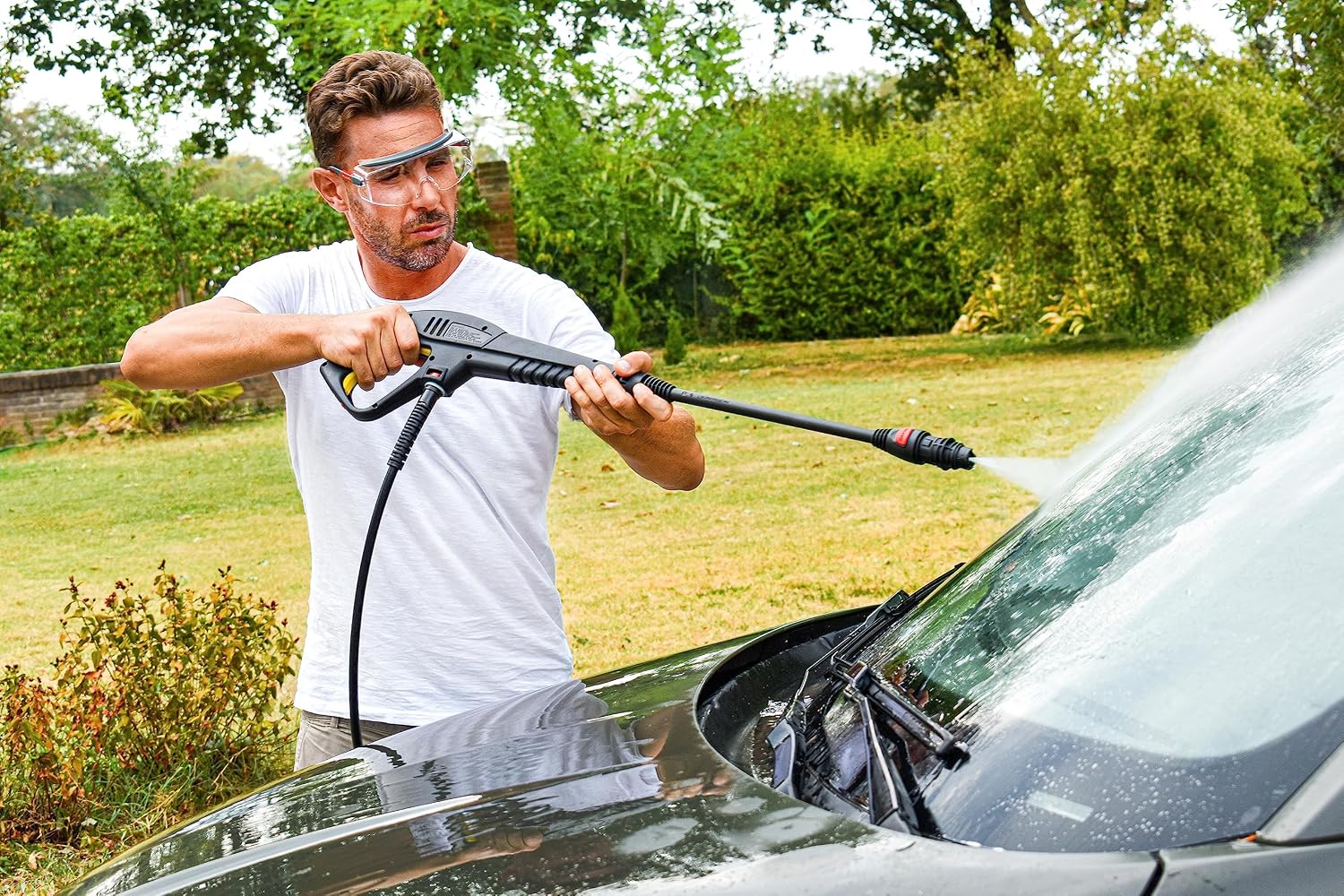
Figure 3: A user demonstrating the pressure washer for cleaning a car, suitable for the MEDIUM WPS setting.
3. Attaching and Using Accessories:
To change lances or brushes, ensure the pressure washer is turned off and the water supply is disconnected. Press the quick-release button on the gun, remove the current attachment, and insert the desired one until it clicks securely into place.
- Turbo Nozzle Lance: Provides a rotating, concentrated jet for stubborn dirt. Use with caution on delicate surfaces.
- Variojet Nozzle Lance: Allows adjustment of the spray pattern from a narrow pencil jet to a wide fan spray.
- ECO Nozzle Lance: Designed for water-efficient cleaning.
- Foam System: Fill the tank with appropriate pressure washer detergent. Attach to the gun to apply foam for pre-soaking or deep cleaning.
- Rotating and Fixed Brushes: Ideal for scrubbing surfaces like car wheels or garden furniture.
- Terrace Cleaner: Connect this attachment for efficient and splash-free cleaning of large patio or deck areas.
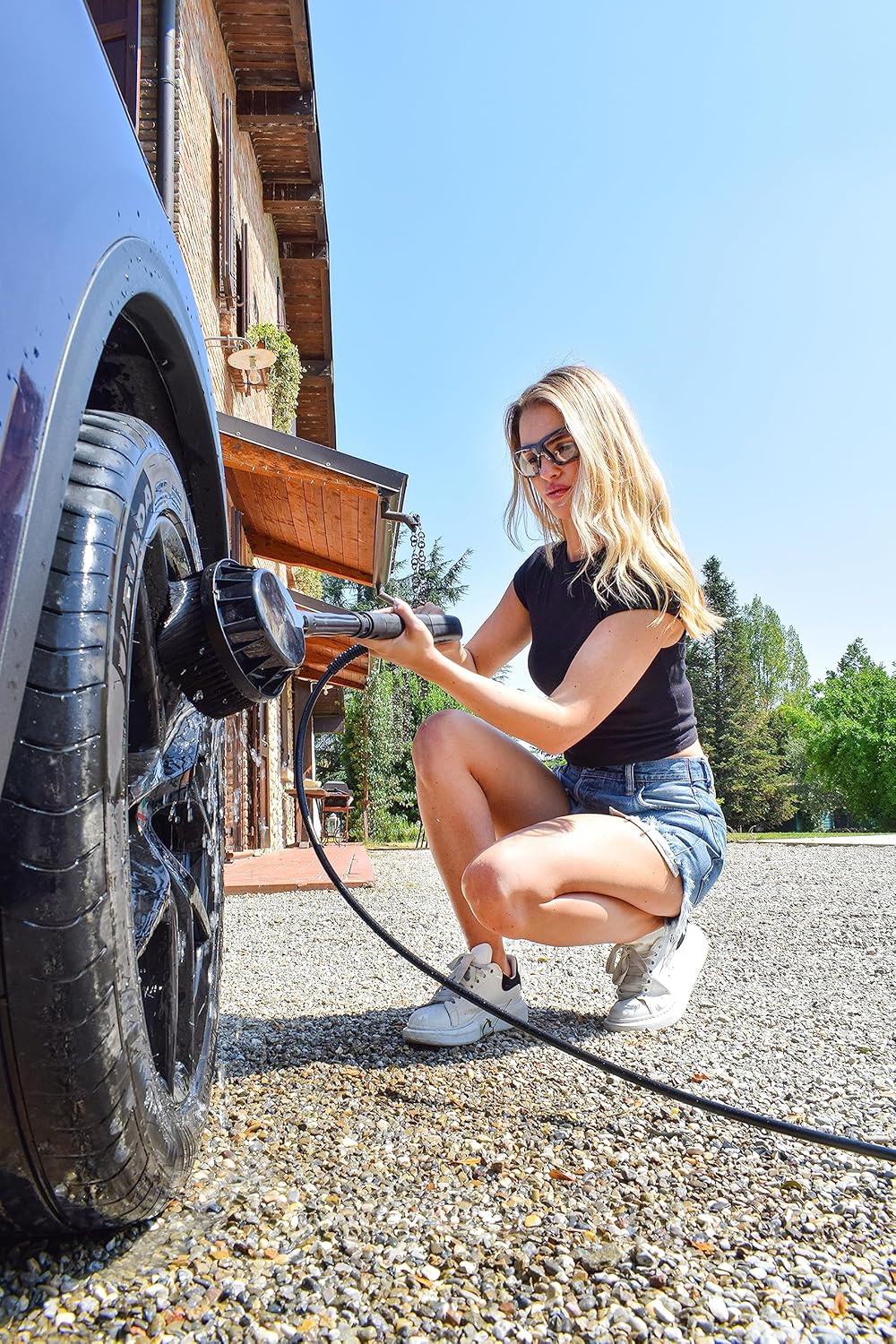
Figure 4: A user cleaning a car wheel with a rotating brush attachment, demonstrating effective use of accessories.

Figure 5: A user cleaning a grill with a fixed brush attachment, highlighting the versatility of the included tools.
4. Automatic Stop System:
The pressure washer is equipped with an Automatic Stop System. This system automatically turns off the pump when the trigger on the gun is not engaged. This saves energy and extends the lifespan of the pump. The pump will restart automatically when the trigger is pressed again.
5. Shutting Down:
- Turn the main power switch to the "OFF" position.
- Turn off the water supply.
- Press the trigger on the high-pressure gun to release any remaining pressure in the system.
- Disconnect the high-pressure hose from the water inlet and the gun.
- Unplug the power cord from the electrical outlet.
Maintenance and Storage
1. General Cleaning:
After each use, clean the exterior of the pressure washer with a damp cloth. Remove any dirt or debris from the nozzles and filters. Ensure no water remains in the pump or hose during freezing temperatures.
2. Water Inlet Filter:
Regularly check and clean the water inlet filter to prevent blockages and ensure optimal performance. A clogged filter can reduce water flow and damage the pump.
3. Storage:
Store the pressure washer in a dry, frost-free environment. Drain all water from the pump, hose, and accessories before storing, especially in cold climates, to prevent damage from freezing. Use the integrated hose reel for tidy storage of the high-pressure hose.
Troubleshooting
| Problem | Possible Cause | Solution |
|---|---|---|
| No water pressure or low pressure |
|
|
| Motor does not start |
|
|
| Water leaks |
|
|
Technical Specifications
| Feature | Specification |
|---|---|
| Brand | Lavor |
| Model Number | 8.092.0086C (NJ EXTRA 145 WPS) |
| Power Source | Corded Electric |
| Max Pressure | 145 Bar |
| Max Flow Rate | 420 Liters per hour |
| Power Consumption | 1900 Watt |
| Hose Length | 6 Meters |
| Product Dimensions (L x W x H) | 32L x 26l x 26H cm |
| Item Weight | 9.89 Kilograms |
| Pump Type | Three steel pistons, aluminum axial head with integrated By-Pass valve |
| Automatic Stop System | Yes |
| Included Components | Gun, 6m high-pressure hose, Turbo nozzle lance, Variojet nozzle lance, ECO nozzle lance, Foam system with tank, Rotating brush, Fixed brush, Terrace cleaner. |
Warranty and Support
Lavor products are manufactured to high-quality standards. This product comes with a standard manufacturer's warranty. Please refer to the warranty card included in your packaging for specific terms and conditions.
Spare parts for this model are available for a period of 10 years from the date of purchase, ensuring long-term usability and support for your investment.
For technical assistance, spare parts, or warranty claims, please contact your authorized Lavor dealer or visit the official Lavor website for customer service contact information. When contacting support, please have your model number (NJ EXTRA 145 WPS) and serial number ready.


