
1. Introduction
Thank you for choosing the MHW-3BOMBER ES6029B Mini Digital Coffee Scale. This precision instrument is designed to enhance your coffee brewing experience with accurate measurements and intelligent features. Please read this manual thoroughly before use to ensure proper operation and to maximize the lifespan of your device.

Image: The MHW-3BOMBER Mini Digital Coffee Scale in a coffee brewing setup.
2. Safety Information
- Do not immerse the scale in water or other liquids.
- Avoid placing the scale near extreme heat sources or in direct sunlight.
- Do not overload the scale beyond its maximum capacity of 2000g.
- Handle with care; this is a precision instrument. Avoid dropping or subjecting it to strong impacts.
- Use only the recommended 5V, 1A/2A adapter for charging.
- Keep out of reach of children.
3. Package Contents
Please check the package for the following items:
- MHW-3BOMBER ES6029B Mini Digital Coffee Scale
- USB Type-C Charging Cable
- Silicone Heat Insulation Pad
- User Manual
4. Product Overview
The MHW-3BOMBER ES6029B is a compact and versatile digital scale designed for coffee enthusiasts. It features a high-precision sensor, an integrated timer, and multiple intelligent modes to assist in achieving consistent and delicious brews.
- High Precision: Measures from 0.1g up to 2000g.
- Integrated Timer: Essential for precise brewing control.
- Gravity Sensing Device: Automatic power-on and tare function when an object over 100g is placed on the scale.
- Intelligent Mode: Automatically starts the timer upon liquid detection, displaying time, liquid weight, and brew ratio.
- Mute Function: Option to permanently disable beep sounds for a quiet brewing environment.
- Compact and Portable: Dimensions of 10.4 x 10.4 x 1.9 cm (4.1 x 4.1 x 0.75 inches) and a weight of 0.27 kg (0.6 lbs).
- USB Rechargeable: Equipped with a 700mAh lithium battery for convenience and environmental friendliness.
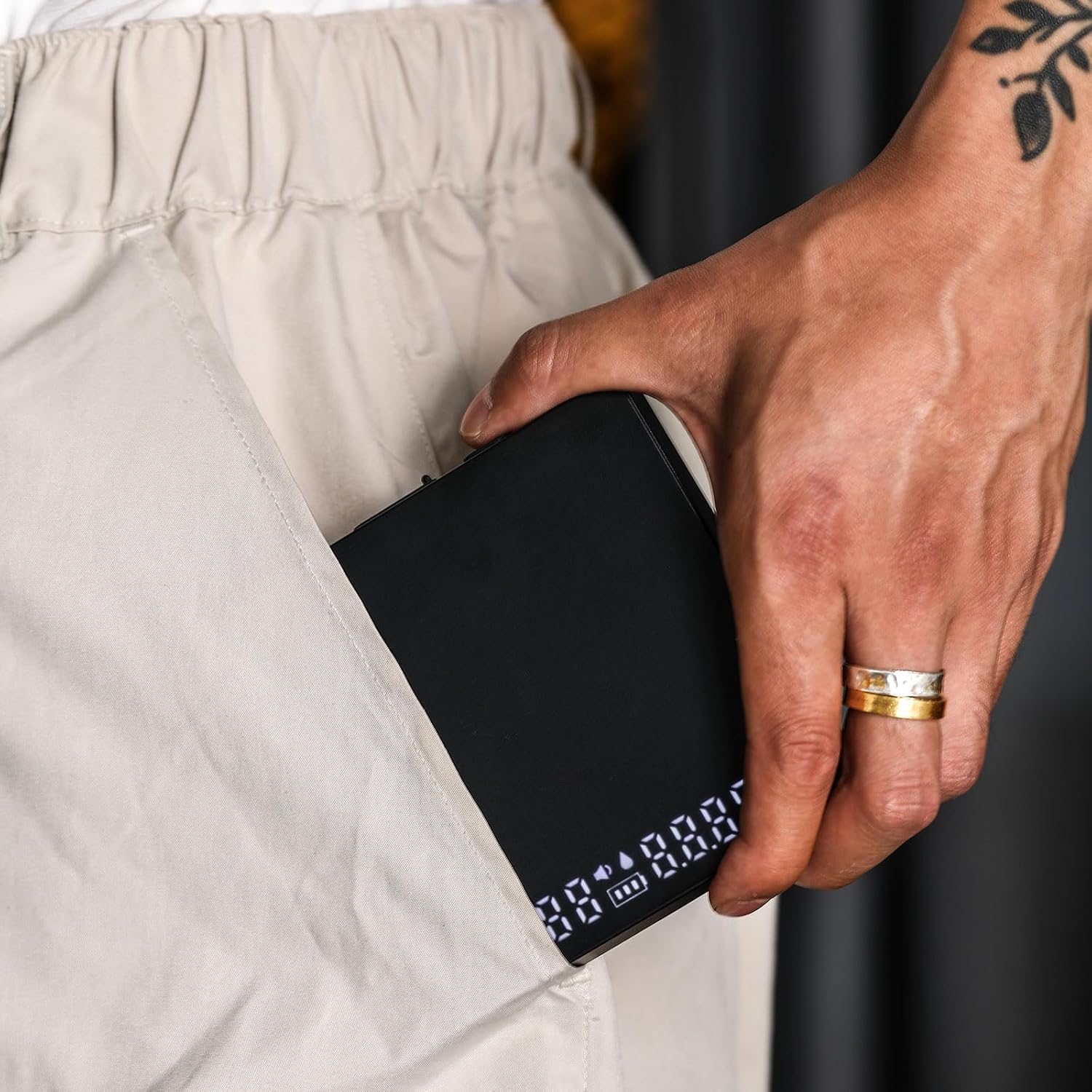
Image: The compact size of the MHW-3BOMBER Mini Digital Coffee Scale, fitting easily into a pocket.
5. Setup
- Unpack: Carefully remove the scale and all accessories from the packaging.
- Initial Charge: Before first use, fully charge the scale using the provided USB Type-C cable and a 5V, 1A/2A adapter. The charging port is located on the side of the device.
- Placement: Place the scale on a flat, stable, and level surface to ensure accurate readings.
- Silicone Pad: Always place the silicone heat insulation pad on the weighing platform before placing hot items like coffee pots or cups to protect the scale.

Image: Illustration of the gravity sensing feature, where placing an object on the scale automatically powers it on and tares.
6. Operating Instructions
6.1 Power On/Off
- Manual Power On: Press the power button (U symbol) to turn the scale on.
- Gravity Sensing Power On: When the physical switch is ON, placing an object weighing 100g or more on the scale will automatically turn it on and set the weight to zero.
- Power Off: Press and hold the power button to turn the scale off. The scale will also automatically power off after a period of inactivity (default 2 minutes) to conserve battery.
6.2 Tare Function
To subtract the weight of a container or other items:
- Place the empty container on the weighing platform.
- Press the Tare button (T symbol). The display will reset to zero.
- Add the item you wish to weigh into the container. The display will show only the net weight of the item.
6.3 Unit Conversion (g/oz)
The scale supports both grams (g) and ounces (oz). To switch between units, press the Unit button (often integrated with the Tare button or a separate button, refer to device markings if different).
6.4 Timer Function
The integrated timer is crucial for consistent coffee brewing.
- Start/Stop: Press the Timer button (often integrated with the Power button or a separate button, refer to device markings if different) to start or stop the timer.
- Reset: Press and hold the Timer button to reset it to zero.
6.5 Intelligent Mode
This advanced mode simplifies the brewing process, especially for pour-over and espresso.
- Activation: The intelligent mode is automatically engaged when the scale detects liquid being poured into a container after taring.
- Automatic Timer: The timer starts automatically when liquid is detected.
- Display: The display will alternately show the brewing time, liquid weight, and the liquid weight to powder ratio.

Image: Espresso extraction using the scale's intelligent mode.

Image: Drip coffee brewing with the scale's intelligent mode.

Image: The scale's display showing alternating readings for time, liquid weight, and liquid-to-powder ratio in intelligent mode.
6.6 Mute Function
To disable all beeping sounds, refer to the specific instructions in the full manual or product packaging for your model. This function allows for a silent brewing experience.
7. Charging
The scale is equipped with a 700mAh rechargeable lithium battery.
- Charging Port: Use the USB Type-C port located on the side of the scale.
- Adapter: It is recommended to use a 5V, 1A/2A adapter for charging. Avoid using fast chargers or high-output chargers.
- Charging Indicator: The display will show a charging indicator.
- Usage During Charging: Do not use the scale while it is charging.

Image: Close-up of the USB Type-C charging port on the MHW-3BOMBER Mini Digital Coffee Scale.
8. Maintenance
- Cleaning: Wipe the scale with a soft, damp cloth. Do not use abrasive cleaners or immerse the scale in water.
- Storage: Store the scale in a dry, cool place away from direct sunlight and extreme temperatures.
- Battery Care: For optimal battery life, avoid completely draining the battery frequently. Charge it regularly.
9. Troubleshooting
| Problem | Possible Cause | Solution |
|---|---|---|
| Scale does not turn on. | Low battery or physical switch is OFF. | Charge the scale. Ensure the physical ON/OFF switch is in the ON position. |
| Inaccurate readings. | Unstable surface, overload, or calibration issue. | Place on a flat, stable surface. Do not exceed 2000g. If issues persist, contact support for calibration guidance. |
| Timer/Tare buttons seem reversed. | This model may have a specific button layout. | Familiarize yourself with the button functions as indicated on the device. Some users have noted a non-standard layout where the 'T' for Tare might be near the timer display and vice-versa. |
| Intelligent mode not activating. | No liquid detected or scale not tared. | Ensure the scale is tared to zero before pouring liquid. The mode activates upon liquid detection. |
If you encounter any issues not listed here, please contact MHW-3BOMBER customer support.
10. Specifications
| Feature | Specification |
|---|---|
| Brand | MHW-3BOMBER |
| Model Number | ES6029B |
| Color | Mini Black |
| Weight Capacity | 0.1g to 2000g |
| Readout Accuracy | 0.1g |
| Product Weight | 0.27 kg (0.6 lbs) |
| Dimensions | 10.4 x 10.4 x 1.9 cm (approx. 4.1 x 4.1 x 0.75 inches) |
| Battery | 700mAh Rechargeable Lithium Battery |
| Charging Port | USB Type-C |
11. Warranty and Support
MHW-3BOMBER products are manufactured with quality and precision. In the unlikely event of a defect in materials or workmanship, please refer to your purchase documentation for specific warranty terms and conditions.
For technical support, troubleshooting assistance, or warranty claims, please contact MHW-3BOMBER customer service through the retailer where you purchased the product or visit the official MHW-3BOMBER website. Please have your model number (ES6029B) and proof of purchase ready.

Image: MHW-3BOMBER offers various support channels including online customer service, social media, and technical support.


