
HOCO EQ3 EARBUDS
HOCO EQ3 True Wireless Earbuds User Manual
Model: EQ3 EARBUDS
1. Introduction
Thank you for choosing the HOCO EQ3 True Wireless Earbuds. These earbuds are designed to provide a high-quality audio experience with seamless Bluetooth 5.3 connectivity, intuitive touch controls, and a comfortable in-ear fit. This manual will guide you through the setup, operation, and maintenance of your new earbuds to ensure optimal performance and longevity.
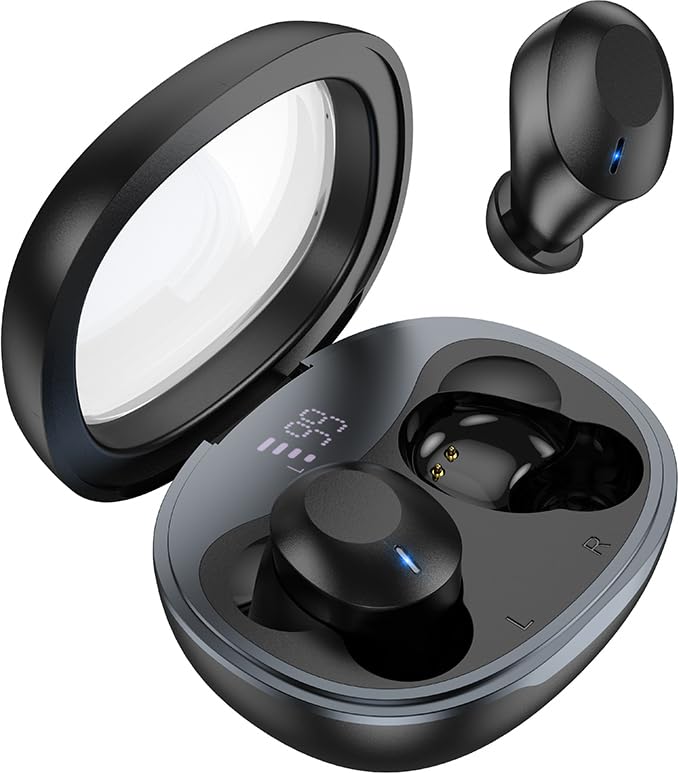
Image: The HOCO EQ3 earbuds, one in the transparent charging case displaying a digital battery percentage, and one earbud removed from the case.
2. Safety Information
- Do not disassemble, repair, or modify the product. This may cause fire, electronic breakdown, or complete damage to the product.
- Keep the device away from liquids, moisture, or humidity.
- Avoid exposing the device to extreme temperatures (below 0°C or above 45°C).
- Do not use the device during a thunderstorm.
- Clean the earbuds and charging case with a soft, dry cloth. Do not use harsh chemicals or abrasive materials.
- Dispose of the product responsibly according to local regulations. Do not dispose of with household waste.
3. What's in the Box
Please check the package contents to ensure all items are present:
- HOCO EQ3 True Wireless Earbuds (Left and Right)
- Wireless Charging Case
- USB Charging Cable
- Ear Cushions (Multiple Sizes: XS/S/M/L)
- Protective Case (if included as an accessory)
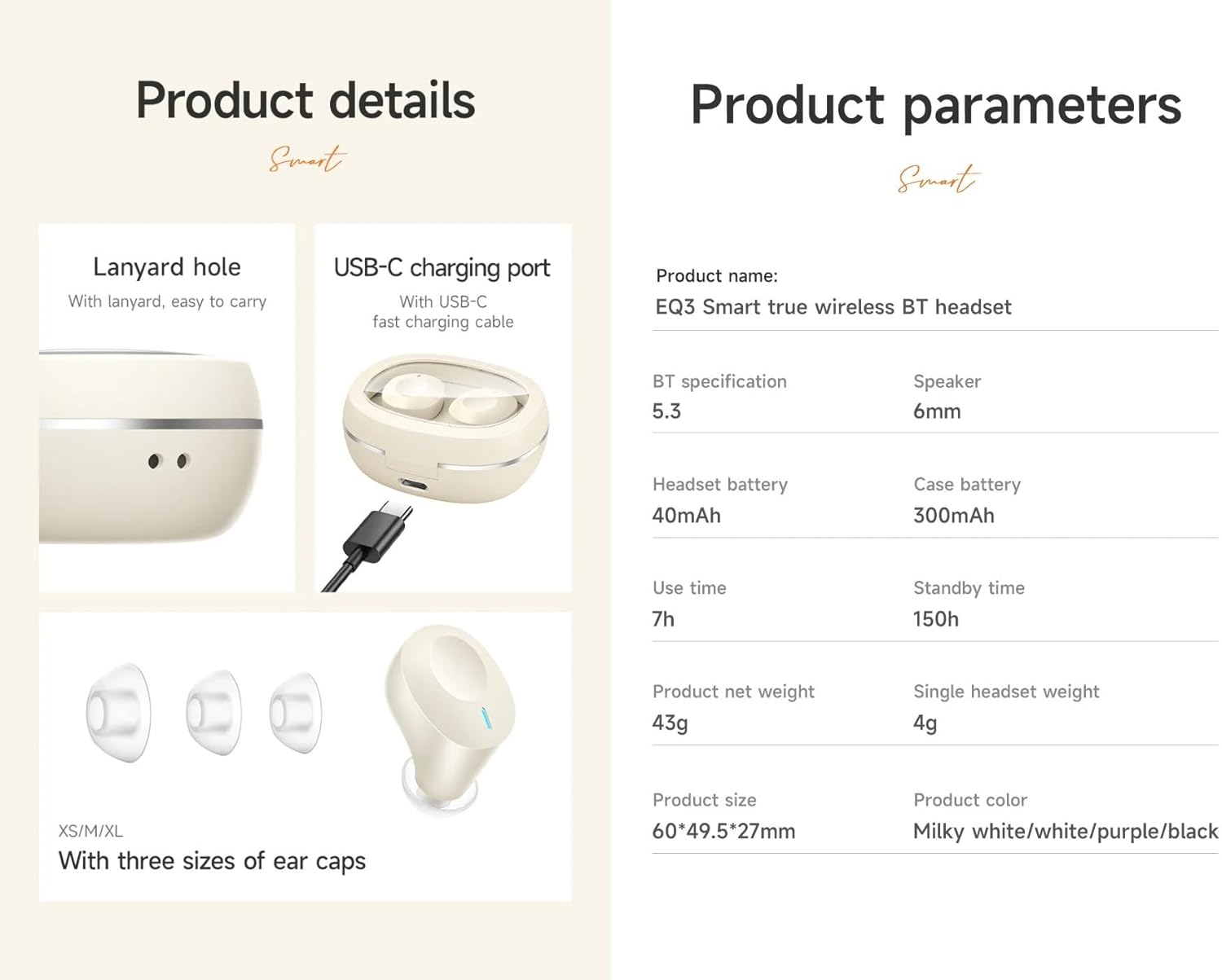
Image: An infographic detailing product features such as the USB-C charging port, lanyard hole, and different sizes of ear caps (XS/S/M/L).
4. Product Overview
The HOCO EQ3 earbuds feature a compact design with a transparent charging case that includes a digital power display. Each earbud is equipped with touch control areas for easy operation.
Charging Case
- Transparent Lid: Allows visibility of earbuds and digital display.
- Digital Power Display: Shows the remaining battery percentage of the charging case.
- USB-C Charging Port: For recharging the case.
- Lanyard Hole: For easy portability.
Earbuds
- Touch Control Area: Located on the outer surface of each earbud for various functions.
- LED Indicator: Displays pairing status and charging status.
- Microphone: For clear calls.
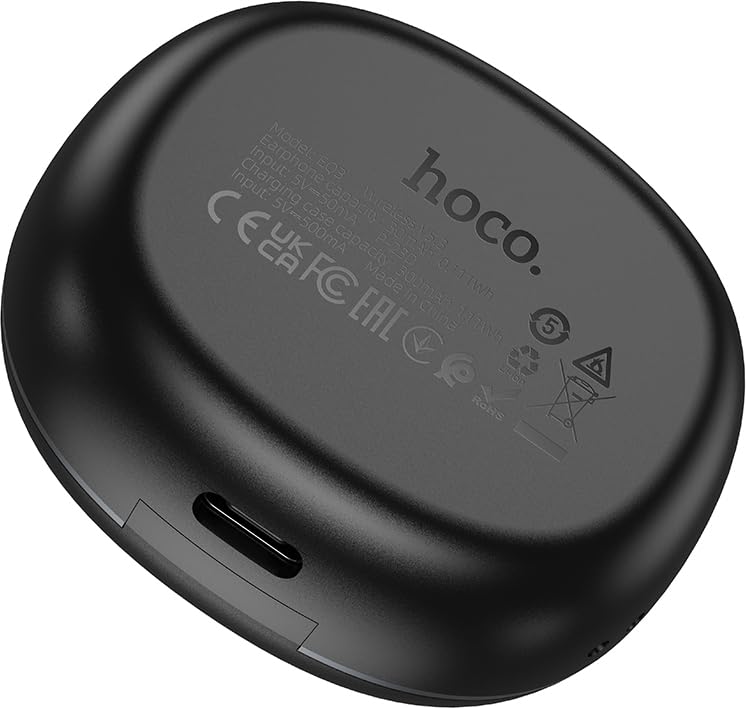
Image: The back of the HOCO EQ3 charging case, showing regulatory marks and basic electrical specifications.
5. Setup
5.1 Charging the Earbuds and Case
- Place both earbuds into the charging case. Ensure they are correctly seated in their respective slots (L for left, R for right).
- Connect the USB charging cable to the USB-C port on the charging case and the other end to a compatible USB power source (e.g., computer USB port, wall adapter).
- The digital display on the charging case will show the charging status. The earbuds' LED indicators will also show charging status.
- A full charge for the case takes approximately 1.5-2 hours. The earbuds charge automatically when placed in the case.
5.2 Pairing with a Bluetooth Device
- Ensure the earbuds are charged.
- Open the lid of the charging case. The earbuds will automatically power on and enter pairing mode. The LED indicators on the earbuds will flash, indicating they are ready to pair.
- On your device (smartphone, tablet, etc.), enable Bluetooth and search for new devices.
- Select "HOCO EQ3" from the list of available devices.
- Once connected, the earbuds' LED indicators will stop flashing and remain solid or turn off, and you will hear a confirmation tone.
- The earbuds support master-slave switching, allowing either earbud to be used independently.

Image: An infographic illustrating the automatic connection feature when the charging case cover is opened, and highlighting the high-fidelity sound quality from the dynamic coil unit.
6. Operating Instructions
The HOCO EQ3 earbuds feature intuitive touch controls. The touch control area is located on the outer surface of each earbud.

Image: A diagram illustrating the touch control functions for the HOCO EQ3 earbuds, including single tap, double tap, triple tap, and long press.
6.1 Music Playback
- Play/Pause: Tap the touch area on either the Left (L) or Right (R) earbud once.
- Next Track: Double tap the touch area on either the Left (L) or Right (R) earbud.
- Previous Track: Triple tap the touch area on either the Left (L) or Right (R) earbud.
6.2 Call Management
- Answer/End Call: Tap the touch area on either earbud once.
- Reject Call: Long press the touch area on either earbud for 2 seconds.
6.3 Voice Assistant
- Activate Voice Assistant (Siri, Google Assistant, etc.): Long press the touch area on either earbud for 2 seconds.
7. Maintenance
7.1 Cleaning
- Regularly clean the earbuds and charging case to prevent dust and debris buildup.
- Use a soft, dry, lint-free cloth to wipe the surfaces.
- For the ear tips, remove them from the earbuds and clean with a damp cloth, then dry thoroughly before reattaching.
- Do not use alcohol, benzene, or other volatile liquids for cleaning.
7.2 Storage
- When not in use, store the earbuds in their charging case to protect them and keep them charged.
- Store the device in a cool, dry place, away from direct sunlight and extreme temperatures.
8. Troubleshooting
If you encounter any issues with your HOCO EQ3 earbuds, please refer to the following common solutions:
| Problem | Possible Cause | Solution |
|---|---|---|
| Earbuds not turning on | Low battery | Place earbuds in the charging case and charge the case fully. |
| Cannot pair with device | Bluetooth off, earbuds not in pairing mode, or previously paired. | Ensure Bluetooth is on. Open case lid to enter pairing mode. Forget "HOCO EQ3" from your device's Bluetooth list and try pairing again. |
| Only one earbud working | One earbud not connected or low battery. | Place both earbuds back into the charging case, close the lid for 5 seconds, then open again. Ensure both are charged. |
| No sound or low volume | Device volume too low, earbud volume too low, or poor connection. | Increase volume on your device. Ensure earbuds are properly connected. Clean ear tips if blocked. |
| Charging case not charging | Faulty cable or power source. | Try a different USB-C cable and power adapter. Ensure the cable is securely connected. |
9. Specifications
Detailed technical specifications for the HOCO EQ3 True Wireless Earbuds:
| Feature | Specification |
|---|---|
| Model Name | EQ3 EARBUDS |
| Bluetooth Version | 5.3 (Chip: JL AC6983D2) |
| Wireless Communication Technology | Bluetooth |
| Earbud Battery Capacity | 40mAh (each earbud) |
| Charging Case Battery Capacity | 300mAh |
| Use Time (Single Charge) | Up to 15 hours |
| Total Playtime (with Charging Case) | Up to 28 hours |
| Standby Time | 150 hours |
| Control Method | Touch Control |
| Water Resistance Level | Water Resistant |
| Noise Control | Active Noise Cancellation (ANC) |
| Included Components | Cable, Ear Cushions, Protective Case, Wireless Charging Case |
| Material | Plastic |
| Item Weight | 48 Grams (Total weight: 43g from feature bullets) |
| Product Dimensions | 60 x 49.5 x 27 mm (Case); 25 x 15 x 7 cm (Package) |
| Color | Black |

Image: An infographic highlighting key features such as 28 hours total listening time, Hi-Fi sound quality, Bluetooth 5.3, LED digital display, magnetic switch, lightweight design, TWS stereo, and touch control.
10. Warranty and Support
For warranty information and customer support, please refer to the warranty card included in your product packaging or contact HOCO customer service through their official website or authorized distributors. Please retain your proof of purchase for warranty claims.
Manufacturer: HOCO
Packer: Pejy
Importer: Pejy
Ask a question about this manual
Ask about setup, troubleshooting, compatibility, parts, safety, or missing instructions. Manuals+ will review the question and use this page’s manual context to help answer it.