
HOCO EQ2 EARBUDS
HOCO Earbuds EQ2 - User Manual
Model: EQ2 EARBUDS | Brand: HOCO
Introduction
The HOCO EQ2 True Wireless Bluetooth 5.3 Earphones are designed to provide an immersive audio experience with deep bass, intuitive touch controls, and a sweatproof design. This manual will guide you through the setup, operation, and maintenance of your new earbuds.
What's in the Box
- HOCO EQ2 Earbuds (Left and Right)
- Charging Case
- USB Charging Cable
- Ear Cushions (Multiple Sizes: XS, S, M, L, XL)
- User Manual (This document)
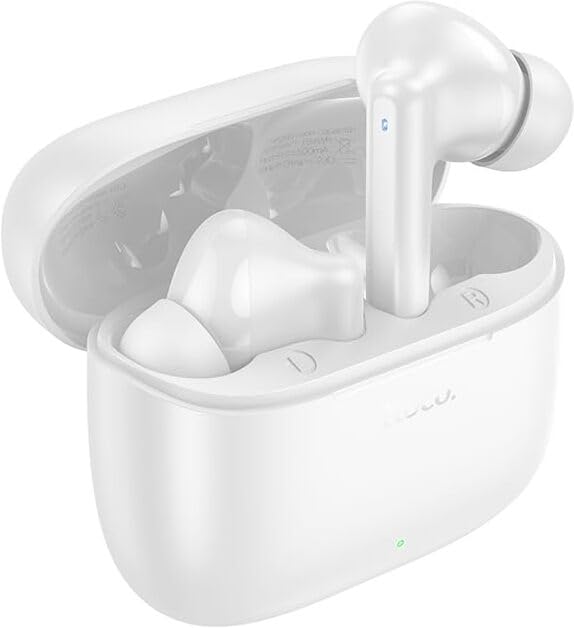
Image: HOCO EQ2 Earbuds and Charging Case.
Setup Guide
1. Initial Charging
Before first use, fully charge the earbuds and the charging case. Connect the provided USB cable to the charging port on the case and a power source. The indicator light on the case will show charging status.

Image: Charging case and battery life overview.
2. Pairing with Your Device
- Ensure the earbuds are in the charging case and the case is charged.
- Open the lid of the charging case. The earbuds will automatically enter pairing mode.
- On your device (smartphone, tablet, laptop), go to Bluetooth settings and turn Bluetooth on.
- Search for "HOCO EQ2" in the list of available devices and select it to connect.
- Once connected, you will hear a confirmation tone, and the earbuds will be ready for use.
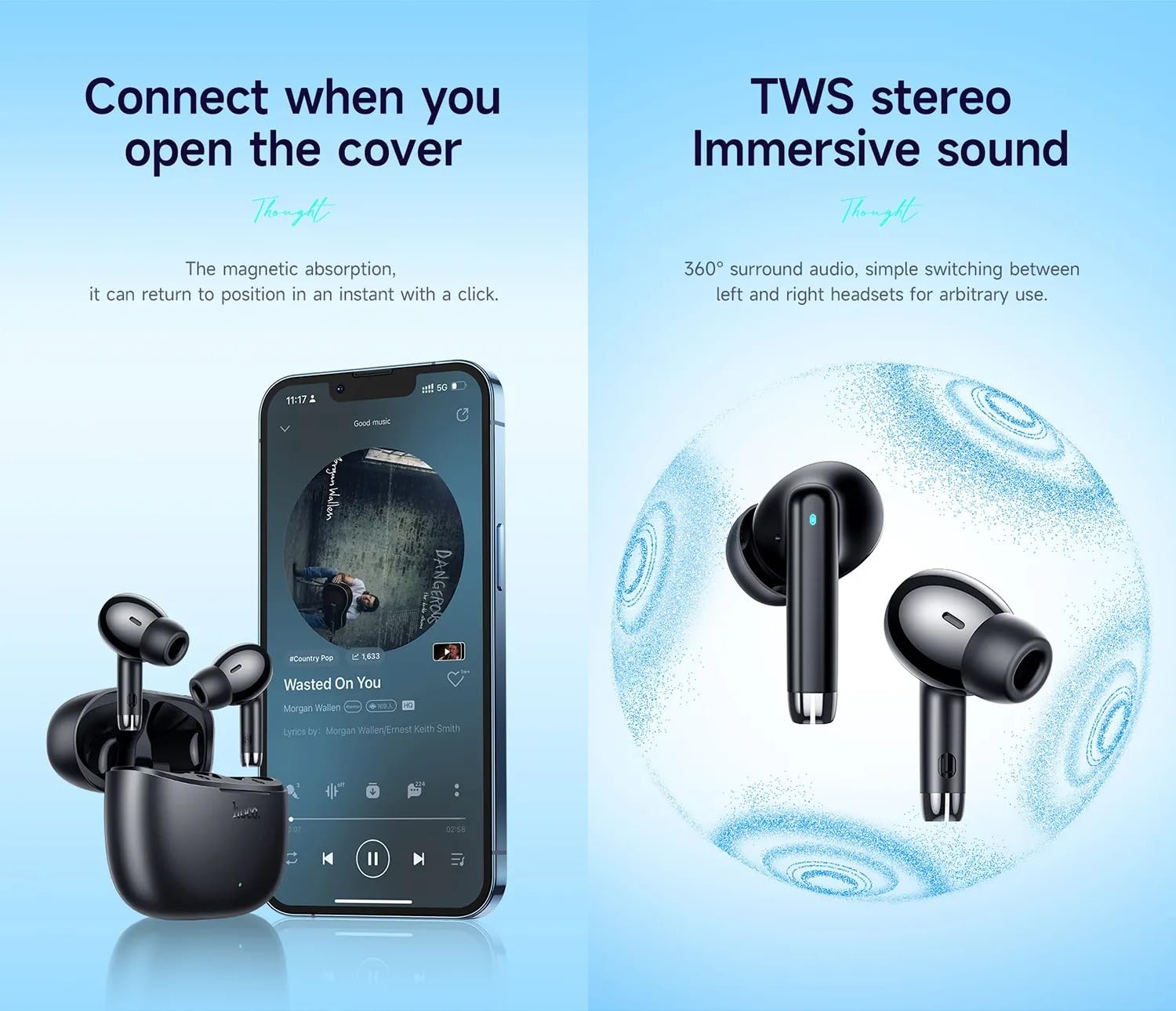
Image: Automatic connection upon opening the case and TWS stereo sound.
The HOCO EQ2 earbuds feature Bluetooth 5.3 for stable and efficient wireless connectivity, supporting seamless pairing with iOS and Android devices, smart TVs, and laptops.
Operating Instructions
Wearing the Earbuds
The HOCO EQ2 earbuds are designed for a comfortable semi-in-ear fit. Choose the ear cushions that best fit your ears for optimal sound quality and comfort. Gently insert the earbuds into your ear canal until they feel secure.

Image: Person wearing HOCO EQ2 earbuds.

Image: Earbud design and available ear cap sizes.
Touch Controls
The HOCO EQ2 earbuds feature intuitive touch controls on each earbud. Refer to the diagram below for specific functions:

Image: Detailed touch control functions.
- Tap the touch area (L/R): Play/Pause music.
- Double tap the touch area (L/R): Next track.
- Triple tap the touch area (L/R): Previous track.
- Long press the touch area for 2s (L/R): Voice assistant activation.
- Answering/Ending Calls: (Typically single tap, but not explicitly stated in diagram, common for earbuds)
- Rejecting Calls: (Typically long press, but not explicitly stated in diagram, common for earbuds)
Gaming Mode
The earbuds support a low-latency gaming mode for enhanced audio synchronization during gameplay. Refer to the product's quick start guide or manufacturer's website for specific activation instructions, as this feature is often activated via a specific touch gesture not detailed in the provided image.
Maintenance
- Cleaning: Regularly clean the earbuds and charging case with a soft, dry, lint-free cloth. Do not use harsh chemicals or abrasive materials. Clean the ear cushions and earbud mesh to prevent wax buildup, which can affect sound quality.
- Storage: Always store the earbuds in their charging case when not in use to protect them and keep them charged.
- Water Resistance: The earbuds are sweatproof and water-resistant, making them suitable for workouts and light rain. However, they are not waterproof and should not be submerged in water. Avoid exposing them to excessive moisture or extreme temperatures.
- Battery Care: To prolong battery life, avoid fully discharging the earbuds and charging case frequently. Charge them regularly, even if not in constant use.
Troubleshooting
| Problem | Possible Cause | Solution |
|---|---|---|
| Earbuds not pairing/connecting. | Bluetooth is off on device; earbuds not in pairing mode; interference. | Ensure Bluetooth is on. Place earbuds in case, close, then open lid to re-enter pairing mode. Move closer to device. Forget "HOCO EQ2" from device's Bluetooth list and re-pair. |
| No sound from one or both earbuds. | Low battery; earbud not properly seated; volume too low; connection issue. | Charge earbuds. Ensure earbuds are correctly placed in ears. Increase device volume. Re-pair earbuds. |
| Charging case not charging. | Faulty cable/adapter; dirty charging port. | Try a different USB cable and power adapter. Clean the charging port gently. |
| Touch controls not responding. | Temporary software glitch; dirty touch sensor. | Place earbuds back in case, close, then open. Clean the touch sensor area on the earbuds. |
Specifications
| Feature | Detail |
|---|---|
| Model Name | EQ2 EARBUDS |
| Connectivity | Bluetooth 5.3 |
| Wireless Range | Up to 10 meters |
| Headset Battery | 40mAh (each earbud) |
| Case Battery | 320mAh |
| Single Headset Playtime | Approx. 7 hours |
| Total Playtime (with case) | Approx. 28 hours |
| Speaker Size | 13mm Dynamic Coil Speaker |
| Impedance | 140 Ohm |
| Control Type | Touch Control, Volume Control |
| Water Resistance | Sweatproof, Water Resistant |
| Material | Plastic |
| Product Dimensions | 11 x 11 x 5 cm |
| Item Weight (Total) | 50 Grams |
| Single Headset Weight | 4 Grams |
| Noise Control | Sound Isolation |

Image: Product parameters and color options.
Product Overview Video
Video: HOCO EQ2 Wireless Earbuds Overview. This video provides a visual guide to the key features, design, battery life, and device compatibility of the HOCO EQ2 earbuds.
Warranty and Support
The HOCO EQ2 Earbuds come with a 1 Year Warranty from the date of purchase, covering manufacturing defects. Please retain your proof of purchase for warranty claims.
For technical support, warranty claims, or further inquiries, please contact the seller or the manufacturer directly through their official website or customer service channels. Refer to the product packaging or the retailer's website for specific contact details.
You can also visit the product detail page on Amazon for more information: HOCO EQ2 on Amazon.in
Related documentsEQ2 EARBUDS


Ask a question about this manual
Ask about setup, troubleshooting, compatibility, parts, safety, or missing instructions. Manuals+ will review the question and use this page’s manual context to help answer it.