
Introduction
This manual provides essential information for the safe and efficient operation of your HOCO Y5 Pro Smart Sports Watch. Please read it thoroughly before using the device.
The HOCO Y5 Pro is a smart sports watch designed for active lifestyles, featuring a 1.85-inch TFT display, IP68 water resistance, and Bluetooth 5.0 connectivity for making and receiving calls directly from your wrist. It offers comprehensive health monitoring, including heart rate, blood oxygen, and sleep tracking, along with multiple sports modes and remote camera control.
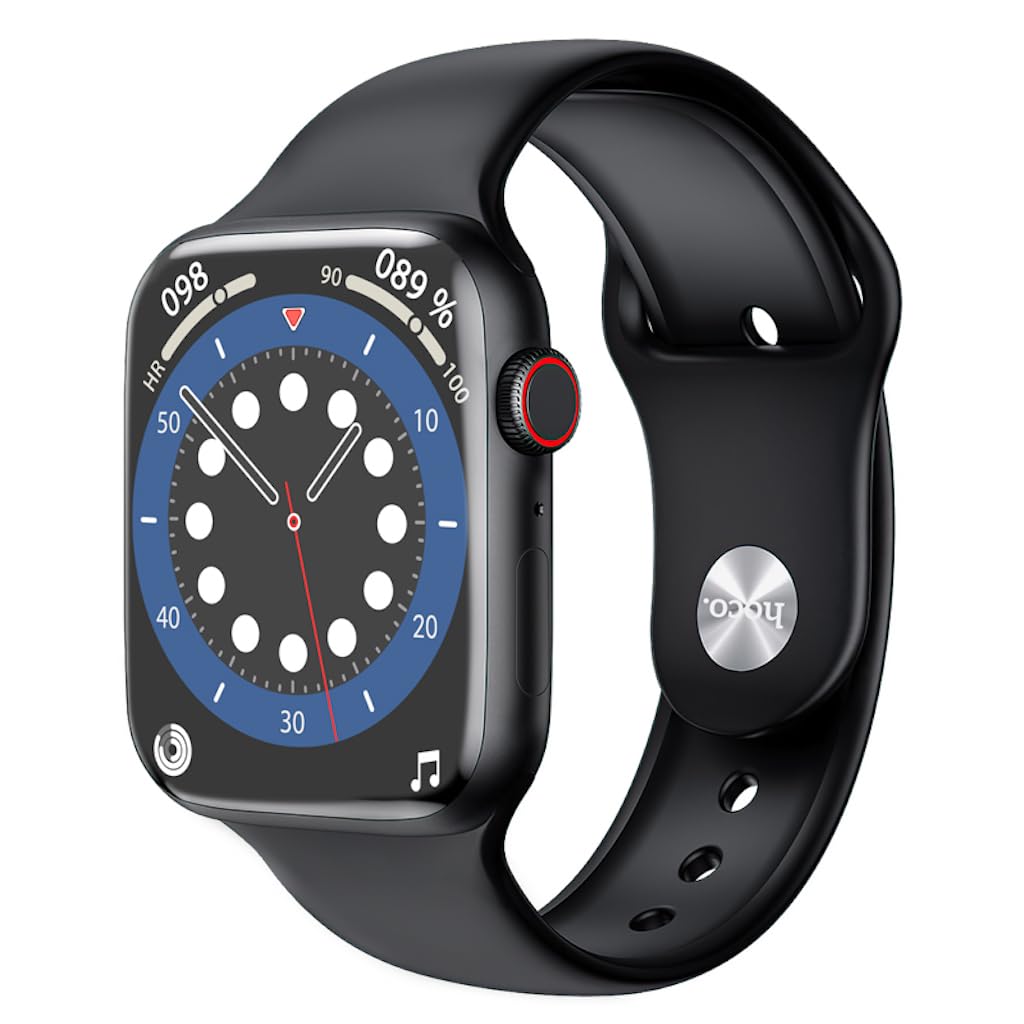
Figure 1: Front view of the HOCO Y5 Pro Smart Sports Watch displaying time and date.
Package Contents
Ensure all items are present in the package:
- HOCO Y5 Pro Smart Sports Watch
- HOCO Smart Watch Charging Cable
- User Manual (this document)
Setup
1. Charging the Device
Before first use, fully charge your HOCO Y5 Pro Smart Sports Watch. Connect the provided charging cable to the charging port on the back of the watch and plug the USB end into a standard USB power adapter (not included) or a computer's USB port.

Figure 2: Back of the watch with health sensors and charging contacts.
2. Powering On/Off
- To Power On: Press and hold the side button until the screen lights up.
- To Power Off: Press and hold the side button, then select 'Power Off' on the screen.
3. App Installation and Pairing
To unlock the full functionality of your smartwatch, download the companion application on your smartphone. Search for the recommended app (refer to the watch's on-screen instructions or packaging for the app name) in your phone's app store.
- Download and install the app on your smartphone.
- Enable Bluetooth on your smartphone.
- Open the app and follow the on-screen instructions to create an account and pair your HOCO Y5 Pro watch.
- Ensure the watch is near your phone during the pairing process.
Operating Instructions
Basic Navigation
- Swipe Up/Down: Scroll through menus or notifications.
- Swipe Left/Right: Access quick functions or widgets.
- Tap: Select an item or confirm an action.
- Side Button: Press to return to the home screen or wake the device.
Making and Receiving Calls
With Bluetooth 5.0, your HOCO Y5 Pro supports direct calls. Ensure your watch is paired with your smartphone.
- To Make a Call: Access the dialer or contacts list on your watch and select a contact or dial a number.
- To Receive a Call: When a call comes in, you can answer or reject it directly from the watch screen.
Health Monitoring
The watch tracks various health metrics:
- Heart Rate: The watch continuously monitors your heart rate. View real-time data on the watch or detailed history in the app.
- Blood Oxygen (SpO2): Measure your blood oxygen levels. Ensure the watch is snug on your wrist for accurate readings.
- Sleep Monitoring: Wear the watch to bed to track your sleep patterns, including deep sleep, light sleep, and wake times.

Figure 3: Watch interface showing health data.
Sports Modes
The HOCO Y5 Pro supports multiple sports modes. Navigate to the 'Sports' section on your watch to select an activity (e.g., running, walking, cycling). The watch will track your workout data, such as duration, distance, and calories burned.
Remote Photography
Control your smartphone camera remotely using your watch. Open the camera function in the companion app on your phone, then use the watch as a remote shutter button.
Notifications and Other Functions
Receive notifications for calls, messages, and app alerts directly on your watch. Other functions include weather display, split-screen display, and more, accessible through the watch interface.
Maintenance
Cleaning
Regularly clean your watch and strap with a soft, dry cloth. If necessary, use a slightly damp cloth and then dry thoroughly. Avoid harsh chemicals or abrasive materials.
Water Resistance (IP68)
The HOCO Y5 Pro is IP68 water resistant, meaning it can withstand immersion in water up to 1.5 meters for up to 30 minutes. It is suitable for daily use, such as hand washing or light rain. However, it is not recommended for swimming, diving, or exposure to hot water/steam.
Battery Care
- Avoid fully discharging the battery frequently.
- Charge the watch using only the provided charging cable.
- Store the watch in a cool, dry place when not in use for extended periods.
Troubleshooting
Watch Not Turning On
Ensure the watch is fully charged. If it still doesn't turn on, try holding the side button for an extended period (10-15 seconds) to force a restart.
Cannot Pair with Smartphone
- Make sure Bluetooth is enabled on your phone and the watch.
- Ensure the watch is within the Bluetooth range of your phone.
- Restart both the watch and your smartphone.
- Clear the app's cache or reinstall the app.
Inaccurate Health Readings
Ensure the watch is worn snugly on your wrist, not too tight or too loose. Clean the sensors on the back of the watch. Avoid excessive movement during measurements.
Short Battery Life
- Reduce screen brightness.
- Disable unnecessary notifications.
- Limit continuous heart rate monitoring if not needed.
- Ensure the watch is not constantly searching for a Bluetooth connection.
Specifications
| Feature | Detail |
|---|---|
| Model Number | Y5 Pro |
| Display | 1.85-inch TFT, 240*280 Resolution |
| CPU | Realtek 8762DT |
| Memory | RAM192KB + ROM128MB |
| Bluetooth Version | 5.0 (Supports calls) |
| Battery Capacity | 240 mAh |
| Battery Life | 3-4 days (dual Bluetooth), 7 days (single Bluetooth) |
| Water Resistance | IP68 |
| Operating System | Android (compatible) |
| Device Interface | Touchscreen |
| Color | Black |
| Item Weight | 177 g |
| Battery Cell Composition | Lithium Ion |
Warranty and Support
Your HOCO Y5 Pro Smart Sports Watch is covered by a manufacturer's warranty. Please refer to the warranty card included in your product packaging for specific terms and conditions.
For technical support, troubleshooting assistance, or warranty claims, please contact your retailer or the official HOCO customer service. Contact details can typically be found on the HOCO official website or on your purchase receipt.


