
Baseus NGTW330302
Baseus Bowie WM03 Wireless Earbuds User Manual
Model: NGTW330302
Introduction
Thank you for choosing the Baseus Bowie WM03 Wireless Earbuds. These earbuds are designed to provide an immersive audio experience with ultra-low latency, extended battery life, and stable Bluetooth 5.3 connectivity. This manual will guide you through the setup, operation, and maintenance of your new earbuds.
Package Contents

Image: Retail packaging of the Baseus Bowie WM03 Wireless Earbuds, showing the white box with product image.
- Baseus Bowie WM03 Wireless Earbuds (Left and Right)
- Charging Case
- USB Charging Cable (Type-C)
- User Manual (this document)
- Eartips (various sizes)
Product Overview

Image: The Baseus Bowie WM03 Wireless Earbuds placed inside their open charging case, showcasing their compact design.
The Baseus Bowie WM03 earbuds feature a mini, feather-light design, with each earbud weighing approximately 4.3 grams, ensuring comfortable wear for extended periods.

Image: A visual representation highlighting the lightweight nature of the Baseus Bowie WM03 earbuds, stating "Only 4.3g".
Key features include:
- Immersive Spatial Audio: Provides a 3D sound stage for an enhanced listening experience.
- Ultra-Low Latency (0.038s): Ensures minimal delay between audio and video, ideal for gaming.
- Extended Battery Life: Up to 38 hours of total playback with the charging case.
- Ultra-Fast Charging: Quick charging capabilities for minimal downtime.
- Bluetooth 5.3: For strong and stable wireless connectivity.

Image: A graphic summarizing the key features of the Baseus Bowie WM03 earbuds, including Immersive Spatial Audio, Ultra-Fast Charging, 38Hrs Longer Battery Life, Sound Positioning, 0.038s Ultra-Low Latency, and Bluetooth 5.3.
Setup
1. Charging the Earbuds and Case
Before first use, fully charge the earbuds and the charging case. Connect the USB charging cable to the charging port on the case and a power source. The indicator light on the case will show charging status.
- Place earbuds into the charging case to charge them.
- A 10-minute charge can provide up to 2 hours of playback.
- The case provides multiple charges for a total battery life of up to 38 hours.

Image: A graphic illustrating the battery life and charging capabilities of the Baseus Bowie WM03, showing 38 hours total battery life, 8 hours playback on one charge, and 10 minutes charge for 2 hours playback.
2. Pairing with Your Device
The Baseus Bowie WM03 earbuds utilize Bluetooth 5.3 for a stable and efficient connection.
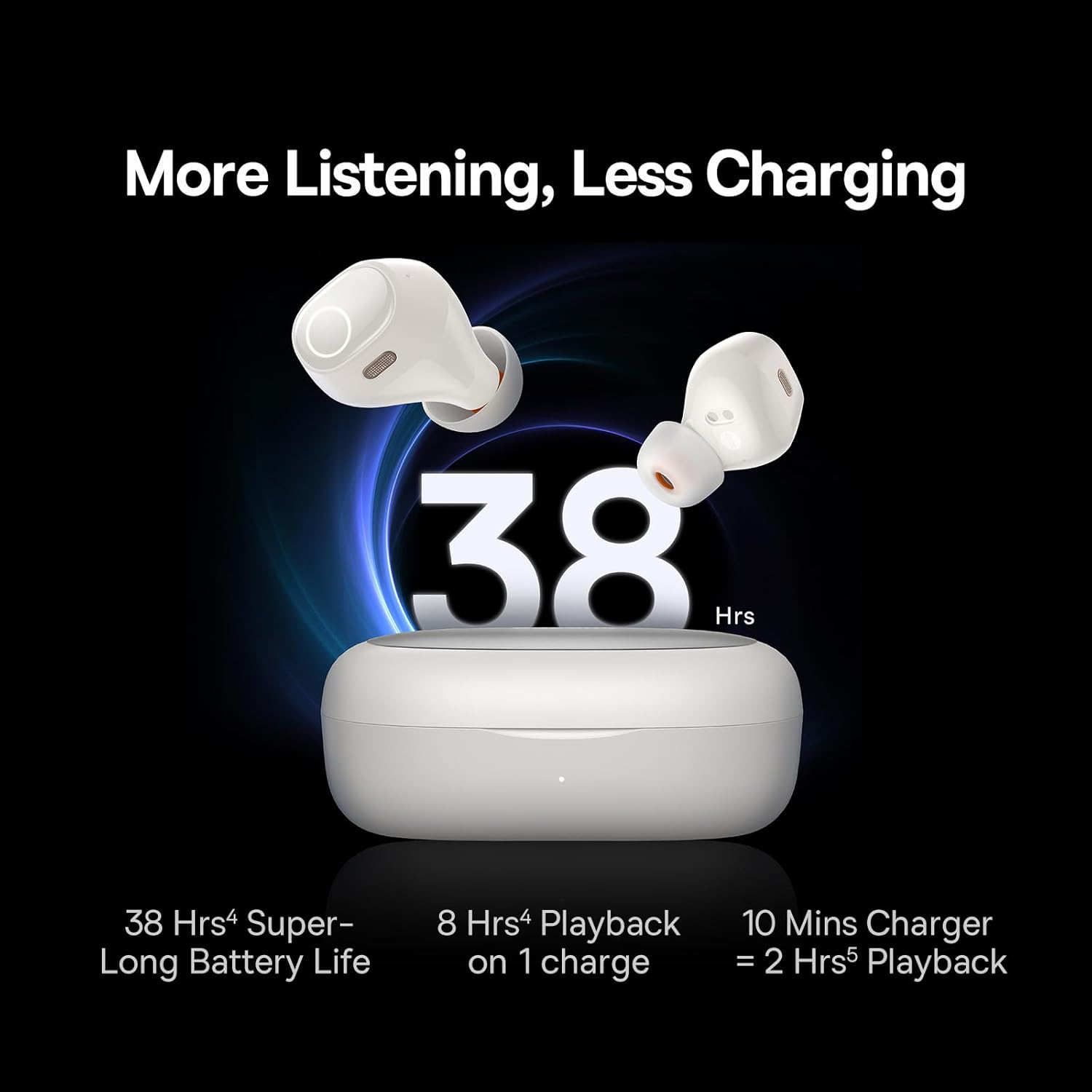
Image: A diagram showing the internal components of an earbud with a prominent "Bluetooth 5.3" logo, indicating strong and stable connection technology.
- Open the charging case. The earbuds will automatically enter pairing mode.
- On your device (smartphone, tablet, laptop), enable Bluetooth.
- Search for "Baseus Bowie WM03" in the list of available Bluetooth devices.
- Select "Baseus Bowie WM03" to connect. Once connected, you will hear a confirmation tone.
- For subsequent uses, the earbuds will automatically connect to the last paired device when taken out of the case.
Operating Instructions
Touch Controls
The Baseus Bowie WM03 earbuds feature intuitive touch controls on each earbud. The specific functions may vary slightly based on the mode (Music/Gaming).
| Action | Function |
|---|---|
| Single Tap (L/R) | Play/Pause Music, Answer/End Call |
| Double Tap (L) | Previous Track |
| Double Tap (R) | Next Track |
| Triple Tap (L/R) | Activate Voice Assistant |
| Long Press (L/R, 2s) | Reject Call |
| Long Press (L/R, 3s) | Switch between Music Mode / Gaming Mode |
Immersive Spatial Audio
The Baseus Bowie WM03 earbuds feature Baseus immersive spatial audio, creating a 3D sound stage that enhances your listening experience, whether for music or gaming.

Image: A comparison graphic showing two scenarios: "Gaming Mode" with a person playing on a phone, and "Music Mode" with a person listening to music, illustrating the 3D sound stage feature.
Ultra-Low Latency (Gaming Mode)
For an optimized gaming experience, the earbuds offer an ultra-low latency of 0.038 seconds. This significantly reduces audio delay, ensuring synchronized sound effects and dialogue during gameplay.

Image: A graphic emphasizing the 0.038s ultra-low latency feature, with a gamer playing on a smartphone, highlighting the superb audio-video syncopation.
To switch to Gaming Mode, perform the designated touch control action (refer to the touch control table above).
Maintenance
- Cleaning: Use a soft, dry, lint-free cloth to clean the earbuds and charging case. Do not use abrasive cleaners or solvents.
- Eartips: Regularly remove and clean the eartips with a damp cloth. Ensure they are completely dry before reattaching.
- Storage: When not in use, store the earbuds in their charging case to protect them and keep them charged.
- Avoid Water: The earbuds are not water-resistant. Avoid exposure to liquids, moisture, or extreme temperatures.
Troubleshooting
| Problem | Possible Solution |
|---|---|
| Earbuds not pairing | Ensure earbuds are charged. Turn off and on Bluetooth on your device. Place earbuds back in case, close, then reopen to re-enter pairing mode. |
| Only one earbud working | Ensure both earbuds are charged. Place both earbuds back in the case, close the lid for 5 seconds, then open again. Re-pair if necessary. |
| Low volume or poor sound quality | Adjust volume on your device. Clean eartips and earbud mesh. Ensure earbuds are properly seated in your ears. |
| Earbuds not charging | Check charging cable and power source. Ensure charging contacts on earbuds and case are clean and dry. |
| Connection unstable | Ensure no obstacles between earbuds and device. Move closer to your device. Avoid strong electromagnetic interference. |
Specifications
| Feature | Detail |
|---|---|
| Model Name | WM03 |
| Model Number | NGTW330302 |
| Brand | Baseus |
| Connectivity Technology | Wireless (Bluetooth 5.3) |
| Battery Life (Total with Case) | Up to 38 Hours |
| Ultra-Low Latency | 0.038s |
| Frequency Range | 20Hz - 20,000Hz |
| Earbud Weight | Approx. 4.3g (each) |
| Product Dimensions | 6.8 x 4.7 x 2.8 cm (Case) |
| Material | Plastic |
| Color | Creamy White |
| Water Resistance | Not Water Resistant |
Warranty and Support
Baseus products come with a standard manufacturer's warranty. For detailed warranty information, please refer to the warranty card included in your package or visit the official Baseus website. For technical support, troubleshooting assistance, or to inquire about replacement parts, please contact Baseus customer service through their official channels.
You can find more information and support at the Baseus Store on Amazon.
Related documentsNGTW330302


Ask a question about this manual
Ask about setup, troubleshooting, compatibility, parts, safety, or missing instructions. Manuals+ will review the question and use this page’s manual context to help answer it.