
LIGE 21dae076-0a49-4dbf-9dbb-f849fc896acd
LIGE 1.32 Inch HD Smart Watch User Manual
Model: 21dae076-0a49-4dbf-9dbb-f849fc896acd
1. Introduction
Thank you for choosing the LIGE 1.32 Inch HD Smart Watch. This manual provides detailed instructions on how to set up, operate, and maintain your smartwatch to ensure optimal performance and a seamless user experience. Please read this manual thoroughly before using the device.

Figure 1.1: LIGE 1.32 Inch HD Smart Watch
2. What's in the Box
Upon opening your LIGE Smart Watch package, please verify that all the following items are included:
- LIGE 1.32 Inch HD Smart Watch (with metal strap attached)
- Silicone Strap (additional)
- Charging Cable
- User Manual (this document)

Figure 2.1: Smart Watch and Included Straps
3. Setup Guide
3.1 Charging the Smart Watch
Before first use, fully charge your smartwatch. Connect the magnetic charging cable to the charging contacts on the back of the watch and plug the USB end into a standard USB power adapter (5V/1A recommended) or a computer USB port. The watch display will indicate charging status.
3.2 Installing the Companion App
To unlock the full functionality of your LIGE Smart Watch, you need to install the dedicated companion application on your smartphone. The app is compatible with iOS 9.0 or above and Android 4.4 or above.
- Scan the QR code provided in the watch packaging or search for the app name (e.g., 'GloryFit' or similar, refer to packaging for exact name) in the Apple App Store (for iOS) or Google Play Store (for Android).
- Download and install the application.
- Open the app and follow the on-screen instructions to create an account or log in.

Figure 3.1: App Download QR Codes on Packaging
3.3 Pairing with Your Smartphone
Ensure your smartphone's Bluetooth is enabled before proceeding.
- Open the companion app on your smartphone.
- Navigate to the 'Device' or 'My Device' section within the app.
- Tap 'Add Device' or 'Scan for Device'.
- Select your LIGE Smart Watch from the list of discovered devices. The watch name might appear as 'LIGE Smart Watch' or a similar identifier.
- Confirm the pairing request on both your smartphone and the smartwatch if prompted.
- Once paired, the watch will synchronize time and data with your phone.
4. Operating the Smartwatch
4.1 Basic Navigation
- Touchscreen: Swipe left/right to navigate between main functions, swipe up/down for quick settings or notifications. Tap to select.
- Side Button: Press to wake/sleep the screen, return to the main dial, or access the app menu. Long press for power options.
4.2 Making and Receiving Calls
With Bluetooth 5.0 connectivity, your smartwatch allows you to make and receive calls directly from your wrist when connected to your smartphone.
- Making Calls: Access the 'Call' function on the watch, dial a number, or select from your synchronized contacts.
- Receiving Calls: When a call comes in, the watch will display the caller ID. Tap the green icon to answer or the red icon to reject.
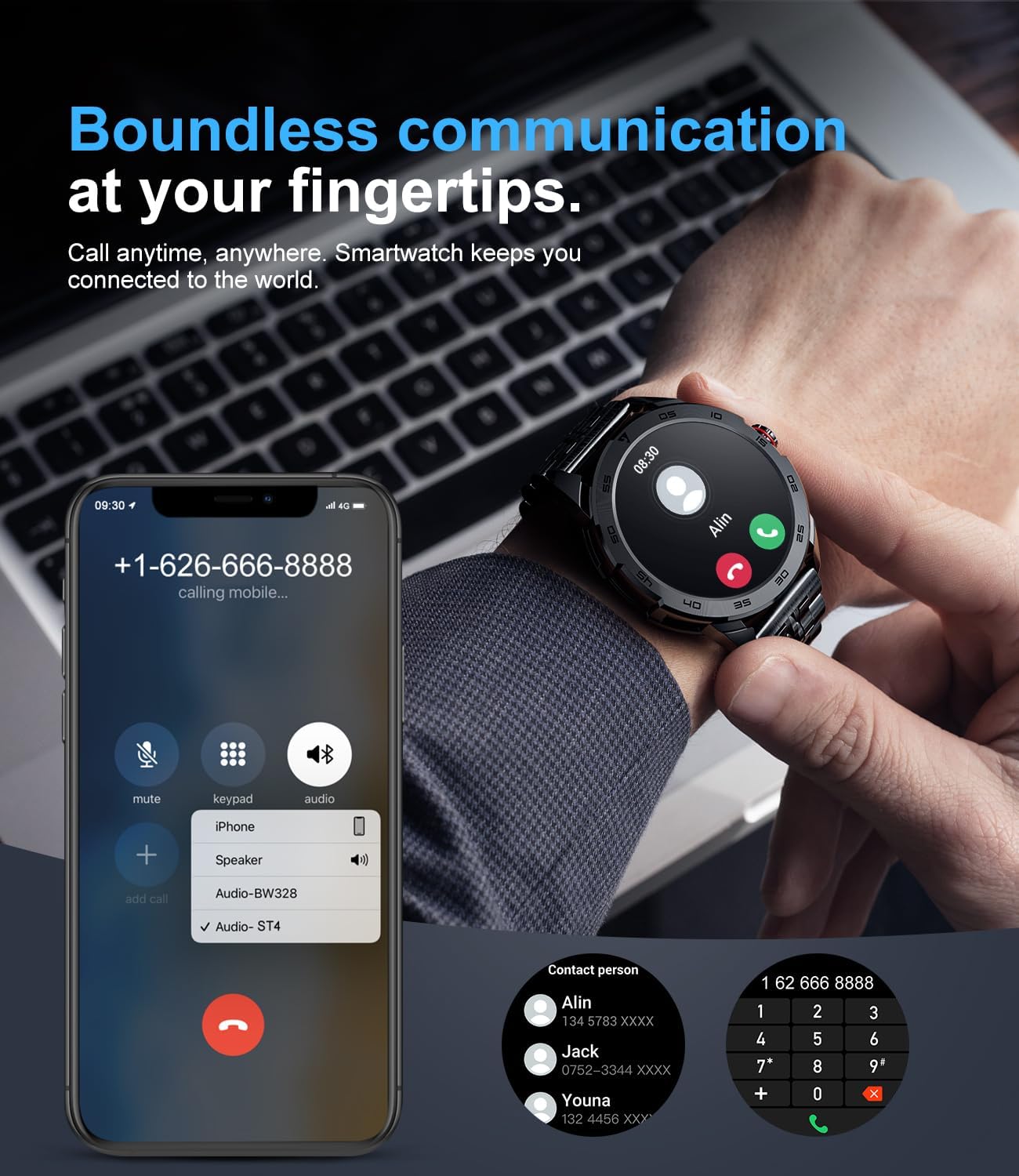
Figure 4.1: Bluetooth Call Functionality
4.3 Notifications
The smartwatch can synchronize messages and notifications from your smartphone, including WhatsApp, Twitter, Facebook, and more. Ensure notification permissions are enabled in both your phone's settings and the companion app.

Figure 4.2: Smartwatch Message Alerts
4.4 Health Monitoring
The LIGE Smart Watch provides real-time health tracking features. Note: Data is for reference only and should not be used for medical purposes.
- Heart Rate Monitoring: Continuously tracks your heart rate throughout the day.
- Blood Oxygen (SpO2) Monitoring: Measures your blood oxygen saturation levels.
- Blood Pressure Monitoring: Provides estimated blood pressure readings.
- Sleep Monitoring: Analyzes your sleep patterns (deep sleep, light sleep, wakefulness) to provide a comprehensive sleep quality report in the app.

Figure 4.3: Health Monitoring Features
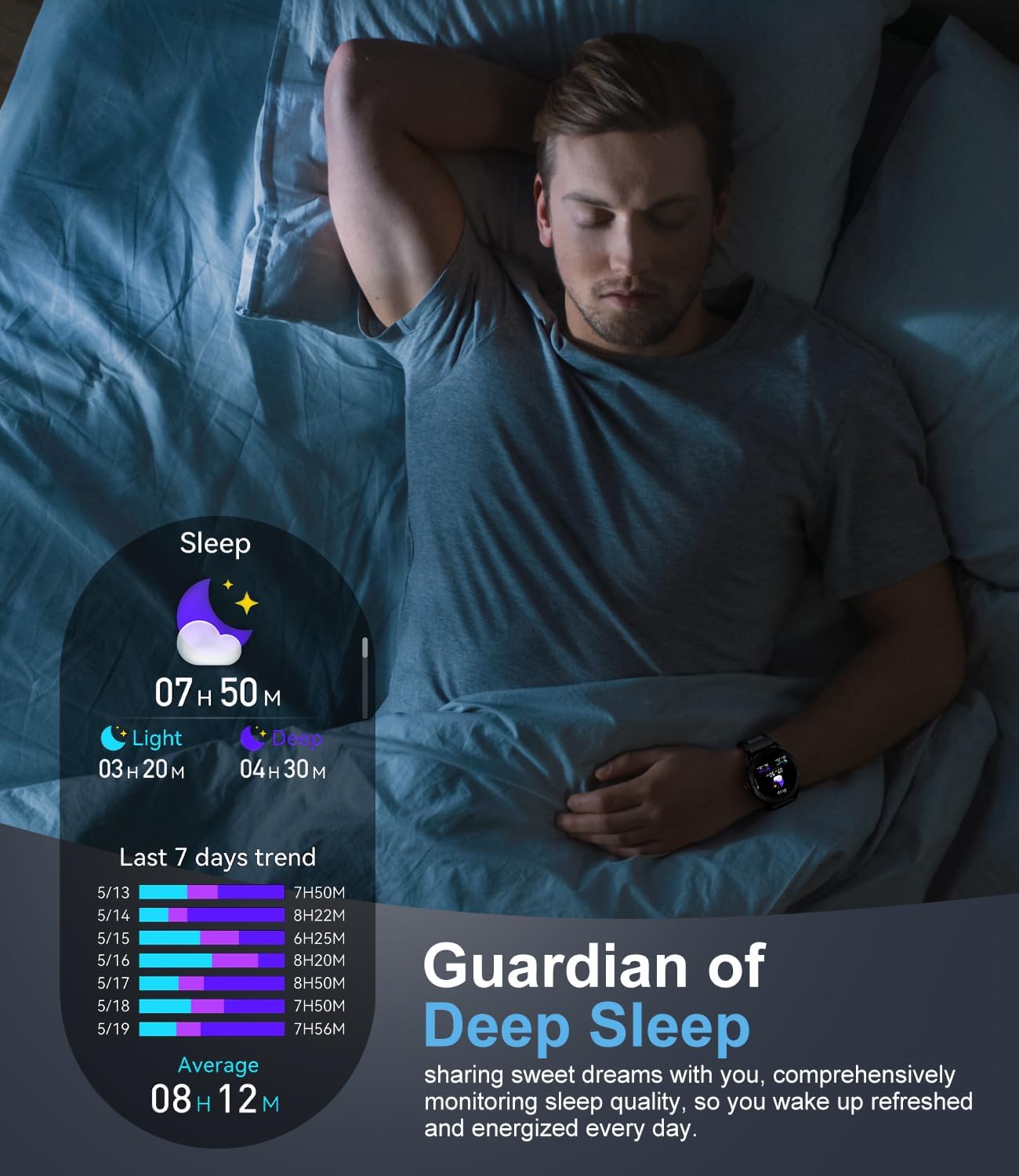
Figure 4.4: Sleep Monitoring
4.5 Sports Modes
The smartwatch supports over 100 sports modes, including walking, running, cycling, basketball, badminton, and more. It tracks activity data such as steps, distance, time, and calories burned. Detailed workout data can be viewed in the companion app.
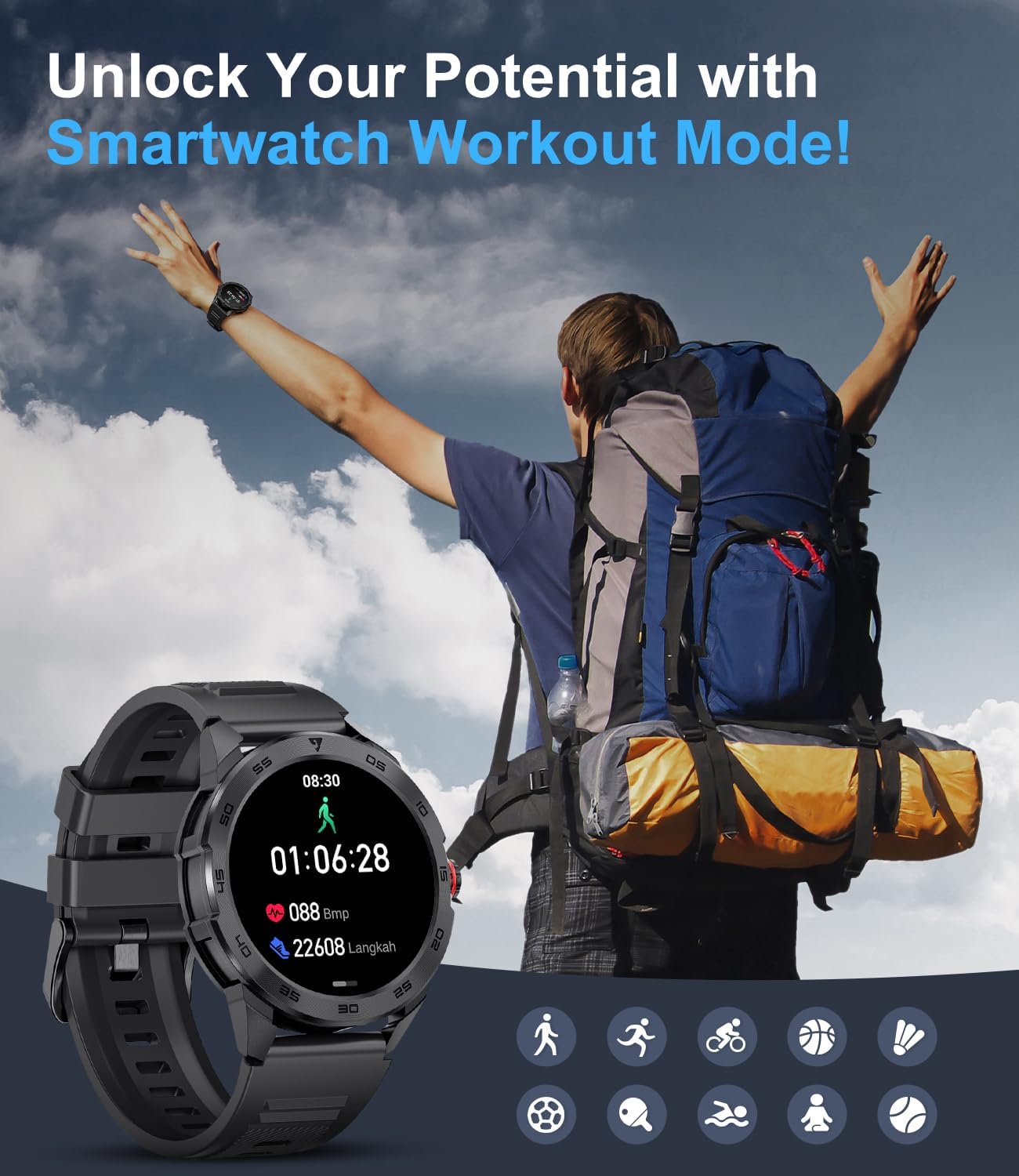
Figure 4.5: Smartwatch Workout Mode
4.6 Customizing Watch Faces
Personalize your smartwatch by choosing from a variety of watch faces available through the companion app. You can also upload your own photos to create custom dials.
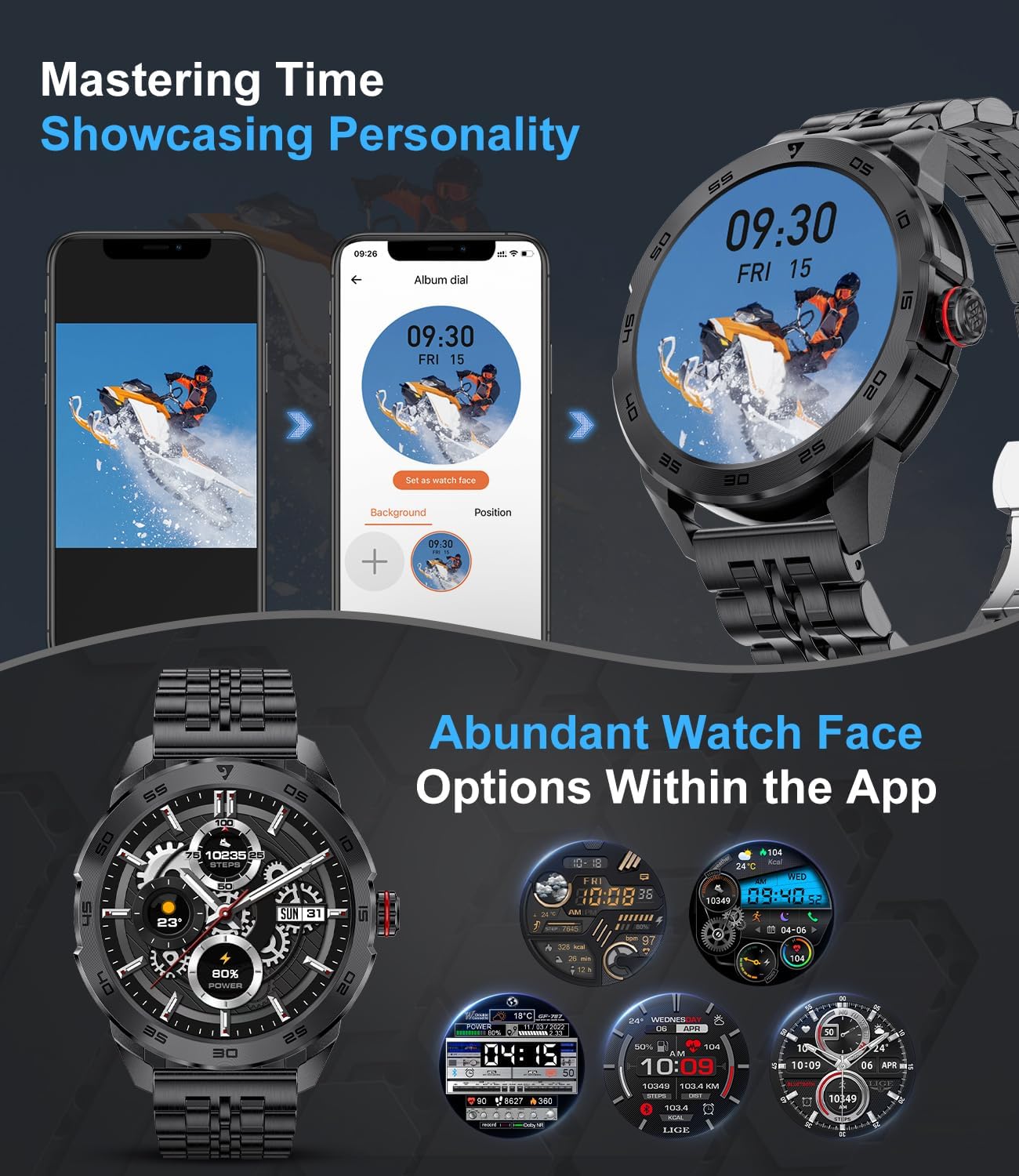
Figure 4.6: Abundant Watch Face Options
4.7 Other Useful Functions
The smartwatch includes several other features to assist with your daily needs:
- Music Control: Control music playback on your smartphone (play, pause, skip tracks).
- Calculator: A basic calculator for quick computations.
- Sedentary Reminder: Alerts you when you've been inactive for too long.
- Alarm Clock: Set alarms directly from your wrist.
- Stopwatch: For timing activities.
- Do Not Disturb Mode: Mutes notifications during specified times.
5. Maintenance
5.1 Cleaning Your Smart Watch
Regularly clean your smartwatch and strap to prevent skin irritation and maintain device longevity.
- Wipe the watch body and strap with a soft, lint-free cloth.
- For stubborn dirt, slightly dampen the cloth with water. Do not use harsh chemicals or abrasive materials.
- Ensure the watch is completely dry before charging or wearing.
5.2 Water Resistance
The LIGE Smart Watch is designed to be resistant to splashes and sweat, making it suitable for daily use and light exercise. However, it is not recommended for swimming, showering, or diving. Avoid prolonged exposure to water.
5.3 Battery Care
- Avoid fully discharging the battery frequently.
- Charge the watch using the provided charging cable and a compatible power source.
- Store the watch in a cool, dry place when not in use for extended periods.
6. Troubleshooting
If you encounter issues with your LIGE Smart Watch, refer to the following common problems and solutions:
| Problem | Possible Solution |
|---|---|
| Watch does not turn on | Ensure the watch is fully charged. Connect to the charger for at least 30 minutes. |
| Unable to pair with smartphone | Ensure Bluetooth is enabled on your phone. Restart both the watch and phone. Check app permissions. Make sure the watch is not paired with another device. |
| Notifications not received | Check notification permissions in your phone's settings and within the companion app. Ensure the watch is connected via Bluetooth. Disable 'Do Not Disturb' mode on the watch. |
| Inaccurate health data | Ensure the watch is worn snugly on your wrist, not too tight or too loose. Clean the sensor on the back of the watch. Note that data is for reference only. |
| Short battery life | Reduce screen brightness. Turn off continuous heart rate monitoring if not needed. Limit frequent use of power-intensive features like calls. |
If the problem persists, please contact customer support for assistance.
7. Specifications
| Feature | Detail |
|---|---|
| Model Number | 21dae076-0a49-4dbf-9dbb-f849fc896acd |
| Screen Size | 1.32 Inches |
| Connectivity | Bluetooth 5.0 |
| Compatibility | Android 4.4+ / iOS 9.0+ |
| Battery Type | 1 Lithium Polymer (included) |
| Product Dimensions | 15.24 x 5.08 x 7.62 cm |
| Weight | 270 g |
| Special Features | Time Display, Heart Rate Monitoring, Blood Oxygen, Blood Pressure, Sleep Tracking, 100+ Sports Modes, Call Function, Notifications, Music Control, Sedentary Reminder, Alarm, Stopwatch, Calculator |
8. Warranty and Support
LIGE provides a 24-month product warranty service for your smartwatch, covering replacement, return, or repair services. This warranty period begins from the date of purchase.
If you experience any issues with your product or require technical assistance, please do not hesitate to contact our customer support team. We are committed to providing a satisfactory solution within 24 hours.
Contact Information: Please refer to your product packaging or purchase documentation for specific customer service contact details.
Related documents21dae076-0a49-4dbf-9dbb-f849fc896acd


Ask a question about this manual
Ask about setup, troubleshooting, compatibility, parts, safety, or missing instructions. Manuals+ will review the question and use this page’s manual context to help answer it.