
GreenYi GreenYi-204
GreenYi AHD 720P Multi-View Camera Instruction Manual
Model: GreenYi-204
Introduction
This manual provides detailed instructions for the installation, operation, and maintenance of your GreenYi AHD 720P Multi-View Camera. This camera is designed for use as a backup, front, or side view camera in various vehicles including cars, SUVs, RVs, trailers, campers, vans, and pickups. Please read this manual thoroughly before installation and use to ensure proper function and longevity of the product.

Image: The GreenYi AHD 720P Multi-View Camera, showcasing its compact design and lens.
Package Contents
Verify that all items listed below are included in your package:
- Camera Body
- Metal Camera Holder with Accessories
- 26.2FT Double-shielded Video Cable
- 5FT 4Pin to RCA Power Cable
- Installation Kits (including mini wrench, zip ties, wire clamps, electrical adhesive tape, T-tap set, mini screwdriver)
- User Manual
- Thanks Card
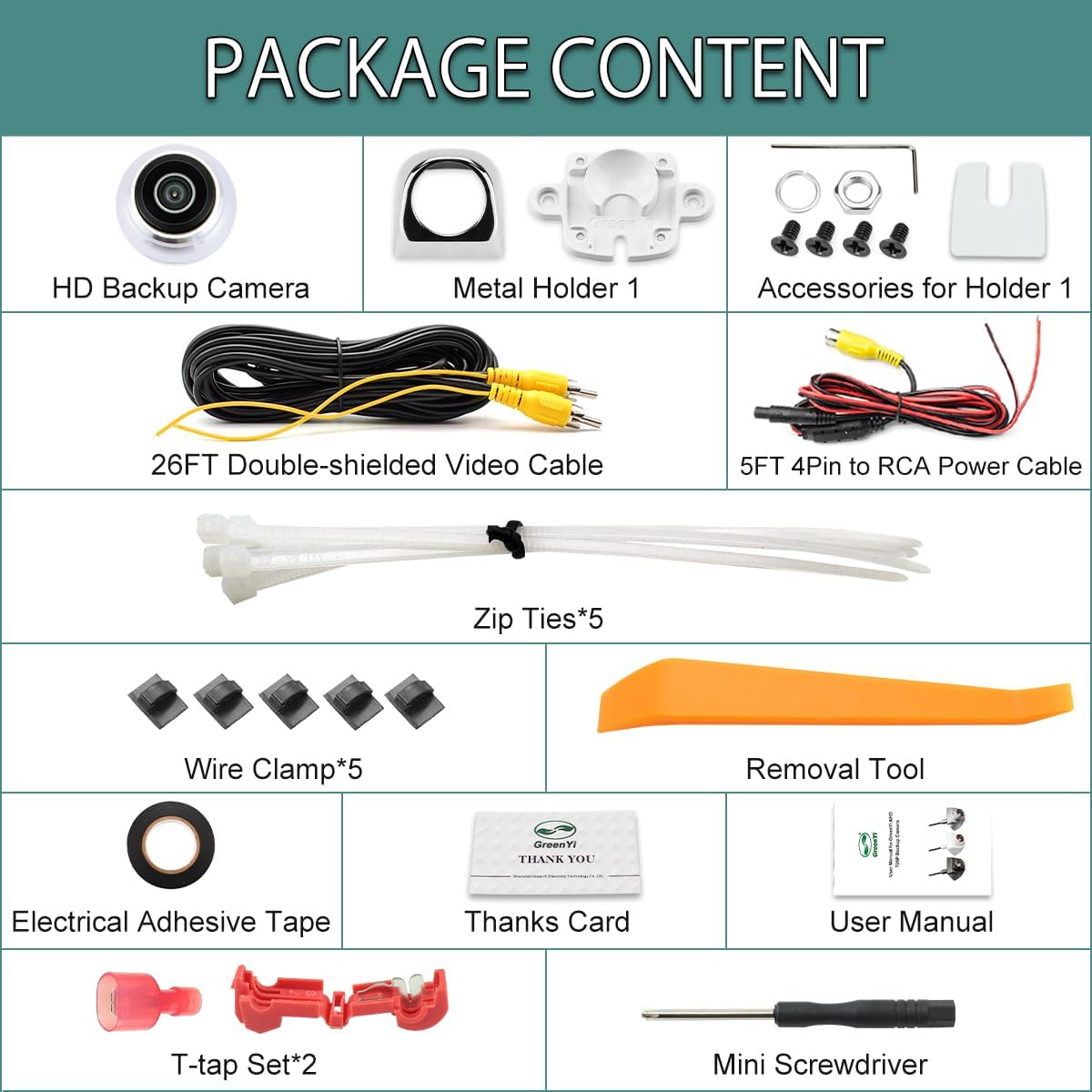
Image: A visual representation of all components included in the GreenYi AHD 720P Multi-View Camera package, such as the camera, cables, mounting hardware, and tools.
Setup and Installation
The GreenYi AHD 720P camera offers versatile installation options for front, rear, or side views. The camera body is 360-degree rotatable, allowing for optimal viewing angle adjustment. Use the provided mini wrench to adjust the lens part.
Installation Positions
- Front View: Install between the grille, below the lip, or upside down on the grille.
- Rear View: Install near the trunk switch, on the trunk door, or on the rear top (can be installed upside down).
- Side View: Install below the side mirror or on the car body.

Image: Examples of various installation locations for the camera, including front grille, rear trunk, and side mirror mounts, demonstrating its flexibility.

Image: Diagram illustrating the 360-degree rotatable camera body and how to adjust its angle using the included mini wrench.
Wiring Diagram
The camera connects to your monitor via an RCA video input. Ensure your monitor supports RCA video input. The 4-pin connector on the camera cable converts to RCA for compatibility.

Image: Detailed wiring diagram showing connections for the camera to a head unit or monitor, including power and video signal lines.

Image: Diagram explaining the 4-pin female plug pin definitions and a warning about compatibility with monitors that do not support RCA video input.
Important Note: This camera has an RCA video output plug. It must work with monitors that support RCA video input. It is generally not compatible with dash cams, mirror cams, or GPS units that lack this specific input type.
Installation Video Guide
Video: An official GreenYi installation guide demonstrating various mounting positions and methods for the HD backup camera on different vehicle types.
Operating Instructions
The GreenYi AHD 720P camera features three switcher cables to customize its functionality:
- White Cable: Cut the white cable to switch from mirror image (default for rear view) to non-mirror image (for front view).
- Orange Cable: Cut the orange cable to switch from CVBS video signal to AHD video signal. This option is available if your monitor supports AHD 720P 30HZ (NTSC) video settings.
- Green Cable: Cut the green cable to turn off the parking guide lines.
Note: After cutting any cable, you must reconnect the power supply to apply the changes. Cables can be reconnected if the original setting is desired.

Image: Illustration of the white, orange, and green switcher cables and their functions for adjusting mirror image, video signal type, and parking guidelines.
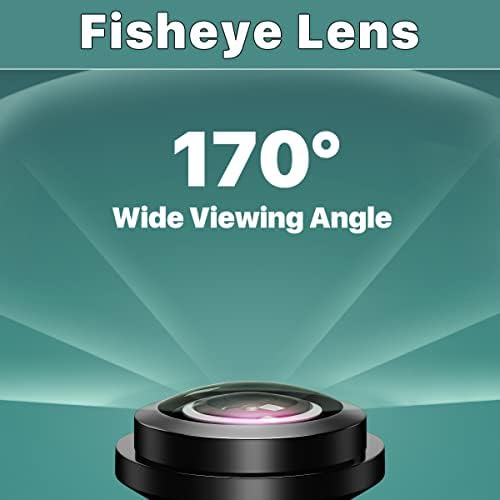
Image: Depiction of the camera's fisheye lens providing a 170-degree wide viewing angle, minimizing blind spots.
Maintenance
To ensure optimal performance and longevity of your GreenYi camera, follow these maintenance guidelines:
- Cleaning: Regularly clean the camera lens with a soft, damp cloth to remove dirt or debris that may obstruct the view. Avoid abrasive cleaners.
- Waterproof Rating: The camera features an IP68 waterproof rating, ensuring proper operation during car washes or in adverse weather conditions.
- Cable Integrity: Periodically inspect the video and power cables for any signs of wear, damage, or loose connections.
- Mounting Security: Ensure the camera remains securely mounted to prevent vibrations or dislodgement.

Image: Visual representation of the camera's IP68 waterproof rating, showing it withstands water exposure like car washing.

Image: Cross-section diagram illustrating the double-shielded pure copper video cable, designed for durability and signal integrity.
Troubleshooting
If you encounter issues with your GreenYi camera, refer to the following common problems and solutions:
- No Image on Monitor:
- Ensure all cables are securely connected.
- Verify that your monitor supports RCA video input.
- Check power supply to the camera.
- Confirm the correct video input source is selected on your monitor.
- Image is Mirrored (when used as front camera):
- Cut the white cable and reconnect power to switch to non-mirror image.
- No Parking Guidelines:
- Cut the green cable and reconnect power to enable parking guidelines. If already cut, reconnect it.
- Poor Image Quality / Interference:
- Ensure the camera lens is clean.
- Check for proper shielding of the video cable.
- Verify that the video signal type (CVBS/AHD) matches your monitor's settings. If your monitor supports AHD, try cutting the orange cable and reconnecting power.
- Camera Not Compatible with Dash Cam/GPS:
- This camera is designed for monitors with RCA video input. It is generally not compatible with devices like dash cams or GPS units that lack this specific input type.
Specifications
| Model Number | GreenYi-204 |
| Resolution | 1280x720p (AHD 720P) |
| Viewing Angle | 170 Degrees (Fisheye Lens) |
| Waterproof Rating | IP68 |
| Video Output | RCA (via 4-pin adapter cable) |
| Operating Voltage | Up to 24 Volts |
| Optical Sensor Technology | CCD |
| Special Features | Adjustable 360° camera body, mirror/non-mirror switch, AHD/CVBS switch, guideline on/off switch, night vision. |
| Product Dimensions | 1.27"L x 1.22"W x 0.94"H |
| Item Weight | 2.08 ounces |

Image: An exploded diagram showing the internal components of the camera lens, including fisheye lenses, optical lenses, and the CCD sensor.

Image: Close-up view of the CCD 2053 chip, indicating the core image processing technology within the camera.

Image: A simulated view demonstrating the camera's night vision capabilities, showing clear visibility in low-light conditions.
Warranty and Support
For warranty information or technical support, please refer to the contact details provided with your purchase or visit the official GreenYi website. Keep your purchase receipt as proof of purchase.
Related documentsGreenYi-204


Ask a question about this manual
Ask about setup, troubleshooting, compatibility, parts, safety, or missing instructions. Manuals+ will review the question and use this page’s manual context to help answer it.