1. Introduction
The LEKATO AM-718 is a versatile 2-in-1 device combining a digital metronome with a portable Bluetooth speaker. Designed for musicians, it offers precise tempo guidance, vocal counting, and audio playback capabilities, making it suitable for practicing various musical instruments.
2. Product Features
- Bluetooth Integration: Connects via Bluetooth 5.0 for beat sounds and music playback with a 10-meter range and low latency.
- Versatile Functionality: Features vocal counts, powerful sound output, and a clear LED tempo indicator. Includes a 3.5mm earphone jack for private practice.
- Essential Rhythm Tool: Offers a tempo range of 30 to 260 beats per minute, 10 beat options (0-9), and 8 rhythm patterns to support diverse musical genres.
- Portable Design: Compact and durable, allowing for easy transport and use as a portable Bluetooth speaker when the metronome function is disengaged.
- Rechargeable Battery: Built-in lithium battery provides approximately 10 hours of playtime on a 2-hour charge. Includes a USB Type-C cable for convenient charging.
3. Package Contents
The LEKATO AM-718 package typically includes:
- LEKATO AM-718 Bluetooth Speaker Metronome
- USB Type-C Charging Cable
- User Manual
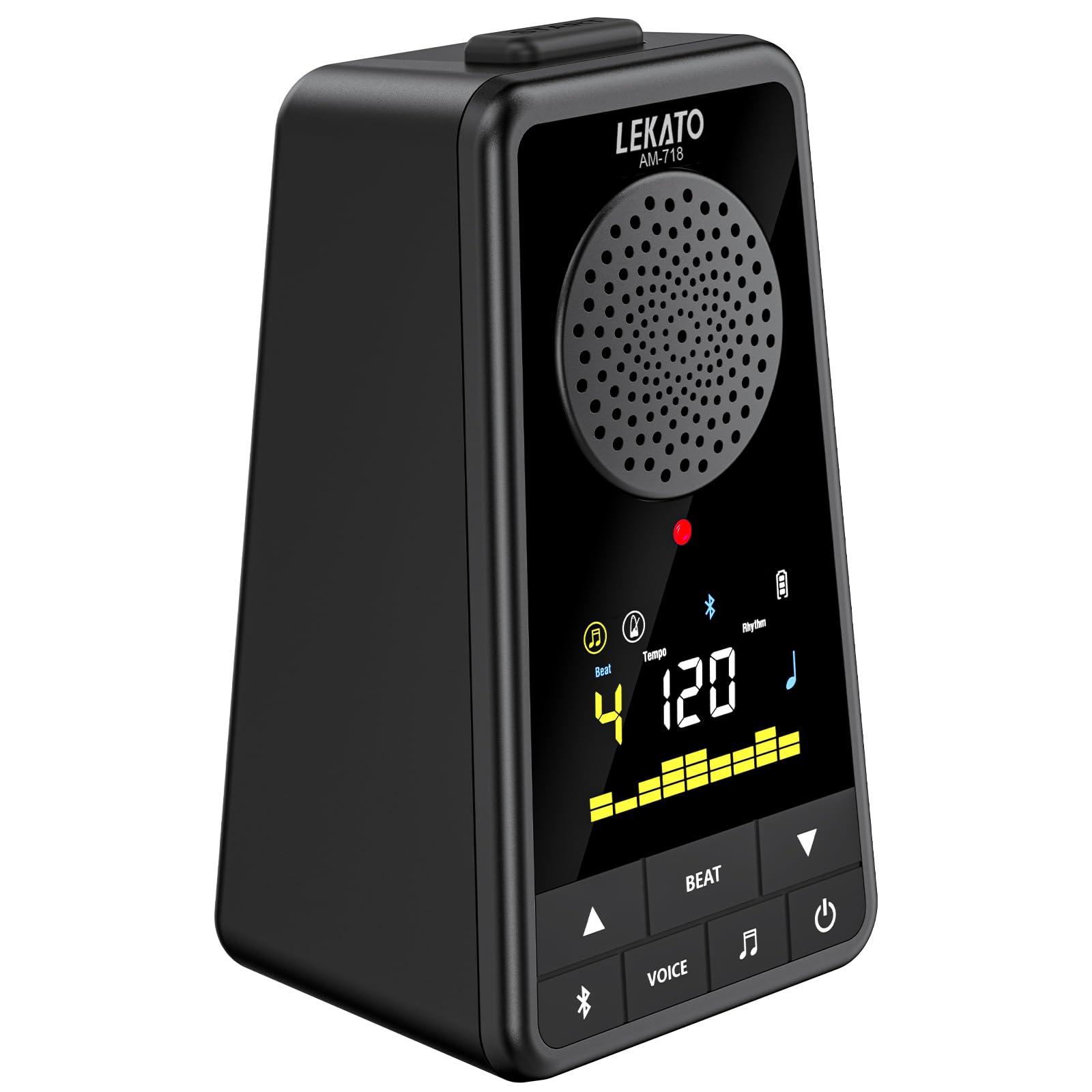
Image: The LEKATO AM-718 device shown with its USB-C charging cable and user manual.
4. Device Layout and Controls

Image: Front and side view of the LEKATO AM-718 metronome, highlighting its speaker, display, and control buttons.
- Display Screen: Shows current beat, tempo, rhythm pattern, and battery status.
- Tempo Knob: Rotates to adjust the beats per minute (BPM).
- BT Button: Activates Bluetooth pairing mode.
- VOICE Button: Toggles vocal counting on/off.
- BEAT Button: Cycles through different beat counts (0-9).
- RHY Button: Cycles through different rhythm patterns.
- Power Button: Turns the device on/off.
- Volume Slider: Adjusts the overall sound output volume.
- Headphone Jack (3.5mm): For private listening.
- USB 5V (Type-C) Port: For charging the device.
5. Setup
5.1 Charging the Device
- Connect the provided USB Type-C cable to the USB 5V port on the side of the metronome.
- Plug the other end of the USB cable into a compatible USB power adapter (not included) or a computer's USB port.
- The battery indicator on the display will show charging status. A full charge typically takes 2 hours.

Image: The LEKATO AM-718 metronome connected to a USB-C cable for charging.
5.2 Powering On/Off
- Press and hold the Power button for 2 seconds to turn the device on or off.
6. Operating Instructions
6.1 Metronome Function
- Adjusting Tempo: Rotate the Tempo knob clockwise to increase BPM or counter-clockwise to decrease BPM (range: 30-260 BPM).
- Changing Beat: Press the BEAT button to cycle through different beat counts (0, 1, 2, 3, 4, 5, 6, 7, 8, 9).
- Selecting Rhythm: Press the RHY button to choose from 8 different rhythm patterns.
- Vocal Counting: Press the VOICE button to toggle vocal counting (e.g., "one, two, three, four") on or off.
- Start/Pause: Press the Power button briefly to start or pause the metronome.

Image: The LEKATO AM-718 metronome displaying vocal counts "one two three four" on its screen, indicating the vocal counting feature is active.
6.2 Bluetooth Speaker Function
- Pairing: Turn on Bluetooth on your phone or instrument. Search for the device named "AM-718" and pair.
- Audio Playback: Once paired, you can play music or backing tracks through the metronome's speaker.
- Mixing Audio: The device can mix metronome beats with Bluetooth audio.
- Standalone Speaker: To use solely as a Bluetooth speaker, turn off the metronome beat sound.

Image: The LEKATO AM-718 metronome functioning as a wireless mobile speaker, showing Bluetooth connectivity range.
6.3 Headphone Use
- Plug 3.5mm headphones into the headphone jack for private practice sessions.
7. Maintenance
- Keep the device dry and away from extreme temperatures.
- Clean with a soft, dry cloth. Avoid abrasive cleaners.
- Store in a safe place to prevent physical damage.
8. Troubleshooting
- No Sound: Check volume level and ensure headphones are properly connected or Bluetooth is paired correctly.
- Device Not Turning On: Ensure the battery is charged. Connect to a power source using the USB-C cable.
- Bluetooth Pairing Issues: Ensure the device is in pairing mode and within the 10-meter range. Try restarting both the metronome and the Bluetooth source device.
9. Specifications
| Item Weight | 12 ounces |
| Product Dimensions | 3.78 x 2.83 x 5.75 inches |
| Battery Type | Lithium (included) |
| Connectivity | Bluetooth 5.0, USB Type-C |
| Tempo Range | 30-260 BPM |
| Playtime | Up to 10 hours (on 2-hour charge) |
10. Official Product Videos
Overview of Electronic Metronome for Guitar Piano Violin Musical
Video Description: This video provides a general overview of the electronic metronome, demonstrating its basic functions and how it can be used with various musical instruments like guitar, piano, and violin. It highlights the device's compact design and ease of use.
11. Warranty and Support
For warranty information and customer support, please refer to the official LEKATO website or contact their customer service directly. Details can typically be found in the included user manual or on the product packaging.


