
Introduction
This manual provides comprehensive instructions for the Veho Kuzo Sports Smart Watch F1S. Please read this manual carefully before using your device to ensure proper operation and to maximize its features. Keep this manual for future reference.

Image: Front view of the Veho Kuzo Sports Smart Watch F1S, showcasing its round display and rugged design.
Safety Information
Always follow basic safety precautions when using this device to reduce the risk of injury, electric shock, fire, or damage to the product.
- Do not attempt to disassemble or modify the device.
- Keep the device away from extreme temperatures and direct sunlight.
- Avoid exposing the device to strong impacts or drops.
- Consult a medical professional before starting any new exercise regimen, especially if you have pre-existing health conditions.
- The device is water-resistant (IP68) but not waterproof for diving or high-pressure water activities.
Package Contents
Ensure all items are present in the box:
- Veho Kuzo Sports Smart Watch F1S (Black)
- Magnetic Charging Cradle (USB-A)
- Multi-language User Manual
Setup
1. Charging the Smart Watch
Before first use, fully charge your Veho Kuzo F1S Smart Watch.
- Connect the magnetic charging cradle to a USB-A power source (e.g., computer USB port, wall adapter).
- Align the magnetic pins of the cradle with the charging contacts on the back of the watch. The watch will snap into place and display a charging indicator.
- Charge for approximately 2 hours for a full charge. A full charge provides up to 15 days of typical use.

Image: Graphic illustrating the 15-day battery life of the Veho Kuzo F1S Smart Watch.
2. Installing the Companion App
To unlock all features and synchronize data, download the official companion app on your smartphone.
- The app is compatible with Apple iOS and Android devices.
- Search for "Kuzo" or "Veho Kuzo" in your device's app store.
- Install the app and follow the on-screen instructions to create an account.
3. Pairing with Your Smartphone
After installing the app, pair your watch with your phone via Bluetooth.
- Ensure Bluetooth is enabled on your smartphone.
- Open the companion app and navigate to the device pairing section.
- Turn on your Veho Kuzo F1S Smart Watch.
- Select your watch from the list of available devices in the app.
- Confirm the pairing request on both your watch and smartphone.

Image: A smartphone displaying the Veho Kuzo companion app, showing health and activity data.
Operating Instructions
Basic Navigation
The Veho Kuzo F1S features a 1.3-inch AMOLED touchscreen and physical buttons for navigation.
- Touchscreen: Swipe up, down, left, or right to navigate through menus and widgets. Tap to select items.
- Side Buttons: Use the physical buttons on the side of the watch to return to the home screen, access sports modes, or other quick functions.
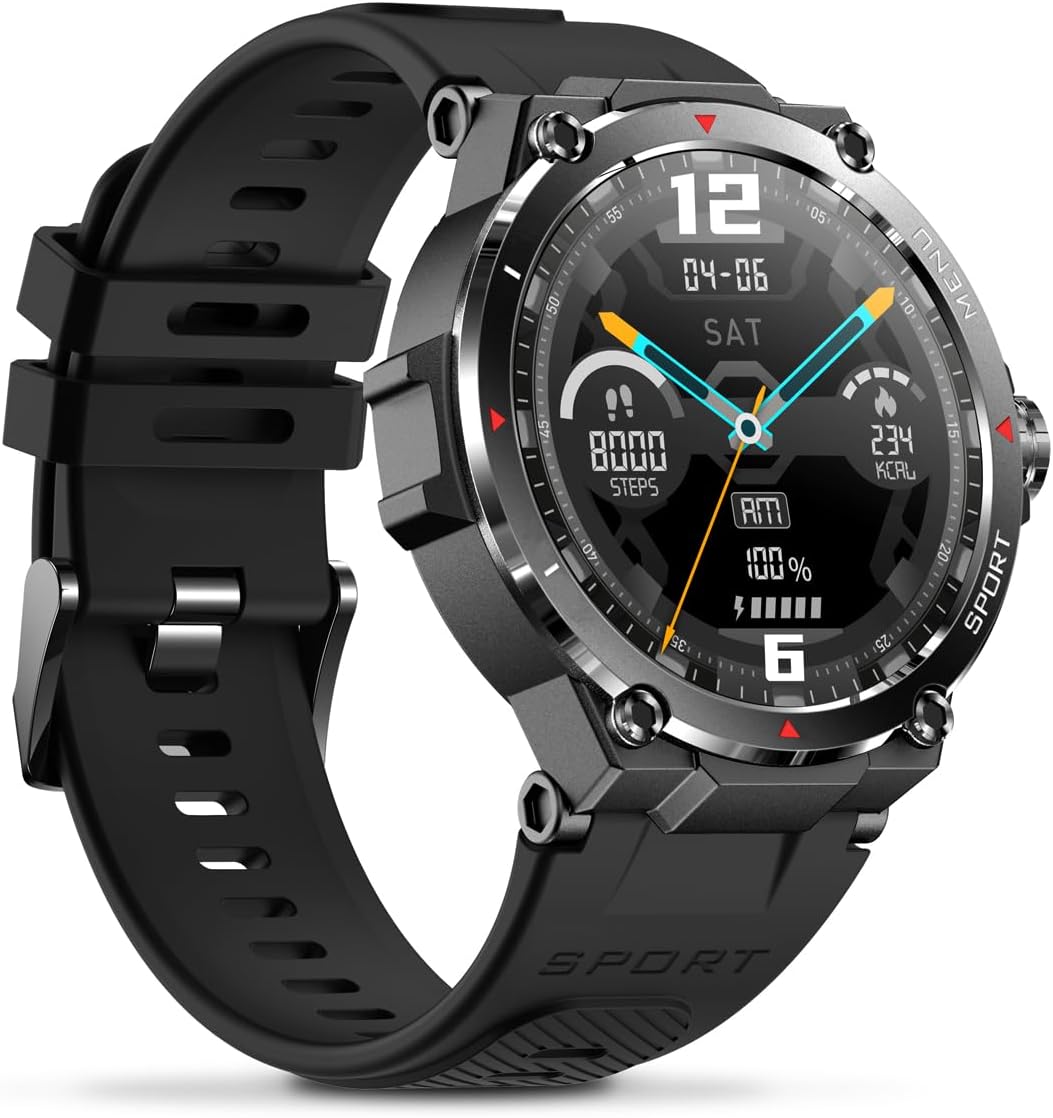
Image: Side view of the Veho Kuzo F1S Smart Watch, highlighting the control buttons and rugged casing.
Health and Fitness Tracking
The watch continuously monitors various health and fitness metrics.
- Heart Rate: 24/7 heart rate monitoring. View real-time data on the watch or detailed trends in the app.
- Blood Oxygen: Measure your blood oxygen levels.
- Activity Tracker: Tracks steps, calories burned, and distance covered. Supports walking, running, and cycling.
- Sleep Monitor: Monitors daily, weekly, and monthly sleep patterns, detailing deep sleep, light sleep, and awake times.
- GPS: Built-in 3-mode GPS (GPS+Beidou+Glonass) and Assisted GPS (AGPS) for accurate outdoor performance tracking and live map positioning. Compatible with STRAVA.

Image: The Veho Kuzo F1S Smart Watch displaying heart rate monitoring data.
Smart Features
- Notifications: Receive push notifications from apps like WhatsApp, Twitter, Facebook, LinkedIn, Skype, YouTube, Messenger, and Instagram directly on your watch.
- Music Control: Control music playback (volume, skip tracks, play/pause) on your paired smartphone directly from the watch.
- Time Functions: Access alarm, timer, intermittent timer, stopwatch, and countdown functions.
- Find Phone: Use your watch to locate your paired smartphone.
- News/Weather App: Integrated news and weather application functionality.
- Customizable Watch Faces: Choose from hundreds of different watch face designs through the companion app.
Maintenance
Cleaning
To maintain the watch's appearance and functionality:
- Wipe the watch and strap regularly with a soft, damp cloth.
- Avoid using harsh chemicals or abrasive cleaners.
- Ensure the charging contacts are clean and dry before charging.
Water Resistance (IP68)
The Veho Kuzo F1S Smart Watch has an IP68 rating, meaning it is water-resistant in fresh water up to a maximum depth of 1.5 meters for up to 30 minutes, and is protected from dust.
- Do not use the watch for diving, snorkeling, or high-speed water sports.
- Avoid exposing the watch to hot water, steam, or detergents.
- Dry the watch thoroughly after exposure to water.
Battery Care
- Charge the watch regularly to maintain battery health.
- Avoid completely draining the battery frequently.
- Store the watch in a cool, dry place if not used for extended periods.
Troubleshooting
If you encounter issues with your Veho Kuzo F1S Smart Watch, refer to the following common solutions:
- Watch not turning on: Ensure the watch is fully charged. Connect it to the charging cradle and check for the charging indicator.
- Cannot pair with phone:
- Ensure Bluetooth is enabled on your phone and the watch.
- Make sure the watch is within range of your phone.
- Restart both the watch and your phone.
- Try unpairing and re-pairing the device through the app.
- Inaccurate health data:
- Ensure the watch is worn snugly on your wrist, but not too tight.
- Clean the sensor on the back of the watch.
- Environmental factors and skin conditions can affect accuracy.
- Notifications not appearing:
- Check app notification settings on your phone and within the companion app.
- Ensure the watch is connected to your phone via Bluetooth.
For further assistance, please refer to the support section or contact customer service.
Specifications
| Model Name | F1S |
| Model Number | VSW-001-F1S-B (164426) |
| Display | 1.3" AMOLED Touchscreen |
| Resolution | 360 x 360 pixels |
| Chipset | Dialogue14695, PPGHX3690 |
| Memory | ROM 128MB + RAM 2MB |
| Bluetooth | v5.1 |
| Battery Capacity | 300mAh Lithium-polymer |
| Working Time | Up to 15 days |
| Standby Time | Up to 21 days |
| Charging Time | Approx. 2 hours |
| Charging Type | USB-A to Magnetic Charging Cradle |
| Water Resistance | IP68 (up to 1.5 meters for 30 minutes in fresh water) |
| GPS System | 3-mode (GPS+Beidou+Glonass) |
| Dimensions | 46 mm x 12.9 mm |
| Weight | 51g |
| Strap Width | 22mm |
| Strap Length | 260mm |
| OS Compatibility | Android, iOS |
| Supported Languages | All major languages (replicates paired smartphone language) |
Warranty and Support
The Veho Kuzo Sports Smart Watch F1S comes with a limited warranty. Please refer to the warranty card included in your package or visit the official Veho website for detailed warranty terms and conditions.
Customer Support
For technical support, troubleshooting, or warranty claims, please contact Veho customer service through their official website or the contact information provided in your product documentation.
- Online Support: www.veho-world.com/support (Example link, actual link may vary)
- Email: support@veho-world.com (Example email, actual email may vary)


