
1. Introduction
Thank you for choosing the Baseus 60W Retractable USB C Car Charger. This device is designed to provide efficient and fast charging for a wide range of electronic devices in your vehicle. Featuring a unique retractable cable and dual charging ports, it offers convenience and high performance. Please read this manual carefully to ensure proper use and maintenance of your charger.
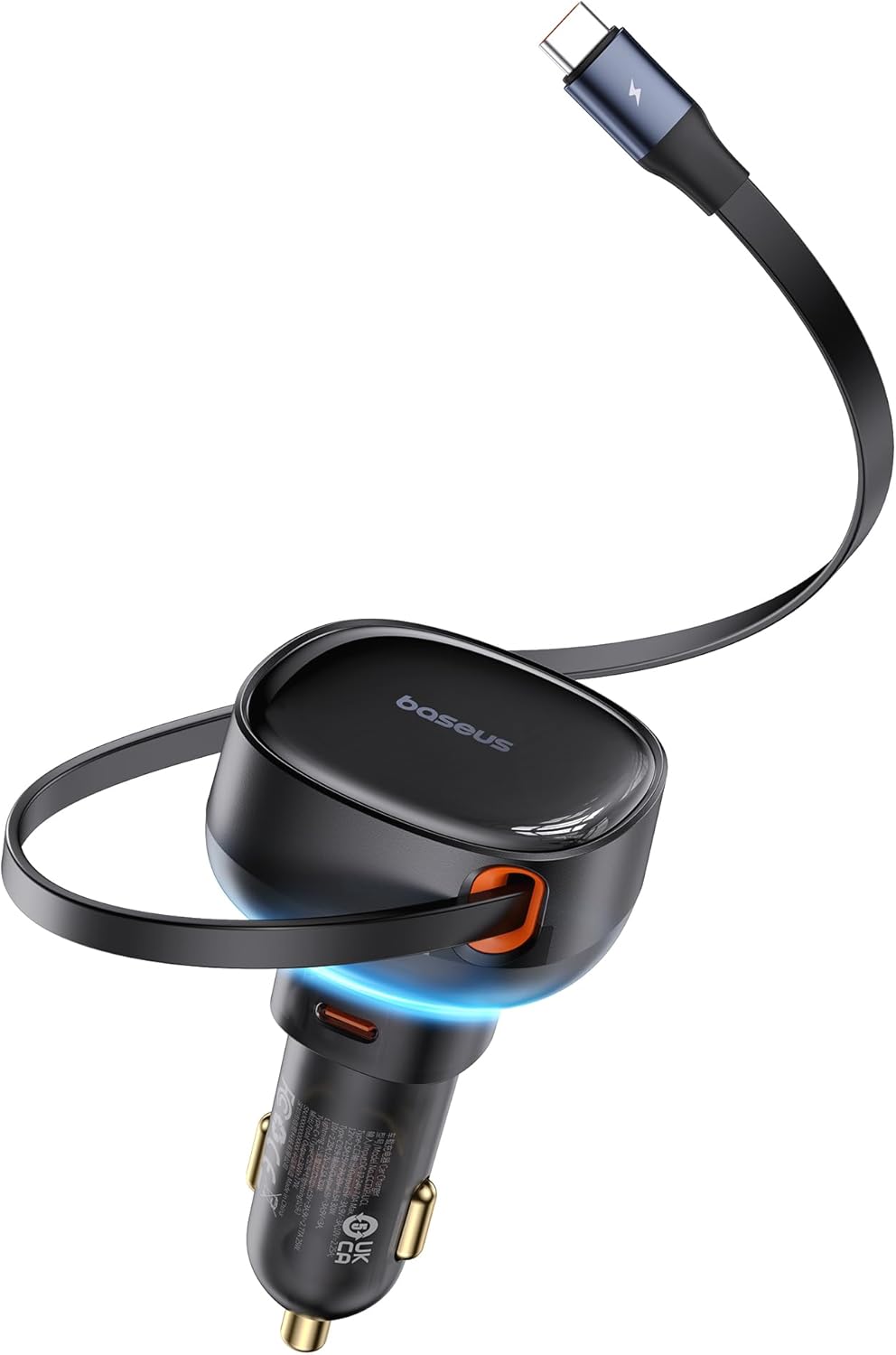
An overview of the Baseus 60W Retractable USB C Car Charger, showcasing its compact design and integrated retractable cable.
2. Product Features
- Fully Retractable Cable: Equipped with a 30W retractable USB-C charging cable that extends up to 70cm for convenient use and neat storage.
- Simultaneous Fast Charging: Supports fast charging for up to two devices simultaneously with a combined output of 60W (30W from retractable cable + 30W from additional USB-C port).
- Multiple Fast Charging Protocols: Compatible with various fast charging protocols including PD 30W, QC 30W, and PPS 30W.
- Stable Connection: Features larger shrapnels for a firm and solid connection in the car's power outlet, ensuring stable charging even on bumpy roads.
- Wide Compatibility: Designed to work with a broad range of devices including iPhone 15 series, Samsung Galaxy S23 series, MacBook, iPad Pro, Steam Deck, and more.

This image illustrates the pull and retract mechanism of the 70cm long USB-C cable, highlighting its durable design for smooth operation.

The car charger in use, demonstrating its ability to fast charge two devices concurrently, with one via the retractable cable and another via the additional USB-C port.
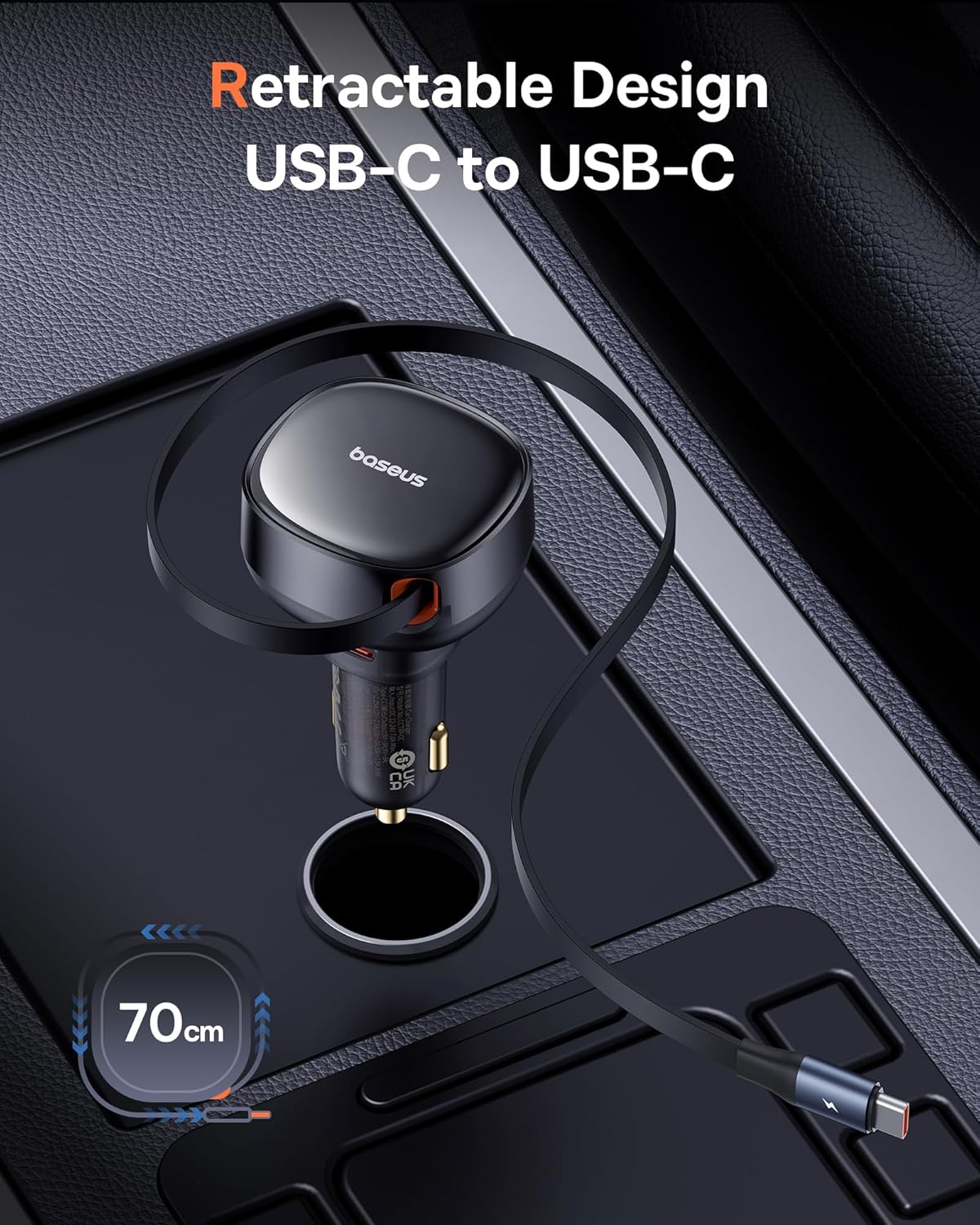
A detailed view of the charger's output capabilities, indicating the 30W maximum output for both the retractable Type-C cable and the additional Type-C port.
3. Setup
- Locate Vehicle Power Outlet: Identify the 12V-24V cigarette lighter socket in your car.
- Insert Charger: Firmly insert the Baseus car charger into the power outlet. Ensure it is securely seated to maintain a stable connection.
- Power Indicator: The charger will illuminate a subtle LED light when properly connected and receiving power, indicating it is ready for use.

The retractable USB-C cable fully extended to its 70cm length, demonstrating the convenience of its integrated design.
4. Operating Instructions
- Using the Retractable Cable: Gently pull the integrated USB-C cable to extend it to your desired length (up to 70cm). To retract, pull the cable again slightly, and it will automatically coil back into the charger.
- Connecting Devices:
- For devices with a USB-C port, connect them directly to the retractable cable.
- For other devices requiring a USB-C connection, use your own USB-C to USB-C cable and plug it into the additional USB-C port on the charger.
- Charging: Once connected, your device will begin charging. The charger automatically detects the connected device and delivers the optimal charging speed up to 30W per port.
- Dual Charging: You can charge two devices simultaneously. For optimal fast charging, ensure both devices support the fast charging protocols (PD, QC, PPS) provided by the charger.

A visual guide showcasing the wide range of devices compatible with the Baseus car charger, including laptops, tablets, smartphones, earbuds, and smartwatches.
5. Maintenance
- Cleaning: Disconnect the charger from the power outlet before cleaning. Use a soft, dry cloth to wipe the surface. Do not use liquid cleaners or abrasive materials.
- Cable Care: Ensure the retractable cable is not forced or pulled excessively. Allow it to retract smoothly to prevent damage to the internal mechanism.
- Storage: When not in use, store the charger in a cool, dry place away from direct sunlight and extreme temperatures.
- Avoid Moisture: Keep the charger away from water and other liquids to prevent electrical damage.
6. Troubleshooting
| Problem | Possible Cause | Solution |
|---|---|---|
| Charger not powering on / No LED light | Loose connection in power outlet; Vehicle power outlet not active; Blown fuse in vehicle. | Ensure charger is firmly inserted. Check if the vehicle's power outlet is working (e.g., by testing with another device). Consult vehicle manual for fuse box location and replacement. |
| Device not charging or charging slowly | Cable not fully inserted; Device not compatible with fast charging; Cable damage; Overloaded ports. | Ensure cable is fully inserted into both charger and device. Verify device compatibility with PD/QC/PPS protocols. Try a different cable if possible. If charging two devices, note that total power is shared, and individual speeds may vary. |
| Retractable cable not retracting smoothly | Cable twisted or jammed; Internal mechanism issue. | Gently pull the cable out completely and then release it slowly. Ensure there are no obstructions. Avoid forcing the cable. |
| Charger feels loose in the car socket | Socket size variation; Charger not fully seated. | Push the charger firmly into the socket until it clicks or feels secure. The design includes larger shrapnels for a stable fit, but some vehicle sockets may vary. |
7. Specifications
| Feature | Detail |
|---|---|
| Model Number | CCTXP-CC |
| Input Voltage | 12V-24V |
| Output (Retractable Cable) | 30W Max (USB Type C) |
| Output (Additional Port) | 30W Max (USB Type C) |
| Total Output | 60W (30W + 30W) |
| Retractable Cable Length | 70 cm |
| Connector Type | USB, USB Type C |
| Item Weight | 3.52 ounces |
| Package Dimensions | 5.71 x 5.04 x 2.2 inches |
8. Warranty and Support
Baseus products are manufactured to high-quality standards and are backed by a limited warranty. For specific warranty terms and conditions, please refer to the warranty card included with your product or visit the official Baseus website. If you encounter any issues or require technical assistance, please contact Baseus customer support through their official channels or the retailer from whom you purchased the product.
Baseus Official Store: Visit Baseus Store on Amazon


