Introduction
Thank you for choosing the UCOCARE P3 Wireless Video Doorbell with Chime. This device is designed to enhance your home security by providing a clear 2K 3MP video feed, two-way audio communication, and smart motion detection. With its long-lasting 10000mAh battery and IP67 waterproof rating, it offers reliable performance in various conditions. This manual will guide you through the setup, operation, and maintenance of your new video doorbell.
What's in the Box
Please ensure all components are present before proceeding with the installation:
- UCOCARE P3 Video Doorbell
- Wireless Chime
- Mounting Bracket
- Mounting Screws and Wall Anchors
- USB Charging Cable
- User Manual

Image: The UCOCARE P3 Video Doorbell and its accompanying wireless chime.
Setup
1. Charging the Doorbell
The doorbell is equipped with a 10000mAh rechargeable battery. Before first use, fully charge the doorbell using the provided USB cable. A full charge ensures optimal performance and battery life.
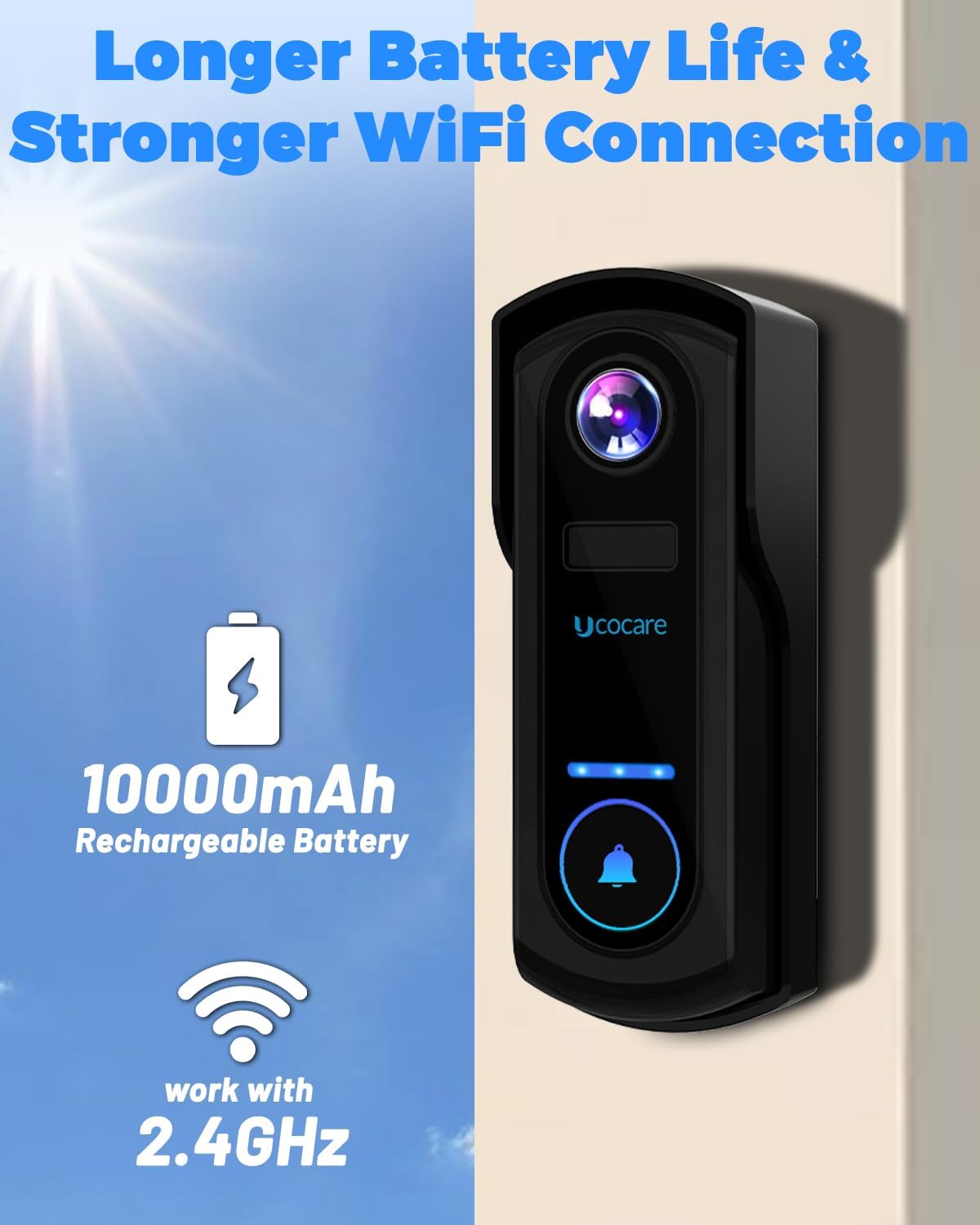
Image: The doorbell highlighting its 10000mAh rechargeable battery and 2.4GHz WiFi compatibility.
2. App Installation and Wi-Fi Connection
Download the 'CloudEdge' app from your smartphone's app store (iOS or Android). Follow the in-app instructions to register an account and add your new UCOCARE P3 doorbell. Ensure your Wi-Fi network is 2.4GHz, as the doorbell does not support 5GHz Wi-Fi.
3. Mounting the Doorbell
Select a suitable location near your front door. The doorbell features a completely wireless design for hassle-free installation. Use the provided mounting bracket, screws, and wall anchors to securely attach the doorbell to your desired surface. The IP67 waterproof rating ensures durability against rain, snow, heat, and dust.

Image: The doorbell demonstrating its IP67 waterproof capabilities against rain, snow, heatwave, and dust.
Operating Instructions
1. Live View and Two-Way Audio
Access the live video feed from your doorbell anytime through the CloudEdge app. The integrated two-way audio allows you to communicate with visitors at your door from anywhere. You can also utilize the voice changer feature for added privacy or select from pre-recorded voice messages.

Image: A user interacting with the doorbell via the app, showcasing two-way audio and voice changer options.
2. Motion Detection and Alerts
The doorbell features an advanced AI motion sensor that intelligently identifies people and vehicles. Customize detection zones, schedules, and sensitivity settings within the app to receive instant notifications with high accuracy. An anti-theft alarm will sound if tampering is detected.

Image: The doorbell's AI human detection feature in action, sending an instant alert message to a mobile device.
3. Night Vision
Equipped with 2K 3MP resolution and a 170° wide-angle view, the doorbell provides clear monitoring and recording even in complete darkness, ensuring precise details are captured day or night.

Image: A visual comparison demonstrating the clear 3MP day and night vision capabilities of the doorbell.
4. Storage Options
The doorbell supports local storage via an SD card (up to 128GB, not included) and offers a 7-day free trial for cloud storage. This provides ample space for storing video recordings for convenient access.

Image: The doorbell illustrating its two storage options: local SD card storage (up to 128GB) and cloud storage with a 7-day free trial.
5. Smart Home Integration
The UCOCARE P3 Video Doorbell is compatible with both Amazon Alexa and Google Assistant. You can use voice commands to activate live view and monitor your doorstep effortlessly.

Image: The doorbell's compatibility with Alexa and Google Assistant, allowing users to view the live feed on smart displays.
Maintenance
To ensure the longevity and optimal performance of your UCOCARE P3 Video Doorbell, follow these maintenance guidelines:
- Cleaning: Periodically wipe the camera lens and the doorbell's exterior with a soft, damp cloth to remove dust and smudges. Avoid using harsh chemicals or abrasive materials.
- Battery Charging: Recharge the doorbell battery as needed. The 10000mAh battery provides extended usage, but charging frequency will depend on usage patterns and motion detection events.
- Firmware Updates: Check the CloudEdge app regularly for any available firmware updates. Keeping your doorbell's firmware updated ensures you have the latest features and security enhancements.
Troubleshooting
If you encounter issues with your UCOCARE P3 Video Doorbell, please refer to the following common troubleshooting steps:
- No Power/Not Turning On: Ensure the battery is fully charged. Connect the doorbell to the USB charging cable and allow it to charge for several hours.
- Cannot Connect to Wi-Fi: Verify that your Wi-Fi network is 2.4GHz. Ensure the doorbell is within range of your Wi-Fi router. Try restarting your router and the doorbell.
- Poor Video Quality: Check your Wi-Fi signal strength in the doorbell's location. Ensure the camera lens is clean and free from obstructions.
- Motion Detection Issues: Adjust the detection sensitivity and customize detection zones within the CloudEdge app. Ensure there are no objects constantly triggering false alerts.
- Two-Way Audio Problems: Check your smartphone's volume settings and ensure the microphone on the doorbell is not obstructed.
- Chime Not Ringing: Ensure the wireless chime is paired with the doorbell and is powered on. Check its battery or power connection.
For more detailed troubleshooting or persistent issues, please consult the in-app help section or contact customer support.
Specifications

Image: The product packaging displaying key specifications and manufacturer details.
| Feature | Detail |
|---|---|
| Brand | UCOCARE |
| Model Number | P3 |
| Connectivity Protocol | Wi-Fi (2.4GHz only) |
| Video Capture Resolution | 4 MP (2K 3MP) |
| Field of View | 170° Wide Angle |
| Battery Capacity | 10000mAh Lithium Ion (included) |
| Waterproof Rating | IP67 |
| Storage Options | SD Card (up to 128GB, not included), Cloud Storage (7-day free trial) |
| Compatible Devices | Smartphone (iOS/Android), Google Assistant, Amazon Alexa |
| Special Features | Night Vision, PIR Motion Detection, 2-Way Audio, Voice Changer, Anti-Theft Alarm |
| Product Dimensions | 17.8 x 15.7 x 4.25 cm |
| Item Weight | 680 g |
Warranty and Support
Your UCOCARE P3 Video Doorbell is covered by a 3-year protection plan. This warranty ensures that your product meets strict factory standards and is free from defects in materials and workmanship under normal use.
For technical assistance, troubleshooting, or warranty claims, please contact UCOCARE customer support:
- Email: support@ucocare.net
Our professional technical team is dedicated to ensuring your satisfaction and is ready to assist with any issues you may encounter.


