
Thermacell E90
Thermacell Rechargeable E90 Mosquito Repeller Instruction Manual
Introduction
The Thermacell Rechargeable E90 Mosquito Repeller is designed to provide effective, scent-free, and mess-free mosquito defense for outdoor activities. This device creates a 20-foot zone of protection, powered by a lithium-ion battery for extended use.
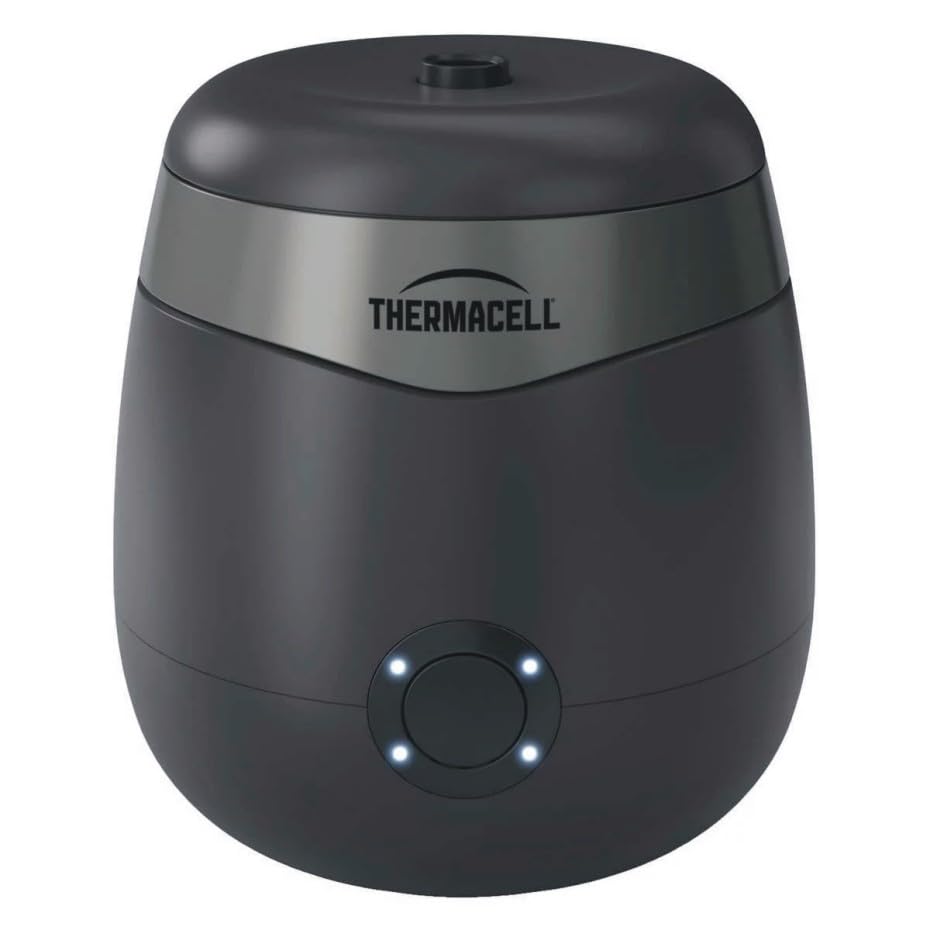
Image: Thermacell E90 Mosquito Repeller device.
Setup
- Charge the Device: Before first use, fully charge the repeller using the provided USB charging cable. The indicator lights will show charging status.
- Insert Repellent Refill: Remove the top cover of the repeller. Insert the 40-hour scent-free repellent refill into the designated slot. Ensure it is seated correctly.

Image: A hand inserting a blue repellent refill into the Thermacell E90 device.
- Replace Top Cover: Securely place the top cover back onto the repeller.
Operating Instructions
- Power On: Press and hold the power button on the front of the device for approximately 2 seconds until the indicator lights illuminate.
- Activation: The device will begin to heat the repellent. Full protection is typically achieved within 15 minutes of activation.
- Indicator Lights: Observe the indicator lights for battery status and operational mode. Refer to the device's specific light patterns for detailed information (e.g., solid light for active, blinking for low battery).
- Power Off: Press and hold the power button again for approximately 2 seconds to turn off the device.

Image: A hand pressing the power button on the Thermacell E90, with indicator lights visible.
Maintenance
- Repellent Refill Replacement: When the repellent refill is empty (typically after 40 hours of use), remove the top cover and replace the old refill with a new Thermacell 40-hour scent-free refill.

Image: The top cover of the Thermacell E90 removed, showing the slot for the repellent refill.

Image: Packaging for Thermacell mosquito repellent refills.
- Cleaning: Wipe the exterior of the device with a damp cloth as needed. Do not submerge the device in water. Ensure the device is off and cool before cleaning.
- Storage: Store the repeller in a cool, dry place when not in use. Ensure the repellent refill is removed if storing for an extended period.
Troubleshooting
- Device Not Turning On: Ensure the device is fully charged. Connect it to a power source using the USB cable and allow it to charge.
- No Mosquito Repellency: Verify that a repellent refill is correctly inserted and that the device has been active for at least 15 minutes to reach full operating temperature. Ensure the device is placed in an open area, not obstructed by wind.
- Short Battery Life: Ensure the device is fully charged before each use. Battery performance can be affected by extreme temperatures.
Specifications
| Brand | Thermacell |
| Model Number | 1669618 |
| Color | Black |
| Material | Plastic |
| Product Dimensions (L x W x H) | 78.9L x 47.2W x 10H Centimetres |
| Weight | 1 lb (approx. 0.45 kg) |
| Repellent Zone | 20-foot |
| Battery Life | Up to 9 hours per charge |
| Included Components | Repeller, One 40-Hour scent-free refill, USB charging Cable |
Warranty
The Thermacell Rechargeable E90 Mosquito Repeller comes with a standard 2-year manufacturer's warranty. This warranty can be extended to 3 years upon product registration. Please refer to the official Thermacell website for registration details and full warranty terms and conditions.
Support
For further assistance, product inquiries, or to register your device for an extended warranty, please visit the official Thermacell website or contact their customer support. Keep your model number (E90) and manufacturer part number (1669618) handy when contacting support.
Official Thermacell Store: Visit the Thermacell Store on Amazon
Related documentsE90


Ask a question about this manual
Ask about setup, troubleshooting, compatibility, parts, safety, or missing instructions. Manuals+ will review the question and use this page’s manual context to help answer it.