
1. Introduction
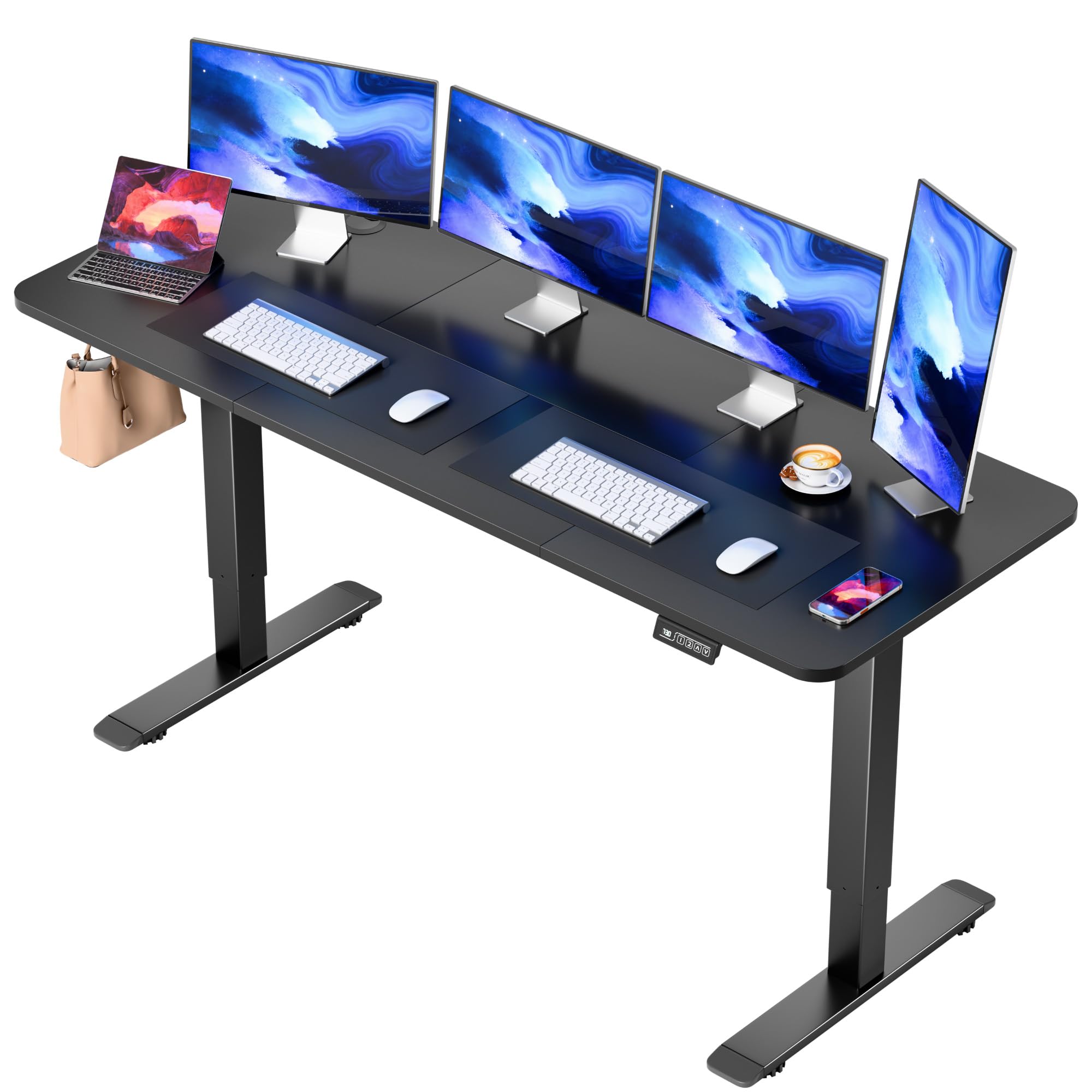
Welcome to your new JUMMICO Electric Standing Desk. This manual provides essential information for assembly, operation, maintenance, and troubleshooting to ensure optimal performance and longevity of your desk. Please read this manual thoroughly before assembly and use.
2. Safety Instructions
- Ensure all connections are secure before operating the desk.
- Keep children and pets away from the desk during operation to prevent injury from moving parts.
- Do not place hands or other body parts near the lifting mechanism while the desk is in motion.
- Verify there are no obstructions above or below the desk before adjusting its height.
- The desk is equipped with an anti-collision function; however, always exercise caution.
- Avoid spilling liquids on the control panel or electrical components.
- Do not overload the desk beyond its specified weight capacity.
- In case of malfunction, unplug the desk immediately and contact customer support.
3. Package Contents
Please check that all components are present and undamaged before beginning assembly:
- Desktop (63 x 24 inches, 2 pieces)
- Desk Legs (Alloy Steel, T-shaped metal bracket)
- Electric Motor System
- Control Panel with LED Display
- Power Adapter and Cables
- Assembly Hardware (screws, Allen wrench, etc.)
- Cable Management Grommets
- Desk Hooks (optional attachment)
4. Setup and Assembly
Follow these steps to assemble your JUMMICO Electric Standing Desk. It is recommended to have two people for assembly.
- Unpack Components: Carefully remove all parts from the packaging and lay them out on a soft, clean surface to prevent scratches.
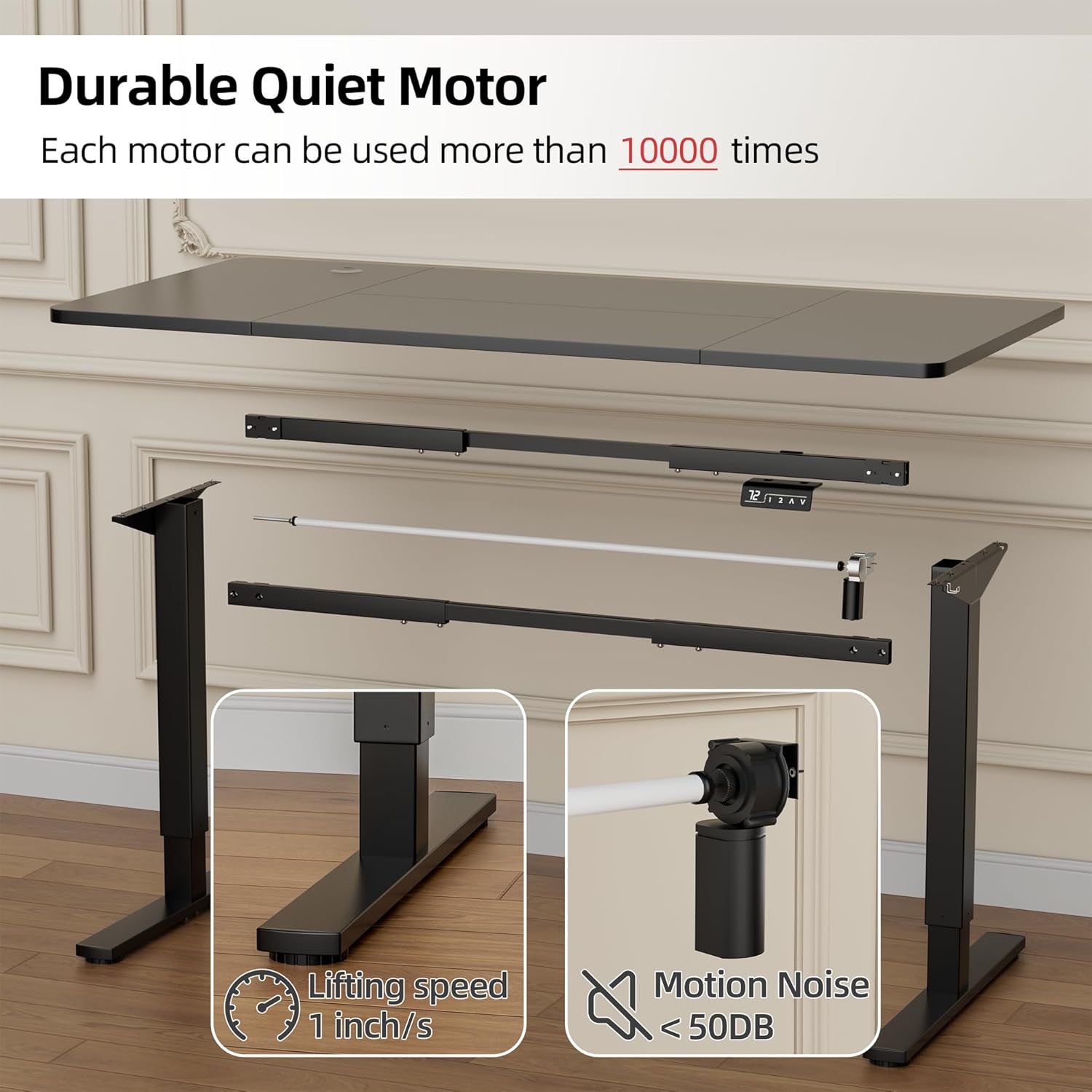
- Assemble Leg Frames: Attach the T-shaped feet to the vertical leg columns using the provided screws. Ensure they are securely fastened.
- Install Crossbar and Motor: Connect the crossbar between the two leg columns. Install the electric motor system and ensure all cables are routed correctly.
- Attach Control Panel: Mount the control panel to the underside of the desktop in the designated area. Connect its cable to the motor system.
- Join Desktop Pieces: Securely connect the two desktop pieces using the provided fasteners. Ensure the seam is aligned.
- Mount Desktop: Carefully place the assembled desktop onto the leg frame. Align the pre-drilled holes and secure the desktop with screws.
- Cable Management: Route all power and control cables neatly using the included cable management grommets and ties.
- Initial Calibration: Plug the desk into a power outlet. Press and hold the 'Down' arrow button until the desk reaches its lowest position and then slightly rises. This calibrates the motor.

5. Operating Instructions
Your JUMMICO Electric Standing Desk features an intuitive control panel for easy height adjustment and memory presets.

5.1. Basic Height Adjustment
- Raise Desk: Press and hold the UP (▲) arrow button. The desk will move upwards. Release the button at your desired height.
- Lower Desk: Press and hold the DOWN (▼) arrow button. The desk will move downwards. Release the button at your desired height.
5.2. Using Memory Presets
The desk allows you to save two preferred height settings for quick adjustments.
- To Save a Height:
- Adjust the desk to your desired height using the UP/DOWN arrows.
- Press and hold either the 1 or 2 button until the LED display flashes, indicating the height has been saved.
- To Recall a Saved Height: Simply press the 1 or 2 button. The desk will automatically move to the corresponding saved height.

5.3. Safety Features
- Anti-Collision: If the desk encounters an obstruction during adjustment, it will automatically stop and reverse slightly to prevent damage.
- Overheat Protection: The motor system includes overheat protection. If the motor runs continuously for an extended period, it may temporarily shut down to cool. Allow it to rest before resuming operation.

6. Maintenance
- Cleaning: Wipe the desktop and frame with a soft, damp cloth. Avoid abrasive cleaners or harsh chemicals that could damage the finish.
- Regular Checks: Periodically check all screws and connections to ensure they remain tight. Tighten if necessary.
- Cable Management: Keep cables organized and away from moving parts to prevent pinching or damage.
7. Troubleshooting
If you encounter any issues with your JUMMICO Electric Standing Desk, please refer to the following common solutions:
- Desk Not Moving:
- Check if the power cord is securely plugged into both the desk and the wall outlet.
- Unplug the desk for 30 seconds, then plug it back in to reset the motor system.
- Uneven Height: Perform an initial calibration as described in Section 4, Step 8.
- Error Codes on Display: If an error code appears, unplug the desk for 30 seconds and then plug it back in. If the error persists, contact customer support.
- Excessive Noise: While the motor operates under 50 dB, unusual or loud noises may indicate an issue. Ensure no parts are loose or rubbing.
8. Specifications
| Feature | Specification |
|---|---|
| Brand | JUMMICO |
| Model Number | HAD666 |
| Model Name | Electric Height Adjustable Standing Desk |
| Product Dimensions | 24"D x 63"W x 48.1"H |
| Height Adjustment Range | 28.7" - 48.1" |
| Lifting Speed | 1"/second |
| Noise Level | Under 50 dB |
| Desktop Material | Wood |
| Base Material | Alloy Steel |
| Color | Black |
| Item Weight | 67.3 Pounds |
| Special Features | Adjustable, Memory Presets, Anti-collision, Overheat Protection |
9. Warranty and Support
JUMMICO is committed to providing excellent after-sale service. If you have any questions, concerns, or require assistance with your product, please do not hesitate to contact our support team. We are dedicated to ensuring your satisfaction and will do our best to resolve any issues you may encounter.
For support, please refer to the contact information provided with your purchase or visit the official JUMMICO website.


