
1. Introduction
Thank you for choosing the TecTake Multi-purpose Steel Cabinet. This manual provides essential information for the safe and efficient assembly, operation, and maintenance of your new cabinet. Please read these instructions carefully before use and retain them for future reference.
This cabinet is designed to offer versatile storage solutions for various environments, including offices, workshops, and homes. It features robust steel construction, lockable compartments, and adjustable shelves to meet diverse storage needs.
2. Safety Information
WARNING:
- Pay attention to the maximum load capacity of 40 kg per compartment. Exceeding this limit can cause damage to the cabinet or lead to injury.
- Install the cabinet securely according to the assembly instructions to prevent tipping.
- Avoid loading items beyond the permitted weight.
- Ensure the cabinet is placed on a stable, level surface.
- Keep all assembly components out of reach of children.
3. Package Contents
Before beginning assembly, please verify that all parts are present and undamaged. If any parts are missing or damaged, contact customer service immediately.
- Steel Cabinet components
- 3 x Adjustable Shelves
- 8 x Keys (for 4 locks)
- Mounting Material (screws, bolts, etc.)
- Assembly Instructions (this manual)
4. Assembly Instructions
Assembly is designed to be straightforward. It is recommended to have a second person assist with certain steps for ease and safety. Ensure you have adequate space and the necessary tools (e.g., screwdriver, wrench) before starting.
4.1. Preparation
- Unpack all components and lay them out on a clean, soft surface to prevent scratches.
- Identify all parts against the package contents list.
- Gather necessary tools.
4.2. Step-by-Step Assembly
- Assemble the Frame: Connect the side panels to the back panel and base using the provided screws and fasteners. Ensure all connections are secure.
- Install Drawers: Mount the drawer slides to the cabinet frame. Assemble the drawers and insert them into the slides.
- Attach Doors: Secure the hinges to the cabinet frame and then attach the doors. Adjust hinges as needed for proper alignment and smooth operation.
- Insert Locks: Install the cylinder locks into the designated slots on the doors and drawers. Test each lock with its corresponding key.
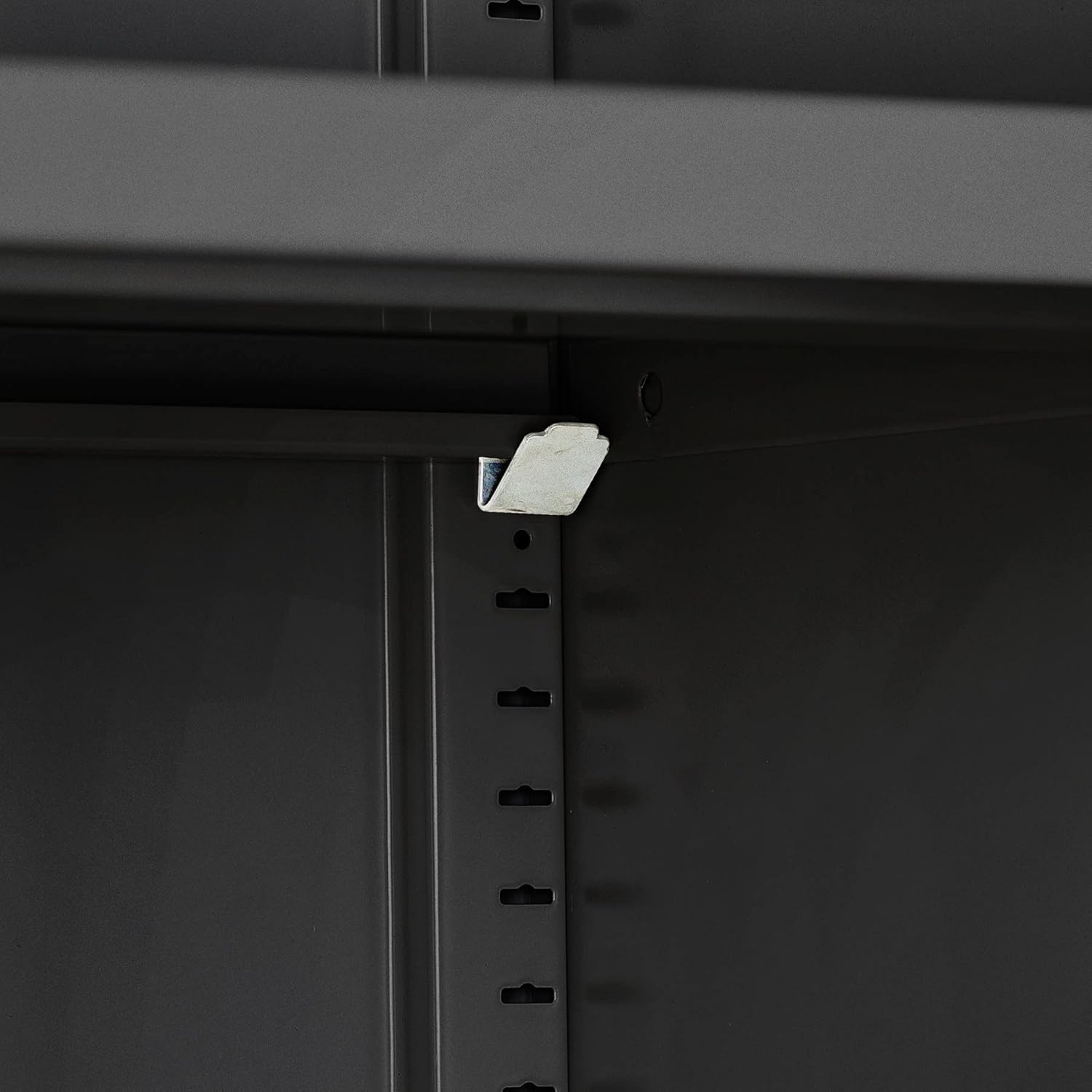
- Place Shelves: Insert the shelf support clips into the desired height slots inside the cabinet compartments. Place the adjustable shelves onto the clips.
- Final Placement: Position the assembled cabinet on a level surface. For added stability, consider anchoring the cabinet to a wall using appropriate hardware (not always included, but good practice for tall furniture).


5. Operation
5.1. Opening and Closing Doors
- Insert the correct key into the lock and turn to unlock.
- Pull the door handle to open. The reinforced swing doors open smoothly up to an angle of approximately 130°.
- To close, push the door firmly until it engages. Turn the key to lock. Rubber buffers ensure quiet closing.
5.2. Using Drawers
- Insert the correct key into the drawer lock and turn to unlock.
- Pull the drawer handle to open. The drawers operate on smooth slides.
- To close, push the drawer completely shut. Turn the key to lock.

5.3. Adjusting Shelves
- Empty the shelf you wish to adjust.
- Carefully lift the shelf and remove the support clips from their current slots.
- Reinsert the support clips into the desired new height slots. Ensure all four clips are at the same height and securely seated.
- Place the shelf back onto the clips.


6. Maintenance
The TecTake Steel Cabinet is designed for durability and easy maintenance.
- Cleaning: Wipe surfaces with a soft, damp cloth. For stubborn dirt, a mild detergent can be used. Avoid abrasive cleaners or solvents, as these can damage the powder-coated finish. The smooth, reversible shelves facilitate easy cleaning.
- Inspection: Periodically check all screws and fasteners to ensure they remain tight. Tighten if necessary.
- Lubrication: If door hinges or drawer slides become stiff, apply a small amount of silicone-based lubricant.
- Key Management: Keep spare keys in a safe, accessible location separate from the cabinet.
7. Troubleshooting
This section addresses common issues you might encounter with your cabinet.
| Problem | Possible Cause | Solution |
|---|---|---|
| Doors or drawers do not close properly. |
|
|
| Key does not turn in the lock. |
|
|
| Cabinet feels unstable. |
|
|
8. Specifications
Detailed technical specifications for the TecTake Multi-purpose Steel Cabinet.
| Feature | Detail |
|---|---|
| Brand | TecTake |
| Model Number | 404392-3 |
| Color | Black |
| Overall Dimensions (W x D x H) | Approx. 80 x 40 x 180 cm (31.5 x 15.7 x 70.9 inches) |
| Shelf Dimensions (W x D) | Approx. 79.5 x 36 cm (31.3 x 14.2 inches) |
| Inner Drawer Dimensions (W x D x H) | Approx. 33.8 x 29.5 x 8 cm (13.3 x 11.6 x 3.1 inches) |
| Load Capacity per Compartment | 40 kg (88 lbs) |
| Swing Door Opening Angle | Approx. 130° |
| Product Weight | Approx. 41 kg (90.4 lbs) |
| Material | Powder-coated Steel |
| Number of Shelves | 3 |
| Number of Drawers | 2 |
| Locking Mechanism | Cylinder locks with keys (4 locks, 8 keys total) |

