
Cooler Master MPX-7503-AFAG-BEU
Cooler Master GX III Gold 750 PC Power Supply User Manual
Model: MPX-7503-AFAG-BEU
Introduction
The Cooler Master GX III Gold 750 is a high-performance power supply unit designed for modern PC systems, offering exceptional efficiency, heat dissipation, noise reduction, and reliability. This unit is rated 80 PLUS Gold with 90% efficiency at typical load and is fully ATX 3.0 compliant, featuring PCIe 5.0 12VHPWR connectors for powerful GPUs. This manual provides essential information for the proper installation, operation, and maintenance of your power supply.

Image: Front view of the Cooler Master GX III Gold 750 Power Supply, showcasing its honeycomb grill design and branding.
Safety Information
Please read all safety instructions carefully before installing or operating the power supply. Failure to do so may result in damage to the unit, other components, or personal injury.
- Ensure the power supply is disconnected from the AC power outlet before installation, removal, or any maintenance.
- Do not open the power supply casing. High voltages are present inside, even when the unit is unplugged.
- Install the power supply in a well-ventilated area, away from heat sources, direct sunlight, and moisture.
- Use only the modular cables provided with the power supply. Using incompatible cables may cause damage.
- Ensure all connectors are securely seated before powering on the system.
- This product is designed for use in personal computer systems only. Do not use it for any other purpose.
Package Contents
Verify that all items listed below are included in your package:
- Cooler Master GX III Gold 750 Power Supply Unit
- ATX 24-pin cable (x1)
- EPS 4+4-pin cable (x1)
- EPS 8-pin cable (x1)
- SATA cables (x8 connectors total)
- 4-pin peripheral (Molex) cables (x4 connectors total)
- PCI-e 6+2-pin cables (x3)
- PCIe 5.0 12VHPWR cable (x1, 90-degree angle)
- AC Power Cord
- Mounting Screws
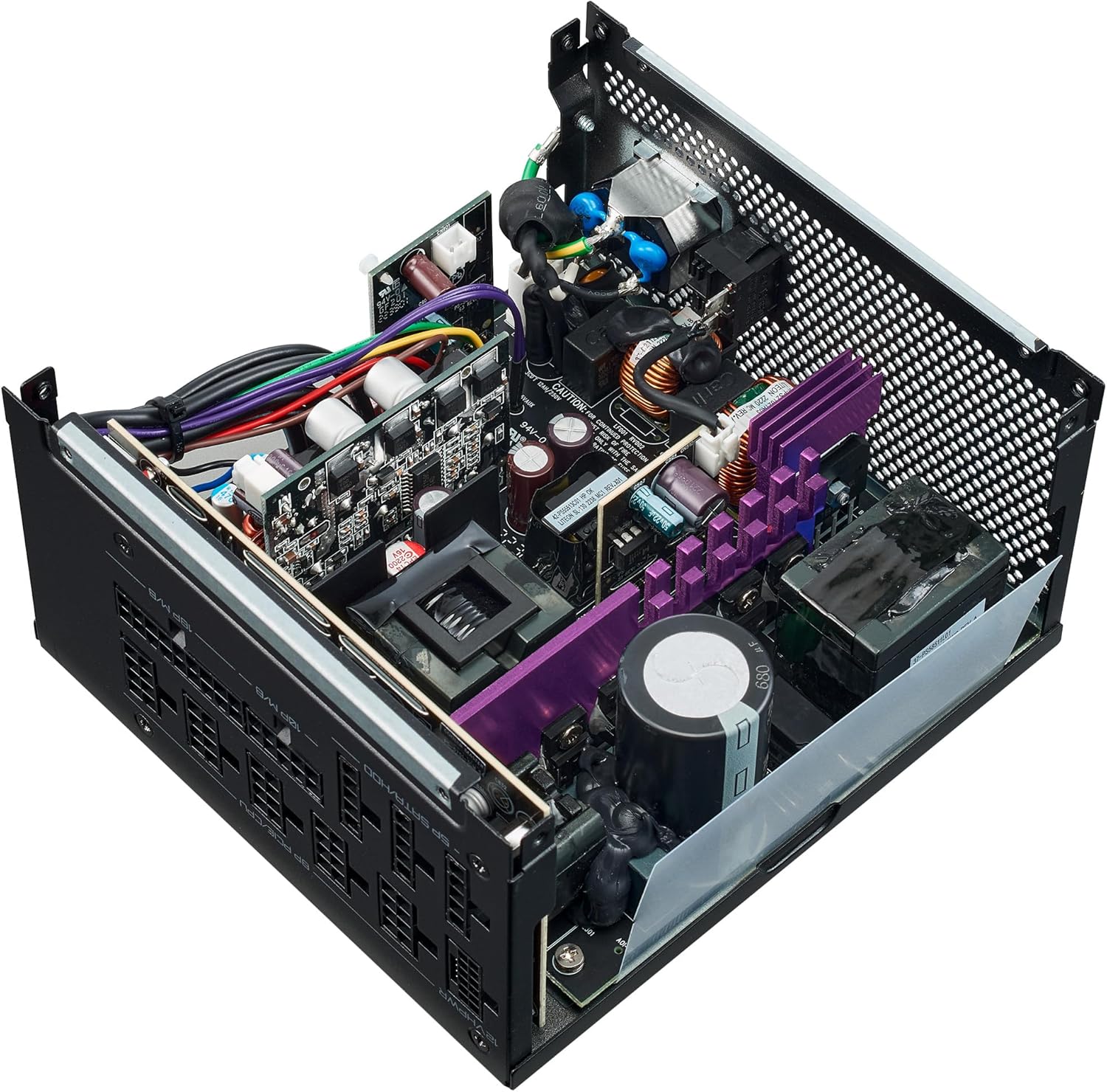
Image: The Cooler Master GX III Gold 750 Power Supply shown alongside its complete set of modular cables, including ATX, EPS, SATA, Molex, PCIe, and the 90-degree 12VHPWR cable.
Installation Guide
Preparing for Installation
- Ensure your computer system is completely powered off and unplugged from the wall outlet.
- Open your computer case to access the power supply mounting area.
- If replacing an existing power supply, carefully disconnect all cables from the old unit and remove it from the case.
Installing the Power Supply Unit
- Position the GX III Gold 750 into the power supply bay of your PC case, ensuring the fan faces the correct direction for optimal airflow (typically facing downwards or inwards, depending on case design).
- Secure the power supply to the case using the provided mounting screws.
- Connect the main ATX 24-pin cable to your motherboard. Ensure it clicks into place.
- Connect the EPS 4+4-pin or 8-pin CPU power cable(s) to the corresponding port(s) on your motherboard.
- For graphics cards, connect the appropriate PCIe 6+2-pin cables or the 12VHPWR cable (for compatible GPUs) to your graphics card(s). The 12VHPWR cable features a 90-degree angle for improved cable management and durability.

Image: Rear view of the Cooler Master GX III Gold 750, showing the clearly labeled modular cable ports for 12VHPWR, PCIe/CPU, M/B, and SATA/HDD connections.
Connecting Peripheral Cables
- Connect SATA power cables to your storage drives (HDDs, SSDs) and other SATA-powered devices.
- Connect 4-pin peripheral (Molex) cables to any components requiring this type of power connector (e.g., older fans, fan controllers).
Cable Management
Utilize the fully modular flat cables to reduce clutter inside your PC case. Proper cable management improves airflow and overall thermal performance of your system.
Operation
Powering On
- After all cables are securely connected, close your computer case.
- Plug the AC power cord into the power supply and then into a wall outlet.
- Flip the power switch on the back of the power supply to the 'ON' (I) position.
- Press the power button on your computer case to start your system.
Zero RPM Mode
The GX III Gold 750 features a 135mm Hydrodynamic Bearing (HDB) fan with a Zero-RPM mode. This mode keeps the fan off when the power supply consumes less than 40% of its rated output power, ensuring silent operation during low-load scenarios. The fan will automatically activate when the load increases to maintain optimal cooling.

Image: Top-down view of the Cooler Master GX III Gold 750, highlighting the large honeycomb fan grill designed for efficient airflow and the central Cooler Master logo.
Maintenance and Care
- Cleaning: Periodically clean the exterior of the power supply and the fan grill to prevent dust buildup, which can impede airflow and cooling. Use a soft, dry cloth or compressed air. Ensure the power supply is unplugged before cleaning.
- Airflow: Ensure that your PC case has adequate airflow and that the power supply's fan intake and exhaust are not obstructed. The honeycomb design on the top cover of the PSU also contributes to efficient air intake.
- Temperature: The GX III Gold 750 is designed with a high temperature threshold of 50°C and an anodic coated heatsink to keep components cooler. However, maintaining a cool ambient temperature within your PC case is always recommended for longevity.
Troubleshooting
If you encounter issues with your Cooler Master GX III Gold 750 power supply, refer to the table below for common problems and solutions.
| Problem | Possible Cause | Solution |
|---|---|---|
| System does not power on. | Power cable not connected, PSU switch off, faulty component. | Check AC power cord connection. Ensure PSU switch is 'ON'. Verify all modular cables are securely connected. Test with minimal components. |
| System powers on but shuts down immediately. | Overload, short circuit, overheating. | Ensure total power draw does not exceed PSU capacity. Check for short circuits in cables or components. Ensure adequate ventilation. |
| System instability or random reboots. | Insufficient power, loose connections, faulty PSU. | Verify all power connections are firm. Ensure PSU wattage is sufficient for your components. If issues persist, consider testing with another PSU. |
| Fan is not spinning. | Zero RPM mode active, fan malfunction. | The fan operates in Zero RPM mode below 40% load. If the system is under load and the fan is still not spinning, contact support. |
Technical Specifications
| Feature | Specification |
|---|---|
| Model Name | GX III Gold 750 |
| Model Number | MPX-7503-AFAG-BEU |
| Wattage | 750W |
| Efficiency Rating | 80 PLUS Gold (90% efficiency at typical load) |
| ATX Version | ATX 3.0 Compliant |
| PCIe Connector | 12VHPWR (300W) with 90-degree angle |
| Fan Size | 135mm HDB (Hydrodynamic Bearing) Fan |
| Zero RPM Mode | Yes (below 40% load) |
| High Temperature Threshold | 50°C |
| Heatsink | Anodic Coated |
| Form Factor | ATX |
| Dimensions (LxWxH) | 6.3 x 5.91 x 3.39 inches (160 x 150 x 86 mm) |
| Weight | 5.32 pounds (2.42 kg) |
Image: An internal view of the Cooler Master GX III Gold 750 Power Supply, revealing its high-quality components, capacitors, and heatsinks designed for optimal performance and durability.
Warranty and Support
The Cooler Master GX III Gold 750 PC Power Supply comes with a 10-year warranty, ensuring long-term reliability and peace of mind. This warranty covers defects in materials and workmanship under normal use.
For technical support, warranty claims, or further assistance, please visit the official Cooler Master website or contact their customer service department. You may need to provide your product model number (MPX-7503-AFAG-BEU) and proof of purchase.
Online Resources: For the latest drivers, FAQs, and support documentation, please visit the official Cooler Master support page.
Related documentsMPX-7503-AFAG-BEU


Ask a question about this manual
Ask about setup, troubleshooting, compatibility, parts, safety, or missing instructions. Manuals+ will review the question and use this page’s manual context to help answer it.