
Introduction
Welcome to the user manual for your boAt Airdopes Bliss ANC True Wireless Stereo (TWS) Earbuds. This guide provides detailed instructions on how to set up, operate, maintain, and troubleshoot your earbuds to ensure optimal performance.
What's in the Box
- 1 X TWS Earbuds
- 1 X Charging Case
- 2 X Additional Earbuds (pairs of ear tips)
- 1 X USB Charging Cable
- 1 X User Manual
Product Overview
The boAt Airdopes Bliss ANC earbuds are designed for an immersive audio experience with Active Noise Cancellation (ANC) up to 32dB. They feature a long playback time, quick charging, and a low-latency BEAST Mode for gaming.

Image: boAt Airdopes Bliss ANC earbuds in their charging case.
Setup
1. Charging the Earbuds and Case
Before first use, fully charge the earbuds and the charging case.
- Connect the USB charging cable to the Type-C port on the charging case and to a power source.
- The indicator lights on the case will show charging status.
- Once fully charged, disconnect the cable.

Image: ASAP Charge feature, indicating 10 minutes of charge provides 180 minutes of playback.
The earbuds support ASAP Charging, providing 180 minutes of playback with just 10 minutes of charge. A full charge offers up to 42 hours of total playback time (earbuds + case).

Image: Visual representation of up to 42 hours of total playback time.
2. Initial Pairing (IWP™ Technology)
- Open the lid of the charging case. The earbuds will automatically power on and enter pairing mode.
- On your device (phone, tablet, etc.), enable Bluetooth.
- Search for "Airdopes Bliss ANC" in the list of available Bluetooth devices.
- Select "Airdopes Bliss ANC" to connect. Once connected, you will hear an audio prompt.

Image: IWP Technology showing the earbuds connecting to a smartphone upon opening the case.
IWP™ (Insta Wake N' Pair) Technology allows the earbuds to connect to your previously paired device as soon as you open the case lid.
3. Wearing the Earbuds
- Choose the ear tips that provide the most comfortable and secure fit.
- Insert the earbuds into your ears and gently twist them to ensure a snug seal for optimal sound and ANC performance.
Operating Instructions
Power On/Off
- Power On: Open the charging case lid, or long-press the touch control on both earbuds for 3 seconds.
- Power Off: Place the earbuds back into the charging case and close the lid, or long-press the touch control on both earbuds for 5 seconds.
Touch Controls
The Airdopes Bliss ANC features intuitive touch controls on each earbud.
| Function | Action |
|---|---|
| Play/Pause Music | Single tap on either earbud |
| Next Track | Double tap on the right earbud |
| Previous Track | Double tap on the left earbud |
| Answer/End Call | Single tap on either earbud |
| Reject Call | Long press on either earbud for 2 seconds |
| Activate Voice Assistant | Triple tap on either earbud |
| Toggle ANC/Transparency Mode | Long press on the left earbud for 2 seconds |
| Toggle BEAST Mode | Long press on the right earbud for 2 seconds |
Active Noise Cancellation (ANC)
The earbuds feature Active Noise Cancellation up to 32dB, reducing ambient noise for a focused listening experience. Long press the left earbud for 2 seconds to cycle between ANC On, Transparency Mode, and ANC Off.

Image: Representation of Active Noise Cancellation functionality.
BEAST Mode (Low Latency Gaming)
Activate BEAST Mode for a low-latency audio experience (60ms), ideal for gaming. Long press the right earbud for 2 seconds to toggle BEAST Mode On/Off.
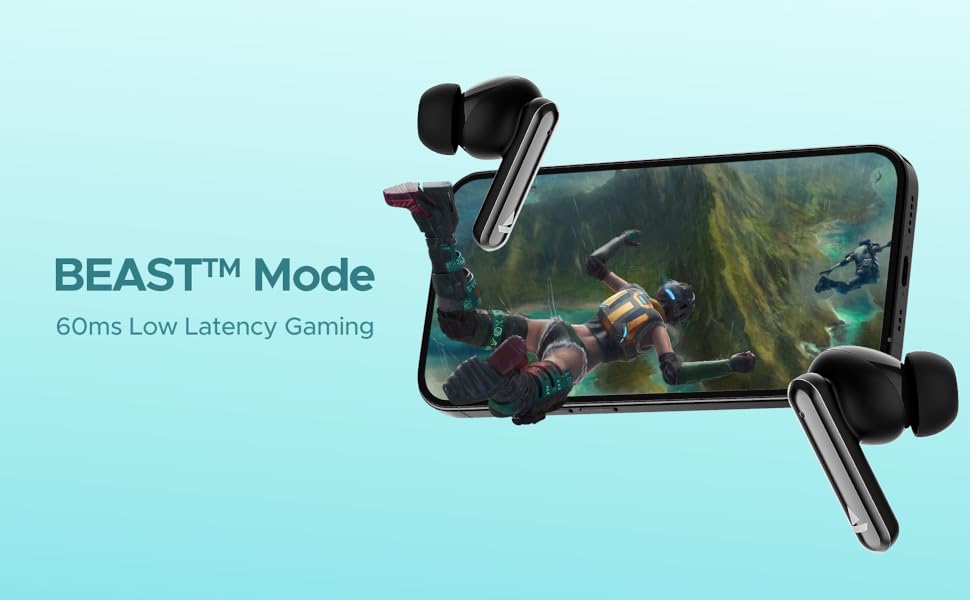
Image: Visual depicting the BEAST Mode for low-latency gaming.
ENx™ Technology (Quad Mics)
The earbuds are equipped with ENx™ Technology and Quad Mics for clear voice calls, ensuring your voice is heard clearly even in noisy environments.

Image: Diagram showing the internal components related to ENx Technology and Quad Mics.
Maintenance
Cleaning
- Regularly clean the earbuds and charging case with a soft, dry, lint-free cloth.
- Remove ear tips and clean them with mild soap and water, then dry thoroughly before reattaching.
- Ensure charging contacts on both earbuds and case are free from dust and debris.
- Do not use abrasive cleaners or solvents.
Storage
- When not in use, always store the earbuds in their charging case to protect them and keep them charged.
- Store in a cool, dry place, away from extreme temperatures and direct sunlight.
Battery Care
- Avoid fully discharging the battery frequently.
- Charge the earbuds and case regularly, even if not in frequent use, to maintain battery health.

Image: Earbuds and case with water droplets, illustrating IPX5 splash and sweat resistance. While resistant, avoid submerging the device.
Troubleshooting
Earbuds Not Pairing
- Ensure both earbuds are charged.
- Place both earbuds back into the charging case, close the lid, wait a few seconds, then open the lid again.
- Turn off Bluetooth on your device, then turn it back on and try pairing again.
- If issues persist, try resetting the earbuds (refer to manufacturer's website for specific reset instructions if not provided here).
No Sound or Low Volume
- Check the volume level on both your connected device and the earbuds.
- Ensure the earbuds are properly seated in your ears and the ear tips provide a good seal.
- Clean any debris from the earbud speakers.
- Reconnect the earbuds to your device.
Charging Issues
- Ensure the charging cable is securely connected to both the case and the power source.
- Try a different charging cable or power adapter.
- Clean the charging contacts on the earbuds and inside the case.
Specifications
| Feature | Detail |
|---|---|
| Model Name | Airdopes Bliss ANC |
| Connectivity Technology | Bluetooth |
| Wireless Communication Technology | Bluetooth |
| Active Noise Cancellation | Up to 32 dB |
| Playback Time | Up to 42 Hours (total with case) |
| ASAP Charging | 10 mins charge = 180 mins playtime |
| BEAST Mode Latency | 60 ms |
| Microphone Technology | ENx Technology with Quad Mics |
| Control Method | Touch |
| Water Resistance Rating | IPX5 (Splash & Sweat Resistant) |
| Battery Type | Lithium Polymer |
| Item Weight | 50 Grams |
| Product Dimensions | 5.9 x 4.9 x 2.6 cm |
| Included Components | 1 X TWS Earbuds, 2 X Additional Earbuds, Cable, User Manual |
Warranty and Support
For warranty information and customer support, please refer to the official boAt website or contact their customer service. Keep your purchase receipt for warranty claims.

