
VGR V-961
VGR V-961 Professional Rechargeable Hair Trimmer
User Manual
1. Introduction
Thank you for choosing the VGR V-961 Professional Rechargeable Hair Trimmer. This manual provides essential information for the safe and effective use, maintenance, and troubleshooting of your new device. Please read it thoroughly before first use and retain it for future reference.
2. Product Overview and Package Contents
The VGR V-961 is a versatile cordless hair and beard trimmer featuring a transparent design, digital display, and ceramic blades for precise grooming.
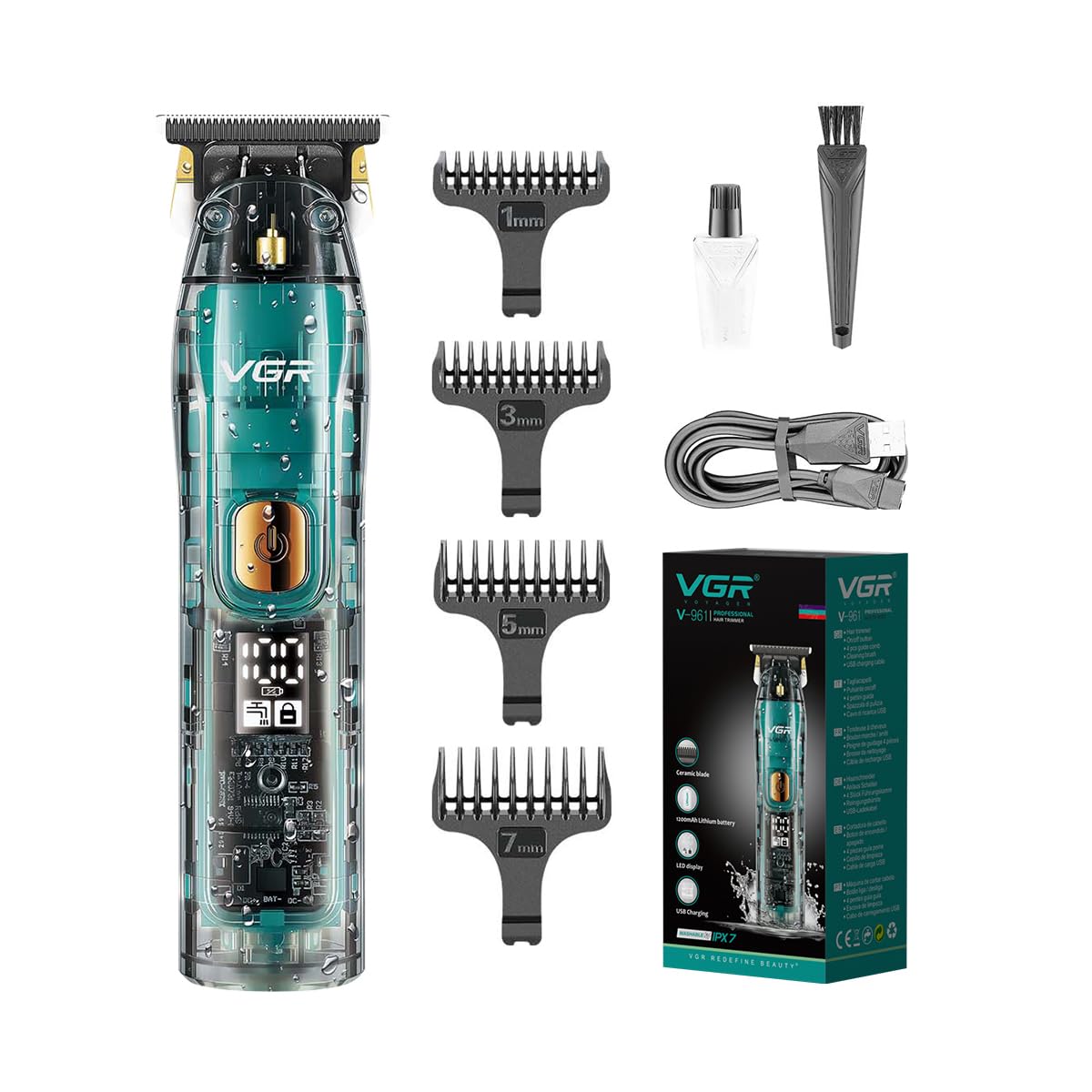
Figure 2.1: Complete package contents of the VGR V-961 Trimmer kit.
Package Contents:
- VGR V-961 Hair Trimmer
- 4 Guide Combs (1mm, 3mm, 5mm, 7mm)
- USB Charging Cable
- Cleaning Brush
- Lubricating Oil
- User Manual (this document)

Figure 2.2: Key components of the VGR V-961 Trimmer.
Key Features:
- New Technology Blades: Ceramic premium blade with sharp angle design for safe, sharp, and wear-resistant performance. Self-polishing and rust-resistant.
- Ergonomic Transparent Design: Compact body for easy handling, comfortable grip, and durable electroplated finish.
- LED Digital Display: Shows battery charge level, travel lock status, and washing reminder.
- Cordless Operation: Powered by a 1200mAh Li-ion battery, providing up to 180 minutes of runtime on a 1.5-hour charge.
- USB Charging: Convenient charging via computer, laptop, or power bank.
- IPX7 Waterproof: Fully washable body for easy cleaning.
- Precision Blade: Fine-cutting teeth for extremely close cutting, with R-angle processing to protect the skin.
3. Setup and Charging
Initial Charge:
Before first use, fully charge the trimmer. This typically takes about 1.5 hours for a full charge, providing up to 180 minutes of runtime.
- Insert the small end of the USB charging cable into the charging port at the bottom of the trimmer.
- Connect the larger end of the USB cable to a compatible USB power source (e.g., computer, laptop, USB wall adapter, power bank).
- The LED digital display will show the charging status. Once fully charged, the display will indicate 100% power.
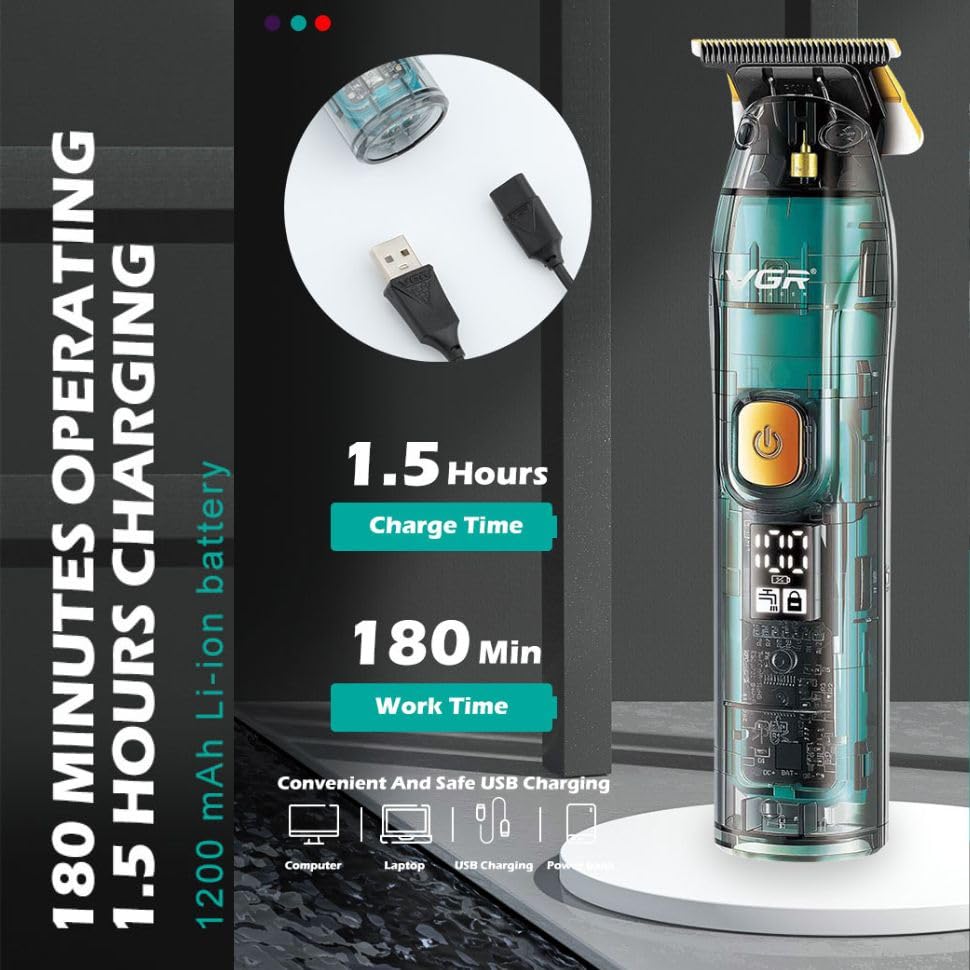
Figure 3.1: Charging and battery life information.
Attaching Guide Combs:
The VGR V-961 comes with 4 guide combs (1mm, 3mm, 5mm, 7mm) to achieve desired hair lengths.
- Ensure the trimmer is turned off.
- Select the desired guide comb.
- Align the comb with the trimmer blade and push it firmly until it clicks into place.
- To remove, gently pull the comb away from the blade.

Figure 3.2: Guide combs and their respective lengths.
4. Operation
Turning On/Off:
- To turn on the trimmer, press the power button located on the front of the device.
- To turn off the trimmer, press the power button again.
Trimming Hair/Beard:
- Ensure hair is clean and dry before trimming.
- Attach the appropriate guide comb for your desired length. For very short cuts or detailing (0.1mm), use without a guide comb.
- Hold the trimmer with the blade facing the area to be trimmed.
- Move the trimmer slowly against the direction of hair growth for an even cut.
- For detailing or outlining, use the trimmer without a guide comb, holding the blade flat against the skin. The R-angle processing on the blade helps protect the skin.
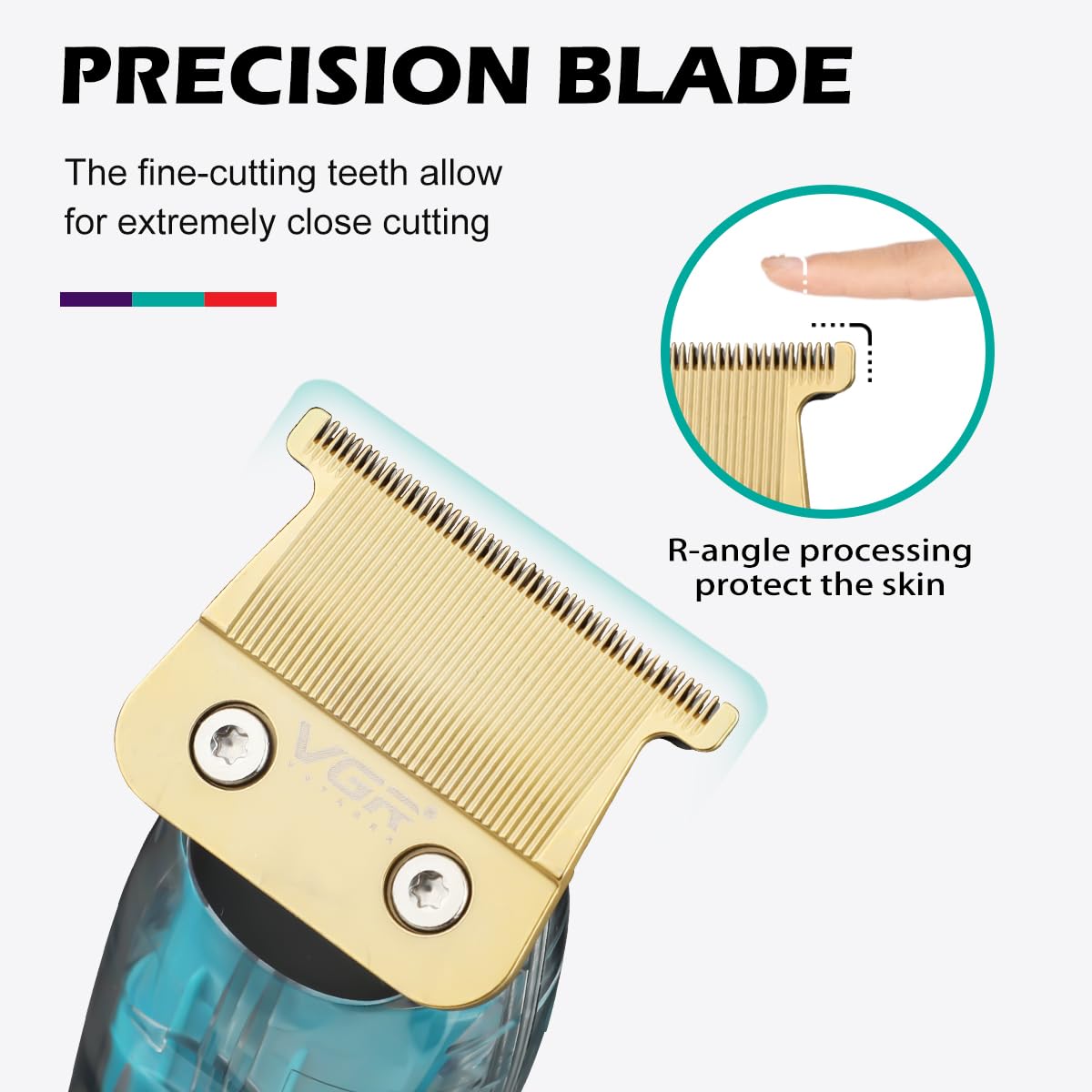
Figure 4.1: Precision blade with R-angle processing.
Travel Lock Function:
The trimmer features a travel lock to prevent accidental activation. The LED display will show a lock icon when activated.
- To activate: Press and hold the power button for 3 seconds. The lock icon will appear on the display.
- To deactivate: Press and hold the power button for 3 seconds again. The lock icon will disappear.
5. Maintenance and Cleaning
Regular cleaning and maintenance will ensure optimal performance and extend the lifespan of your VGR V-961 trimmer.
Cleaning the Blades:
- Turn off the trimmer and detach any guide comb.
- Use the provided cleaning brush to remove loose hairs from the blade area.
- Since the trimmer is IPX7 waterproof, you can rinse the blade head under running water. Ensure the trimmer is off before rinsing.
- Allow the blade to air dry completely before reattaching or storing.

Figure 5.1: The trimmer is IPX7 washable for easy cleaning.
Lubricating the Blades:
Apply a few drops of the included lubricating oil to the blades after every few uses, or when you notice reduced performance.
- Turn off the trimmer.
- Apply 1-2 drops of lubricating oil evenly across the top of the blades.
- Turn the trimmer on for a few seconds to allow the oil to distribute.
- Wipe off any excess oil with a soft cloth.
Storage:
Store the trimmer in a cool, dry place, away from direct sunlight and moisture. Ensure it is clean and dry before storing.
6. Troubleshooting
| Problem | Possible Cause | Solution |
|---|---|---|
| Trimmer does not turn on. | Battery is low or depleted. Travel lock is activated. | Charge the trimmer fully. Deactivate the travel lock by pressing and holding the power button for 3 seconds. |
| Trimmer pulls hair or cuts unevenly. | Blades are dull or clogged with hair. Insufficient lubrication. | Clean the blades thoroughly. Apply lubricating oil to the blades. |
| Trimmer makes unusual noise. | Blades are not properly aligned or lubricated. | Ensure blades are clean and lubricated. If issue persists, contact customer support. |
| LED display not working. | Trimmer is off or battery is completely dead. | Turn on the trimmer. Charge the trimmer. |
7. Specifications
| Feature | Detail |
|---|---|
| Model | V-961 |
| Brand | VGR |
| Power Source | Battery Powered |
| Battery Type | Li-ion 1200mAh |
| Charge Time | Approx. 1.5 hours |
| Runtime | Approx. 180 minutes |
| Blade Material | Ceramic / Stainless Steel |
| Waterproof Rating | IPX7 (Washable) |
| Guide Comb Lengths | 1mm, 3mm, 5mm, 7mm |
| Item Weight | 300 Grams |
| Dimensions (L x W x H) | 20.1 x 9.7 x 6.5 Centimeters |
8. Safety Information
- Keep the appliance dry. Do not use it while bathing or showering.
- Do not immerse the charging adapter or USB cable in water.
- Keep out of reach of children.
- Do not disassemble the trimmer. Refer servicing to qualified personnel.
- Ensure the charging port is dry before connecting the USB cable.
- Do not use if the blades are damaged or bent, as this may cause injury.
9. Warranty and Support
The VGR V-961 Professional Rechargeable Hair Trimmer comes with a 12-month quality warranty from the date of purchase.
If you encounter any issues or are not satisfied with the product, please contact VGR customer service. They aim to respond within 24 hours and provide a satisfactory resolution.
For support, please refer to the contact information provided with your purchase or visit the official VGR store on Amazon: VGR Official Store
Related documentsV-961


Ask a question about this manual
Ask about setup, troubleshooting, compatibility, parts, safety, or missing instructions. Manuals+ will review the question and use this page’s manual context to help answer it.