
1. Important Safety Instructions
Please read all instructions carefully before using this appliance. Retain this manual for future reference.
- This appliance is intended for household use only. Do not use outdoors or on wet surfaces.
- Do not allow children to operate the vacuum cleaner. Close supervision is necessary when used near children.
- Do not pick up flammable or combustible liquids, such as gasoline, or use in areas where they may be present.
- Do not pick up anything that is burning or smoking, such as cigarettes, matches, or hot ashes.
- Do not use without the dust cup and/or filters in place.
- Always turn off the appliance before connecting or disconnecting the charger.
- Use only the charger supplied by the manufacturer to recharge.
- Do not handle the charger or appliance with wet hands.
- If the supply cord is damaged, it must be replaced by the manufacturer, its service agent, or similarly qualified persons in order to avoid a hazard.
2. Product Overview
The Midea MMC1921WG is a compact and portable handheld anti-mite vacuum cleaner designed for effective cleaning of various surfaces, particularly textiles like mattresses, sofas, and carpets. It features powerful suction and high-frequency vibration to dislodge and remove dust mites and allergens.

Figure 2.1: Midea MMC1921WG Handheld Anti-Mite Vacuum Cleaner being used on a sofa.
3. Specifications
| Brand | Midea |
| Model Number | MMC1921WG |
| Item Weight | 1.75 Kilograms |
| Dimensions | 280 x 114 x 112 mm |
| Dust Cup Capacity | 0.35 Liters (350 ml) |
| Wattage | 110 Watts |
| Battery Power | 2000 mAh |
| Run Time | 20 minutes |
| Suction Power | 7500 Pa |
| Vibration Frequency | 11000 times/min |
| Noise Level | 78 Decibels |
| Form Factor | Handheld |
| Cordless | No (Portable, but corded for operation) |
| Recommended Surface | Hard Floor, Carpet |

Figure 3.1: Visual representation of key product specifications.
4. Setup
4.1 Unpacking
Carefully remove all components from the packaging. Check for any damage during transit. Keep packaging materials for future storage or transport if needed.
4.2 Initial Charging
Although the unit is portable, it contains a rechargeable battery (2000mAh) for its vibration function. Before first use, ensure the unit is fully charged. Connect the power adapter to the charging port on the vacuum cleaner and plug it into a suitable power outlet. The charging indicator light will show the charging status. A full charge typically takes approximately [X hours - *information not provided, user should refer to product label or quick start guide*].
5. Operating Instructions
5.1 Powering On/Off
To turn on the vacuum cleaner, press the power button located on the handle. Press it again to turn off the appliance.
5.2 Using the Anti-Mite Function
The Midea MMC1921WG utilizes powerful suction (7500 Pa) combined with high-frequency vibration (11000 times/min) to effectively dislodge and remove dust mites and fine dust from fabric surfaces. Move the vacuum cleaner slowly and steadily over the desired area to ensure thorough cleaning.
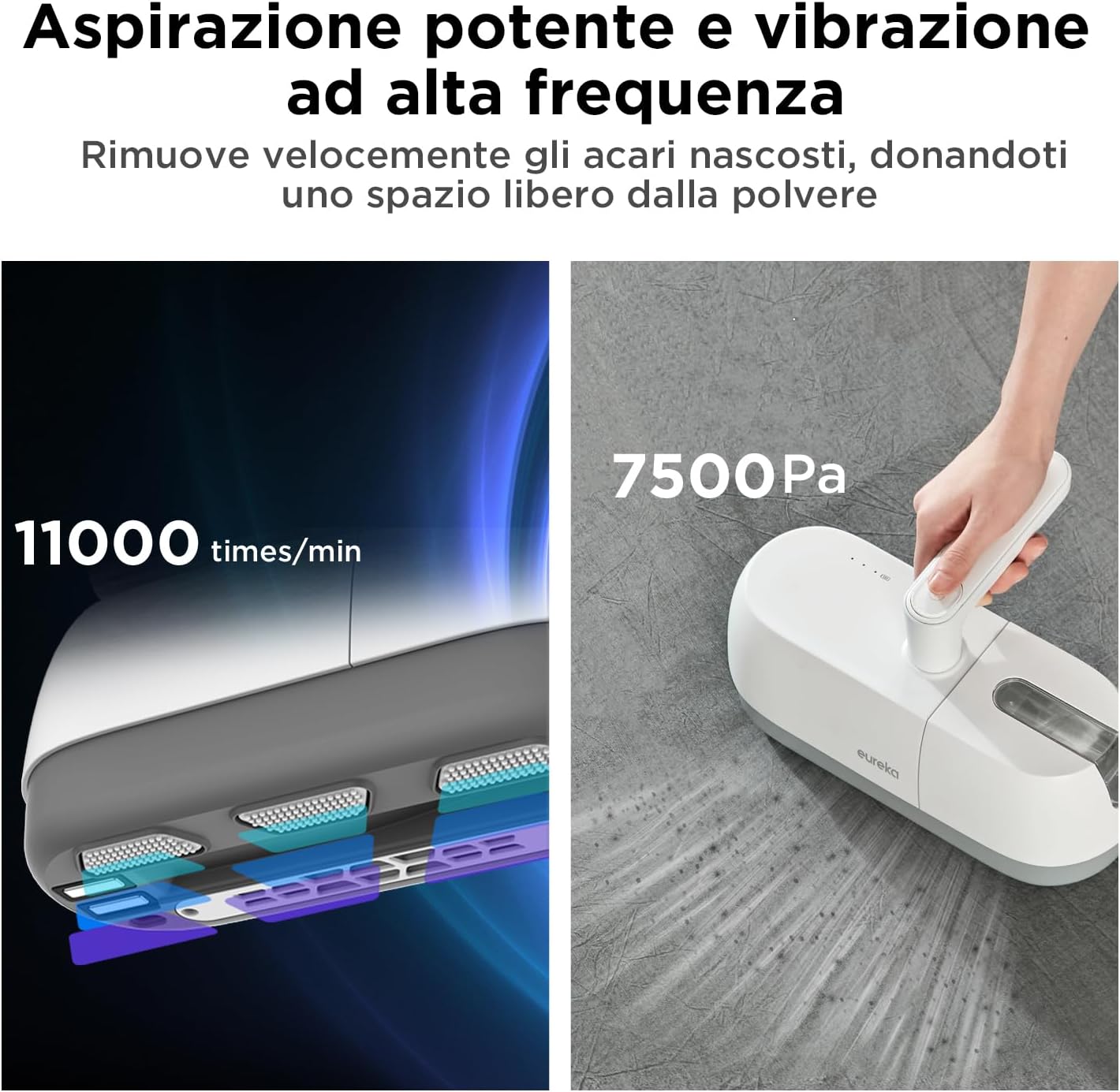
Figure 5.1: The vacuum's powerful suction and high-frequency vibration capabilities.
5.3 Rotatable Handle
The vacuum cleaner features a rotatable handle for improved ergonomics and ease of use. This design allows for comfortable gripping and maneuverability, making it easier to reach difficult angles and clean various surfaces without strain.

Figure 5.2: The rotatable handle for enhanced usability.
5.4 Lightweight Design
Weighing only 1.75 kg, the Midea MMC1921WG is designed for easy handling and portability. Its lightweight construction allows for extended cleaning sessions without fatigue, making it suitable for cleaning various items such as bedding, upholstery, and car interiors.

Figure 5.3: The lightweight design facilitates easy cleaning of items like crib mattresses.
6. Maintenance
6.1 Emptying the Dust Cup
For optimal performance, empty the dust cup after each use or when it reaches its maximum capacity (0.35L). To empty, detach the dust cup from the main unit, open the lid, and dispose of the contents into a waste bin. Reattach the dust cup securely.
6.2 Cleaning Filters
The vacuum cleaner is equipped with filters that require regular cleaning to maintain suction power. Remove the filters from the dust cup. Tap them gently to remove loose dust. If washable, rinse them under cold running water until the water runs clear. Allow filters to air dry completely for at least 24 hours before reinserting them into the vacuum cleaner. Do not use the appliance with wet filters.
6.3 Storage
Store the vacuum cleaner in a cool, dry place away from direct sunlight and moisture. Ensure the unit is fully charged before storing for extended periods to prolong battery life. The portable rechargeable storage design helps save space in your home.

Figure 6.1: The compact design allows for convenient storage.
7. Troubleshooting
- No Power: Ensure the power cord is securely plugged into a working outlet. Check if the power button is pressed. If battery-operated, ensure the battery is charged.
- Reduced Suction: Check if the dust cup is full and needs emptying. Inspect filters for clogs and clean them as per maintenance instructions. Check for blockages in the nozzle or suction path.
- Unusual Noise: Turn off the vacuum immediately. Check for any foreign objects caught in the brush roll or suction inlet. Ensure all parts are correctly assembled.
- Overheating: If the vacuum cleaner stops unexpectedly, it might be due to overheating. Turn it off and unplug it. Allow it to cool down for at least 30 minutes. Check for blockages or full dust cup/clogged filters that might cause the motor to work harder.
8. Warranty and Support
This Midea product is covered by a manufacturer's warranty. For specific warranty terms and conditions, please refer to the warranty card included with your purchase or contact Midea customer support. Keep your proof of purchase for warranty claims.
For technical assistance, spare parts, or service inquiries, please visit the official Midea website or contact their customer service department. Contact information can typically be found in the product packaging or on the Midea brand website.


