
Introduction
Thank you for choosing the AWEI H26 Smart Watch. This device is designed to enhance your daily life with its multi-functional capabilities, including fitness tracking, communication features, and health monitoring. This manual provides essential information for setting up, operating, maintaining, and troubleshooting your smart watch to ensure optimal performance and longevity.
Setup
1. Charging the Smart Watch
Before first use, fully charge your AWEI H26 Smart Watch. The watch is equipped with a 260mAh battery. A full charge typically takes 2-3 hours.
- Connect the magnetic charging cable to the charging points on the back of the watch.
- Plug the USB end of the cable into a standard USB power adapter (5V/1A recommended) or a computer's USB port.
- The watch display will show a charging indicator.

Image: The AWEI H26 Smart Watch screen showing a battery charging icon, indicating magnetic charging in progress. The text on the image mentions "22-Day Standby Time Easy Magnetic Charging" and that usage time can last for 3 to 4 days per charge.
2. Pairing with Your Smartphone
The AWEI H26 Smart Watch is compatible with both Android and iOS smartphones. To unlock its full potential, you need to pair it with your phone via Bluetooth.
- Download the App: Search for the official AWEI H26 companion app in your phone's app store (Google Play Store for Android or Apple App Store for iOS) and install it.
- Enable Bluetooth: Ensure Bluetooth is enabled on your smartphone.
- Open the App: Launch the installed app on your phone and follow the on-screen instructions to create an account or log in.
- Add Device: Within the app, navigate to the 'Add Device' or 'Pair Device' section. The app will search for available Bluetooth devices.
- Select Your Watch: Select 'H26' from the list of found devices. Confirm the pairing request on both your phone and the watch if prompted.
- Complete Setup: Follow any remaining prompts in the app to complete the initial setup, including granting necessary permissions for notifications, health data, etc.
Operating Instructions
1. Basic Navigation
The AWEI H26 Smart Watch features a 1.95-inch touchscreen and physical buttons for navigation.
- Touchscreen: Swipe left/right, up/down to navigate through menus and features. Tap to select an item.
- Side Button(s): Typically, one button serves as a power on/off, back, or home button. Refer to the on-screen prompts for specific functions.

Image: A close-up of the AWEI H26 Smart Watch, showcasing its 1.95-inch HD TFT display. The watch face shows time, date, battery level, and activity tracking icons. The image text highlights "1.95" HD TFT Watch Face Adapt to Different Light Intensities" and its 86.6% screen-to-body ratio for better operating and reading experience in various light conditions.
2. Key Features
- Answer/Make Calls: Once paired with your smartphone, the H26 allows you to answer and make calls directly from your wrist using its one-touch Bluetooth calling feature.
- Multi-Sport Modes: The watch supports over 100 sports modes, including running, walking, climbing, cycling, hiking, basketball, badminton, football, yoga, and more. Select a mode before starting your activity to track exercise time, calories burned, and other relevant metrics.

Image: A person wearing the AWEI H26 Smart Watch during an outdoor activity. The watch face displays time, date, and icons for steps, heart rate, and calories burned. The image text states "100+ Sports Modes Create Your Exclusive Sports Style" and mentions heart rate monitoring, calorie consumption, and exercise duration tracking.
- Health Monitoring: The H26 provides all-day monitoring for heart rate, blood pressure, blood oxygen, and sleep patterns. This data helps you maintain a healthy balance and provides insights into your well-being.

Image: A close-up of the AWEI H26 Smart Watch displaying a heart rate graph with a current reading of 108 BPM. The image text highlights "Healthy Living Golden Partner" and mentions all-day heart-rate, blood-pressure, blood-oxygen, and sleep monitoring.
- Customizable Watch Faces: Personalize your watch with a variety of cloud-based watch faces available through the app. You can also upload your own photos to create unique watch faces.
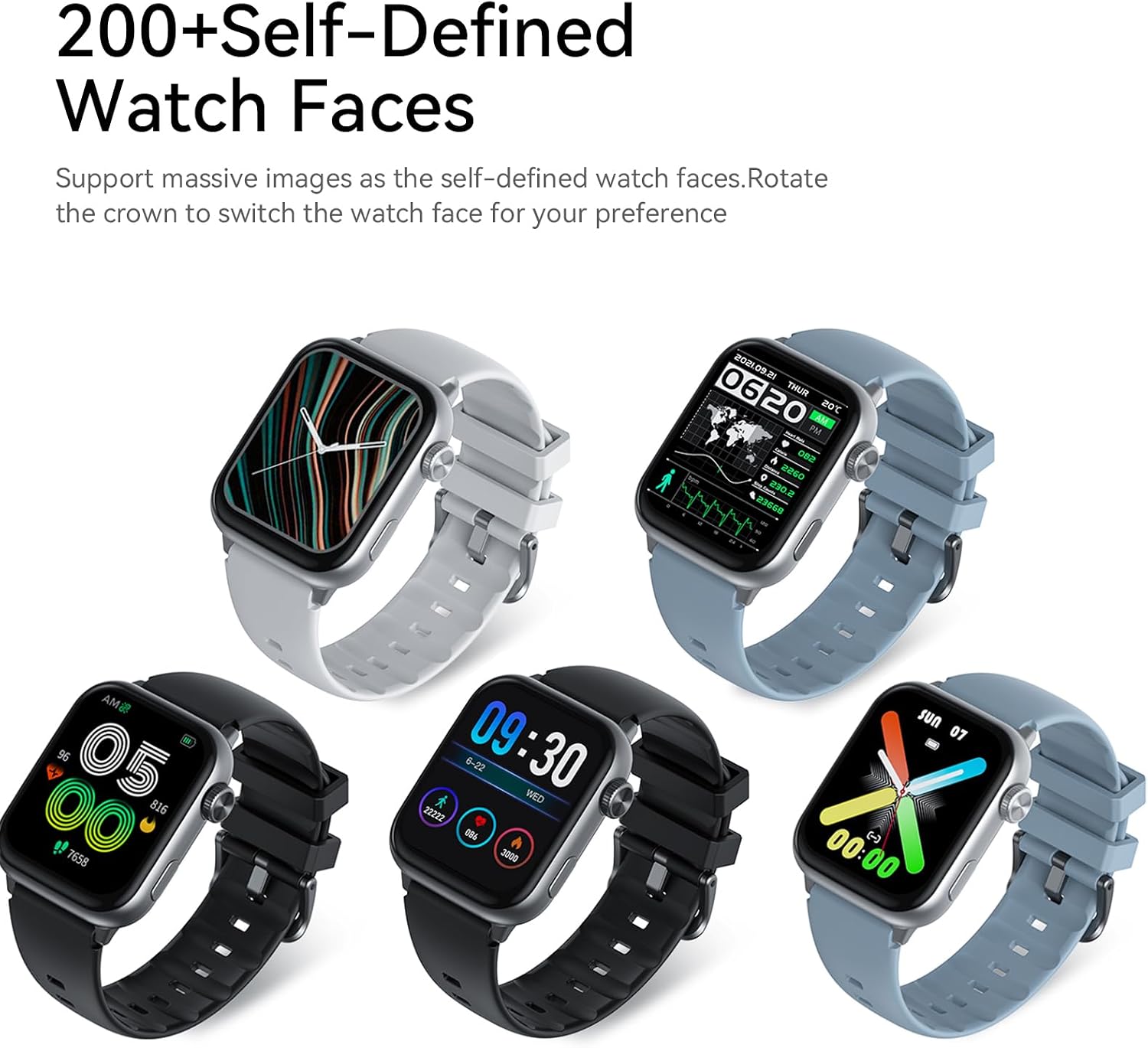
Image: Five AWEI H26 Smart Watches in various colors, each displaying a different customizable watch face. The image text indicates "200+ Self-Defined Watch Faces" and the ability to rotate the crown to switch watch faces.
- Other Functions: The watch includes features such as female physiological cycle tracking, wrist flip screen activation, time display, sedentary reminders, remote photography control, music control, and alarm clock.
Maintenance
1. Cleaning Your Smart Watch
Regular cleaning helps maintain the appearance and functionality of your watch.
- Wipe the screen and watch body with a soft, lint-free cloth.
- For stubborn dirt, slightly dampen the cloth with water. Avoid using harsh chemicals or abrasive materials.
- Clean the charging contacts periodically to ensure good connection.
2. Water Resistance Guidelines
The AWEI H26 Smart Watch has an IP67 waterproof rating, meaning it is resistant to dust and can withstand immersion in water up to 1 meter for 30 minutes. This makes it suitable for daily activities like hand washing, face washing, and sweating during exercise.

Image: The AWEI H26 Smart Watch with water splashing around it, illustrating its water resistance. The image text prominently displays "IP67 Waterproof Rate Fearless of Rain & Sweat" and clarifies that it is waterproof and dustproof.
Important:
- Do not use the watch in hot water, saunas, or steam rooms.
- Avoid using the watch in seawater, as salt can corrode the device.
- The waterproof rating is not permanent and may decrease over time with normal wear and tear.
- Do not intentionally submerge the watch for extended periods or beyond the specified depth.
Troubleshooting
If you encounter issues with your AWEI H26 Smart Watch, try the following solutions:
- Watch not turning on: Ensure the watch is fully charged. Connect it to the charger and wait a few minutes before attempting to power it on.
- Cannot pair with phone:
- Ensure Bluetooth is enabled on your phone and the watch is within range.
- Restart both your phone and the watch.
- Check if the app is updated to the latest version.
- Forget the device in your phone's Bluetooth settings and try pairing again through the app.
- Inaccurate health data: Ensure the watch is worn snugly on your wrist, not too tight or too loose. Clean the sensor on the back of the watch.
- Notifications not received: Check app permissions on your phone to ensure the watch app has access to notifications. Verify that notifications are enabled within the watch app settings.
- Short battery life: Reduce screen brightness, disable unnecessary features, and limit frequent heart rate monitoring if not needed.
If the problem persists, please refer to the support section for further assistance.
Specifications
| Feature | Detail |
|---|---|
| Model Name | H26 |
| Brand | Awei |
| Screen Size | 1.95 Inches |
| Display Type | Digital |
| Operating System | Android, iOS |
| Connectivity Technology | Bluetooth |
| Battery Capacity | 260 Milliamp Hours |
| Battery Charge Time | 2-3 Hours |
| Waterproof Rating | IP67 (1 Meter for 30 Minutes) |
| Human Interface Input | Buttons, Touchscreen |
| Special Features | 100+ Sports Modes, One-touch Bluetooth Calling, Health Monitoring |
| Band Material Type | Silicone |
| Case Material Type | Stainless Steel |
| Metrics Measured | Activity Tracker |
| GPS | Via Smartphone |
Warranty and Support
Warranty Information
The AWEI H26 Smart Watch comes with a 1-year limited warranty from the date of purchase. This warranty covers manufacturing defects under normal use. It does not cover damage caused by misuse, accidents, unauthorized modifications, or failure to follow the instructions in this manual.
Customer Support
If you have any questions, require technical assistance, or experience issues not covered in the troubleshooting section, please do not hesitate to contact our customer support team. We are committed to providing assistance and will respond to your inquiries within 24 hours.
Please refer to your purchase documentation or the official Awei website for specific contact details.
