
1. Introduction
This manual provides essential instructions for the Generic replacement remote control, model Easytry20225. This remote is designed to operate various AC air conditioner units from brands such as Derby, Gre, WESTPOINT, and MYCOD. Please verify your air conditioner model number against the compatible models listed below to ensure proper functionality.
Compatible Models: Derby Y512F, KFR-26G/J11; Gre WESTPOINT Y512F, Y502, Y201; MYCOD YC0D1, YAD0F, Y502K, Y502E, Y512N.
This remote control operates using infrared (IR) technology.
2. Setup: Battery Installation
The remote control requires two (2) AAA batteries for operation. Batteries are not included with the remote control.
- Locate the battery compartment on the back of the remote control.
- Slide the battery compartment cover downwards or in the direction indicated by an arrow to open it.
- Insert two new AAA batteries, ensuring the positive (+) and negative (-) terminals align correctly with the markings inside the compartment.
- Slide the battery compartment cover back into place until it clicks securely.

Image 2.1: Back of the remote control with the battery compartment. The compartment cover is located at the bottom, designed to slide open for battery insertion.
Important: Do not mix old and new batteries, or different types of batteries. Remove batteries if the remote control will not be used for an extended period.
3. Operating Instructions
After installing batteries, the remote control is ready for use. Point the remote control directly at the infrared receiver on your air conditioner unit.
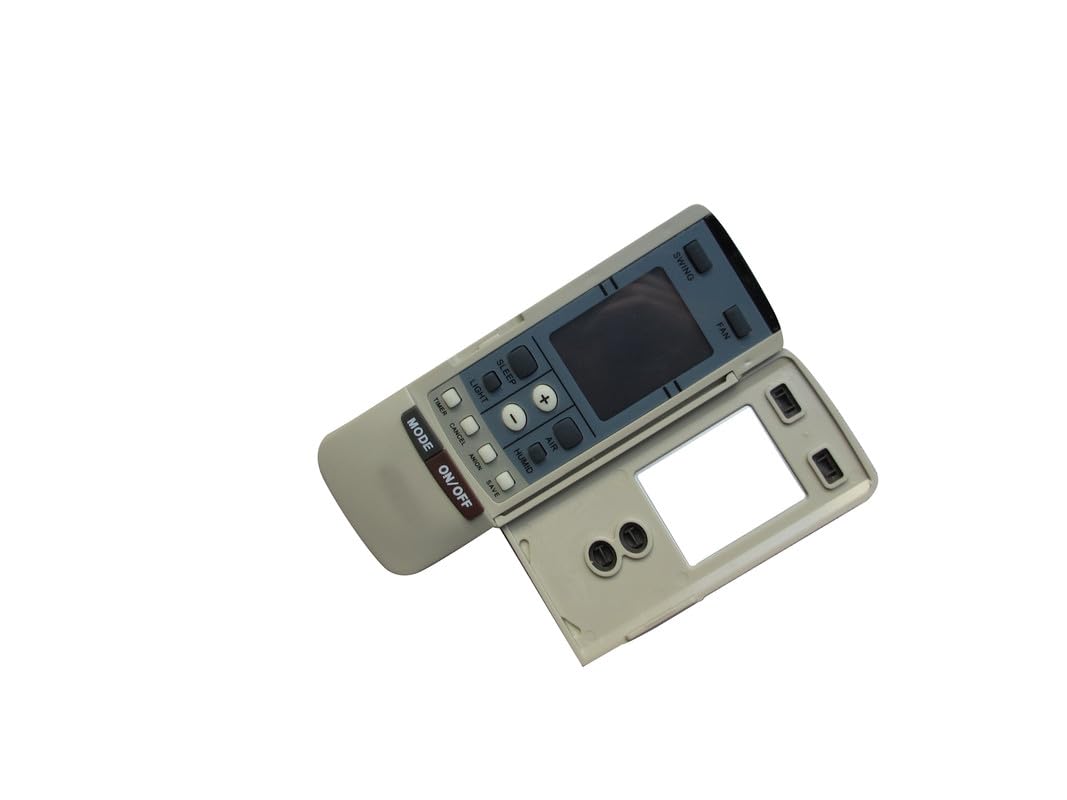
Image 3.1: Front view of the remote control, displaying various function buttons and the LCD screen.
Button Functions:
- ON/OFF Button: Press to turn the air conditioner unit on or off.
- MODE Button: Cycles through available operating modes (e.g., Cool, Heat, Fan, Dry, Auto). Press repeatedly to select the desired mode.
- Temperature Adjustment Buttons (+ / -): Increases or decreases the set temperature. The display shows temperature in Celsius.
- FAN Button: Adjusts the fan speed (e.g., Low, Medium, High, Auto). Press repeatedly to cycle through speeds.
- SWING Button: Activates or deactivates the automatic swing function of the air conditioner's louvers.
For specific advanced functions or detailed mode descriptions, please refer to your air conditioner unit's original instruction manual.
4. Maintenance
- Cleaning: Wipe the remote control with a soft, dry cloth. Do not use liquid cleaners or abrasive materials.
- Battery Replacement: Replace batteries when the remote's display becomes dim or the unit no longer responds to commands. Always replace both batteries simultaneously with new AAA batteries.
- Storage: If the remote control will not be used for an extended period, remove the batteries to prevent leakage and damage. Store in a cool, dry place.
5. Troubleshooting
| Problem | Possible Cause | Solution |
|---|---|---|
| Remote control not working. |
|
|
| Display is dim or blank. | Low battery power. | Replace batteries with new AAA batteries. |
| AC unit responds intermittently. | Weak battery signal or interference. | Replace batteries. Ensure no strong light sources (e.g., direct sunlight) are interfering with the IR signal. |
6. Specifications
- Product Type: Replacement AC Remote Controller
- Model Number: Easytry20225
- Brand: Generic
- Connectivity Technology: Infrared (IR)
- Power Source: 2 x AAA Batteries (not included)
- Special Feature: Temperature display in Celsius
- Manufacturer: SZHKHXD
7. Warranty Information
This product comes with a 90-day warranty from the date of purchase. This warranty covers manufacturing defects. It does not cover damage caused by misuse, accidents, unauthorized modifications, or normal wear and tear. Please retain your proof of purchase for warranty claims.
8. Support
For further assistance or inquiries regarding this remote control, please contact the seller or manufacturer directly through the platform where the purchase was made. Ensure you have your order details and product model number (Easytry20225) ready when contacting support.