
hohem
hohem iSteady XE Kit Gimbal Stabilizer User Manual
Model: iSteady XE KIT
Introduction
The hohem iSteady XE Kit is a 3-axis gimbal stabilizer designed for smartphones, providing enhanced stability for video recording. It features an advanced iSteady 7.0 stabilization system, a magnetic adjustable fill light, and a user-friendly design for both beginners and experienced content creators. This manual provides detailed instructions for setting up, operating, and maintaining your iSteady XE Kit to ensure optimal performance.
What's in the Box
- XE phone stabilizer x1
- Magnetic Fill Light x1
- Tripod x1
- Storage pouch x1
- USB-Type-C Charging cable x1
Note: The Magnetic Fill Light is included in the iSteady XE Kit. If purchased separately, it is an optional accessory.
Setup
Charging Your Gimbal
Before first use, fully charge the gimbal. Connect the provided USB-C charging cable to the charging port on the side of the handle and to a USB adapter. The battery level indicator lights will blink while charging and stay solid green when fully charged.
Video: Instructions on charging the hohem iSteady XE Kit Gimbal Stabilizer.
Mounting and Balancing Your Smartphone
Attach the tripod to the 1/4"-20 UNC port at the bottom of the handle. Expand the iSteady XE and ensure the arm is vertical. Tighten the knob by turning it clockwise. Rotate the phone clamp so the "hohem" logo faces upwards. Insert your mobile device with the phone camera on the left, putting it stuck in the bottom of the phone clamp and pulling the top side of the clamp to clip it into place. Ensure the phone is clamped centrally and balanced before powering on. For thick phone cases, it is recommended to remove the case.

Image: The hohem iSteady XE Kit Gimbal Stabilizer with a smartphone mounted, alongside its accessories including the magnetic fill light, tripod, storage pouch, and USB-C charging cable.
Video: Detailed guide on mounting and balancing a smartphone on the hohem iSteady XE Gimbal Stabilizer.
Downloading the Hohem Joy App
To unlock the full potential of your iSteady XE Kit, download the Hohem Joy app. Scan the QR code provided in the quick start guide or search for "hohem joy" in your mobile device's application store. Install the app and sign in to prepare for Bluetooth connection.
Powering On and Bluetooth Connection
To power on the gimbal, press and hold the M button (power button) for 3 seconds. After powering on, turn on Bluetooth on your mobile phone. Launch the Hohem Joy app and follow the prompts to connect your iSteady XE device. Once successfully connected, the Bluetooth indicator light on the gimbal will light up in green.
Video: Demonstrates powering on the gimbal and establishing a Bluetooth connection with the Hohem Joy app.
Operating Instructions
Understanding Button Functions
- M Button (Power Button): Press and hold for 3 seconds to power on/off. When powered on, press twice to enable standby mode. Press any button to exit standby mode. Press once to switch between working modes (PTF, PF, L, POV).
- Joystick: Push up/down for tilt rotation control (angle range: +45° to -45°). Push left/right for pan rotation control (angle range: 320°).
- Shutter Button: Press once to take a photo. Press once to start/end video recording. Press twice to switch between PHOTO mode and VIDEO mode. Press three times to switch between front and rear cameras.
- Zoom Slider: Push up to zoom in. Push down to zoom out.
- Function Button: Press once to switch between landscape and portrait modes. Press twice to recenter the gimbal. Press three times for 180° inception mode (auto rotation).
Video: A comprehensive overview of all button functions on the hohem iSteady XE Gimbal Stabilizer.
Using the Magnetic Fill Light
The magnetic fill light attaches to the top of the phone clamp. Ensure the "hohem" logo on the light faces upwards for proper magnetic alignment. To turn on/off the fill light, press and hold the M button on the light for 3 seconds. Single press the M button on the light to switch between natural white light, cold light, and warm light. Use the "+" and "-" buttons to adjust brightness in 10 levels.

Image: A couple using the hohem iSteady XE Kit, highlighting the magnetic fill light's ability to brighten moments with adjustable brightness and color temperatures.
Video: Operation tutorial for the hohem iSteady XE Kit, including usage of the magnetic fill light.
Advanced Features
- iSteady 7.0 3-Axis Stabilization: Provides 3 times more anti-shake performance than previous models for clearer and more stable video footage.
- Easy Setup: No complicated leveling process required; simply clip your phone in the middle to start quickly.
- Hohem Joy App Integration: Offers features like face and object tracking, and creative templates for professional-grade footage.
- Lightweight and Powerful: Weighs only 0.57 lbs (259g) with a foldable design, yet boasts an impressive 30% rise in motor torque, supporting a max payload of 0.62 lbs.
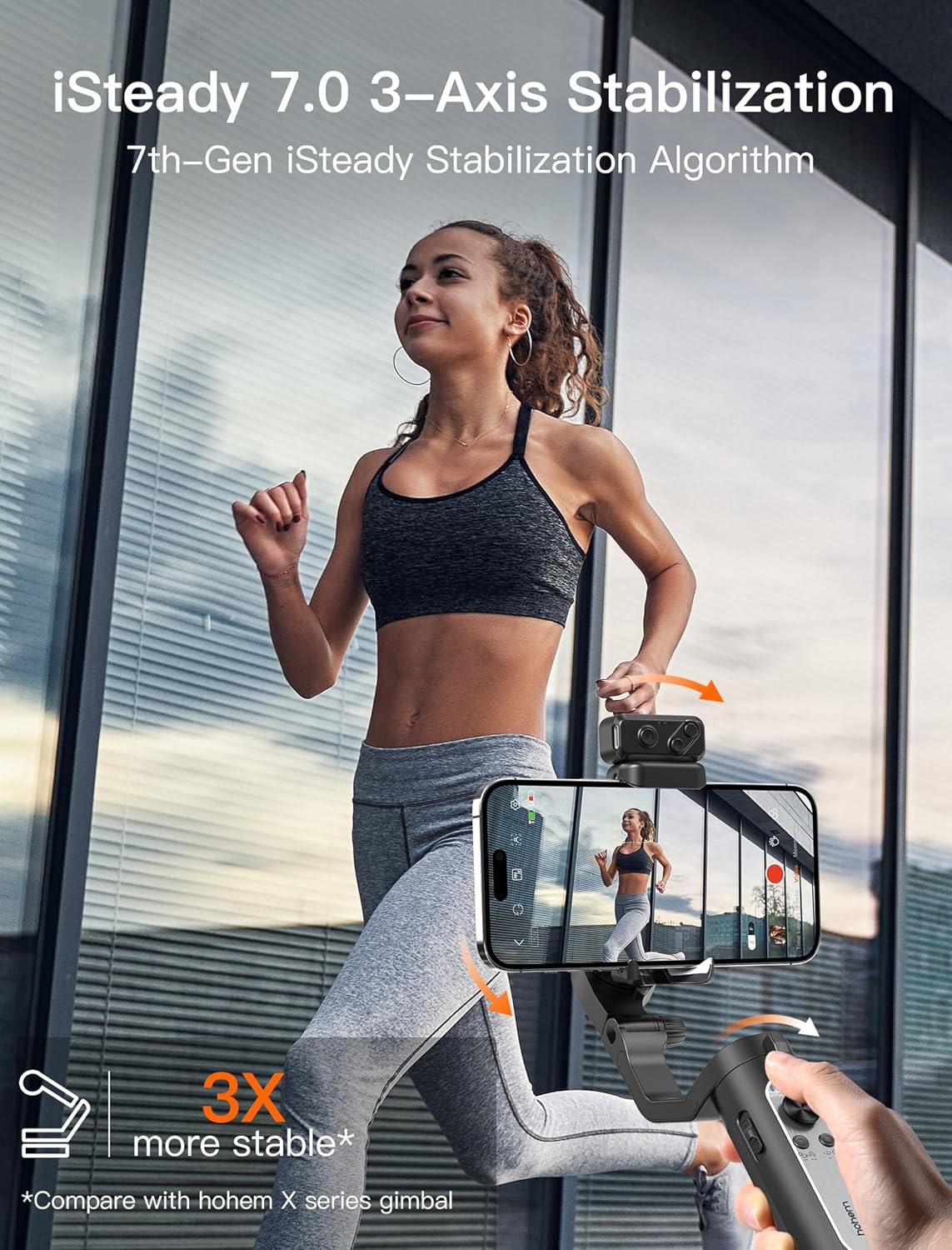
Image: A woman running while using the hohem iSteady XE Kit Gimbal Stabilizer, illustrating the iSteady 7.0 3-axis stabilization system for smooth video capture.
Maintenance
To ensure the longevity and optimal performance of your hohem iSteady XE Kit, follow these maintenance guidelines:
- Cleaning: Use a soft, dry cloth to wipe the gimbal. Avoid using harsh chemicals or abrasive materials.
- Storage: Store the gimbal in its storage pouch in a cool, dry place away from direct sunlight and extreme temperatures.
- Battery Care: Fully charge the battery at least once every three months if not in regular use to prevent deep discharge.
- Avoid Overloading: Do not exceed the maximum payload capacity of 0.62 lbs (280 grams) to prevent motor strain.
Troubleshooting
| Problem | Possible Cause | Solution |
|---|---|---|
| Gimbal vibrates or turns off automatically | Phone not clamped centrally or clinging to rubber pads; phone case too thick. | Ensure phone is centered and securely clamped. Remove thick phone cases if necessary. |
| Bluetooth connection fails | Bluetooth not enabled on phone; app not launched; incorrect pairing. | Ensure phone Bluetooth is on. Relaunch Hohem Joy app. Follow in-app pairing prompts. |
| Magnetic Fill Light not working | Light not charged; not properly attached; M button not held long enough. | Charge the fill light. Ensure it's magnetically attached correctly. Press and hold the M button on the light for 3 seconds. |
| Gimbal not stabilizing properly | Improper balancing; exceeding payload capacity. | Re-balance the smartphone on the clamp. Ensure phone weight is within 0.62 lbs (280 grams). |
Technical Specifications
- Product Dimensions: 3.15 x 1.57 x 7.09 inches (Folded Size: 7.05 x 3.12 x 1.54 inch)
- Item Weight: 13.4 ounces (380 Grams)
- Maximum Weight Recommendation: 280 Grams (0.62 lbs)
- Model Number: iSteady XE KIT
- Batteries: 1 Lithium Ion battery required (included)
- Color: Black
- Brand: hohem
- Manufacturer: hohem Technology Co., LTD.
- Country of Origin: China
- First Available: July 7, 2023
- Compatible Devices: Samsung Galaxy S22 S21 S20 Plus Ultra Galaxy A90 A60, iPhone 14 13 12 11 Pro Max Mini XS Max XR X, Huawei P50 P40 P30 P20 Pro Mate50 40 Pro
Warranty and Support
hohem products are designed and manufactured to the highest quality standards. For detailed warranty information and customer support, please refer to the official hohem website or contact their customer service directly.
For further assistance, you can download the official User Guide PDF:
Visit the official hohem store for more products and information:
Related documents


Ask a question about this manual
Ask about setup, troubleshooting, compatibility, parts, safety, or missing instructions. Manuals+ will review the question and use this page’s manual context to help answer it.